


interest free payments of
Late fees apply.
Delivery to
Delivery
Collect from
Click & Collect
Collect in store
Nearest store with stock
Nearest store with stock

Available services
Description
Check out the video:
Tri-Camera Imaging System, Master Every Angle
Excels from wide-angle to tele. Features Dual Native ISO Fusion, RAW stacking of up to 5 frames, Free Panoramas, and Subject Focusing across all lenses.
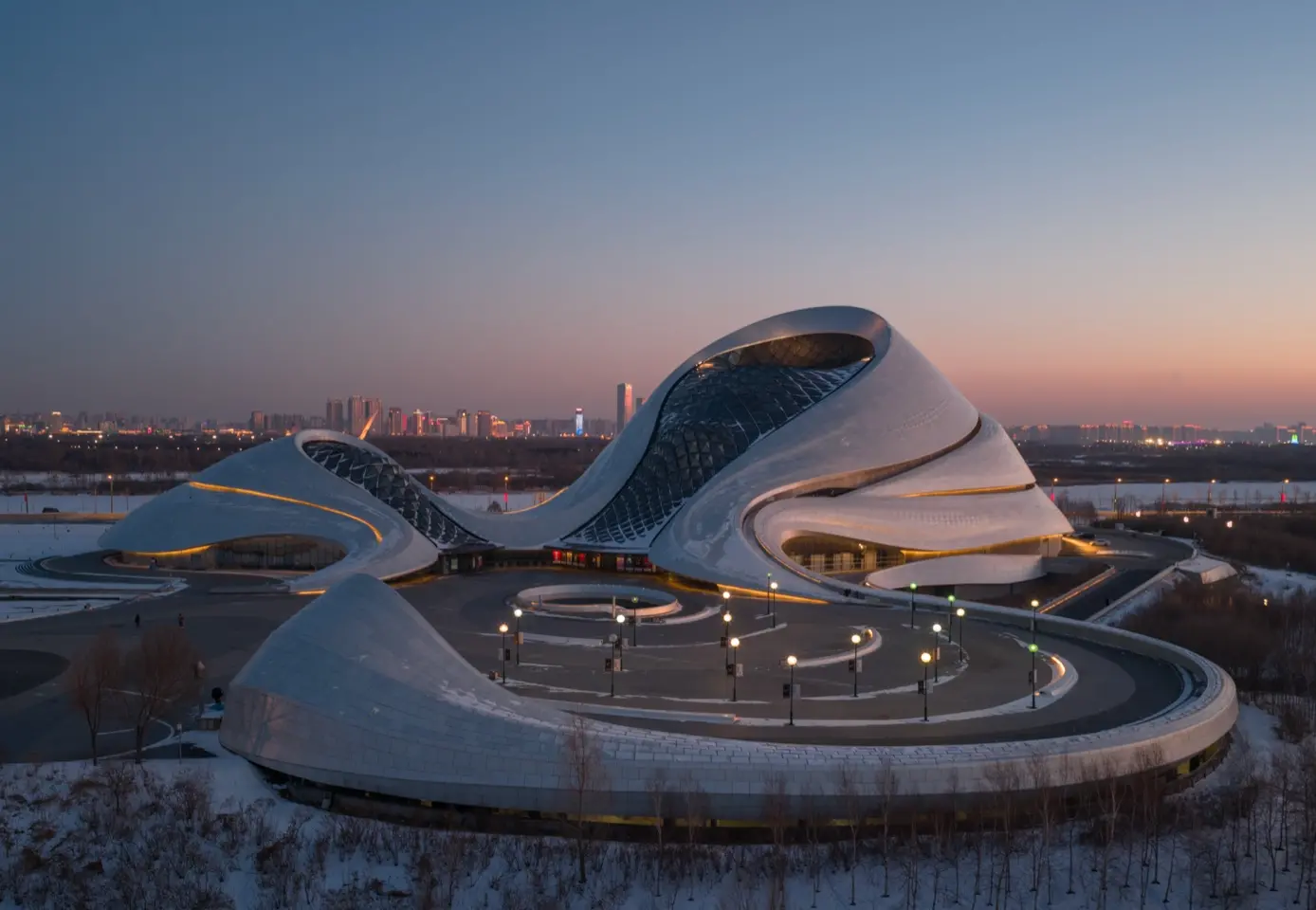
100MP Hasselblad Camera: Epic Imagery
The 4/3 CMOS Hasselblad camera features 100MP photos, 6K/60fps HDR videos and 15.5 stops of dynamic range [1] that captures exquisite detail.
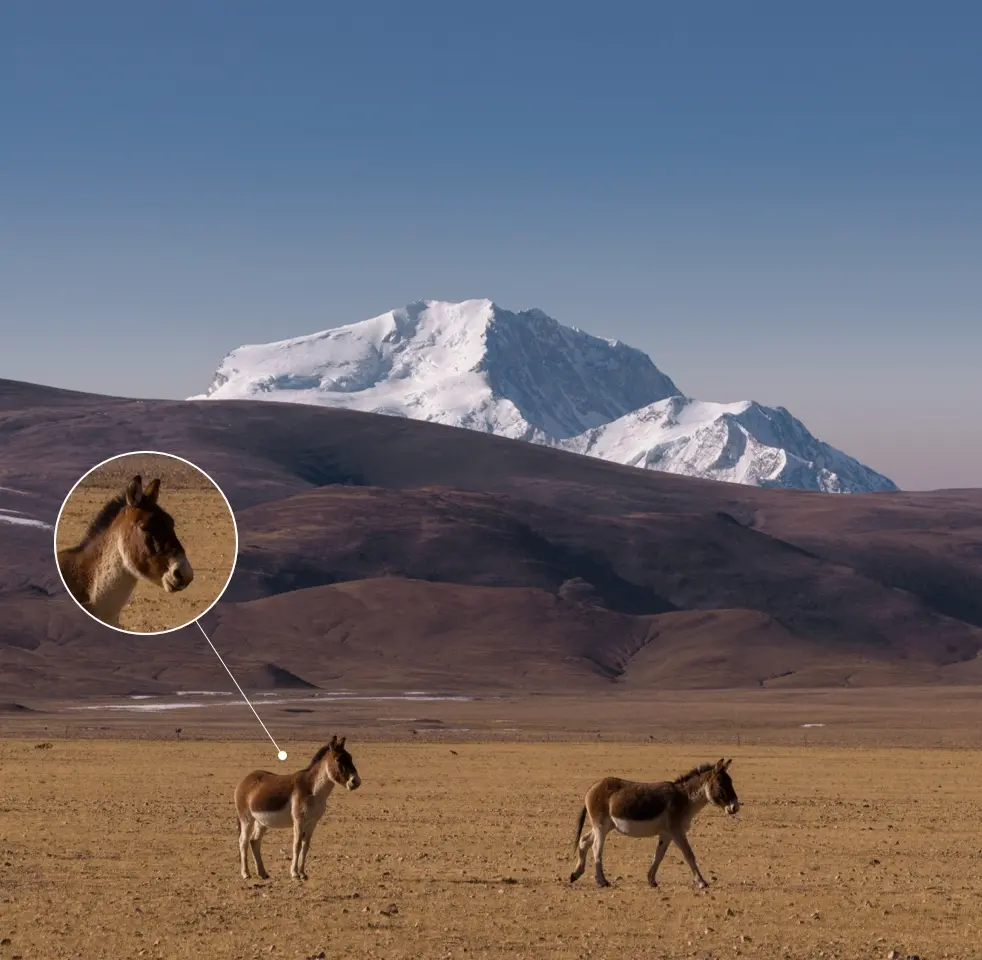
Dual Tele Camera: Large CMOS, Remarkable Zoom
The 70mm camera with a 1/1.3" CMOS captures epic portraits and car shots. The 168mm camera upgrades to a 1/1.5" CMOS for enhanced image quality.
Check out the video:
Infinity Gimbal for Dynamic Camera Movement
Allows for effortless 70° upward shots and full 360° rotation [2]. Reimagine aerial storytelling with fluid, gravity-defying movements.
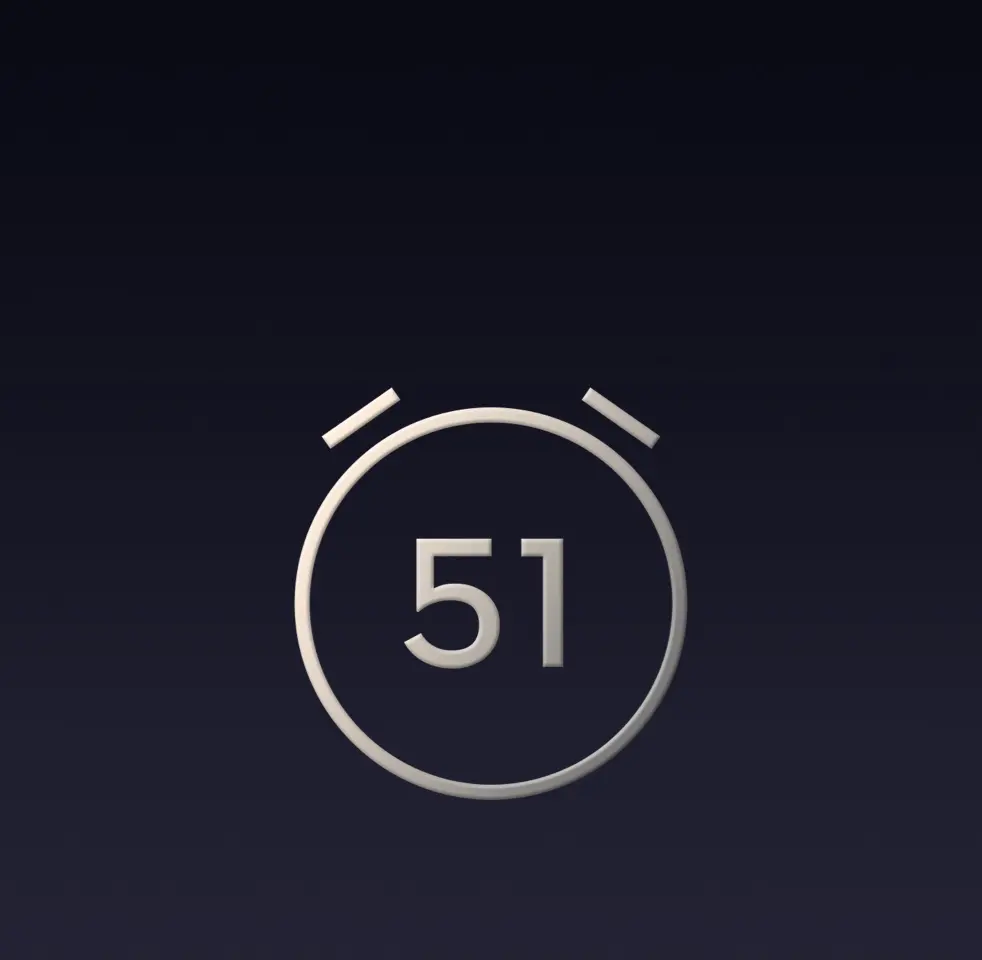
51-Min Flight Time [3]
Delivers flight times of up to 51 minutes for scouting locations, practicing maneuvers, capturing time-lapse shots, and taking panoramic photos.
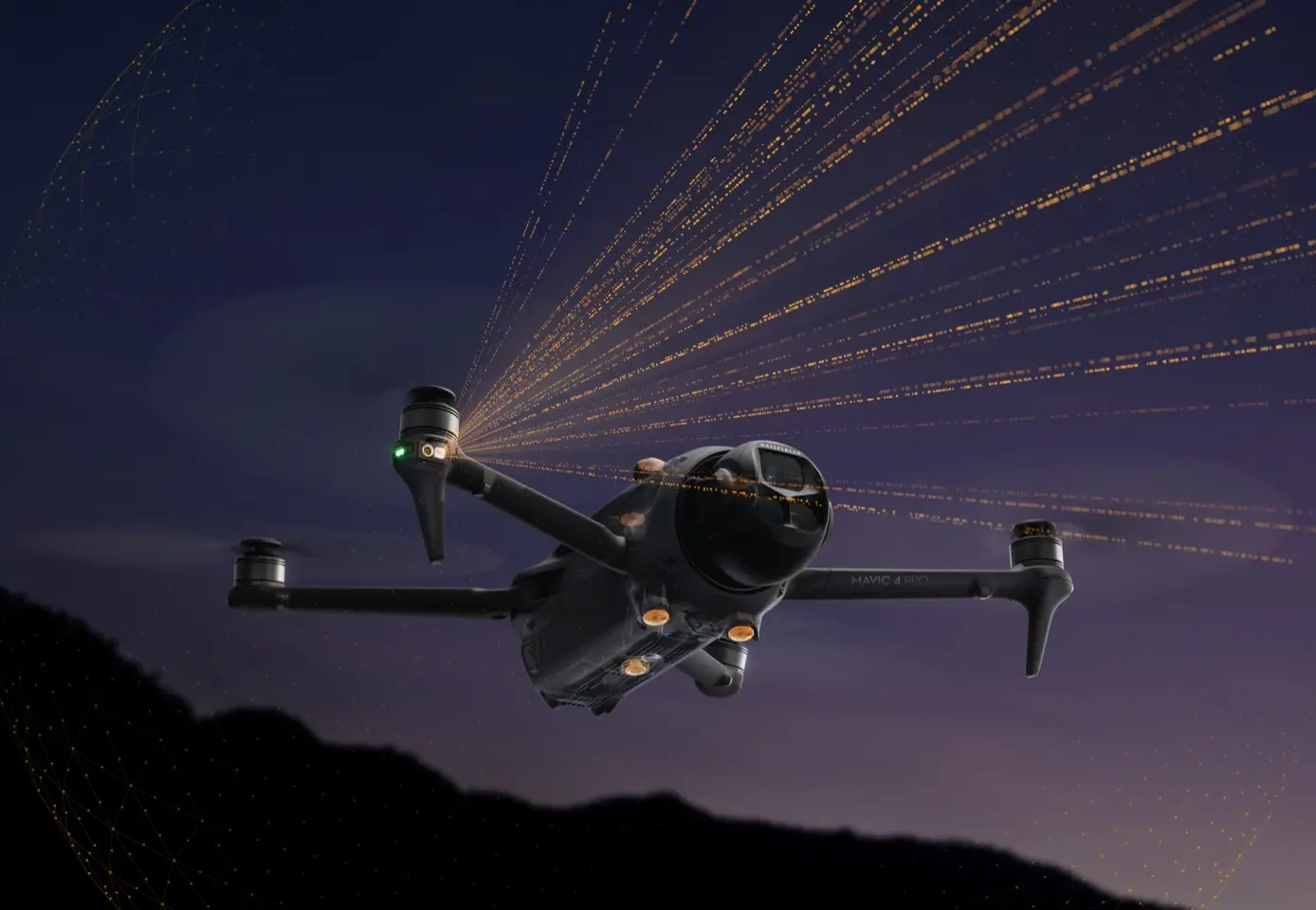
0.1-Lux Nightscape Omnidirectional Vision [4]
Provides robust safety for night photography, allowing you to create with confidence and efficiency.
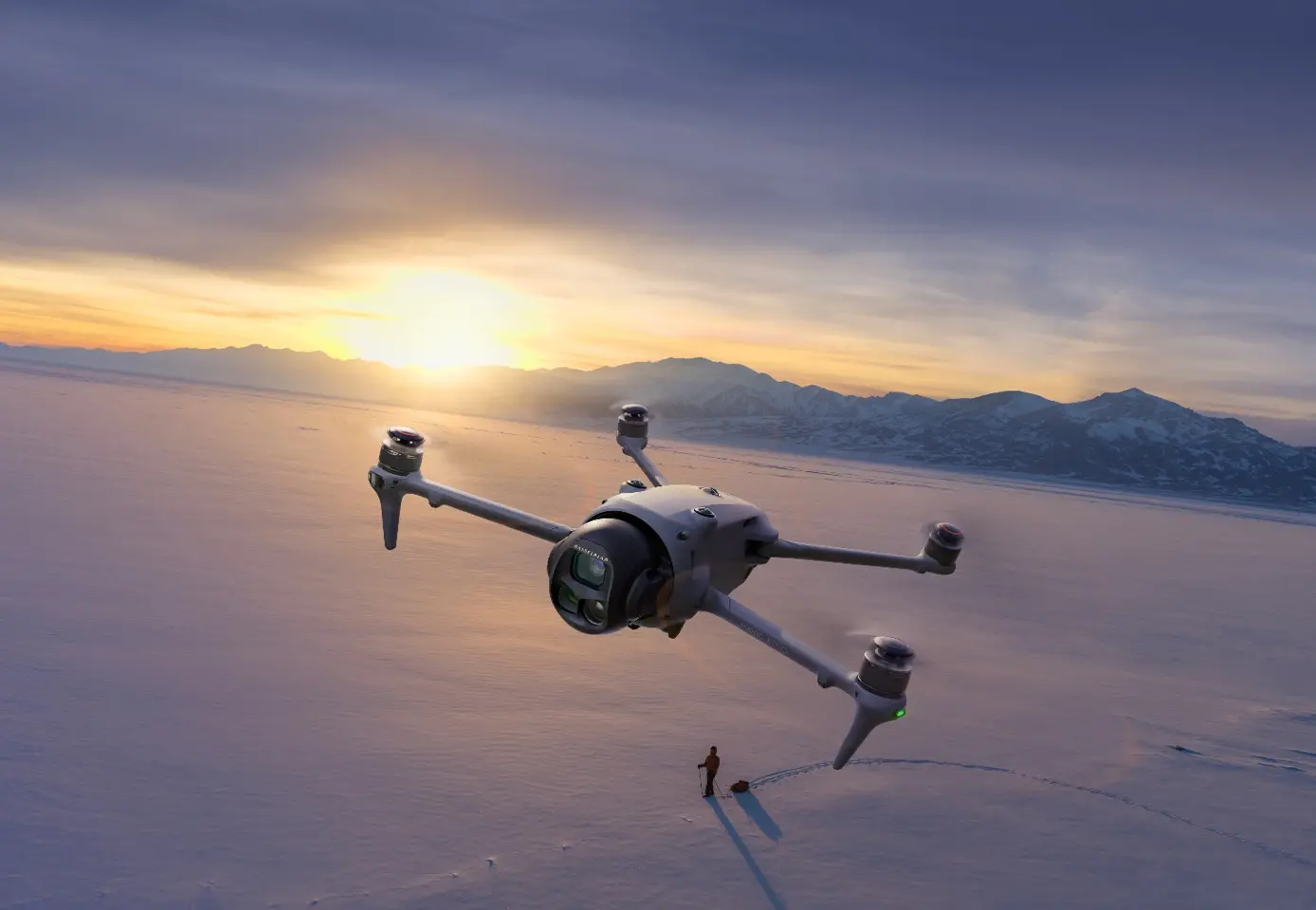
30km HD Video Transmission [5]
Featuring the DJI O4+ video transmission system that enables ultra-long-range 10-bit HDR video transmission of up to 30 km (18.6 miles).
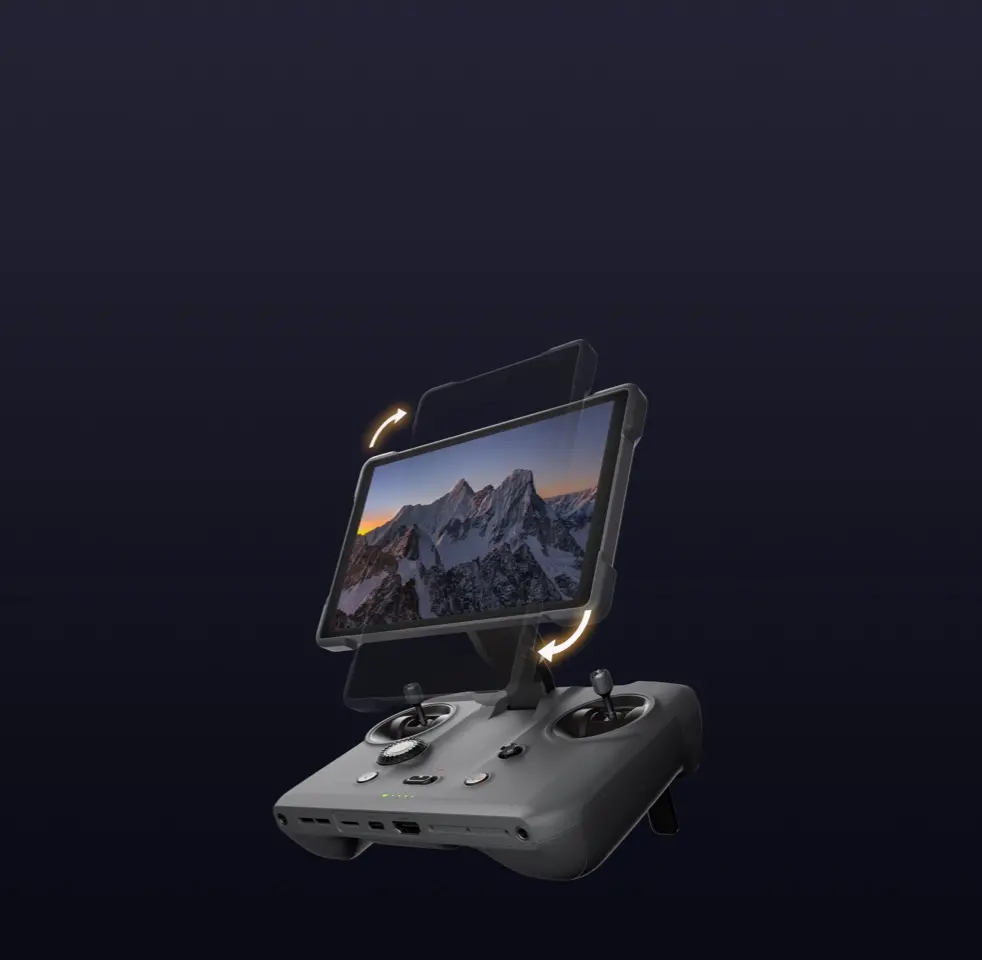
RC Pro 2 [6], A Remote Controller for the Pros
Collapsible design that eliminates control stick removal and makes powering on and off quick. 7″ Mini-LED display delivers stunning visuals.
Notes:
* All videos and images on this page were shot using DJI Mavic 4 Pro by professionals in strict compliance with local laws and regulations and have been variously edited in post-production. All videos and images are for reference only. Actual results may vary. Always observe local laws and regulations and ensure the aircraft has obtained relevant certifications and airspace authorizations before flying. All images and videos containing wildlife on this page were captured in strict compliance with local wildlife protection regulations.
** All data on this page was collected with a production model of DJI Mavic 4 Pro in a controlled test environment. Actual experience may vary depending on the environment, usage, and firmware version. DJI Mavic 4 Pro must be activated via the DJI Fly app before use.
*** It is recommended to use the ActiveTrack 360° feature in open environments. Refer to the user manual for unsupported scenarios or those that may potentially interrupt recording. In complex environments with many obstacles, exercise caution when using Auto mode to ensure flight safety and personal safety.
**** All images, videos, and screen display contents about the product itself on this page are for reference only. Actual product effects (including but not limited to appearance, color, and size) and screen display contents (including but not limited to backgrounds, UI, and illustrations) may vary.
1. Measured in a controlled test environment and based on the SNR scene ≥ 1 standard, using D-Log mode, excluding slow-motion and cropped vertical video.
2. The gimbal's range of motion may vary based on the angles of each axis, wind speed, and flight speed. Please refer to the actual operation experience and pay attention to the reminders in the DJI Fly app.
3. Measured by the aircraft flying forward at a constant speed of 9 m/s (32.4 kph) in a windless environment at sea level, with Obstacle Avoidance Action set to Brake, in photo mode, and from 100% battery level until 0%. Data is for reference only. Always pay attention to reminders in the app during your flight.
4. Conditions for enabling nightscape omnidirectional obstacle sensing: The drone's front, back, left, right, or top sides are within range of surfaces with discernible textures with illuminance that exceeds 0.1 lux. Similarly, the ground below is textured and diffusely reflective with a reflectivity above 20% (such as walls, trees, or people), also in lighting conditions with illuminance higher than 0.1 lux. DO NOT fly in severe weather conditions, such as in strong winds (wind speed of 12 m/s or more), snow, rain, lightning, or fog. DO NOT fly the aircraft 6,000m (19,685ft.) or higher above sea level. DO NOT fly the aircraft in environments where the temperature is below -10° C (14° F) or above 40° C (104° F). DO NOT take off from moving objects, such as cars or boats. DO NOT fly close to reflective surfaces such as water or snow. Otherwise, the vision system may be limited. When the GNSS signal is weak, fly the aircraft in environments with good lighting and visibility: The drone's front, back, left, right, or top sides are within range of surfaces with discernible textures with illuminance that exceeds 10 lux. Similarly, the ground below is textured and diffusely reflective with a reflectivity above 20%, also in lighting conditions with illuminance higher than 10 lux. The vision system may not work properly in dim environments. DO NOT fly near areas with magnetic or radio interference. Common magnetic or radio interference sources include Wi-Fi hotspots, routers, Bluetooth devices, high-voltage lines, large-scale power transmission stations, radar stations, mobile base stations, and broadcasting towers. Avoid sand entering the aircraft when taking off in desert or beach areas. Fly the aircraft in open areas away from crowds. Buildings, mountains, and trees may block the GNSS signal and affect the onboard compass.
5. Measured in an outdoor, open environment, without interference, and with FCC compliance. The 30 km transmission distance is only achievable under FCC standards; in mainland China, the SRRC standard is adopted, with a maximum transmission distance of 15 km. The above data shows the farthest communication range for one-way, non-return flights. Always pay attention to reminders in the app during your flight.
6. Accessory included with the Creator Combo. Not included with the standalone version or the Fly More Combo.
Specs
General
- Brand DJI
- Product Category Drones
- Product Type Drone
Camera Features
- Camera Type Drone Camera
- Sensor Size Hasselblad Camera: 4/3” CMOS, Medium Tele Camera: 1/1.3\ CMOS
- Camera Resolution Hasselblad: 100 MP
- Exposure Compensation 3/5/7 frames at 0.7 EV step
- Internal Memory 64 GB
Drone Features
- Drone Model DJI Mavic 4 Pro
- Maximum Altitude 6000 m
- Maximum Ascent Speed 10 m/s (Sport Mode), 6 m/s (Normal Mode), 6 m/s (Cine Mode)
- Maximum Descent Speed 10 m/s (Sport Mode), 6 m/s (Normal Mode), 6 m/s (Cine Mode)
- Maximum Flight Time 51 minutes
- Maximum Hover Time 45 minutes
- Maximum Speed 25–27 m/s (Sport mode), 15 m/s (Follow mode)
- Maximum Transmission Distance Strong Interference (urban landscape): Approx. 1.5-6 km, Medium Interference (suburban landscape): Approx. 6-15 km, Low Interference (suburb/seaside): Approx. 15-30 km, Low Interference and Obstructed by Buildings: Approx. 0-0.7 km, Low Interference
- Additional Drone Features Obstacle Avoidance, WiFi, GPS, Bluetooth, 3 Axis Gimbal, Slo-mo
Lens Features
- 35 mm Equivalent Yes
- Focal Length Hasselblad: 28 mm, Medium Tele: 70 mm, Tele: 168 mm
- Maximum Aperture Hasselblad Camera: f/2.0, Medium Tele Camera: f/2.8, Tele Camera: f/2.8
- Minimum Aperture Hasselblad Camera: f/11
- Normal Focus Range Hasselblad Camera: 2 m to ∞, Medium Tele and Tele Cameras: 3 m to ∞
- Lens Range 28 - 168 mm
- Digital Zoom Hasselblad Camera: 1x to 2.5x\nMedium Tele Camera: 2.5x to 6x\nTele Camera: 6x to 24x
- Image Stabilisation CMOS, 3-axis Mechanical Gimbal (Tilt, Roll, Pan)
Camera Functions
- ISO Sensitivity Hasselblad:\nVideo (Normal): 100–12800\nD-Log/D-Log M/HLG: 400–6400 or 100–6400\nPhoto (25 MP): 100–6400\nPhoto (100 MP): 100–3200\nMedium Tele & Tele:\nVideo (Normal): 100–12800\nD-Log/HLG: 400–3200 or 100–3200\nSlow Motion: 100–6
- Shutter Speed 25MP Single Shot: 1/16000 – 16s (up to 2s simulated long exposure)\n100MP Single Shot: 1/8000 – 8s\nBurst Shooting & AEB: 1/8000 – 8s
- Type of Modes Auto Exposure Bracketing (AEB), Burst Shooting, Digital Zoom, HDR Panorama, JPEG/DNG (RAW), Live Streaming, Single shot, Slow Motion
Photo Features
- Image Resolution Hasselblad Camera: 12288 × 8192\nMedium Tele Camera: 8064 × 6048\nTele Camera: 8192 × 6144
- Photo File Formats JPEG, DNG (RAW)
Video Features
- Max Video Bitrate H.264 Standard Bitrate: 90 Mbps, H.265 Standard Bitrate: 180 Mbps, H.264 ALL-I Bitrate: 1200 Mbps
- Video File Formats H.264, H.265
- Max Video Resolution 6K
Battery & Power
- Battery 6654 mAh
- Power Source Battery
- Voltage 14.32 V
- Battery Type Li-ion 4S
Delivery
We offer a comprehensive nationwide (excluding Republic of Ireland) delivery service; we aim to deliver all orders as quickly as possible.
| Item Type | Delivered In | Delivered By |
|---|---|---|
| Small Items | 2 Working days | DPD |
| Large Electrical Appliance | 3-5 Working days | Independent transport company |
| Furniture & Bedding | 3-5 Working days | Independent transport company |
Please note: if you have ordered furniture and bedding products that involve a lead time, are customised or made to measure, we will contact you to discuss delivery.
Free Click & Collect In Store
Can't wait for delivery or don't want to pay additional delivery charges? It's incredibly simple to collect your online order in store and get your hands on your product quickly and easily. Simply select the Click & Collect option and head to your nearest Harvey Norman store to collect your order.
- During checkout, select “Click & Collect” and select your preferred store.
- After your order is placed, you will receive an order acknowledgement email with your order number.
- Once the store has confirmed your order and reserved the stock, you will receive an email to inform you that your order is "Ready for collection". If you want to use "Contactless Click & Collect" select this option on this email. Please Note: Some large items are held in an off-site warehouse. We will notify you of the collection location in your Ready for Pickup email.
- Bring your order number to the store you selected for Click & Collect, along with photo ID and the credit card you used to make the order.
- Speak to one of our staff and your order should be processed in minutes.
- If availing of Contactless Click & Collect, please click the link in your email "ready to pick up" to let the store know you are on your way. When you have parked in the designated parking bay, open your email, and choose the "I'm here" option and a member of staff will bring your purchase out to your car.
Easy returns
Store Purchases: For all items purchased from a physical store, please return to your local Harvey Norman Store. Please see Terms & Conditions here.
Online Purchases: For all items purchased via our Online Store (website), please fill out our Contact Form where our team can guide you through the process.
Description
Description
Check out the video:
Tri-Camera Imaging System, Master Every Angle
Excels from wide-angle to tele. Features Dual Native ISO Fusion, RAW stacking of up to 5 frames, Free Panoramas, and Subject Focusing across all lenses.
100MP Hasselblad Camera: Epic Imagery
The 4/3 CMOS Hasselblad camera features 100MP photos, 6K/60fps HDR videos and 15.5 stops of dynamic range [1] that captures exquisite detail.
Dual Tele Camera: Large CMOS, Remarkable Zoom
The 70mm camera with a 1/1.3" CMOS captures epic portraits and car shots. The 168mm camera upgrades to a 1/1.5" CMOS for enhanced image quality.
Check out the video:
Infinity Gimbal for Dynamic Camera Movement
Allows for effortless 70° upward shots and full 360° rotation [2]. Reimagine aerial storytelling with fluid, gravity-defying movements.
51-Min Flight Time [3]
Delivers flight times of up to 51 minutes for scouting locations, practicing maneuvers, capturing time-lapse shots, and taking panoramic photos.
0.1-Lux Nightscape Omnidirectional Vision [4]
Provides robust safety for night photography, allowing you to create with confidence and efficiency.
30km HD Video Transmission [5]
Featuring the DJI O4+ video transmission system that enables ultra-long-range 10-bit HDR video transmission of up to 30 km (18.6 miles).
RC Pro 2 [6], A Remote Controller for the Pros
Collapsible design that eliminates control stick removal and makes powering on and off quick. 7″ Mini-LED display delivers stunning visuals.
Notes:
* All videos and images on this page were shot using DJI Mavic 4 Pro by professionals in strict compliance with local laws and regulations and have been variously edited in post-production. All videos and images are for reference only. Actual results may vary. Always observe local laws and regulations and ensure the aircraft has obtained relevant certifications and airspace authorizations before flying. All images and videos containing wildlife on this page were captured in strict compliance with local wildlife protection regulations.
** All data on this page was collected with a production model of DJI Mavic 4 Pro in a controlled test environment. Actual experience may vary depending on the environment, usage, and firmware version. DJI Mavic 4 Pro must be activated via the DJI Fly app before use.
*** It is recommended to use the ActiveTrack 360° feature in open environments. Refer to the user manual for unsupported scenarios or those that may potentially interrupt recording. In complex environments with many obstacles, exercise caution when using Auto mode to ensure flight safety and personal safety.
**** All images, videos, and screen display contents about the product itself on this page are for reference only. Actual product effects (including but not limited to appearance, color, and size) and screen display contents (including but not limited to backgrounds, UI, and illustrations) may vary.
1. Measured in a controlled test environment and based on the SNR scene ≥ 1 standard, using D-Log mode, excluding slow-motion and cropped vertical video.
2. The gimbal's range of motion may vary based on the angles of each axis, wind speed, and flight speed. Please refer to the actual operation experience and pay attention to the reminders in the DJI Fly app.
3. Measured by the aircraft flying forward at a constant speed of 9 m/s (32.4 kph) in a windless environment at sea level, with Obstacle Avoidance Action set to Brake, in photo mode, and from 100% battery level until 0%. Data is for reference only. Always pay attention to reminders in the app during your flight.
4. Conditions for enabling nightscape omnidirectional obstacle sensing: The drone's front, back, left, right, or top sides are within range of surfaces with discernible textures with illuminance that exceeds 0.1 lux. Similarly, the ground below is textured and diffusely reflective with a reflectivity above 20% (such as walls, trees, or people), also in lighting conditions with illuminance higher than 0.1 lux. DO NOT fly in severe weather conditions, such as in strong winds (wind speed of 12 m/s or more), snow, rain, lightning, or fog. DO NOT fly the aircraft 6,000m (19,685ft.) or higher above sea level. DO NOT fly the aircraft in environments where the temperature is below -10° C (14° F) or above 40° C (104° F). DO NOT take off from moving objects, such as cars or boats. DO NOT fly close to reflective surfaces such as water or snow. Otherwise, the vision system may be limited. When the GNSS signal is weak, fly the aircraft in environments with good lighting and visibility: The drone's front, back, left, right, or top sides are within range of surfaces with discernible textures with illuminance that exceeds 10 lux. Similarly, the ground below is textured and diffusely reflective with a reflectivity above 20%, also in lighting conditions with illuminance higher than 10 lux. The vision system may not work properly in dim environments. DO NOT fly near areas with magnetic or radio interference. Common magnetic or radio interference sources include Wi-Fi hotspots, routers, Bluetooth devices, high-voltage lines, large-scale power transmission stations, radar stations, mobile base stations, and broadcasting towers. Avoid sand entering the aircraft when taking off in desert or beach areas. Fly the aircraft in open areas away from crowds. Buildings, mountains, and trees may block the GNSS signal and affect the onboard compass.
5. Measured in an outdoor, open environment, without interference, and with FCC compliance. The 30 km transmission distance is only achievable under FCC standards; in mainland China, the SRRC standard is adopted, with a maximum transmission distance of 15 km. The above data shows the farthest communication range for one-way, non-return flights. Always pay attention to reminders in the app during your flight.
6. Accessory included with the Creator Combo. Not included with the standalone version or the Fly More Combo.
Specifications
Specs
General
- Brand DJI
- Product Category Drones
- Product Type Drone
Camera Features
- Camera Type Drone Camera
- Sensor Size Hasselblad Camera: 4/3” CMOS, Medium Tele Camera: 1/1.3\ CMOS
- Camera Resolution Hasselblad: 100 MP
- Exposure Compensation 3/5/7 frames at 0.7 EV step
- Internal Memory 64 GB
Drone Features
- Drone Model DJI Mavic 4 Pro
- Maximum Altitude 6000 m
- Maximum Ascent Speed 10 m/s (Sport Mode), 6 m/s (Normal Mode), 6 m/s (Cine Mode)
- Maximum Descent Speed 10 m/s (Sport Mode), 6 m/s (Normal Mode), 6 m/s (Cine Mode)
- Maximum Flight Time 51 minutes
- Maximum Hover Time 45 minutes
- Maximum Speed 25–27 m/s (Sport mode), 15 m/s (Follow mode)
- Maximum Transmission Distance Strong Interference (urban landscape): Approx. 1.5-6 km, Medium Interference (suburban landscape): Approx. 6-15 km, Low Interference (suburb/seaside): Approx. 15-30 km, Low Interference and Obstructed by Buildings: Approx. 0-0.7 km, Low Interference
- Additional Drone Features Obstacle Avoidance, WiFi, GPS, Bluetooth, 3 Axis Gimbal, Slo-mo
Lens Features
- 35 mm Equivalent Yes
- Focal Length Hasselblad: 28 mm, Medium Tele: 70 mm, Tele: 168 mm
- Maximum Aperture Hasselblad Camera: f/2.0, Medium Tele Camera: f/2.8, Tele Camera: f/2.8
- Minimum Aperture Hasselblad Camera: f/11
- Normal Focus Range Hasselblad Camera: 2 m to ∞, Medium Tele and Tele Cameras: 3 m to ∞
- Lens Range 28 - 168 mm
- Digital Zoom Hasselblad Camera: 1x to 2.5x\nMedium Tele Camera: 2.5x to 6x\nTele Camera: 6x to 24x
- Image Stabilisation CMOS, 3-axis Mechanical Gimbal (Tilt, Roll, Pan)
Camera Functions
- ISO Sensitivity Hasselblad:\nVideo (Normal): 100–12800\nD-Log/D-Log M/HLG: 400–6400 or 100–6400\nPhoto (25 MP): 100–6400\nPhoto (100 MP): 100–3200\nMedium Tele & Tele:\nVideo (Normal): 100–12800\nD-Log/HLG: 400–3200 or 100–3200\nSlow Motion: 100–6
- Shutter Speed 25MP Single Shot: 1/16000 – 16s (up to 2s simulated long exposure)\n100MP Single Shot: 1/8000 – 8s\nBurst Shooting & AEB: 1/8000 – 8s
- Type of Modes Auto Exposure Bracketing (AEB), Burst Shooting, Digital Zoom, HDR Panorama, JPEG/DNG (RAW), Live Streaming, Single shot, Slow Motion
Photo Features
- Image Resolution Hasselblad Camera: 12288 × 8192\nMedium Tele Camera: 8064 × 6048\nTele Camera: 8192 × 6144
- Photo File Formats JPEG, DNG (RAW)
Video Features
- Max Video Bitrate H.264 Standard Bitrate: 90 Mbps, H.265 Standard Bitrate: 180 Mbps, H.264 ALL-I Bitrate: 1200 Mbps
- Video File Formats H.264, H.265
- Max Video Resolution 6K
Battery & Power
- Battery 6654 mAh
- Power Source Battery
- Voltage 14.32 V
- Battery Type Li-ion 4S
Delivery & Returns
Delivery
We offer a comprehensive nationwide (excluding Republic of Ireland) delivery service; we aim to deliver all orders as quickly as possible.
| Item Type | Delivered In | Delivered By |
|---|---|---|
| Small Items | 2 Working days | DPD |
| Large Electrical Appliance | 3-5 Working days | Independent transport company |
| Furniture & Bedding | 3-5 Working days | Independent transport company |
Please note: if you have ordered furniture and bedding products that involve a lead time, are customised or made to measure, we will contact you to discuss delivery.
Free Click & Collect In Store
Can't wait for delivery or don't want to pay additional delivery charges? It's incredibly simple to collect your online order in store and get your hands on your product quickly and easily. Simply select the Click & Collect option and head to your nearest Harvey Norman store to collect your order.
- During checkout, select “Click & Collect” and select your preferred store.
- After your order is placed, you will receive an order acknowledgement email with your order number.
- Once the store has confirmed your order and reserved the stock, you will receive an email to inform you that your order is "Ready for collection". If you want to use "Contactless Click & Collect" select this option on this email. Please Note: Some large items are held in an off-site warehouse. We will notify you of the collection location in your Ready for Pickup email.
- Bring your order number to the store you selected for Click & Collect, along with photo ID and the credit card you used to make the order.
- Speak to one of our staff and your order should be processed in minutes.
- If availing of Contactless Click & Collect, please click the link in your email "ready to pick up" to let the store know you are on your way. When you have parked in the designated parking bay, open your email, and choose the "I'm here" option and a member of staff will bring your purchase out to your car.
Easy returns
Store Purchases: For all items purchased from a physical store, please return to your local Harvey Norman Store. Please see Terms & Conditions here.
Online Purchases: For all items purchased via our Online Store (website), please fill out our Contact Form where our team can guide you through the process.
Reviews
You may also like
Recently viewed
Compare


 Secure Online Shopping