



interest free payments of
Late fees apply.
Terms and Conditions
By selecting a Brightcover policy you have agreed to purchase a policy which is underwritten and
provided by AWP P&C S.A. registered in France with ID No 519490080 RCS Paris Registered Office 7
Rue Dora Maar, 93400 Saint-Ouen, France acting through its UK Branch, AWP P&C (UK Branch), part
of the Allianz Group registered in the United Kingdom. Registered Branch No. BR015275. Authorised
by the Prudential Regulation Authority. Subject to regulation by the Financial Conduct Authority and
limited regulation by the Prudential Regulation Authority. Financial Services Register No. 534384.
Details about the extent of its regulation by the Prudential Regulation Authority are available on
request from AWP P&C (UK Branch)
Brightcover policies are made available to you on behalf of AWP P&C S.A. by Harvey Norman Trading (UK) Limited, trading as Harvey Norman, company number 15512318.
Brightcover policies are administered by IC Frith Service Contracts Limited. Company number 15543908. Authorised and regulated by the Financial Conduct Authority with Firm Reference Number: 1014736. Administration services are also provided by Frith Service Contracts Limited, who is an appointed representative of IC Frith Service Contracts Limited, with Financial Conduct Authority Firm Number 1025657.
Harvey Norman does not provide any advice or recommendations about the Brightcover insurance policy, nor will it search for and propose other suitable policies. You may find an alternative, equivalent or more suitable insurance policies elsewhere.
By ticking the box below you confirm you have read the Insurance Product Information Document (IPID) and agree to the Terms and Conditions (T&Cs) of Brightcover or Brightcover Mobile cover which includes details of your rights to cancellation, cooling off period, complaints procedure and privacy notice and that Brightcover or Brightcover Mobile meets your demands and needs.
Please read the Terms and Conditions and IPID that apply here: Brightcover T&Cs | Brightcover IPID | Brightcover Mobile T&Cs | Brightcover Mobile IPID
Delivery to
Delivery
Collect from
Click & Collect
Collect in store
Nearest store with stock
Nearest store with stock

Available services
Description
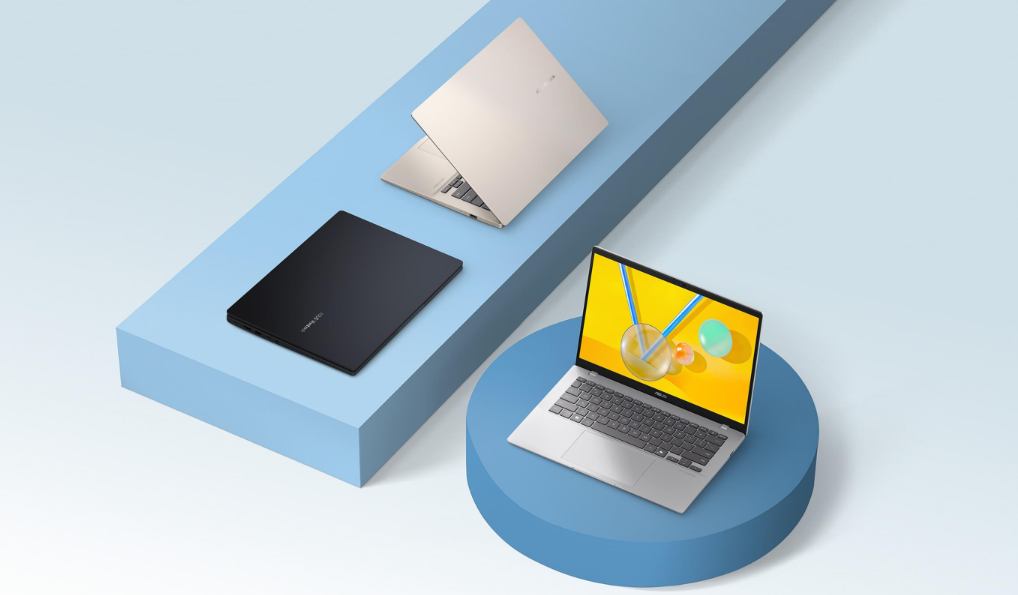
ASUS Vivobook 14: More Intelligent, More Productive, More Secure
ASUS Vivobook 14 is the perfect sidekick for your daily adventures. With a speedy Intel Core Ultra 5 (Series 2) processor, up to 32 GB of RAM, and up to a spacious 1 TB SSD, you’ll breeze through tasks like a pro. Its stunning up to 16:10 FHD IPS 60 Hz 14-inch display brings everything to life in crisp detail. The sleek modern design features a comfy and quiet ASUS ErgoSense keyboard, a roomy touchpad with intuitive gesture support, and a flexible 180° hinge, making your workdays and playdays more efficient and enjoyable. Plus, with top-notch security features and military-grade durability, you can relax knowing your laptop is as tough as it is smart. Upgrade your everyday with this amazing ASUS Vivobook laptop.
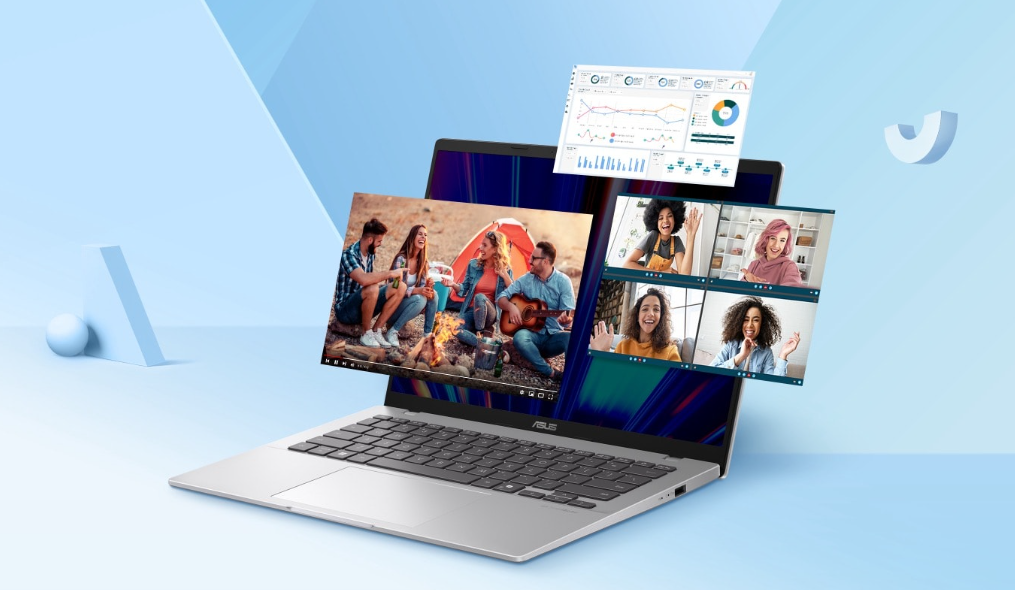
Performance: Your Efficient Partner
The ASUS Vivobook 14 is equipped with a powerful Intel Core Ultra 5 (Series 2) processor and blazing-fast Wi-Fi 6. With up to 32GB of RAM and a up to spacious 1TB SSD, you’ll enjoy lightning-fast performance and ample storage for everything you need.
Experience a significant upgrade in performance with increased CPU wattage, now up to 35W. Enhanced heat pipe technology and a taller fan design improve airflow, ensuring cooler and more stable operation under heavy loads.
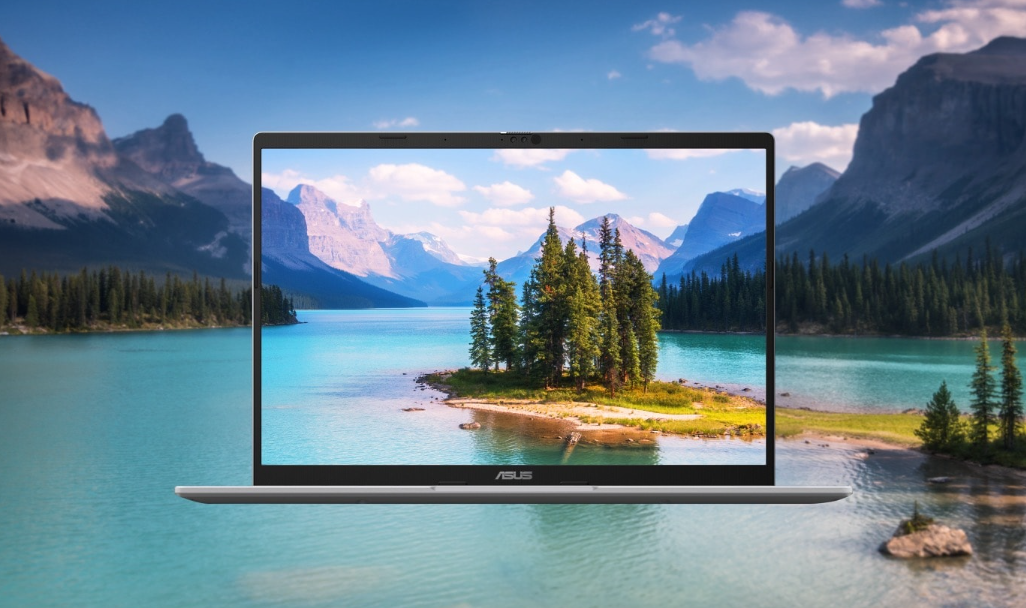
Display: Enjoy a Wider View
ASUS Vivobook 14 brings you a stunning 16:10 display that’s both wider and more vibrant, boasting up to FHD IPS 60 HZ resolution and an impressive 87% screen-to-body ratio. Enjoy an expansive, vivid view all packed into a sleek, lightweight laptop.
Battery: A Mighty Good Battery
ASUS Vivobook 14 supports fast charging that allows you to charge a low battery to 60% in as little as 49 minutes[6], so you can be up and running quicker than ever.
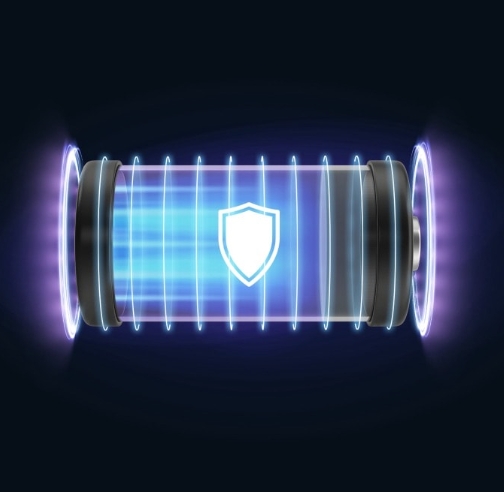
Battery Health Management: Power That Lasts
Extend your battery life with customizable options through MyASUS Battery Health Management. This feature adjusts the charging behavior, keeping the battery at a healthy 80% charge until you’re ready to use it at full capacity. [7]
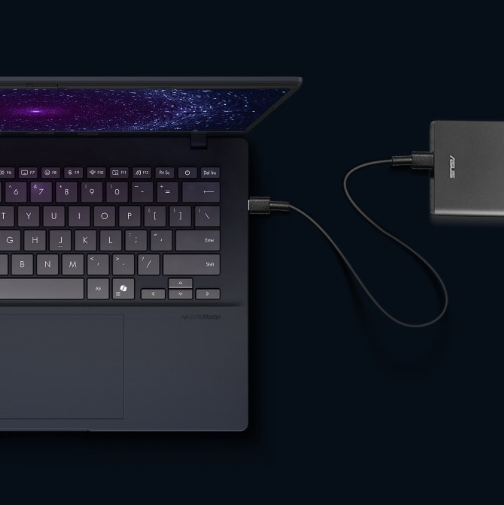
USB-C Easy Charge: Power Anytime, Anywhere
USB-C Easy Charge support means your ASUS Vivobook 14 can be conveniently charged using a wide range of standard USB-C chargers, including power banks. You can quickly charge it with any certified USB-C Power Delivery (PD) charger within a voltage range of 5-20V, or easily charge it on the go using airline chargers, portable chargers, and more.[8]
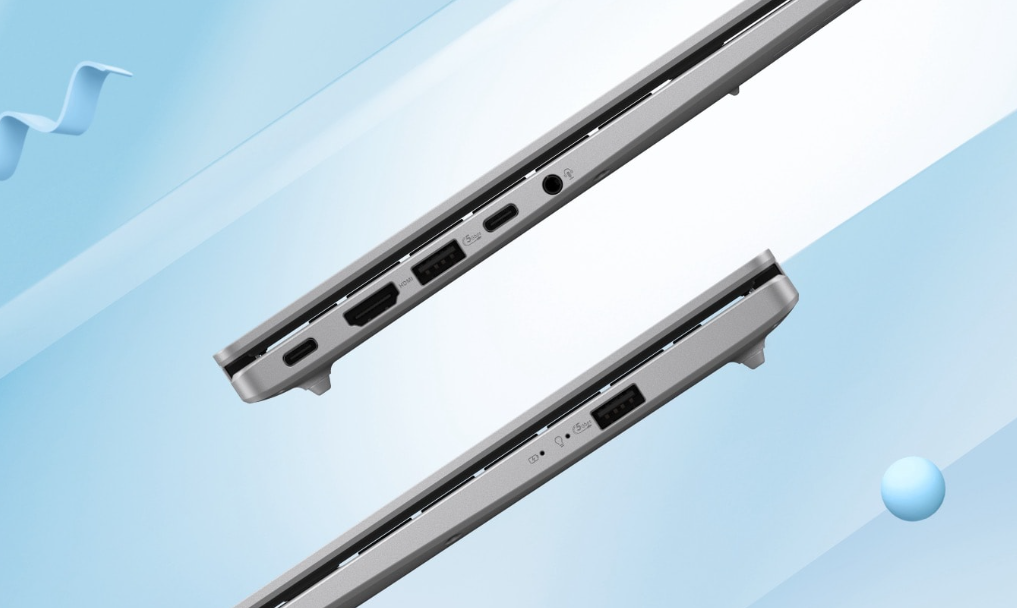
Connectivity: Perfect in Every Detail
With its comprehensive I/O ports, ASUS Vivobook 14 is your ultimate work assistant. It features two USB 3.2 Gen 1 Type-A ports, two USB 3.2 Gen 1 Type-C ports with fast charging, an HDMI port, and an audio combo jack. Plus, with Wi-Fi 6, you’ll enjoy seamless cloud AI experiences.
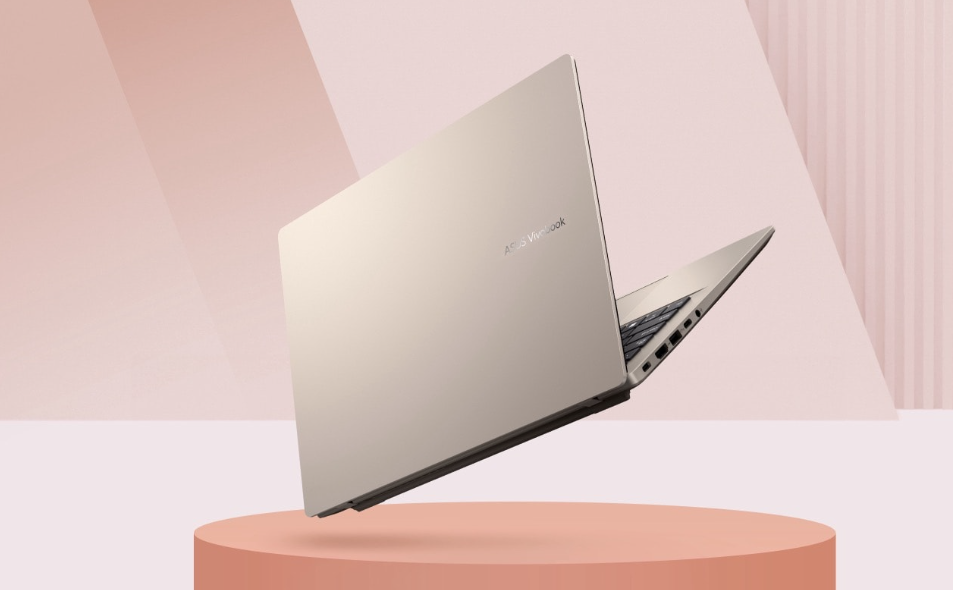
Design: Smart, Light, and Mindful
Weighing from just 1.46 kg and mere 1.79 cm thin, ASUS Vivobook 14 perfectly blends efficiency, performance, and portability. Platinum Gold designed to offer a calm and comfortable environment in a sleek, lightweight body.
ErgoSense Keyboard: Comfortable and Thoughtful Design
Enjoy a quiet typing experience with the ASUS ErgoSense keyboard, which offers an incredibly satisfying feel thanks to its optimal key bounce and travel — all calculated with fine-tuned precision.
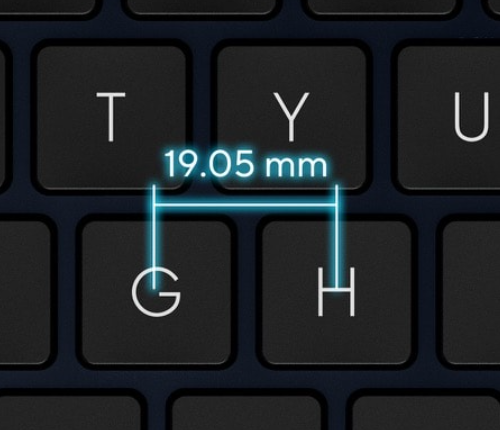
Larger Key Cap with 19.05 mm Key Pitch
The full-size 19.05 mm key pitch is the same as a desktop keyboard, so you can whizz through your work with superb typing comfort and accuracy.
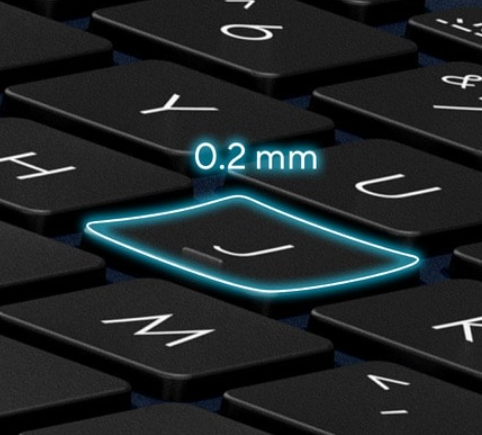
0.2 mm-Dished Key Cap
ASUS ErgoSense keyboard offers an incredibly satisfying feel thanks to its optimal key bounce and travel — all calculated with fine-tuned precision.
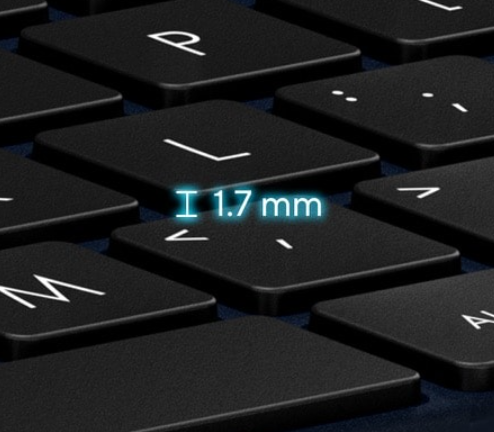
Long Key Travel 1.7 mm
The long 1.7 mm key travel lets you type without having to use too much force. The special ASUS-designed rubber dome guarantees your click force is met with just the right tactile bump you need for a nice grip.
Smart Gesture & Larger Touchpad Size: Enjoy a Better Experience
ASUS Smart Gesture allows you to adjust volume, brightness, scroll your timeline and more, with just one touch! The smooth-glide touchpad is designed for a gentle feel. The special coating on ASUS touchpad is hydrophobic, with a high water contact angle (AF), and there’s a high-end PVD anti-fingerprint coating that ensures excellent resistance to wear and tear.
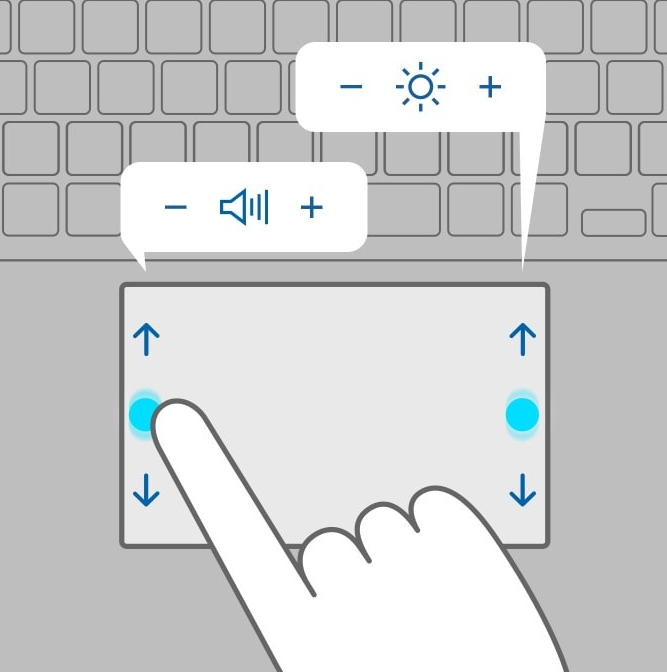
Volume and Brightness Control: Slide Along the Left and Right Edges
The left is volume control, the right is brightness control.
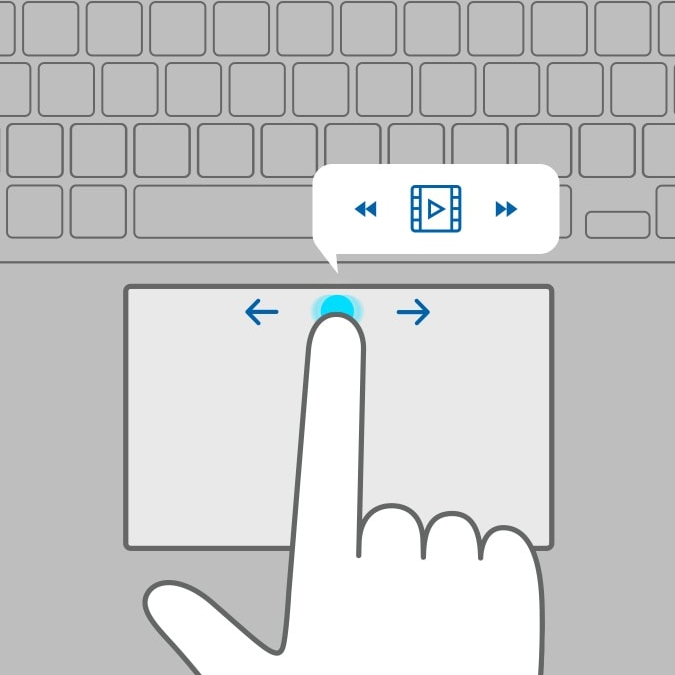
Video Timeline Control: Slide Along the Top Edge
Fast forward and rewind (left or right arrow key) for video timeline control.
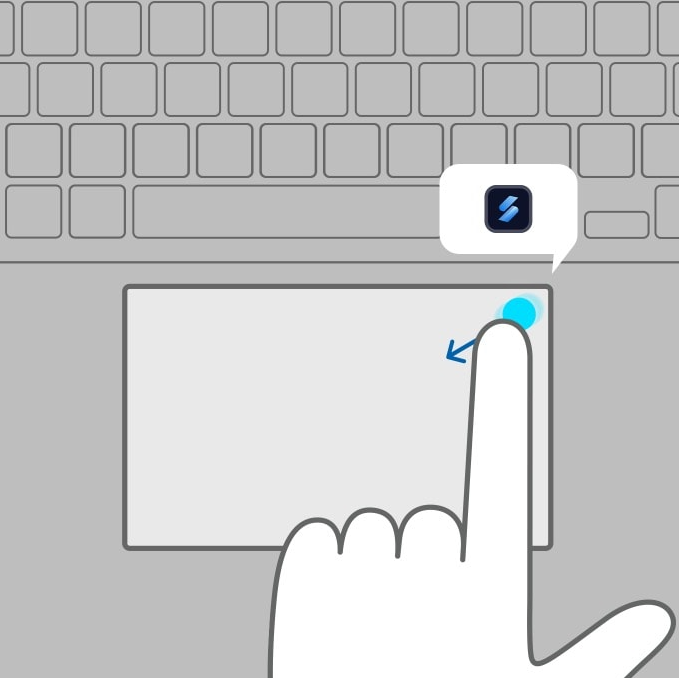
ScreenXpert Control Center: Slide From Corner to Center
The upper right corner is launching Asus ScreenXpert Control Center.
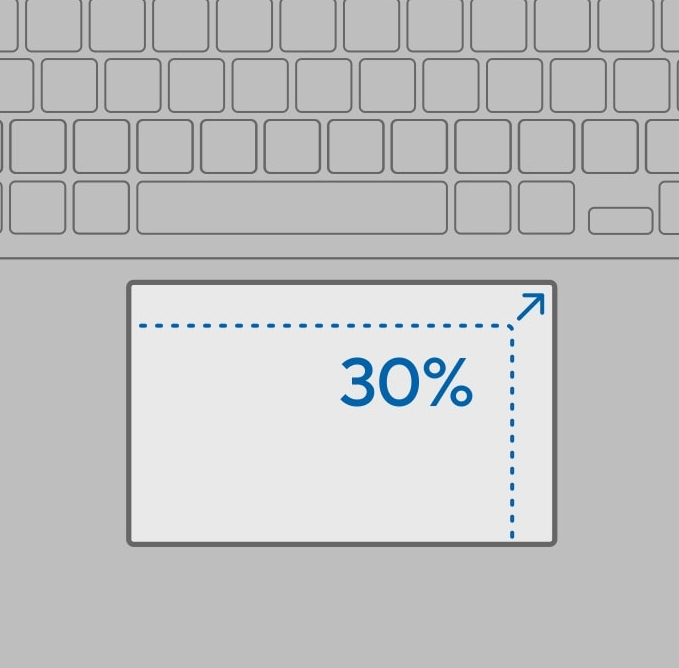
Larger Touchpad: Upgrade Your Touch Experience
Improve everyday comfort and usability with a 30% larger touchpad. More space means more comfortable hand movements and gestures while you’re browsing the web, navigating apps, and gaming.
Security: Your Privacy, ASUS Priority
Your privacy is not just ASUS priority — it’s the very essence of ASUS innovation, allowing you to experience a world of possibilities with complete peace of mind.

Face Recognition: Unlock, Instantly
Windows Hello and the infrared IR camera allow you to unlock your laptop quickly and securely.
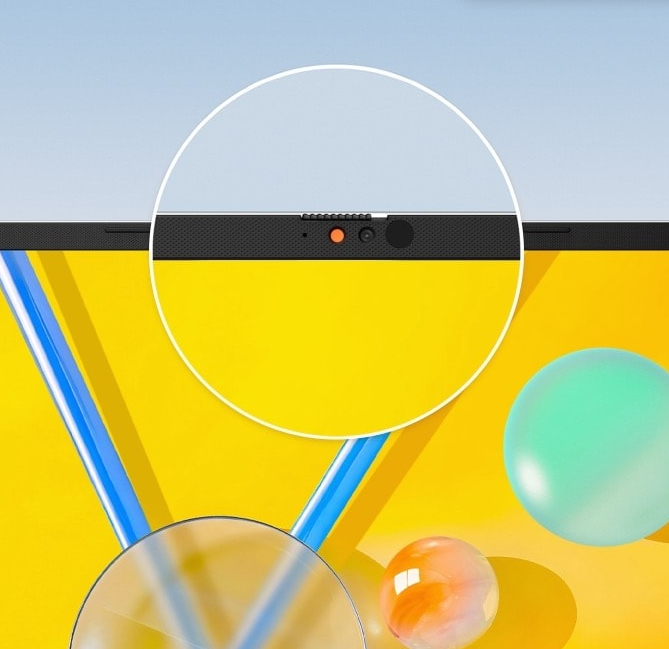
Privacy Guard: Physical Webcam Privacy Shield
The integrated privacy shield slides over the webcam for instant privacy protection against prying eyes and disturbances. Utilize the principle of magnetic repulsion between like poles in combination with the camera shutter to create resistance and force during the shutter switch, improving the smoothness of the user’s switching experience.
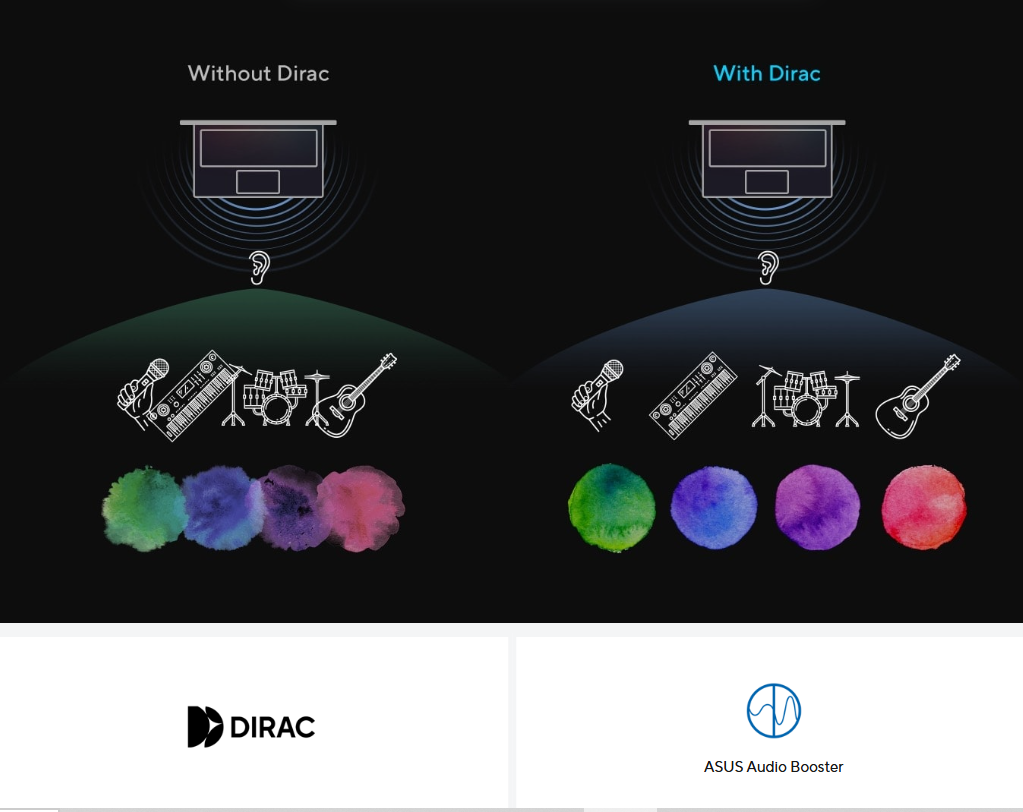
Audio: A New Perspective on Laptop Audio
Designed with help from the audio experts at Dirac, a professional audio solution provider, the audio system delivers the most immersive, clear, and balanced sound experience you’ve ever heard on a PC, laptop or tablet. You’ll hear a wider and deeper soundscape than you could imagine, unleashing the full audio potential of your laptop.
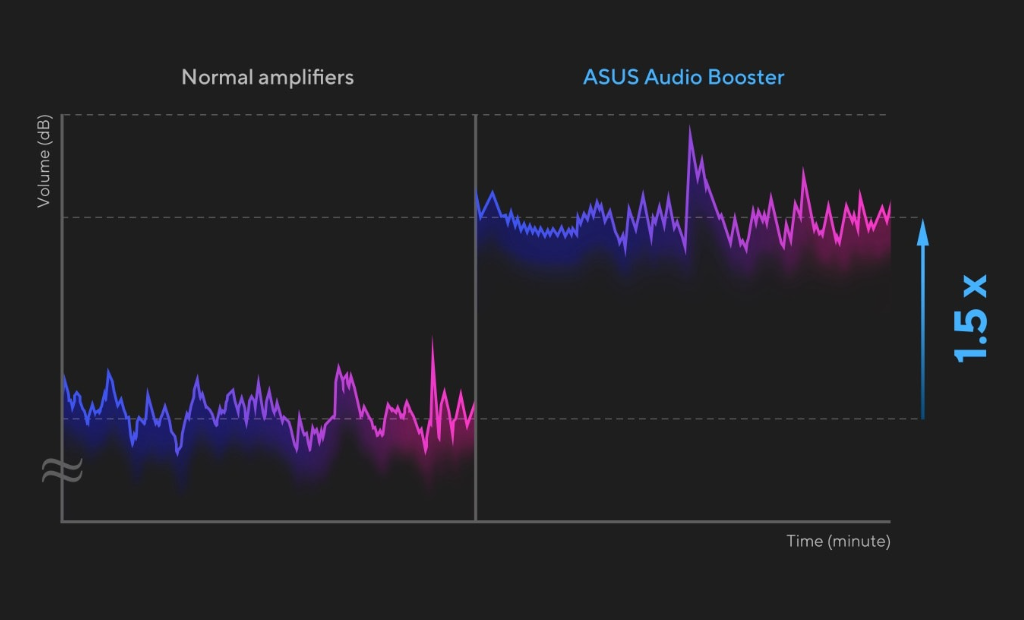
Volume Booster: A New Perspective on Laptop Audio
ASUS Audio Booster uses unique audio algorithms to boost audio volume up to 1.5x and take your audio experience to the next level.
AI Noise Cancellation: Next Level AI Noise-Cancelation Audio Technology
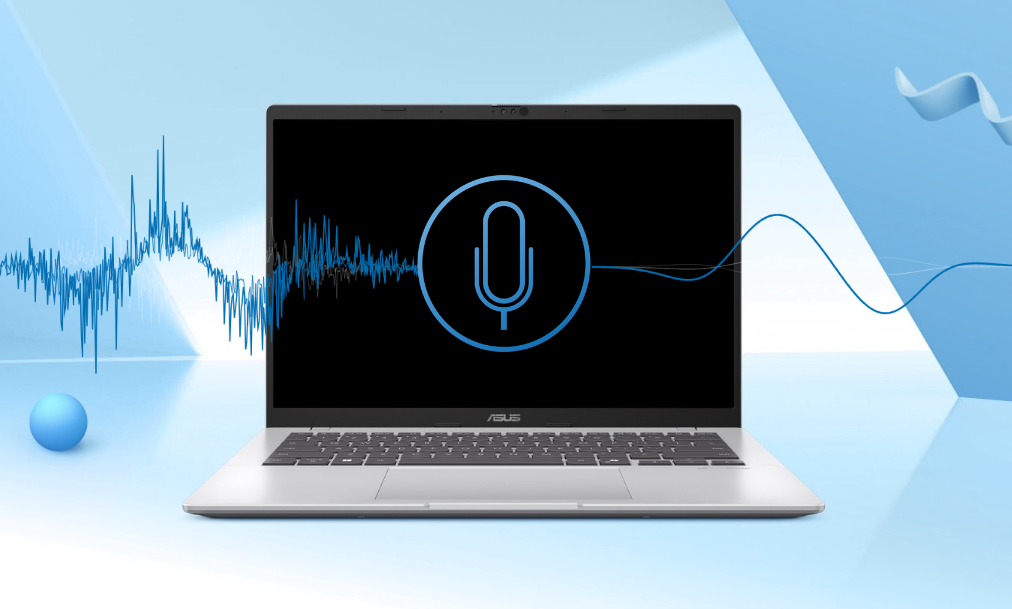
To provide exceptional remote-working and video-conferencing experiences, ASUS AI Noise-Cancelling Technology employs machine learning in order to isolate unwanted noise from human speech. This technology helps to filter out ambient noise for optimum group conference-call quality. The ASUS AI Noise-Cancelling Microphone feature in the MyASUS app can filter out ambient noise — so you’ll hear what everyone else is saying. Try the demo to experience the amazing difference that AI Noise-Canceling Technology can make in different environments. Press play to experience ASUS AI Noise-Canceling Technology.
Turn on your device audio to hear the differences.
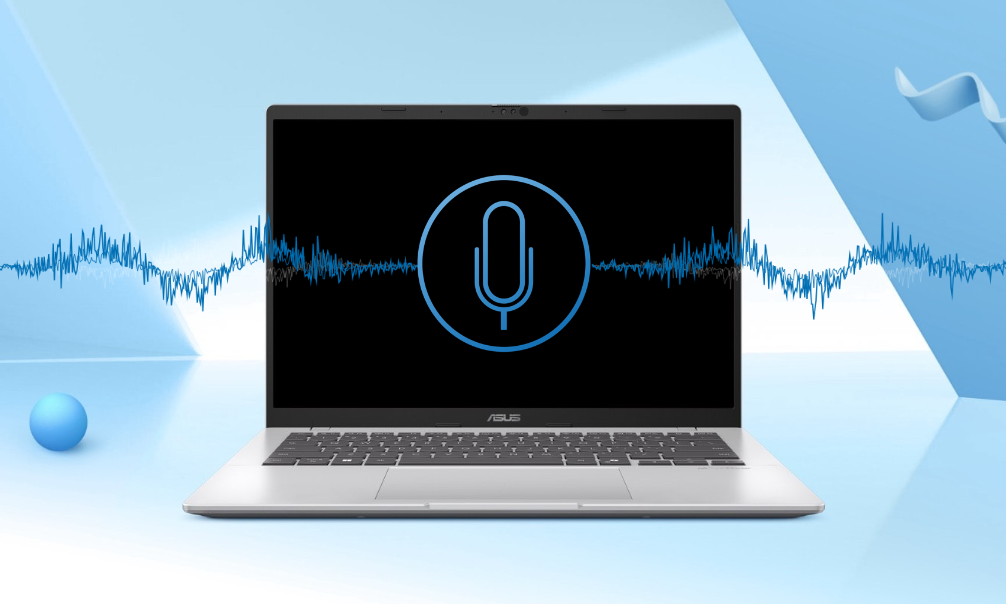
Office No Noise-Cancelling
- Typing and moving stuff
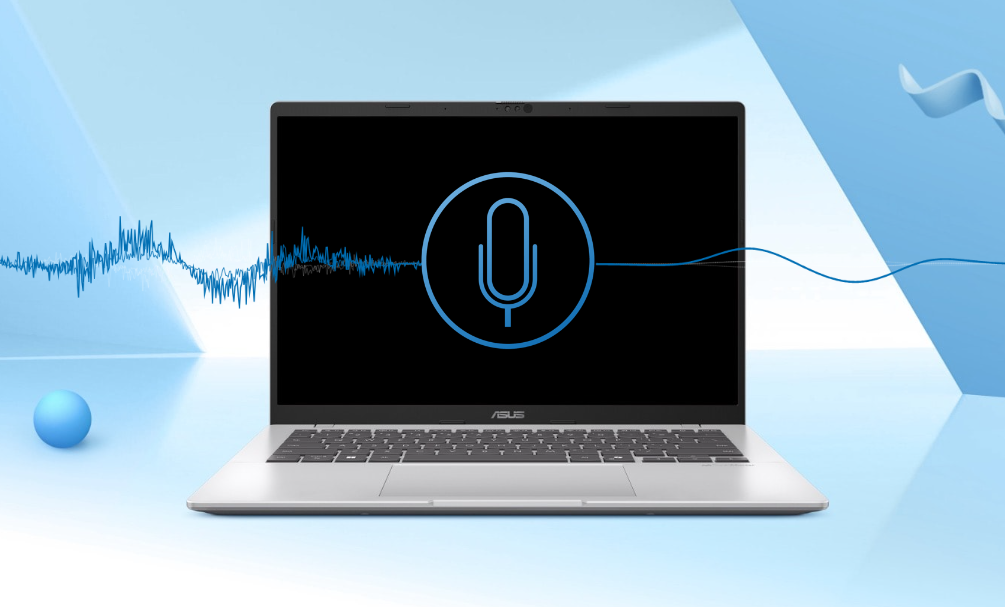
Office with Noise-Cancelling
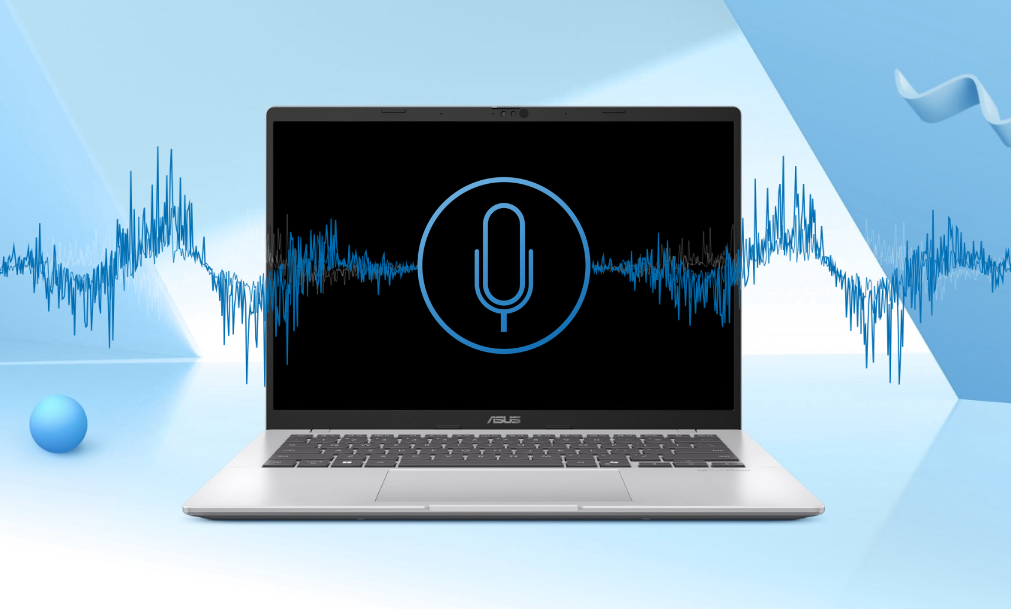
Home No Noise-Cancelling
- Baby crying and dog barking
Home with Noise-Cancelling
This is a test recording to demonstrate the power and accuracy of ASUS AI Noise-Canceling Audio Technology. ASUS hope you appreciate the benefit. Flip the switch the below to enable or disable the ASUS AI Noise-Canceling Technology as this recording plays.
Conference Call: Conference Calls with More Possibilities
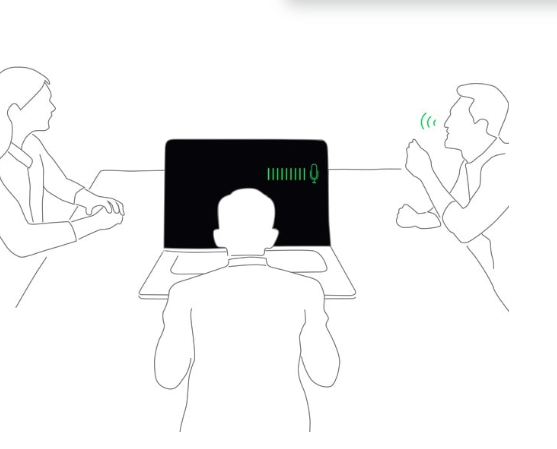
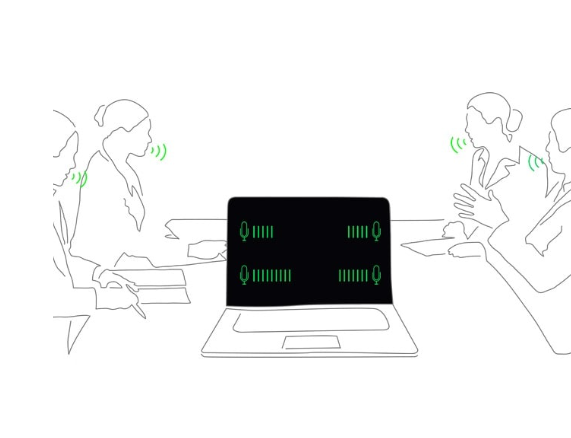
Conference calls can be single-presenter or multi-presenter, gathered around a single laptop with voices coming from various directions. With the upgraded system enabled via the MyASUS app, it detects and optimizes audio from either one direction or from all directions — ensuring top conference call audio quality.
Single Presenter Mode
Single presenter conference call mode can ensure only the voice in front of laptop can be heard. When you switch on the Target Speaker Tracking mode, it can even target and track new talkers with 180, making the feature ideal for recording large groups as well as for individuals.
Multi-Presenter Mode
Multi-presenter conference call mode filters out ambient noise whilst identifying multiple voices from all directions and distances, so all voices can be heard more clearly.
3DNR: Standout Webcam Effect — ASUS 3DNR
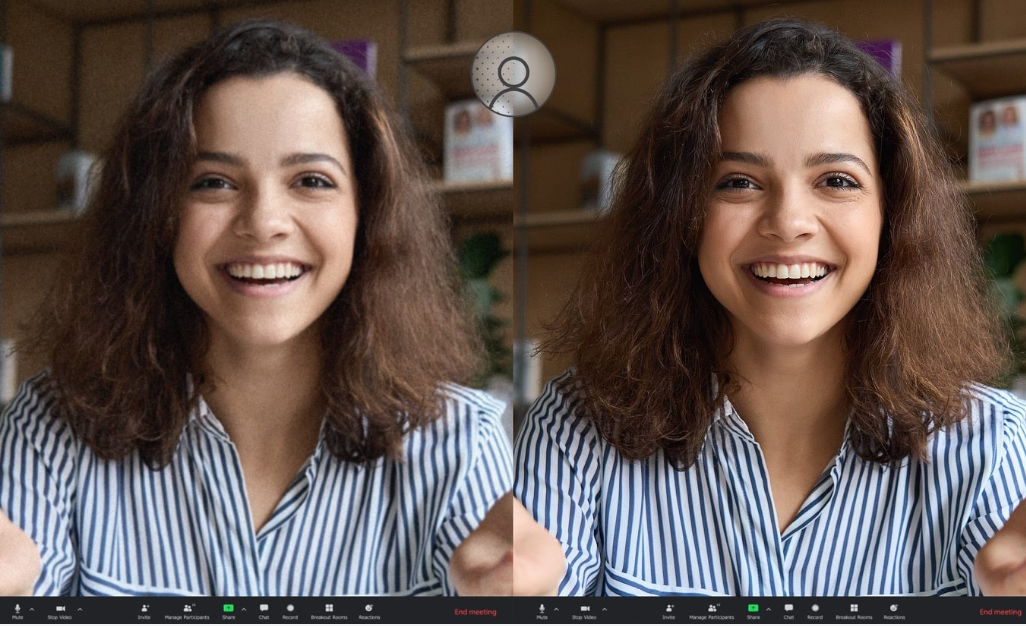
ASUS 3D Noise Reduction (3DNR) Technology significantly upgrades the webcam image clarity for clearer conference calls.
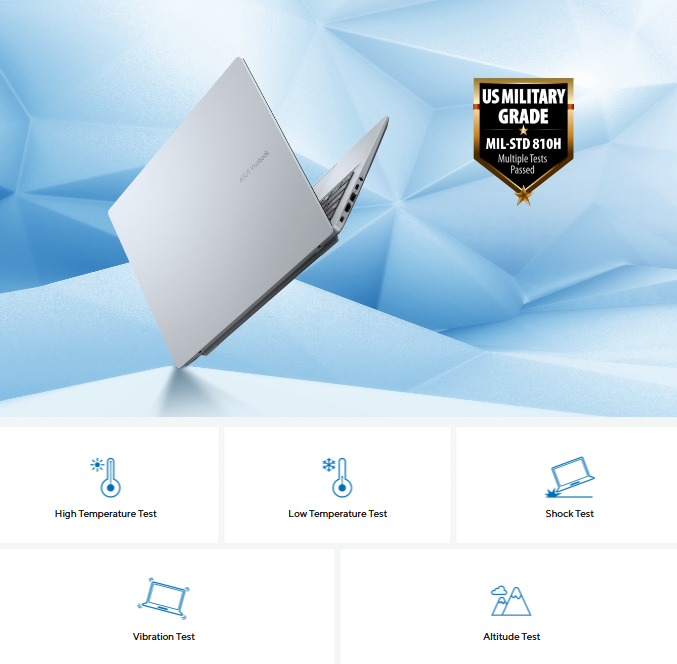
Military-Grade: US Military-Grade Laptop Durability
The MIL-STD 810H military standard9 for reliability and durability, undergoing a punishing test regime that includes extended tests for operation in harsh environments. These factors also help improve the laptops’ longevity and sustainability, so you can work, travel or relax with the confidence that your ASUS laptop is ready for the real world — today, and long into the future.
- High temperature test
- Low temperature test
- Shock test
- Vibration test
- Altitude test
Software: Truly Personalized Workflow
MyASUS hosts a collection of handy ASUS apps and tools that help you get more out of your laptop. GlideX is a powerful cross-device screen-sharing solution. ScreenXpert helps you to manage app windows across displays connected to your ASUS PC, giving you full control of your workflow.
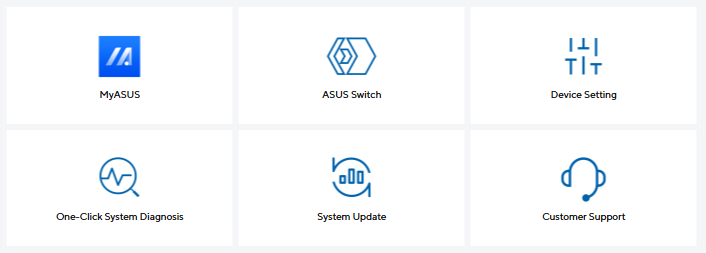
MyASUS
MyASUS provides easy access to ASUS apps that are designed to help you maintain your system, update your software, optimize your PC’s performance, and contact ASUS for after-sales support.
- ASUS switch
- Device setting
- One-click system diagnosis
- System update
- Customer support
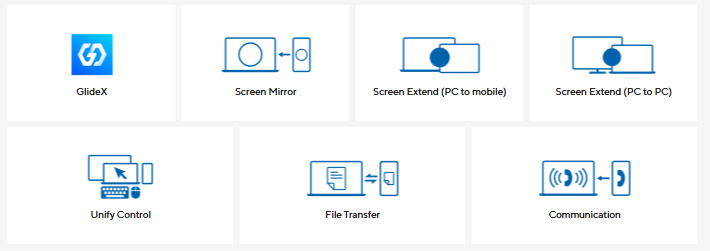
GlideX
GlideX is a cross-device screen-sharing solution that uses wired or wireless connections to give you a bigger and better space for work and play. GlideX optimizes your workflow in the blink of an eye.
- Screen mirror
- Screen extend (PC to mobile)
- Screen extend (PC to PC)
- Unify control
- File transfer
- Communication
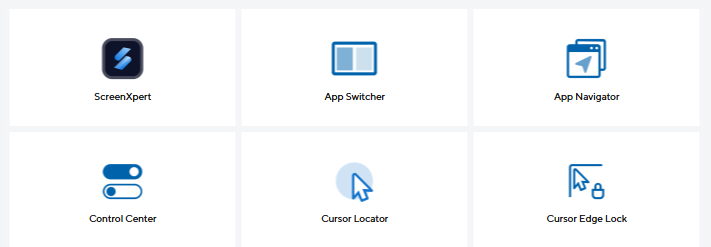
ScreenXpert for ASUS PCs
ScreenXpert — which you can download from Microsoft Store or find in your PC’s Start menu — helps you to manage app windows across displays connected to your ASUS PC and puts you in full control of your workflow.
- App switcher
- App navigator
- Cursor locator
- Cursor edge lock
Keyboard & Touchpad
Backlit Chiclet Keyboard, 1.7mm Key-travel, Precision touchpad, With Copilot key.
Notes:
1. Maximum RAM capacity may vary according to device configuration.
2. Maximum SSD capacity may vary according to device configuration.
3. Weight might vary according to specifications.
4. The figures are based on theoretical performance of Full Speed mode. Actual performance may vary in real-world situations.
5. The screen-to-body ratio is calculated based on the visible body area of the display when the laptop is opened to 90 degree and the active display area. Percentage varies according to device configuration.
6. Charges the battery to up to 60% within 49 minutes when the system is off or in Standby mode. A power adapter with a minimum capacity of 65 watts is required. After charging has reached 50% capacity, charging will resume at normal rate. Charging time may vary +/-10% due to system tolerance.
7. The data is derived from ASUS laboratory testing, which involves simulating daily charging frequency as the testing standard. The actual lifespan of the battery may differ depending on factors such as product configuration, usage patterns, operational condition, and power management settings. Over time, the battery’s longevity will naturally decrease.
8. USB Type-C Easy Charge ensures 4.5-watt charging when connecting to a non-Power Delivery charger or USB Type-A to USB-C chargers. When using a Power Delivery charger, the charging speed will match the connected adapter’s power output, up to a maximum of 65 watts. Fast charging varies according to the technology used in the power bank.
9. The testing regime includes the requirements of both military-grade standards and ASUS quality tests and varies depending on device. MIL-STD-810H testing is conducted on selected ASUS products only. Note that the MIL-STD-810H testing helps to ensure the quality of ASUS products but does not indicate a particular fitness for military use.
Specifications: This product has only been tested for compatibility with the Windows 11 operating system, and may encounter compatibility issues if Windows 10 or older OS versions are installed.
Product Features:
- System diagnosis
- Battery health charging
- Fan profile
- Splendid
- Tru2Life
- Function key lock
- WiFi SmartConnect
- TaskFirst
- Live update
- AI noise canceling
Specs
General
- Brand ASUS
- Product Category Laptops
- Product Type Laptop
- Product Specific Colour Platinum Gold
- Colour Gold
Connectivity
- Wi-Fi Wi-Fi 6
- Wireless Connectivity Bluetooth 5.2
- Wireless Ready Yes
- USB Ports 2
- USB-C Ports 2
Renaissance Grade
- Performance 3
- Thickness 2
- Weight 1
Laptop
- Ports & Connections 1 × HDMI 1.4, 2 × USB 3.2 Gen 1 Type-C, 2 × USB 3.2 Gen 1 Type-A, 1 × 3.5mm Combo Audio Jack
- Laptop Type Ultrabook
Processor
- Processor Range Intel Core Ultra 5
- Processor Model Core Ultra 5 225H
- Processor Speed 4.9 GHz
- Cache Memory Size 18 MB
Sound
- Speaker Type Build-in
- Audio Software SonicMaster
Display
- Display Feature Anti-Glare Display, Non-Touch Screen
- Screen Type LED
- Screen Size (Display) 14"
- Screen Resolution 1920 x 1200 px
- Aspect Ratio 16:10
- Refresh Rate 60 Hz
Memory
- RAM 16 GB
- RAM Type DDR5 SO-DIMM
- RAM Slots 2
Storage
- Storage Type M.2 NVMe PCIe 4.0 SSD
- Total Storage Capacity 512 GB
- SSD Capacity 512 GB
Platform
- Operating System Windows 11
- Operating System Version Windows 11 Home
Graphics
- Graphics Card Brand Intel
- Graphics Card Model Arc Graphics
Battery & Power
- Number of Batteries 1
- Power Consumption 65 W
- Power Source Battery
- Voltage 100-240 V
- Battery Type Li-ion
Camera
- Webcam FHD
Dimensions
- Width 315.2 mm
- Depth 223.4 mm
- Height 19.9 mm
- Weight 1.46 kg
Warranty
- Warranty 12 months
Delivery
We offer a comprehensive nationwide (excluding Republic of Ireland) delivery service; we aim to deliver all orders as quickly as possible.
| Item Type | Delivered In | Delivered By |
|---|---|---|
| Small Items | 2 Working days | DPD |
| Large Electrical Appliance | 3-5 Working days | Independent transport company |
| Furniture & Bedding | 3-5 Working days | Independent transport company |
Please note: if you have ordered furniture and bedding products that involve a lead time, are customised or made to measure, we will contact you to discuss delivery. Delivery of large items outside mainland UK is subject to availability and may be restricted in some areas.
Free Click & Collect In Store
Can't wait for delivery or don't want to pay additional delivery charges? It's incredibly simple to collect your online order in store and get your hands on your product quickly and easily. Simply select the Click & Collect option and head to your nearest Harvey Norman store to collect your order.
- During checkout, select “Click & Collect” and select your preferred store.
- After your order is placed, you will receive an order acknowledgement email with your order number.
- Once the store has confirmed your order and reserved the stock, you will receive an email to inform you that your order is "Ready for collection". If you want to use "Contactless Click & Collect" select this option on this email. Please Note: Some large items are held in an off-site warehouse. We will notify you of the collection location in your Ready for Pickup email.
- Bring your order number to the store you selected for Click & Collect, along with photo ID and the credit card you used to make the order.
- Speak to one of our staff and your order should be processed in minutes.
- If availing of Contactless Click & Collect, please click the link in your email "ready to pick up" to let the store know you are on your way. When you have parked in the designated parking bay, open your email, and choose the "I'm here" option and a member of staff will bring your purchase out to your car.
Easy returns
Store Purchases: For all items purchased from a physical store, please return to your local Harvey Norman Store. Please see Terms & Conditions here.
Online Purchases: For all items purchased via our Online Store (website), please fill out our Contact Form where our team can guide you through the process.
Description
Description
ASUS Vivobook 14: More Intelligent, More Productive, More Secure
ASUS Vivobook 14 is the perfect sidekick for your daily adventures. With a speedy Intel Core Ultra 5 (Series 2) processor, up to 32 GB of RAM, and up to a spacious 1 TB SSD, you’ll breeze through tasks like a pro. Its stunning up to 16:10 FHD IPS 60 Hz 14-inch display brings everything to life in crisp detail. The sleek modern design features a comfy and quiet ASUS ErgoSense keyboard, a roomy touchpad with intuitive gesture support, and a flexible 180° hinge, making your workdays and playdays more efficient and enjoyable. Plus, with top-notch security features and military-grade durability, you can relax knowing your laptop is as tough as it is smart. Upgrade your everyday with this amazing ASUS Vivobook laptop.
Performance: Your Efficient Partner
The ASUS Vivobook 14 is equipped with a powerful Intel Core Ultra 5 (Series 2) processor and blazing-fast Wi-Fi 6. With up to 32GB of RAM and a up to spacious 1TB SSD, you’ll enjoy lightning-fast performance and ample storage for everything you need.
Experience a significant upgrade in performance with increased CPU wattage, now up to 35W. Enhanced heat pipe technology and a taller fan design improve airflow, ensuring cooler and more stable operation under heavy loads.
Display: Enjoy a Wider View
ASUS Vivobook 14 brings you a stunning 16:10 display that’s both wider and more vibrant, boasting up to FHD IPS 60 HZ resolution and an impressive 87% screen-to-body ratio. Enjoy an expansive, vivid view all packed into a sleek, lightweight laptop.
Battery: A Mighty Good Battery
ASUS Vivobook 14 supports fast charging that allows you to charge a low battery to 60% in as little as 49 minutes[6], so you can be up and running quicker than ever.
Battery Health Management: Power That Lasts
Extend your battery life with customizable options through MyASUS Battery Health Management. This feature adjusts the charging behavior, keeping the battery at a healthy 80% charge until you’re ready to use it at full capacity. [7]
USB-C Easy Charge: Power Anytime, Anywhere
USB-C Easy Charge support means your ASUS Vivobook 14 can be conveniently charged using a wide range of standard USB-C chargers, including power banks. You can quickly charge it with any certified USB-C Power Delivery (PD) charger within a voltage range of 5-20V, or easily charge it on the go using airline chargers, portable chargers, and more.[8]
Connectivity: Perfect in Every Detail
With its comprehensive I/O ports, ASUS Vivobook 14 is your ultimate work assistant. It features two USB 3.2 Gen 1 Type-A ports, two USB 3.2 Gen 1 Type-C ports with fast charging, an HDMI port, and an audio combo jack. Plus, with Wi-Fi 6, you’ll enjoy seamless cloud AI experiences.
Design: Smart, Light, and Mindful
Weighing from just 1.46 kg and mere 1.79 cm thin, ASUS Vivobook 14 perfectly blends efficiency, performance, and portability. Platinum Gold designed to offer a calm and comfortable environment in a sleek, lightweight body.
ErgoSense Keyboard: Comfortable and Thoughtful Design
Enjoy a quiet typing experience with the ASUS ErgoSense keyboard, which offers an incredibly satisfying feel thanks to its optimal key bounce and travel — all calculated with fine-tuned precision.
Larger Key Cap with 19.05 mm Key Pitch
The full-size 19.05 mm key pitch is the same as a desktop keyboard, so you can whizz through your work with superb typing comfort and accuracy.
0.2 mm-Dished Key Cap
ASUS ErgoSense keyboard offers an incredibly satisfying feel thanks to its optimal key bounce and travel — all calculated with fine-tuned precision.
Long Key Travel 1.7 mm
The long 1.7 mm key travel lets you type without having to use too much force. The special ASUS-designed rubber dome guarantees your click force is met with just the right tactile bump you need for a nice grip.
Smart Gesture & Larger Touchpad Size: Enjoy a Better Experience
ASUS Smart Gesture allows you to adjust volume, brightness, scroll your timeline and more, with just one touch! The smooth-glide touchpad is designed for a gentle feel. The special coating on ASUS touchpad is hydrophobic, with a high water contact angle (AF), and there’s a high-end PVD anti-fingerprint coating that ensures excellent resistance to wear and tear.
Volume and Brightness Control: Slide Along the Left and Right Edges
The left is volume control, the right is brightness control.
Video Timeline Control: Slide Along the Top Edge
Fast forward and rewind (left or right arrow key) for video timeline control.
ScreenXpert Control Center: Slide From Corner to Center
The upper right corner is launching Asus ScreenXpert Control Center.
Larger Touchpad: Upgrade Your Touch Experience
Improve everyday comfort and usability with a 30% larger touchpad. More space means more comfortable hand movements and gestures while you’re browsing the web, navigating apps, and gaming.
Security: Your Privacy, ASUS Priority
Your privacy is not just ASUS priority — it’s the very essence of ASUS innovation, allowing you to experience a world of possibilities with complete peace of mind.
Face Recognition: Unlock, Instantly
Windows Hello and the infrared IR camera allow you to unlock your laptop quickly and securely.
Privacy Guard: Physical Webcam Privacy Shield
The integrated privacy shield slides over the webcam for instant privacy protection against prying eyes and disturbances. Utilize the principle of magnetic repulsion between like poles in combination with the camera shutter to create resistance and force during the shutter switch, improving the smoothness of the user’s switching experience.
Audio: A New Perspective on Laptop Audio
Designed with help from the audio experts at Dirac, a professional audio solution provider, the audio system delivers the most immersive, clear, and balanced sound experience you’ve ever heard on a PC, laptop or tablet. You’ll hear a wider and deeper soundscape than you could imagine, unleashing the full audio potential of your laptop.
Volume Booster: A New Perspective on Laptop Audio
ASUS Audio Booster uses unique audio algorithms to boost audio volume up to 1.5x and take your audio experience to the next level.
AI Noise Cancellation: Next Level AI Noise-Cancelation Audio Technology
To provide exceptional remote-working and video-conferencing experiences, ASUS AI Noise-Cancelling Technology employs machine learning in order to isolate unwanted noise from human speech. This technology helps to filter out ambient noise for optimum group conference-call quality. The ASUS AI Noise-Cancelling Microphone feature in the MyASUS app can filter out ambient noise — so you’ll hear what everyone else is saying. Try the demo to experience the amazing difference that AI Noise-Canceling Technology can make in different environments. Press play to experience ASUS AI Noise-Canceling Technology.
Turn on your device audio to hear the differences.
Office No Noise-Cancelling
- Typing and moving stuff
Office with Noise-Cancelling
Home No Noise-Cancelling
- Baby crying and dog barking
Home with Noise-Cancelling
This is a test recording to demonstrate the power and accuracy of ASUS AI Noise-Canceling Audio Technology. ASUS hope you appreciate the benefit. Flip the switch the below to enable or disable the ASUS AI Noise-Canceling Technology as this recording plays.
Conference Call: Conference Calls with More Possibilities
Conference calls can be single-presenter or multi-presenter, gathered around a single laptop with voices coming from various directions. With the upgraded system enabled via the MyASUS app, it detects and optimizes audio from either one direction or from all directions — ensuring top conference call audio quality.
Single Presenter Mode
Single presenter conference call mode can ensure only the voice in front of laptop can be heard. When you switch on the Target Speaker Tracking mode, it can even target and track new talkers with 180, making the feature ideal for recording large groups as well as for individuals.
Multi-Presenter Mode
Multi-presenter conference call mode filters out ambient noise whilst identifying multiple voices from all directions and distances, so all voices can be heard more clearly.
3DNR: Standout Webcam Effect — ASUS 3DNR
ASUS 3D Noise Reduction (3DNR) Technology significantly upgrades the webcam image clarity for clearer conference calls.
Military-Grade: US Military-Grade Laptop Durability
The MIL-STD 810H military standard9 for reliability and durability, undergoing a punishing test regime that includes extended tests for operation in harsh environments. These factors also help improve the laptops’ longevity and sustainability, so you can work, travel or relax with the confidence that your ASUS laptop is ready for the real world — today, and long into the future.
- High temperature test
- Low temperature test
- Shock test
- Vibration test
- Altitude test
Software: Truly Personalized Workflow
MyASUS hosts a collection of handy ASUS apps and tools that help you get more out of your laptop. GlideX is a powerful cross-device screen-sharing solution. ScreenXpert helps you to manage app windows across displays connected to your ASUS PC, giving you full control of your workflow.
MyASUS
MyASUS provides easy access to ASUS apps that are designed to help you maintain your system, update your software, optimize your PC’s performance, and contact ASUS for after-sales support.
- ASUS switch
- Device setting
- One-click system diagnosis
- System update
- Customer support
GlideX
GlideX is a cross-device screen-sharing solution that uses wired or wireless connections to give you a bigger and better space for work and play. GlideX optimizes your workflow in the blink of an eye.
- Screen mirror
- Screen extend (PC to mobile)
- Screen extend (PC to PC)
- Unify control
- File transfer
- Communication
ScreenXpert for ASUS PCs
ScreenXpert — which you can download from Microsoft Store or find in your PC’s Start menu — helps you to manage app windows across displays connected to your ASUS PC and puts you in full control of your workflow.
- App switcher
- App navigator
- Cursor locator
- Cursor edge lock
Keyboard & Touchpad
Backlit Chiclet Keyboard, 1.7mm Key-travel, Precision touchpad, With Copilot key.
Notes:
1. Maximum RAM capacity may vary according to device configuration.
2. Maximum SSD capacity may vary according to device configuration.
3. Weight might vary according to specifications.
4. The figures are based on theoretical performance of Full Speed mode. Actual performance may vary in real-world situations.
5. The screen-to-body ratio is calculated based on the visible body area of the display when the laptop is opened to 90 degree and the active display area. Percentage varies according to device configuration.
6. Charges the battery to up to 60% within 49 minutes when the system is off or in Standby mode. A power adapter with a minimum capacity of 65 watts is required. After charging has reached 50% capacity, charging will resume at normal rate. Charging time may vary +/-10% due to system tolerance.
7. The data is derived from ASUS laboratory testing, which involves simulating daily charging frequency as the testing standard. The actual lifespan of the battery may differ depending on factors such as product configuration, usage patterns, operational condition, and power management settings. Over time, the battery’s longevity will naturally decrease.
8. USB Type-C Easy Charge ensures 4.5-watt charging when connecting to a non-Power Delivery charger or USB Type-A to USB-C chargers. When using a Power Delivery charger, the charging speed will match the connected adapter’s power output, up to a maximum of 65 watts. Fast charging varies according to the technology used in the power bank.
9. The testing regime includes the requirements of both military-grade standards and ASUS quality tests and varies depending on device. MIL-STD-810H testing is conducted on selected ASUS products only. Note that the MIL-STD-810H testing helps to ensure the quality of ASUS products but does not indicate a particular fitness for military use.
Specifications: This product has only been tested for compatibility with the Windows 11 operating system, and may encounter compatibility issues if Windows 10 or older OS versions are installed.
Product Features:
- System diagnosis
- Battery health charging
- Fan profile
- Splendid
- Tru2Life
- Function key lock
- WiFi SmartConnect
- TaskFirst
- Live update
- AI noise canceling
Specifications
Specs
General
- Brand ASUS
- Product Category Laptops
- Product Type Laptop
- Product Specific Colour Platinum Gold
- Colour Gold
Connectivity
- Wi-Fi Wi-Fi 6
- Wireless Connectivity Bluetooth 5.2
- Wireless Ready Yes
- USB Ports 2
- USB-C Ports 2
Renaissance Grade
- Performance 3
- Thickness 2
- Weight 1
Laptop
- Ports & Connections 1 × HDMI 1.4, 2 × USB 3.2 Gen 1 Type-C, 2 × USB 3.2 Gen 1 Type-A, 1 × 3.5mm Combo Audio Jack
- Laptop Type Ultrabook
Processor
- Processor Range Intel Core Ultra 5
- Processor Model Core Ultra 5 225H
- Processor Speed 4.9 GHz
- Cache Memory Size 18 MB
Sound
- Speaker Type Build-in
- Audio Software SonicMaster
Display
- Display Feature Anti-Glare Display, Non-Touch Screen
- Screen Type LED
- Screen Size (Display) 14"
- Screen Resolution 1920 x 1200 px
- Aspect Ratio 16:10
- Refresh Rate 60 Hz
Memory
- RAM 16 GB
- RAM Type DDR5 SO-DIMM
- RAM Slots 2
Storage
- Storage Type M.2 NVMe PCIe 4.0 SSD
- Total Storage Capacity 512 GB
- SSD Capacity 512 GB
Platform
- Operating System Windows 11
- Operating System Version Windows 11 Home
Graphics
- Graphics Card Brand Intel
- Graphics Card Model Arc Graphics
Battery & Power
- Number of Batteries 1
- Power Consumption 65 W
- Power Source Battery
- Voltage 100-240 V
- Battery Type Li-ion
Camera
- Webcam FHD
Dimensions
- Width 315.2 mm
- Depth 223.4 mm
- Height 19.9 mm
- Weight 1.46 kg
Warranty
- Warranty 12 months
Delivery & Returns
Delivery
We offer a comprehensive nationwide (excluding Republic of Ireland) delivery service; we aim to deliver all orders as quickly as possible.
| Item Type | Delivered In | Delivered By |
|---|---|---|
| Small Items | 2 Working days | DPD |
| Large Electrical Appliance | 3-5 Working days | Independent transport company |
| Furniture & Bedding | 3-5 Working days | Independent transport company |
Please note: if you have ordered furniture and bedding products that involve a lead time, are customised or made to measure, we will contact you to discuss delivery. Delivery of large items outside mainland UK is subject to availability and may be restricted in some areas.
Free Click & Collect In Store
Can't wait for delivery or don't want to pay additional delivery charges? It's incredibly simple to collect your online order in store and get your hands on your product quickly and easily. Simply select the Click & Collect option and head to your nearest Harvey Norman store to collect your order.
- During checkout, select “Click & Collect” and select your preferred store.
- After your order is placed, you will receive an order acknowledgement email with your order number.
- Once the store has confirmed your order and reserved the stock, you will receive an email to inform you that your order is "Ready for collection". If you want to use "Contactless Click & Collect" select this option on this email. Please Note: Some large items are held in an off-site warehouse. We will notify you of the collection location in your Ready for Pickup email.
- Bring your order number to the store you selected for Click & Collect, along with photo ID and the credit card you used to make the order.
- Speak to one of our staff and your order should be processed in minutes.
- If availing of Contactless Click & Collect, please click the link in your email "ready to pick up" to let the store know you are on your way. When you have parked in the designated parking bay, open your email, and choose the "I'm here" option and a member of staff will bring your purchase out to your car.
Easy returns
Store Purchases: For all items purchased from a physical store, please return to your local Harvey Norman Store. Please see Terms & Conditions here.
Online Purchases: For all items purchased via our Online Store (website), please fill out our Contact Form where our team can guide you through the process.
Reviews
You may also like
Recently viewed
Compare


 Secure Online Shopping