



interest free payments of
Late fees apply.
Terms and Conditions
By selecting a Brightcover policy you have agreed to purchase a policy which is underwritten and
provided by AWP P&C S.A. registered in France with ID No 519490080 RCS Paris Registered Office 7
Rue Dora Maar, 93400 Saint-Ouen, France acting through its UK Branch, AWP P&C (UK Branch), part
of the Allianz Group registered in the United Kingdom. Registered Branch No. BR015275. Authorised
by the Prudential Regulation Authority. Subject to regulation by the Financial Conduct Authority and
limited regulation by the Prudential Regulation Authority. Financial Services Register No. 534384.
Details about the extent of its regulation by the Prudential Regulation Authority are available on
request from AWP P&C (UK Branch)
Brightcover policies are made available to you on behalf of AWP P&C S.A. by Harvey Norman Trading (UK) Limited, trading as Harvey Norman, company number 15512318.
Brightcover policies are administered by IC Frith Service Contracts Limited. Company number 15543908. Authorised and regulated by the Financial Conduct Authority with Firm Reference Number: 1014736. Administration services are also provided by Frith Service Contracts Limited, who is an appointed representative of IC Frith Service Contracts Limited, with Financial Conduct Authority Firm Number 1025657.
Harvey Norman does not provide any advice or recommendations about the Brightcover insurance policy, nor will it search for and propose other suitable policies. You may find an alternative, equivalent or more suitable insurance policies elsewhere.
By ticking the box below you confirm you have read the Insurance Product Information Document (IPID) and agree to the Terms and Conditions (T&Cs) of Brightcover or Brightcover Mobile cover which includes details of your rights to cancellation, cooling off period, complaints procedure and privacy notice and that Brightcover or Brightcover Mobile meets your demands and needs.
Please read the Terms and Conditions and IPID that apply here: Brightcover T&Cs | Brightcover IPID | Brightcover Mobile T&Cs | Brightcover Mobile IPID
Delivery to
Delivery
Collect from
Click & Collect
Collect in store
Nearest store with stock
Nearest store with stock

Available services
Description
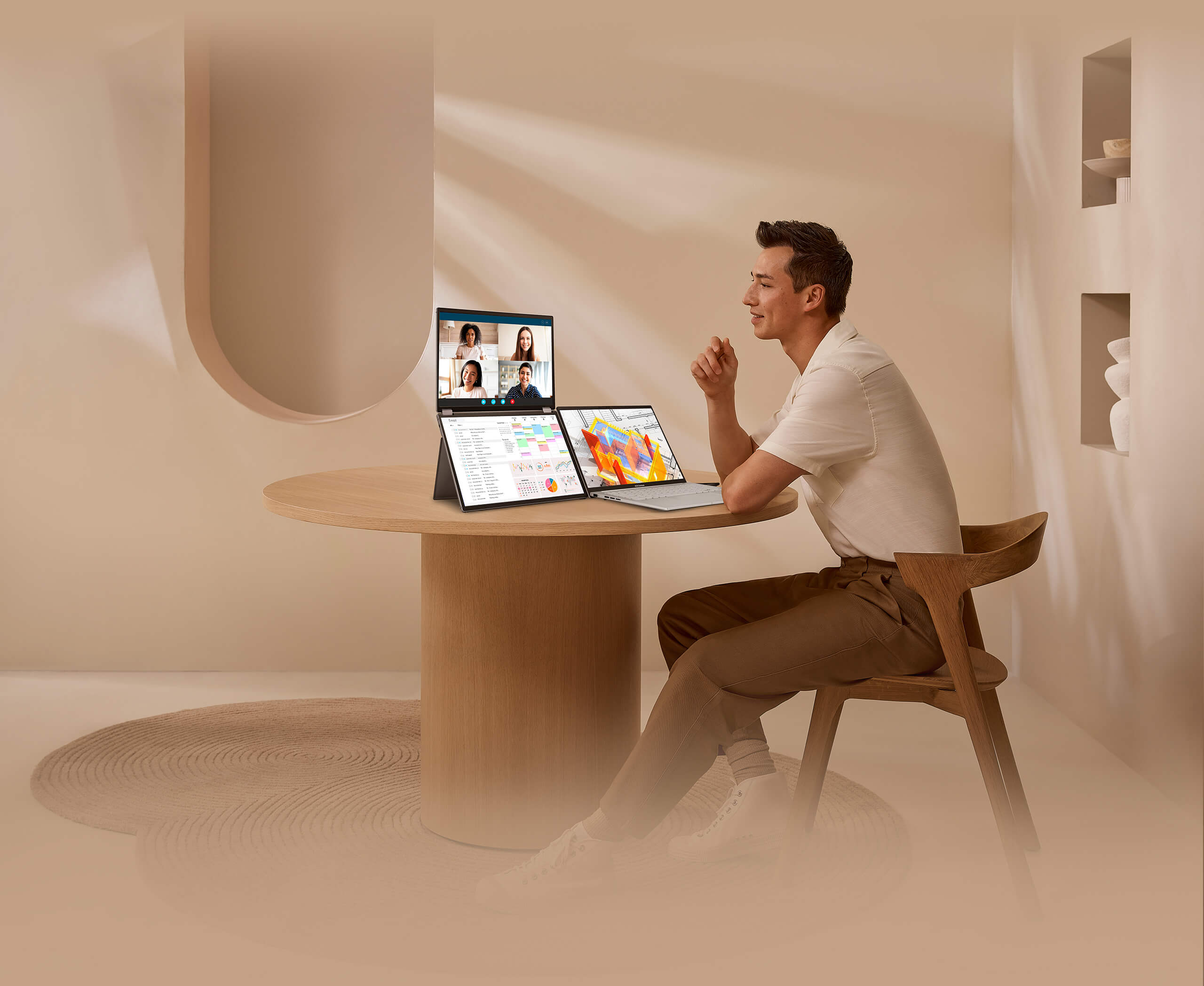
ASUS ZenScreen DUO OLED Portable Monitor: Duo, Do More On-the-go
The ZenScreen Duo OLED MQ149CD redefines portable displays with two stunning 14-inch OLED screens, offering a brilliant 1920×1200 resolution and a 16:10 aspect ratio for a seamless 20-inch workspace. Featuring a versatile folding and portable design, the MQ149CD provides an impressive array of options to elevate your PC experience. Its multiple connectivity options ensure effortless integration into any setup, whether you're enhancing productivity on the go or boosting multitasking efficiency in the office.
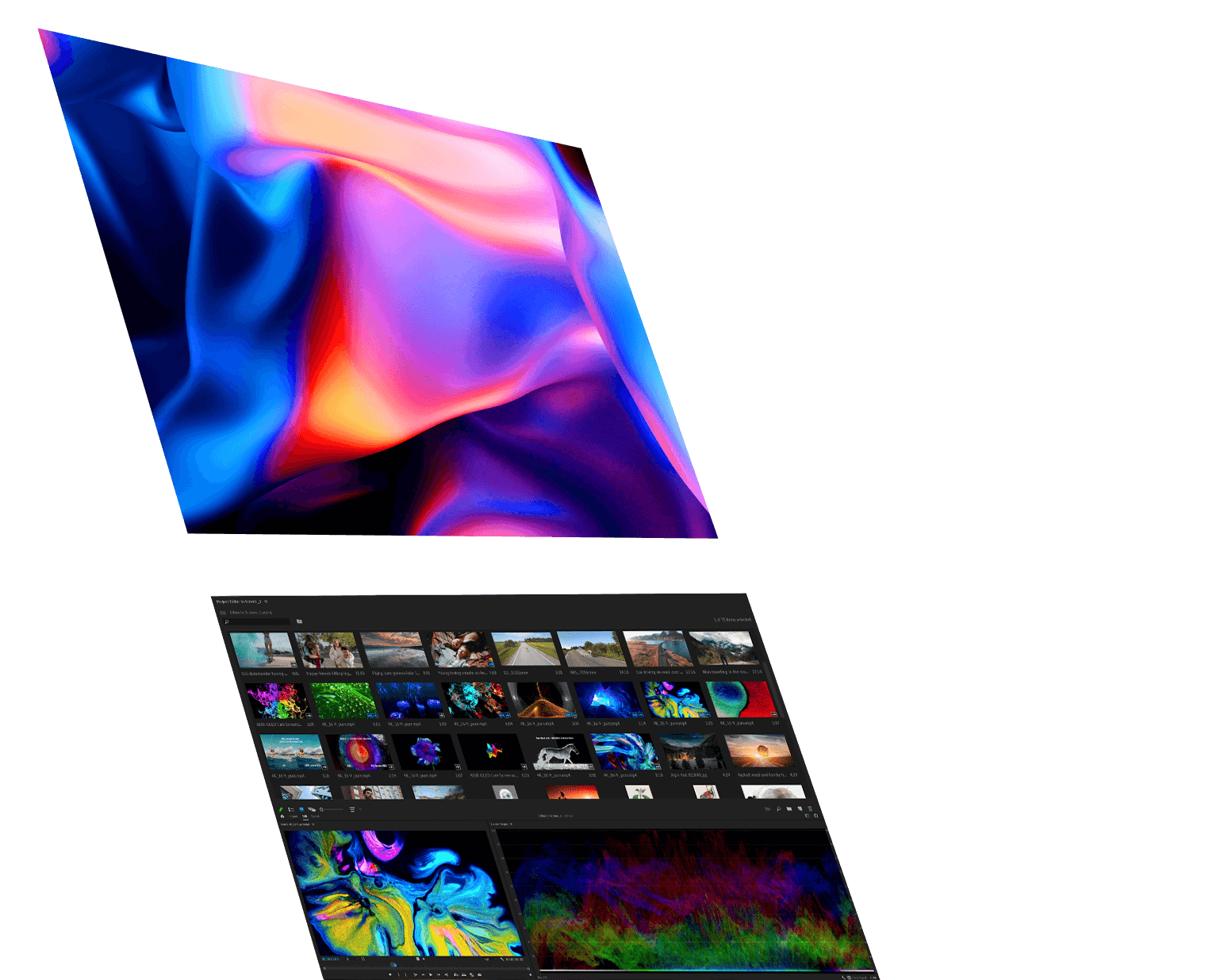
OLED: Vibrant & Astonishing True-to-life Color
The MQ149CD provides amazing viewing experiences, with its brilliant OLED panel and HDR technology that can display over 1 billion colors. Its cinema-grade 100% DCI-P3 color gamut makes it a superbly versatile all-rounder for productivity and entertainment.
- 100% DCI-P3 color gamut
- delta E<2
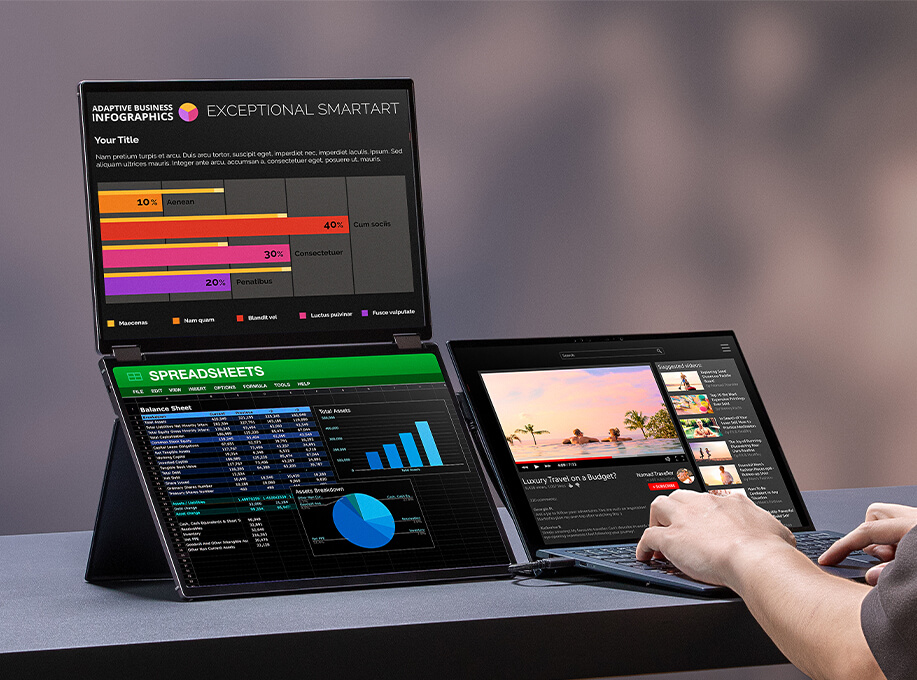
Seamlessly Intuitive and Expansive Capability: Effortless Connectivity
A single USB-C cable is all that’s required to duplicate or extend a laptop screen. The USB-C port handles power- and video-signal transmission, so it’s simply a matter of plug-and-play when it’s time to get work done.
- Video signal
- Power transmission
*The brightness can be adjusted to its maximum value with the adapter plugged in. Or else the monitor will limit the brightness level to ensure it does not draw more power than the laptop can handle.
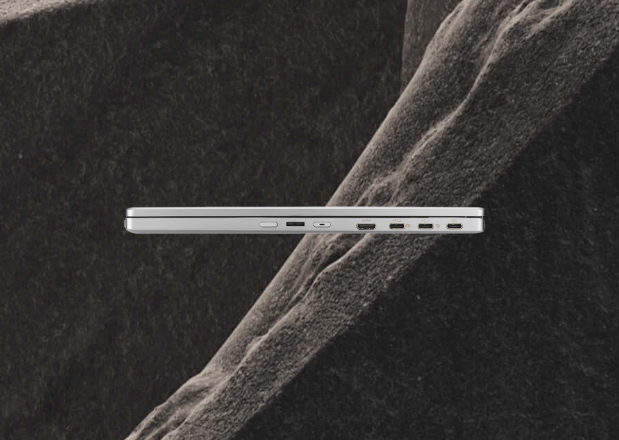
Seamless Blend and Flexibility
Size matters. A marvel of engineering and innovation finds the sweet spot between productivity and portability.
- 1.07 Kg weight
- 14-inch folded
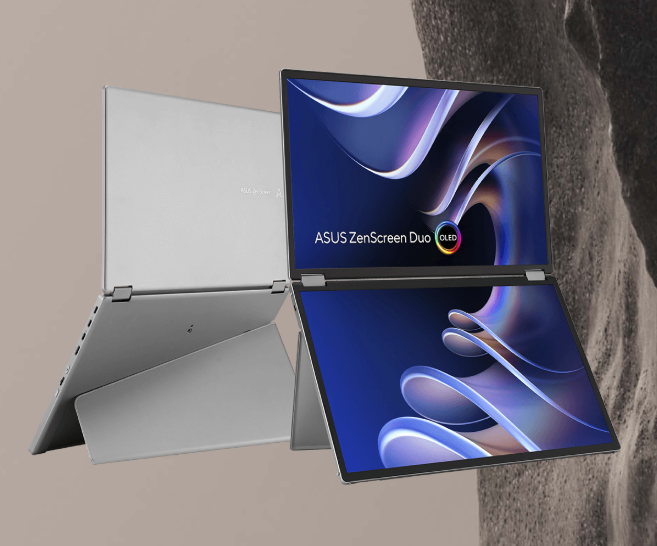
Compact and Stylish Design: Stylish and Sturdy Stand
This sleek, fold-up stand is the perfect blend of elegance and practicality, offering both style and reliable support for your devices.
- Aluminium chassis
- Portrait & Landscape mode
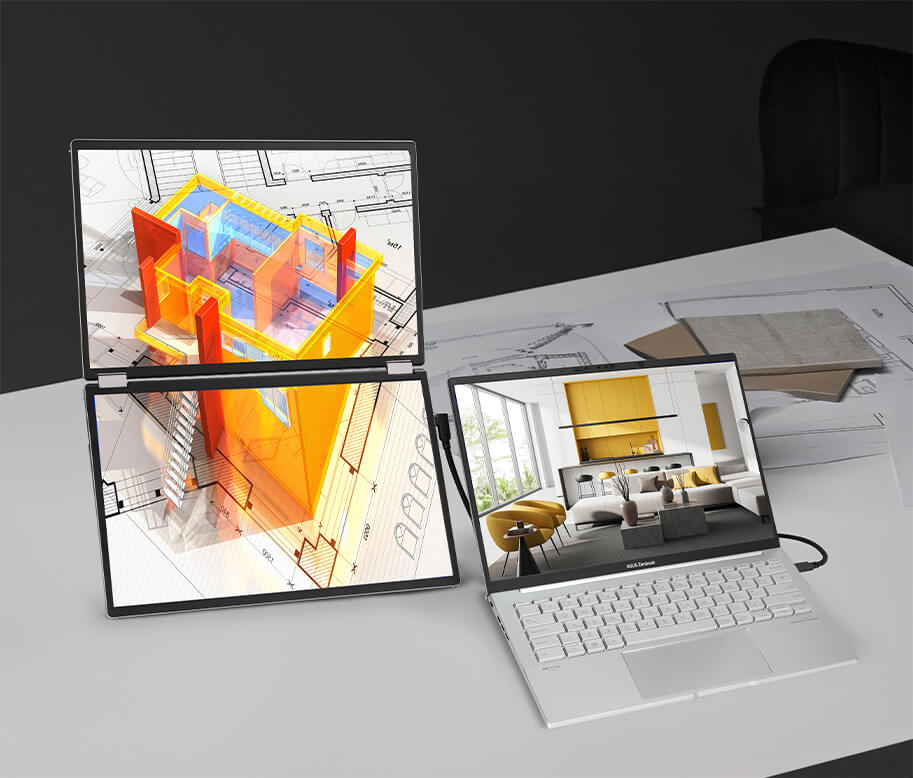
Auto Rotate Support
With ASUS DisplayWidget Center software it can automatically sense its orientation and switch the display between landscape and portrait modes while connected to your laptop.
*Auto rotate function only support mirror & split mode with USB Type-C 2.
*HDMI port does not support DisplayWidget Center software.
*Software required. Auto-rotate function works with both Windows and MAC OS.
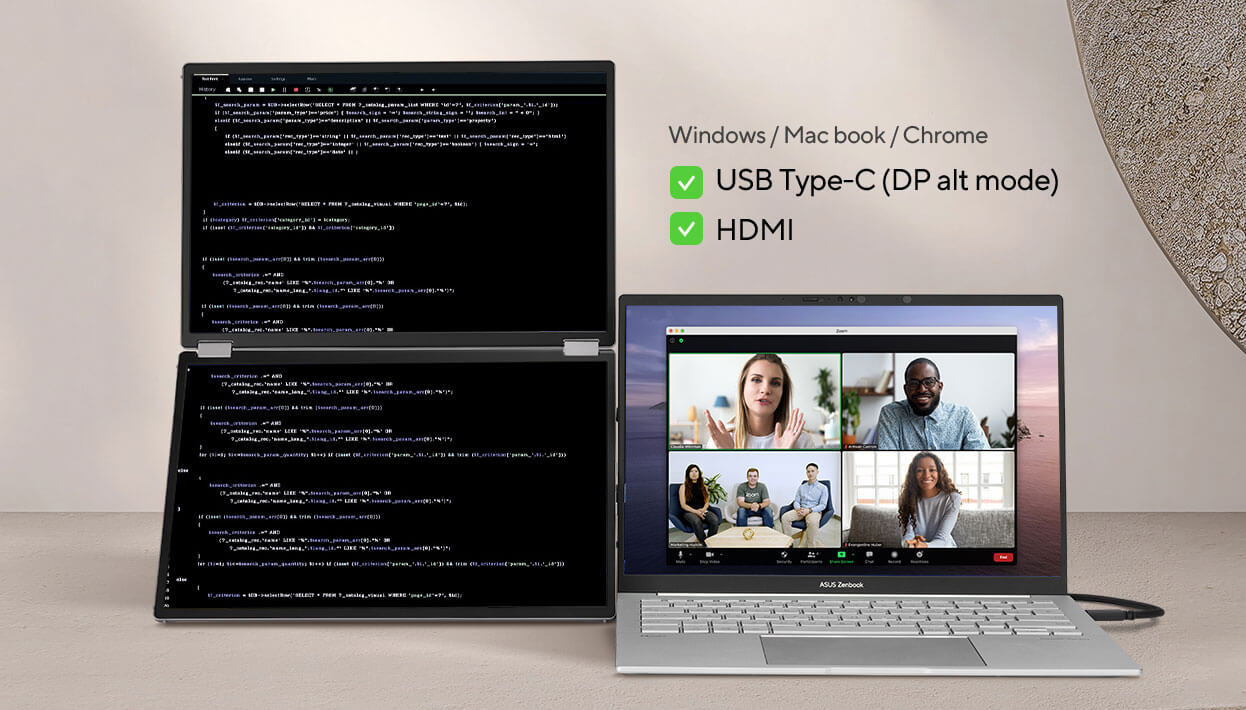
Multiple Display Scenario for Various Usage
MQ149CD dual screen provides various user scenarios that can be easily enabled via OSD control, offering hassle-free multi-screen setups. These include Independent mode, Extend mode, Mirror mode, and Split mode.
- Split Mode
- Independent Mode
- Mirror Mode
- Extend Mode
What's in the Box:
- 1 x Power adapter
- 1 x MTS02D tripod socket kit
- 1 x Mini HDMI to HDMI cable
- 1 x Microfiber cloth
- 2 x USB-C cable
- 1 x ZenScreen sleeve
Product Features:
- Dual 14-inch OLED panels with 1920×1200 resolution and a 16:10 aspect ratio, creating a 20-inch workspace
- Exceptional visual quality with 100% DCI-P3 color gamut, Delta-E <2 color accuracy, and DisplayHDR 400 True Black certification
- Ultra-portable design and a lightweight 1.07 kg
- Versatile usage options, featuring a durable 360° hinge, a standard tripod mount, and an integrated fold-out kickstand that supports both landscape and portrait orientations
- DisplayWidget Center enables automatic screen rotation
- Flexible connectivity with mini-HDMI, dual USB Type-C ports
Specs
General
- Brand ASUS
- Product Category Monitors
- Product Type Monitor
Display
- Display Feature Flicker-Free
- Screen Type OLED
- Screen Size (Display) 14 "
- Screen Resolution 1920x1200 px
- Aspect Ratio 16:10
Monitor Features
- Additional Features SPLENDID Technology, GamePlus, QuickFit, DisplayWidget Center
- Brightness 500 cd/m2
- Dynamic Contrast Ratio 1,000,000:1
- Horizontal Viewing Angle 176°
- Refresh Rate 60 Hz
- Response Time 1 ms
- Vertical Viewing Angle 176°
Power
- On-mode Power Consumption 13 W
- Power Supply 100-240 V
Dimensions
- Width 319 mm
- Depth 15 mm
- Height 212 mm
- Weight 1.07 kg
Delivery
We offer a comprehensive nationwide (excluding Republic of Ireland) delivery service; we aim to deliver all orders as quickly as possible.
| Item Type | Delivered In | Delivered By |
|---|---|---|
| Small Items | 2 Working days | DPD |
| Large Electrical Appliance | 3-5 Working days | Independent transport company |
| Furniture & Bedding | 3-5 Working days | Independent transport company |
Please note: if you have ordered furniture and bedding products that involve a lead time, are customised or made to measure, we will contact you to discuss delivery. Delivery of large items outside mainland UK is subject to availability and may be restricted in some areas.
Free Click & Collect In Store
Can't wait for delivery or don't want to pay additional delivery charges? It's incredibly simple to collect your online order in store and get your hands on your product quickly and easily. Simply select the Click & Collect option and head to your nearest Harvey Norman store to collect your order.
- During checkout, select “Click & Collect” and select your preferred store.
- After your order is placed, you will receive an order acknowledgement email with your order number.
- Once the store has confirmed your order and reserved the stock, you will receive an email to inform you that your order is "Ready for collection". If you want to use "Contactless Click & Collect" select this option on this email. Please Note: Some large items are held in an off-site warehouse. We will notify you of the collection location in your Ready for Pickup email.
- Bring your order number to the store you selected for Click & Collect, along with photo ID and the credit card you used to make the order.
- Speak to one of our staff and your order should be processed in minutes.
- If availing of Contactless Click & Collect, please click the link in your email "ready to pick up" to let the store know you are on your way. When you have parked in the designated parking bay, open your email, and choose the "I'm here" option and a member of staff will bring your purchase out to your car.
Easy returns
Store Purchases: For all items purchased from a physical store, please return to your local Harvey Norman Store. Please see Terms & Conditions here.
Online Purchases: For all items purchased via our Online Store (website), please fill out our Contact Form where our team can guide you through the process.
Description
Description
ASUS ZenScreen DUO OLED Portable Monitor: Duo, Do More On-the-go
The ZenScreen Duo OLED MQ149CD redefines portable displays with two stunning 14-inch OLED screens, offering a brilliant 1920×1200 resolution and a 16:10 aspect ratio for a seamless 20-inch workspace. Featuring a versatile folding and portable design, the MQ149CD provides an impressive array of options to elevate your PC experience. Its multiple connectivity options ensure effortless integration into any setup, whether you're enhancing productivity on the go or boosting multitasking efficiency in the office.
OLED: Vibrant & Astonishing True-to-life Color
The MQ149CD provides amazing viewing experiences, with its brilliant OLED panel and HDR technology that can display over 1 billion colors. Its cinema-grade 100% DCI-P3 color gamut makes it a superbly versatile all-rounder for productivity and entertainment.
- 100% DCI-P3 color gamut
- delta E<2
Seamlessly Intuitive and Expansive Capability: Effortless Connectivity
A single USB-C cable is all that’s required to duplicate or extend a laptop screen. The USB-C port handles power- and video-signal transmission, so it’s simply a matter of plug-and-play when it’s time to get work done.
- Video signal
- Power transmission
*The brightness can be adjusted to its maximum value with the adapter plugged in. Or else the monitor will limit the brightness level to ensure it does not draw more power than the laptop can handle.
Seamless Blend and Flexibility
Size matters. A marvel of engineering and innovation finds the sweet spot between productivity and portability.
- 1.07 Kg weight
- 14-inch folded
Compact and Stylish Design: Stylish and Sturdy Stand
This sleek, fold-up stand is the perfect blend of elegance and practicality, offering both style and reliable support for your devices.
- Aluminium chassis
- Portrait & Landscape mode
Auto Rotate Support
With ASUS DisplayWidget Center software it can automatically sense its orientation and switch the display between landscape and portrait modes while connected to your laptop.
*Auto rotate function only support mirror & split mode with USB Type-C 2.
*HDMI port does not support DisplayWidget Center software.
*Software required. Auto-rotate function works with both Windows and MAC OS.
Multiple Display Scenario for Various Usage
MQ149CD dual screen provides various user scenarios that can be easily enabled via OSD control, offering hassle-free multi-screen setups. These include Independent mode, Extend mode, Mirror mode, and Split mode.
- Split Mode
- Independent Mode
- Mirror Mode
- Extend Mode
What's in the Box:
- 1 x Power adapter
- 1 x MTS02D tripod socket kit
- 1 x Mini HDMI to HDMI cable
- 1 x Microfiber cloth
- 2 x USB-C cable
- 1 x ZenScreen sleeve
Product Features:
- Dual 14-inch OLED panels with 1920×1200 resolution and a 16:10 aspect ratio, creating a 20-inch workspace
- Exceptional visual quality with 100% DCI-P3 color gamut, Delta-E <2 color accuracy, and DisplayHDR 400 True Black certification
- Ultra-portable design and a lightweight 1.07 kg
- Versatile usage options, featuring a durable 360° hinge, a standard tripod mount, and an integrated fold-out kickstand that supports both landscape and portrait orientations
- DisplayWidget Center enables automatic screen rotation
- Flexible connectivity with mini-HDMI, dual USB Type-C ports
Specifications
Specs
General
- Brand ASUS
- Product Category Monitors
- Product Type Monitor
Display
- Display Feature Flicker-Free
- Screen Type OLED
- Screen Size (Display) 14 "
- Screen Resolution 1920x1200 px
- Aspect Ratio 16:10
Monitor Features
- Additional Features SPLENDID Technology, GamePlus, QuickFit, DisplayWidget Center
- Brightness 500 cd/m2
- Dynamic Contrast Ratio 1,000,000:1
- Horizontal Viewing Angle 176°
- Refresh Rate 60 Hz
- Response Time 1 ms
- Vertical Viewing Angle 176°
Power
- On-mode Power Consumption 13 W
- Power Supply 100-240 V
Dimensions
- Width 319 mm
- Depth 15 mm
- Height 212 mm
- Weight 1.07 kg
Delivery & Returns
Delivery
We offer a comprehensive nationwide (excluding Republic of Ireland) delivery service; we aim to deliver all orders as quickly as possible.
| Item Type | Delivered In | Delivered By |
|---|---|---|
| Small Items | 2 Working days | DPD |
| Large Electrical Appliance | 3-5 Working days | Independent transport company |
| Furniture & Bedding | 3-5 Working days | Independent transport company |
Please note: if you have ordered furniture and bedding products that involve a lead time, are customised or made to measure, we will contact you to discuss delivery. Delivery of large items outside mainland UK is subject to availability and may be restricted in some areas.
Free Click & Collect In Store
Can't wait for delivery or don't want to pay additional delivery charges? It's incredibly simple to collect your online order in store and get your hands on your product quickly and easily. Simply select the Click & Collect option and head to your nearest Harvey Norman store to collect your order.
- During checkout, select “Click & Collect” and select your preferred store.
- After your order is placed, you will receive an order acknowledgement email with your order number.
- Once the store has confirmed your order and reserved the stock, you will receive an email to inform you that your order is "Ready for collection". If you want to use "Contactless Click & Collect" select this option on this email. Please Note: Some large items are held in an off-site warehouse. We will notify you of the collection location in your Ready for Pickup email.
- Bring your order number to the store you selected for Click & Collect, along with photo ID and the credit card you used to make the order.
- Speak to one of our staff and your order should be processed in minutes.
- If availing of Contactless Click & Collect, please click the link in your email "ready to pick up" to let the store know you are on your way. When you have parked in the designated parking bay, open your email, and choose the "I'm here" option and a member of staff will bring your purchase out to your car.
Easy returns
Store Purchases: For all items purchased from a physical store, please return to your local Harvey Norman Store. Please see Terms & Conditions here.
Online Purchases: For all items purchased via our Online Store (website), please fill out our Contact Form where our team can guide you through the process.
Reviews
You may also like
Recently viewed
Compare


 Secure Online Shopping