



interest free payments of
Late fees apply.
Terms and Conditions
By selecting a Brightcover policy you have agreed to purchase a policy which is underwritten and
provided by AWP P&C S.A. registered in France with ID No 519490080 RCS Paris Registered Office 7
Rue Dora Maar, 93400 Saint-Ouen, France acting through its UK Branch, AWP P&C (UK Branch), part
of the Allianz Group registered in the United Kingdom. Registered Branch No. BR015275. Authorised
by the Prudential Regulation Authority. Subject to regulation by the Financial Conduct Authority and
limited regulation by the Prudential Regulation Authority. Financial Services Register No. 534384.
Details about the extent of its regulation by the Prudential Regulation Authority are available on
request from AWP P&C (UK Branch)
Brightcover policies are made available to you on behalf of AWP P&C S.A. by Harvey Norman Trading (UK) Limited, trading as Harvey Norman, company number 15512318.
Brightcover policies are administered by IC Frith Service Contracts Limited. Company number 15543908. Authorised and regulated by the Financial Conduct Authority with Firm Reference Number: 1014736. Administration services are also provided by Frith Service Contracts Limited, who is an appointed representative of IC Frith Service Contracts Limited, with Financial Conduct Authority Firm Number 1025657.
Harvey Norman does not provide any advice or recommendations about the Brightcover insurance policy, nor will it search for and propose other suitable policies. You may find an alternative, equivalent or more suitable insurance policies elsewhere.
By ticking the box below you confirm you have read the Insurance Product Information Document (IPID) and agree to the Terms and Conditions (T&Cs) of Brightcover or Brightcover Mobile cover which includes details of your rights to cancellation, cooling off period, complaints procedure and privacy notice and that Brightcover or Brightcover Mobile meets your demands and needs.
Please read the Terms and Conditions and IPID that apply here: Brightcover T&Cs | Brightcover IPID | Brightcover Mobile T&Cs | Brightcover Mobile IPID
Delivery to
Delivery
Collect from
Click & Collect
Collect in store
Nearest store with stock
Nearest store with stock

Available services
Description

Born to Create
Make your content stand out and break through your creative ceiling with a dedicated camera. For professional-looking stills and 4K movies that inspire you to create more.
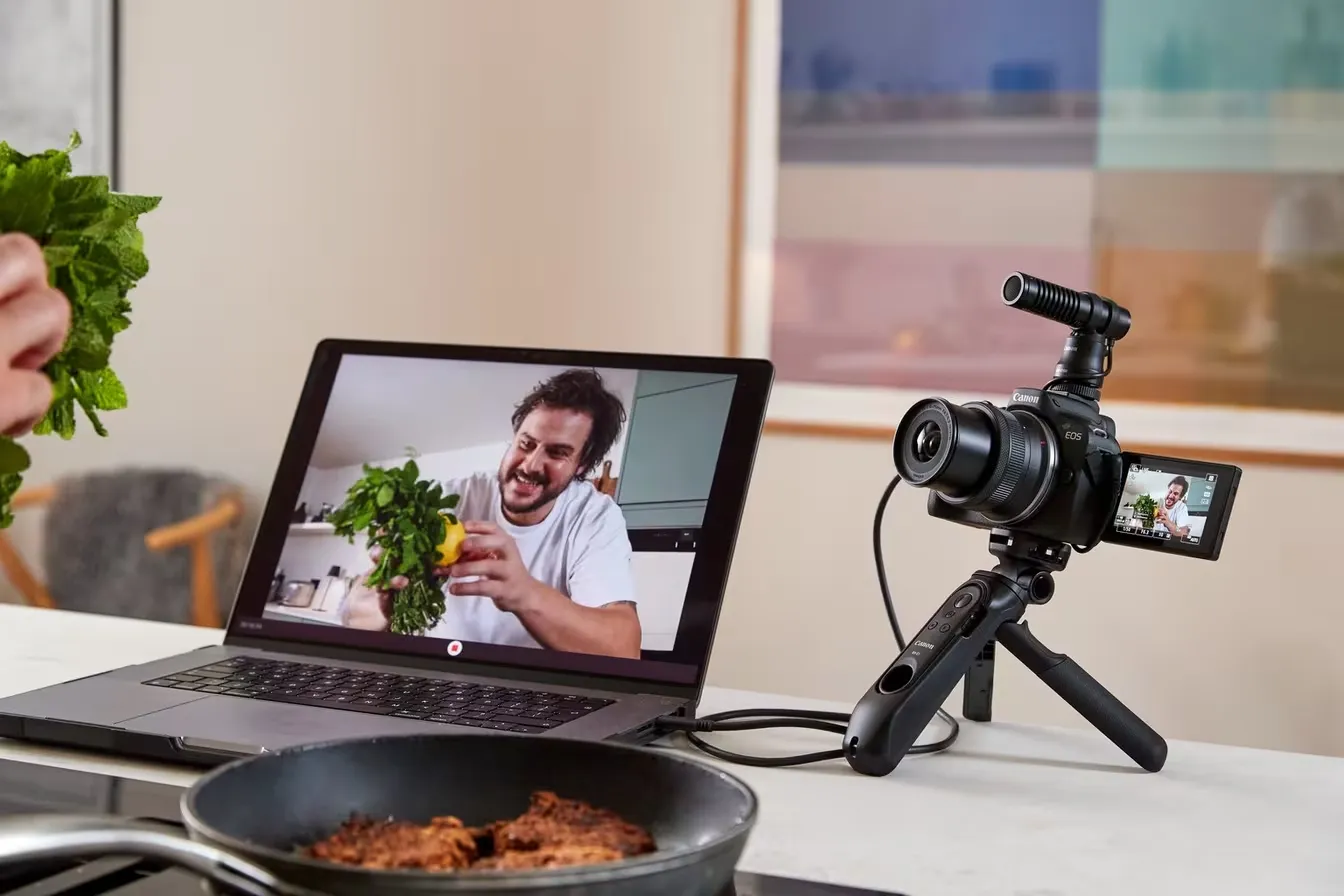
Standout Creativity on the Go
Compact, portable design delivers your passion to the people with a large 24.2MP APS-C sized sensor – wherever curiosity leads you.
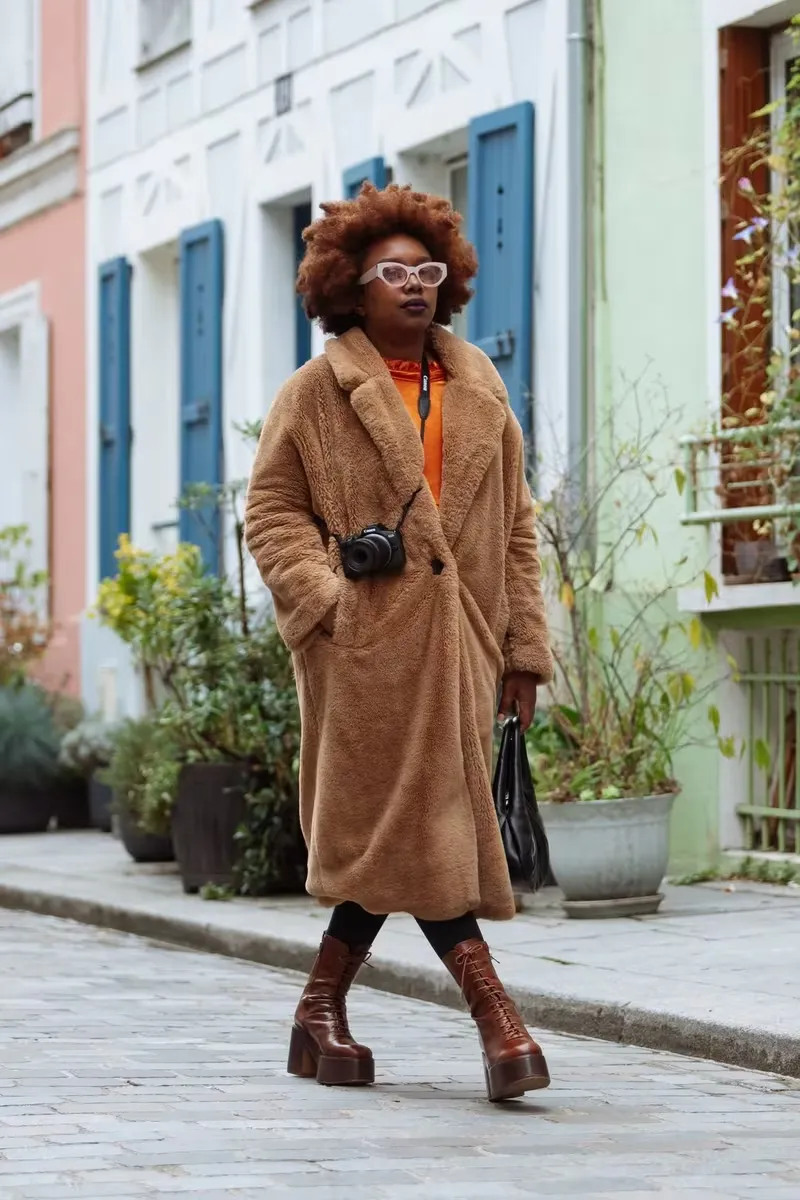
Take. Everywhere
Built for creators, the compact design and natural grip make it easy to shoot to your heart’s content. Pick a camera that won’t hold you back. At just 375g [1] , the EOS R50 won’t weigh you down either.
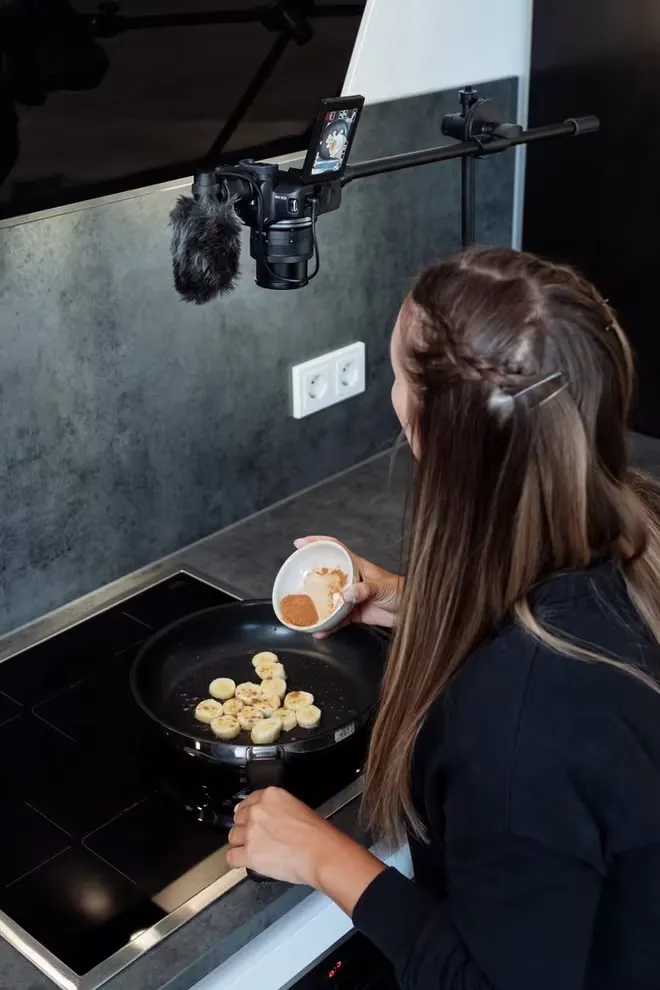
Shoot All Angles
With the flexibility of the Vari-angle touchscreen, you can work all the angles. High, low or flipped to face you. 100% view, zero distractions.
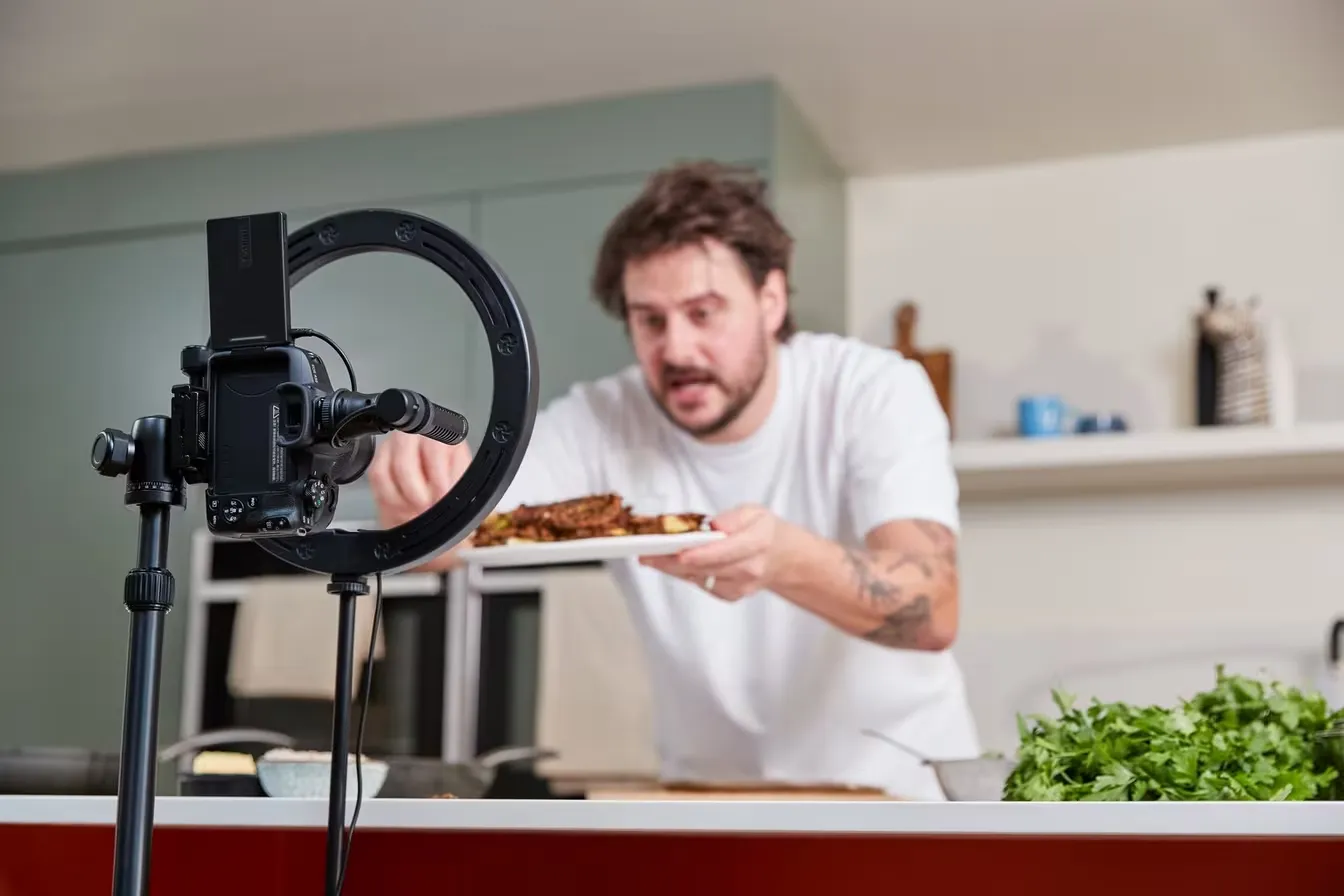
“The great features of the EOS R50 is that the camera knows when it’s shooting vertical or horizontal”
Martyn, Content Creator
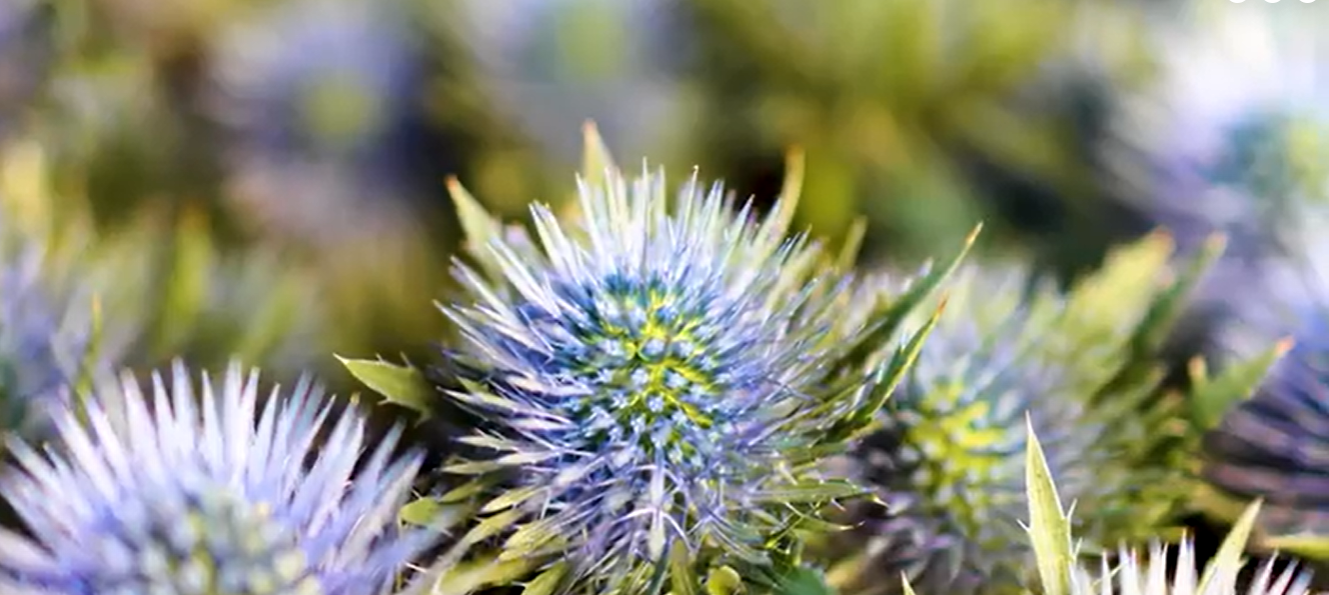
Better Filming for Days
Upskill your filmmaking in superior detail with UHD 4K 30p video oversampled from 6K and a maximum recording time of 1 hour2 per video. That’s quality plus quantity.
Create Without Compromise
Quality. Power. Speed. Capture razor-sharp detail and get the inimitable Canon look, thanks to these brilliant all-round features. Your creative breakthrough awaits.

High Resolution 24.2MP Sensor
The APS-C sized sensor provides brilliant image quality and control over depth of field. Fine tune a professional look.

Focuses Faster Than You
Dual Pixel CMOS Auto Focus II coupled with the powerful DIGIC X processor delivers swift subject detection and tracking.
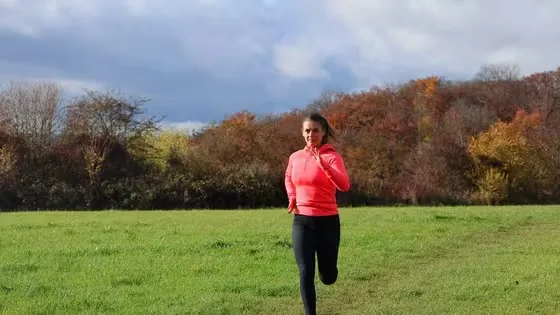
Rapid Continuous Shooting
Capture more unmissable moments at 12fps[3]. Switch up to 15fps when using silent electronic shutter[4]. The choice is yours.
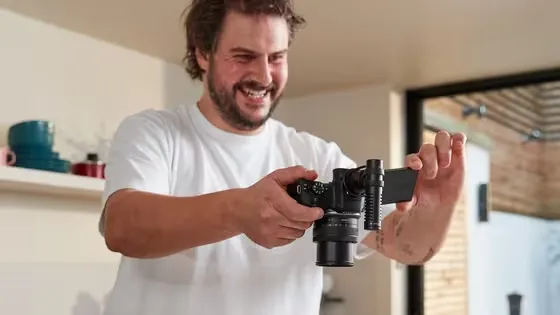
UHD 4K 30p Video
Discover a world of detail in motion, with oversampling from 6K for incredible true-to-life quality.
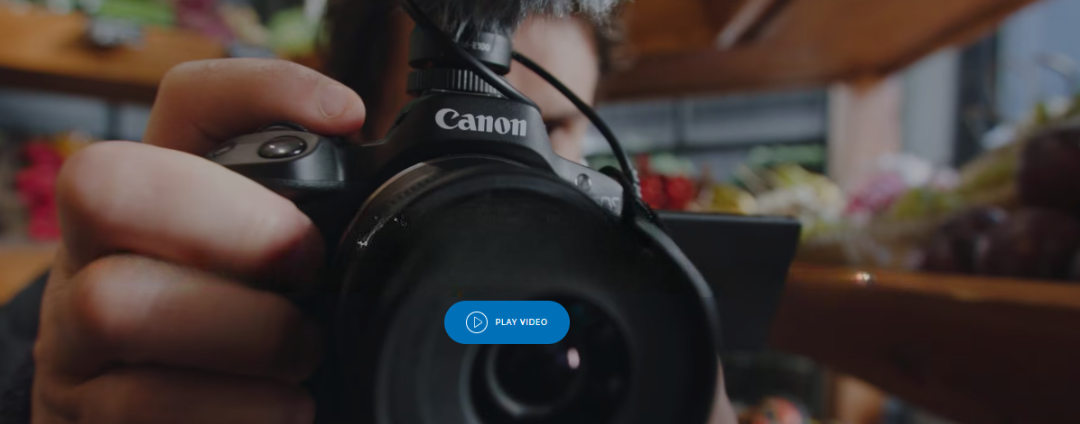
Breakthrough Talent
Four talented creators put the EOS R50 through its paces, exploring new ways of upgrading their social content – mirrorless camera in hand.
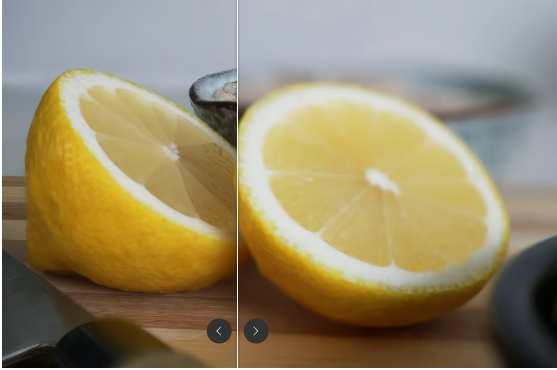
Discover Depth of Field
Reveal finer details with close-ups. In-camera focus bracketing and depth compositing automatically creates images with natural depth of field.
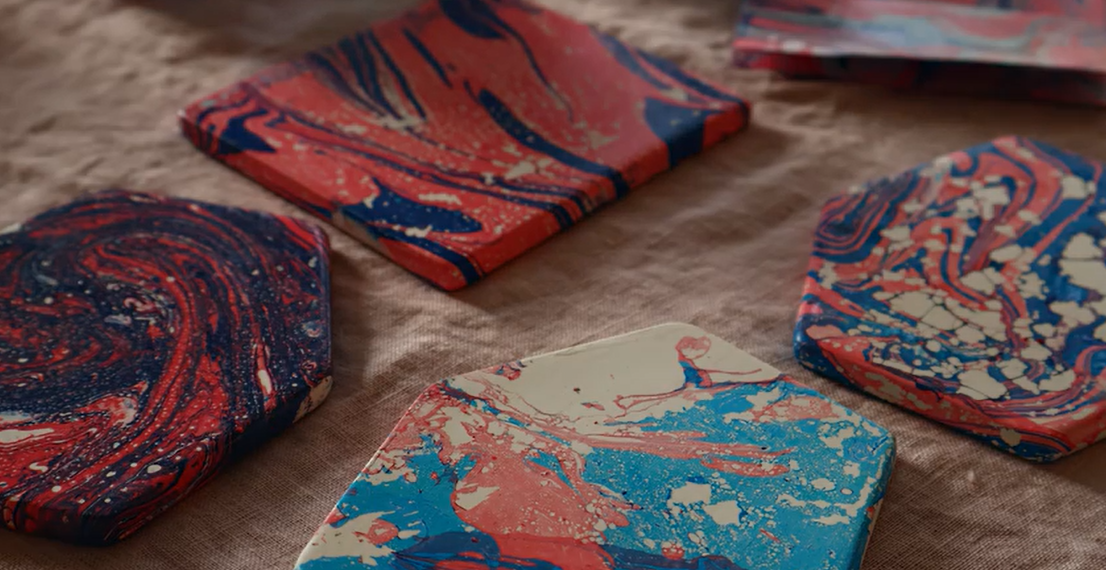
Effortless Creativity
Get inspired with creative bracketing that gives you multiple edits for each image you take. Creative Assist and Advanced A+ do the hard work for you. Just choose your favourite effect.

“Creative bracketing is super fun to use. It’s a great way to give me lots of different options”.
Zeena, Content Creator
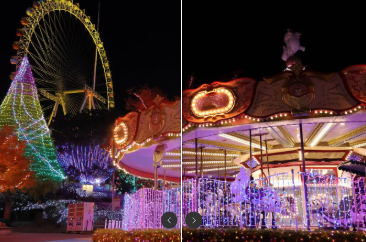
High Performance Low Light
The large APS-C sized sensor offers great low light shooting. Select handheld night scene mode to take multiple images and merge them automatically into one clearer image.
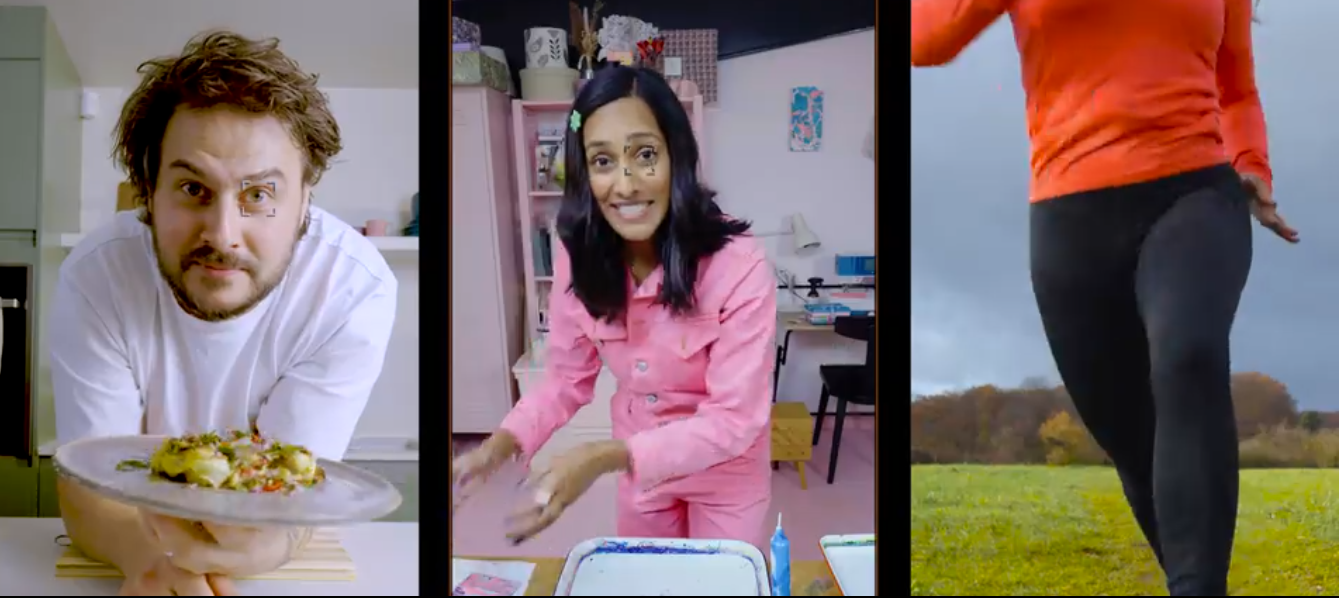
Faster Focus Across the Frame
Fast and accurate. Across 651 zones even near the edges of the frame5. Dual Pixel CMOS AF II recognises and tracks more subjects with great speed, making focusing more reliable than ever.

“I find the auto-focus function very helpful, because I can just focus fully on creating content.”
Elena, Content Creator
Step Into the World of Video Production
From 4K films to crystal clear streams, the EOS R50 packs class-leading video capabilities to add creative finesse to your social content.
It’s in the Details
Shoot in UHD 4K at 30p as standard to capture detail in motion – even for takes more than 30 minutes2.
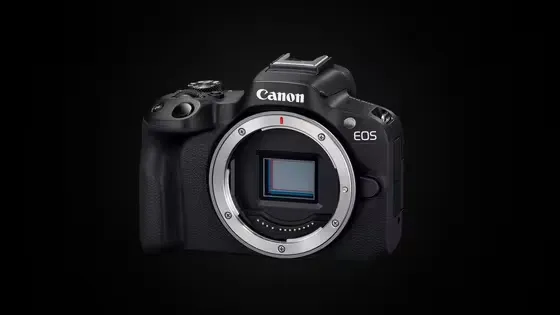
Looks Even Sharper
Capture incredible detail, thanks to 6K oversampling from the whole sensor.
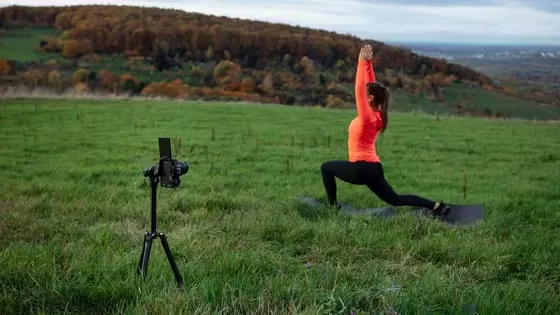
Life in Slow Motion
120p full HD slow motion lets you slow down your video by 4 times to give a cinematic edge to your filmmaking[6].

Slow Motion for Impact
Ever wondered what your content looks like frame by frame? Create more drama with slow motion for a different take.
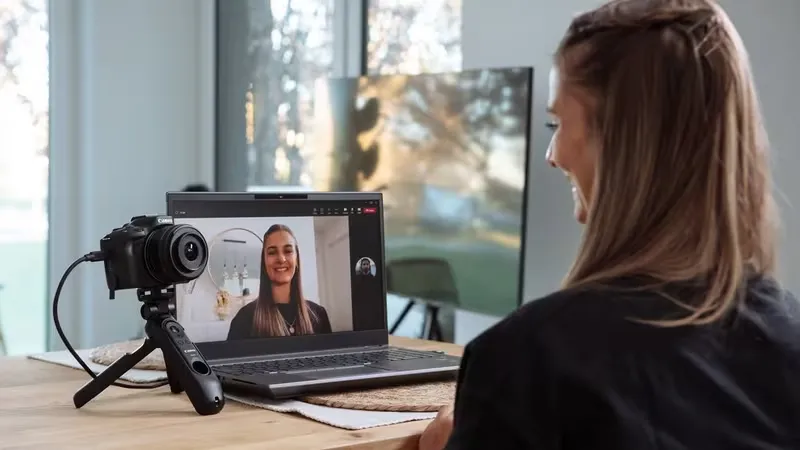
Enhanced Streaming and Video Calls
With USB connection you can easily use EOS R50 as a webcam for high-quality video calls or streaming. Simply plug and stream7.
Seamless Connectivity
Break boundaries, not your flow. Transfer media files for instant sharing, using the Camera Connect app, while always-on Bluetooth and Wi-Fi connectivity enable easy remote shooting[8.]
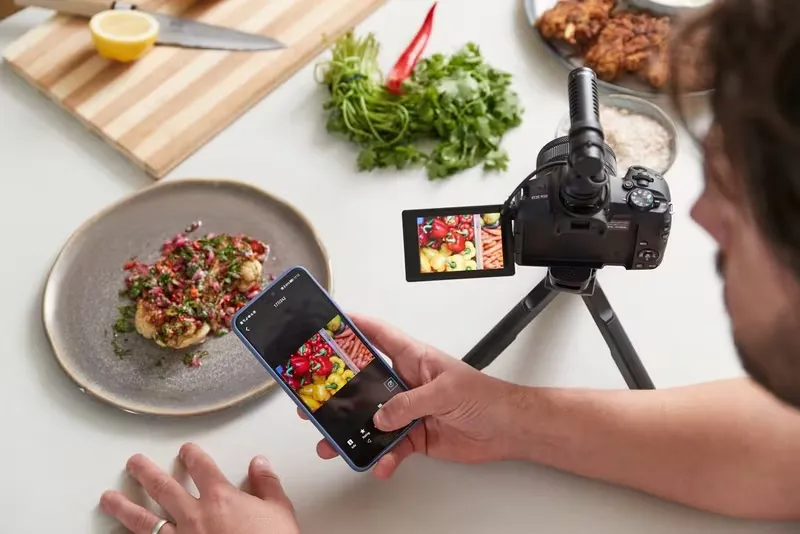
Everything Just Flows
Transfer with Camera Connect app that fits into your phone’s workflow. Download images and videos, transfer images as you shoot. Sorted.
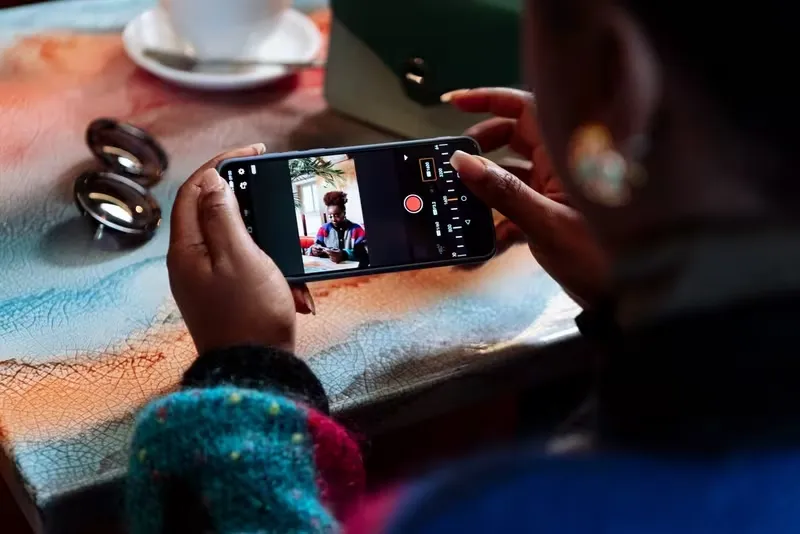
Tap to Start. Tap to Stop
When you’re in frame, you need remote camera control. Connect your phone and use it to change settings, compose your image, shoot – and record.
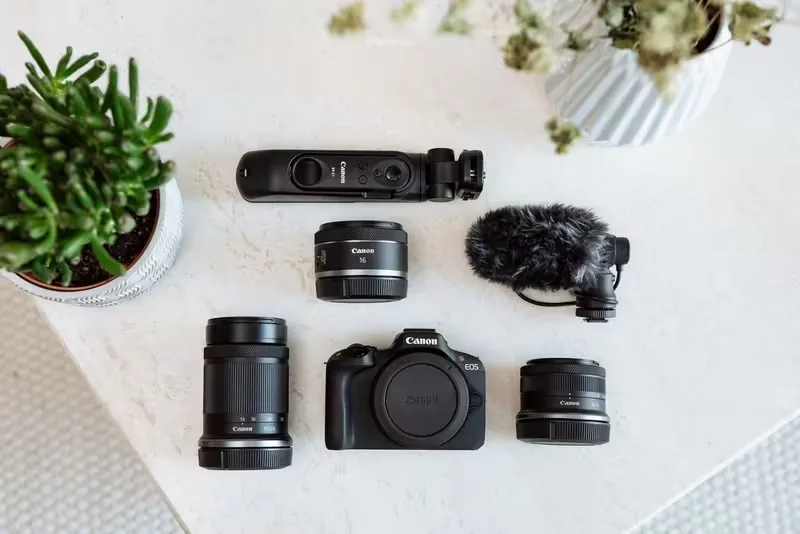
Expand Your Skills. Grow Your Kit
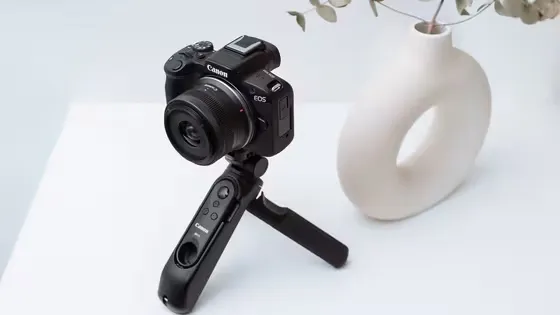
Pair with a range of lenses and accessories, from tripod grips to microphones, and build your dream creator setup.
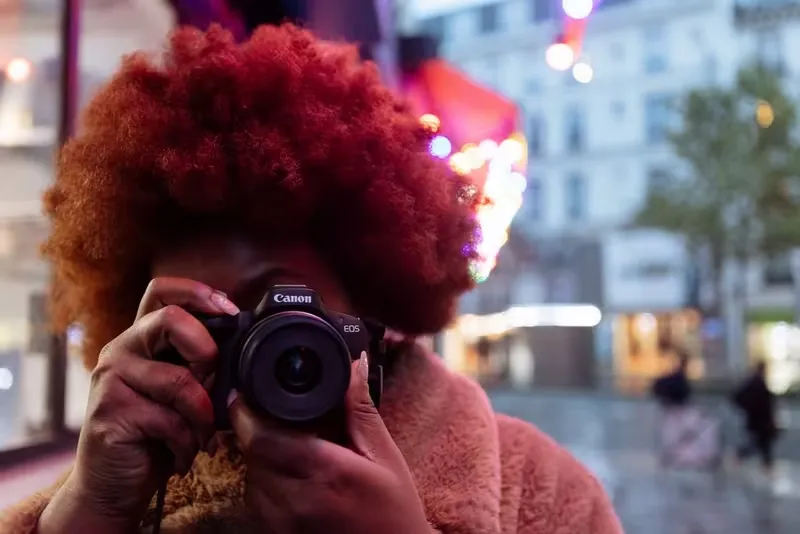
“This camera has everything you need”.
Fatou, Content Creator
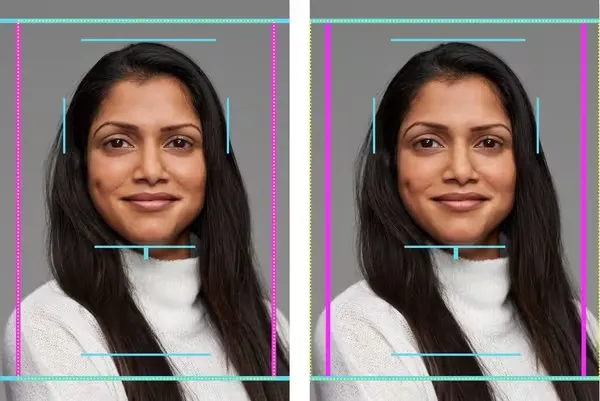
Cropping Guide Firmware Offers Streamlined Workflow
Ideal for commercial portrait photographers looking for consistent framing across a high volume of portraits, the framing guide shows precise positioning of the sitter. 4 different frame options, plus vertical or horizontal framing for versatility and streamlined post-production. Requires activation via a Canon Service Centre.
Notes:
1. The operation of the RF 5.2 mm F 2.8 L DUAL FISHEYE is not guaranteed. Excluding EF-M lenses. Operation of EF Cinema Lens is not guaranteed. Operation of the mount adapter EF-EOS R 0.71 X (sold separately) is not guaranteed.
2. Applicable when subject frame is shown while tracking and a compatible lens is attached to the camera while the full-range AF is active or the subject is detected successfully in another area mode. For details on supported lenses, refer to [Supplemental Information] for [EOS R7/EOS R10] in “cam.start.canon”.
3. During still photo shooting, with an f/1.2 lens, Centre AF point, One-Shot AF, at 23°C/73°F, ISO100. Excluding RF lenses with Defocus Smoothing coating.
4.Depending on the lens attached. When RF lenses without a focus mode switch are attached manual focus is selected in the camera menu. When RF/EF lenses with a focus mode switch are attached, the Focus mode menu option is not available.
5. Not available when using the electronic shutter Flicker can also be detected manuallt Increases shutter-release time lag May decrease continuous shooting speed The interval between shots in continuous shooting may vary Color tone may not match the color tone of images captured with this feature set to [Disable] Changing light source conditions during continuous shooting may revent reduction of the effects of flicker
6. ISO is limited to ISO 200–32000 when [Highlight tone priority] is configured. Expanded ISO speeds cannot be set in HDR mode or for HDR shooting (HDR PQ).
7.Flash photography is only available with Electronic 1st-curtain shutter
8. White balance shift cannot be set at the same time as white balance bracketing or exposure bracketing
9. At JPEG Large image quality, 3:2 aspect ratio, approx. 22mm eyepoint
10. With 3:2 display, an RF 50mm F1.2 L USM lens at infinity, -1 m-1
11. The maximum frame rate during AF, half-press of the shutter button, or continuous shooting is 59.94 fps. Note that the display frame rate may be lower depending on the lens you are using and shooting conditions.
12. SA variable amount is only displayed when a lens with SA control is attached
13. At L image size and an aspect ration of 3:2
14. Double-tap with two fingers to magnify menu screens around the two points touched
15. With built-in flash, first-curtain synchronisation is used with shutter speeds faster than 1/30 sec.
16. A 5-pin contact for previous accessories is not equipped. Use of previous accessories requires multi-function shoe adapter AD-E1
17. Special Scene: Brightness can be set (except in HDR backlight control mode)
18. Panoramic shot: Users can set their preferred direction to rotate the camera (right/left/up/down). Automatically set to [Large / Fine] and [Low speed continuous]. [Cropping / aspect ratio] is not available. All RF and EF lenses can be used, but some lenses can also reduce subject blue that is more likely to occur during panning. Refer to the separate lens list.
19. Panning: [Effect: min / med / max] can be set. Refer to the separate lens list]
20. Food: [Color tone: Cool tone-Warm tone (five levels)] can be set
21. Handheld night scene: Flash photography is not available
22. Silent shutter: The camera may make some sounds for operations such as autofocusing, aperture adjustment and image stabilisation. Flash photography not available
23. Creative filters: Only JPEGs (RAW image shooting is not possible) can be captured in Creative filters mode
24. Under Canon testing standards with 32GB UHS-I card (during One-Shot AF, ISO 100, Standard Picture Style) High-speed continuous shooting may be slower depending on the battery level, ambient temperature, flickering light source, shutter speed, aperture value, subject conditions, brightness, AF operation, type of lens, use of flash, shooting settings, and other conditions. For details on supported lenses, refer to “cam.start.canon”
25. Using electonic shutter or High-speed continuous shooting + in Eelctronic 1st-curtain shutter, RAW files will have a 12-bit A/D conversion.
26. 4K UHD generated from 6K oversampling
27.Time-lapse: playback frame rate is shown High-frame rate: recording frame rate is shown
28. No audio is recorded for miniature effect movies, time-lapse movies and High Frame Rate movies
29. Max. movie contnuous recording time available: Normal: 1 hr. High Frame Rate movie (Full HD 120/100fps): 15 min. If the camera's internal temperature becomes too high the recording time may reduce. 4K 30p HQ: Approx. 50 min. if starting from +23°C.
30. In High frame Rate Movie mode sound is not recorded
31. Extracted still photos cannot be resized or cropped within the camera.
32. Resolution switches automatically HDMI CEC not supported Images not displayed unless [For NTSC] or [For PAL] is set correctly for the TV video system
33. UHS-I high speed cards are recommended for 4K video recording and high speed continous shooting
34. Windows 8.1 is not supported due to the end of OS support in January 2023.
35. EOS Utility doesn’t support Apple Silicon-powered Macs with macOS13 installed.
36. Charging over USB is supported. With unauthenticated batteries, charging over USB is not supported. Batteries may not be charged unless the remaining battery level is low.
37. Based on the CIPA Standard and using the battery supplied with the camera, except where indicated. In power saving mode
38. If the camera remains idle until the specified time elapses, the screen is dimmed and lower video frame rates are used. [Power off] and [Screen off] can be assigned to buttons using button customization.
39. Requires Remote Controller Adapter RA-E3.
40. Note that total camera mount load capacity for camera, lens, microphone, and other accessories should not exceed 1 kg /35.3 oz. When using an external microphone, depending on the lens used, the sound may be interrupted by the lens and then the sound may not be properly collected.
What's in the Box:
Everything you need to engage your audience and make your social feeds stand out.
- EOS R50 Body (BK)
- Camera Cover R-F-5
- Neck Strap EM-200DB
- Battery Charger LC-E17E
- Battery Pack LP-E17
- Battery Pack Cover
- Power Cord (EU)
- Shoe Cover
Product Features:
- Anti-flicker shooting
- Custom white balance
- Depth of field preview
- Flash exposure bracketing
- Flash exposure lock
- Second curtain synchronisation
- Raw+jpeg simultaneous recording
- Intelligent orientation sensor
- Histogram
- PictBridge
Specs
General
- Brand Canon
- Product Category Digital SLR Cameras
- Product Type Mirrorless Camera
- Product Colour Black
- Product Specific Colour Black
Camera Features
- Special Features AF Lock, Portrait , Red-Eye Reduction ,Wi-Fi , AE Lock, Bluetooth, Built-In Flash, Digital lens, Face Detection,
- Compatibility E-TTL II with EX/EL series Speedlite, wireless multi-flash support
- Built in Flash Yes
- Camera Resolution 25.5 MP
- Camera Type Mirrorless Camera
- Exposure Compensation +/-3 EV in 1/3 stop increments Q12
- Sensor Size APS-C CMOS
- Flash Modes E-TTL II Auto Flash, Metered Manual
- Shooting Modes Scene Intelligent Auto (A+ Assist): Creative Assist, Creative bracketing, Advanced A+ Hybrid Auto: Digest Movie
- Tripod Mount Yes
- Memory Card Type SD/SDHC/SDXC and UHS-I
Display
- Display Feature Single image, Single image with information (basic / detailed), 4 image index, 9 image index, 36 image index, 100 image index, ump Display, Rating
- Display Resolution 4K
- Screen Type LCD
- Screen Size (Display) 2.95"
- Screen Resolution 1920 x 1080 px
- Aspect Ratio 3:2
- Touch Screen Yes
- Refresh Rate 120 Hz
Lens Features
- 35 mm Equivalent 29 mm
- AF Points 513
- Focal Length 18 mm
- Focus Type Dual Pixel CMOS AF II
- Lens Type Digital Lens
- Optical Zoom 10 x
- Digital Zoom 10 x
- Image Stabilisation Lens, Digital only
Camera Functions
- Continuous Shooting 15 fps
- ISO Sensitivity 100-32000
- Self-Timer 2s Secs, 10s Secs
- Shutter Speed 30-1/8000sec
- Type of Modes Digital Zoom, Slow Motion
- White Balance Auto white balance with the imaging sensor
Photo Features
- Image Processor DIGIC X
- Image Sensor APS-C CMOS
- Image Sizes (pixels) RAW: 6000x4000 (3:2 aspect ratio)
- Photo File Formats JPEG, RAW
Video Features
- Max Transmission Bitrate 28 Mbps
- Max Video Bitrate 180 Mbps
- Max Video Resolution 4K
Battery & Power
- Power Source Battery
- Battery Life 440 Shots
- Battery Type Rechargeable Li-Ion
Dimensions
- Width 116.3 mm
- Depth 68.8 mm
- Height 85.5 mm
- Weight 0.328 kg
Delivery
We offer a comprehensive nationwide (excluding Republic of Ireland) delivery service; we aim to deliver all orders as quickly as possible.
| Item Type | Delivered In | Delivered By |
|---|---|---|
| Small Items | 2 Working days | DPD |
| Large Electrical Appliance | 3-5 Working days | Independent transport company |
| Furniture & Bedding | 3-5 Working days | Independent transport company |
Please note: if you have ordered furniture and bedding products that involve a lead time, are customised or made to measure, we will contact you to discuss delivery. Delivery of large items outside mainland UK is subject to availability and may be restricted in some areas.
Free Click & Collect In Store
Can't wait for delivery or don't want to pay additional delivery charges? It's incredibly simple to collect your online order in store and get your hands on your product quickly and easily. Simply select the Click & Collect option and head to your nearest Harvey Norman store to collect your order.
- During checkout, select “Click & Collect” and select your preferred store.
- After your order is placed, you will receive an order acknowledgement email with your order number.
- Once the store has confirmed your order and reserved the stock, you will receive an email to inform you that your order is "Ready for collection". If you want to use "Contactless Click & Collect" select this option on this email. Please Note: Some large items are held in an off-site warehouse. We will notify you of the collection location in your Ready for Pickup email.
- Bring your order number to the store you selected for Click & Collect, along with photo ID and the credit card you used to make the order.
- Speak to one of our staff and your order should be processed in minutes.
- If availing of Contactless Click & Collect, please click the link in your email "ready to pick up" to let the store know you are on your way. When you have parked in the designated parking bay, open your email, and choose the "I'm here" option and a member of staff will bring your purchase out to your car.
Easy returns
Store Purchases: For all items purchased from a physical store, please return to your local Harvey Norman Store. Please see Terms & Conditions here.
Online Purchases: For all items purchased via our Online Store (website), please fill out our Contact Form where our team can guide you through the process.
Description
Description
Born to Create
Make your content stand out and break through your creative ceiling with a dedicated camera. For professional-looking stills and 4K movies that inspire you to create more.
Standout Creativity on the Go
Compact, portable design delivers your passion to the people with a large 24.2MP APS-C sized sensor – wherever curiosity leads you.
Take. Everywhere
Built for creators, the compact design and natural grip make it easy to shoot to your heart’s content. Pick a camera that won’t hold you back. At just 375g [1] , the EOS R50 won’t weigh you down either.
Shoot All Angles
With the flexibility of the Vari-angle touchscreen, you can work all the angles. High, low or flipped to face you. 100% view, zero distractions.
“The great features of the EOS R50 is that the camera knows when it’s shooting vertical or horizontal”
Martyn, Content Creator
Better Filming for Days
Upskill your filmmaking in superior detail with UHD 4K 30p video oversampled from 6K and a maximum recording time of 1 hour2 per video. That’s quality plus quantity.
Create Without Compromise
Quality. Power. Speed. Capture razor-sharp detail and get the inimitable Canon look, thanks to these brilliant all-round features. Your creative breakthrough awaits.
High Resolution 24.2MP Sensor
The APS-C sized sensor provides brilliant image quality and control over depth of field. Fine tune a professional look.
Focuses Faster Than You
Dual Pixel CMOS Auto Focus II coupled with the powerful DIGIC X processor delivers swift subject detection and tracking.
Rapid Continuous Shooting
Capture more unmissable moments at 12fps[3]. Switch up to 15fps when using silent electronic shutter[4]. The choice is yours.
UHD 4K 30p Video
Discover a world of detail in motion, with oversampling from 6K for incredible true-to-life quality.
Breakthrough Talent
Four talented creators put the EOS R50 through its paces, exploring new ways of upgrading their social content – mirrorless camera in hand.
Discover Depth of Field
Reveal finer details with close-ups. In-camera focus bracketing and depth compositing automatically creates images with natural depth of field.
Effortless Creativity
Get inspired with creative bracketing that gives you multiple edits for each image you take. Creative Assist and Advanced A+ do the hard work for you. Just choose your favourite effect.
“Creative bracketing is super fun to use. It’s a great way to give me lots of different options”.
Zeena, Content Creator
High Performance Low Light
The large APS-C sized sensor offers great low light shooting. Select handheld night scene mode to take multiple images and merge them automatically into one clearer image.
Faster Focus Across the Frame
Fast and accurate. Across 651 zones even near the edges of the frame5. Dual Pixel CMOS AF II recognises and tracks more subjects with great speed, making focusing more reliable than ever.
“I find the auto-focus function very helpful, because I can just focus fully on creating content.”
Elena, Content Creator
Step Into the World of Video Production
From 4K films to crystal clear streams, the EOS R50 packs class-leading video capabilities to add creative finesse to your social content.
It’s in the Details
Shoot in UHD 4K at 30p as standard to capture detail in motion – even for takes more than 30 minutes2.
Looks Even Sharper
Capture incredible detail, thanks to 6K oversampling from the whole sensor.
Life in Slow Motion
120p full HD slow motion lets you slow down your video by 4 times to give a cinematic edge to your filmmaking[6].
Slow Motion for Impact
Ever wondered what your content looks like frame by frame? Create more drama with slow motion for a different take.
Enhanced Streaming and Video Calls
With USB connection you can easily use EOS R50 as a webcam for high-quality video calls or streaming. Simply plug and stream7.
Seamless Connectivity
Break boundaries, not your flow. Transfer media files for instant sharing, using the Camera Connect app, while always-on Bluetooth and Wi-Fi connectivity enable easy remote shooting[8.]
Everything Just Flows
Transfer with Camera Connect app that fits into your phone’s workflow. Download images and videos, transfer images as you shoot. Sorted.
Tap to Start. Tap to Stop
When you’re in frame, you need remote camera control. Connect your phone and use it to change settings, compose your image, shoot – and record.
Expand Your Skills. Grow Your Kit
Pair with a range of lenses and accessories, from tripod grips to microphones, and build your dream creator setup.
“This camera has everything you need”.
Fatou, Content Creator
Cropping Guide Firmware Offers Streamlined Workflow
Ideal for commercial portrait photographers looking for consistent framing across a high volume of portraits, the framing guide shows precise positioning of the sitter. 4 different frame options, plus vertical or horizontal framing for versatility and streamlined post-production. Requires activation via a Canon Service Centre.
Notes:
1. The operation of the RF 5.2 mm F 2.8 L DUAL FISHEYE is not guaranteed. Excluding EF-M lenses. Operation of EF Cinema Lens is not guaranteed. Operation of the mount adapter EF-EOS R 0.71 X (sold separately) is not guaranteed.
2. Applicable when subject frame is shown while tracking and a compatible lens is attached to the camera while the full-range AF is active or the subject is detected successfully in another area mode. For details on supported lenses, refer to [Supplemental Information] for [EOS R7/EOS R10] in “cam.start.canon”.
3. During still photo shooting, with an f/1.2 lens, Centre AF point, One-Shot AF, at 23°C/73°F, ISO100. Excluding RF lenses with Defocus Smoothing coating.
4.Depending on the lens attached. When RF lenses without a focus mode switch are attached manual focus is selected in the camera menu. When RF/EF lenses with a focus mode switch are attached, the Focus mode menu option is not available.
5. Not available when using the electronic shutter Flicker can also be detected manuallt Increases shutter-release time lag May decrease continuous shooting speed The interval between shots in continuous shooting may vary Color tone may not match the color tone of images captured with this feature set to [Disable] Changing light source conditions during continuous shooting may revent reduction of the effects of flicker
6. ISO is limited to ISO 200–32000 when [Highlight tone priority] is configured. Expanded ISO speeds cannot be set in HDR mode or for HDR shooting (HDR PQ).
7.Flash photography is only available with Electronic 1st-curtain shutter
8. White balance shift cannot be set at the same time as white balance bracketing or exposure bracketing
9. At JPEG Large image quality, 3:2 aspect ratio, approx. 22mm eyepoint
10. With 3:2 display, an RF 50mm F1.2 L USM lens at infinity, -1 m-1
11. The maximum frame rate during AF, half-press of the shutter button, or continuous shooting is 59.94 fps. Note that the display frame rate may be lower depending on the lens you are using and shooting conditions.
12. SA variable amount is only displayed when a lens with SA control is attached
13. At L image size and an aspect ration of 3:2
14. Double-tap with two fingers to magnify menu screens around the two points touched
15. With built-in flash, first-curtain synchronisation is used with shutter speeds faster than 1/30 sec.
16. A 5-pin contact for previous accessories is not equipped. Use of previous accessories requires multi-function shoe adapter AD-E1
17. Special Scene: Brightness can be set (except in HDR backlight control mode)
18. Panoramic shot: Users can set their preferred direction to rotate the camera (right/left/up/down). Automatically set to [Large / Fine] and [Low speed continuous]. [Cropping / aspect ratio] is not available. All RF and EF lenses can be used, but some lenses can also reduce subject blue that is more likely to occur during panning. Refer to the separate lens list.
19. Panning: [Effect: min / med / max] can be set. Refer to the separate lens list]
20. Food: [Color tone: Cool tone-Warm tone (five levels)] can be set
21. Handheld night scene: Flash photography is not available
22. Silent shutter: The camera may make some sounds for operations such as autofocusing, aperture adjustment and image stabilisation. Flash photography not available
23. Creative filters: Only JPEGs (RAW image shooting is not possible) can be captured in Creative filters mode
24. Under Canon testing standards with 32GB UHS-I card (during One-Shot AF, ISO 100, Standard Picture Style) High-speed continuous shooting may be slower depending on the battery level, ambient temperature, flickering light source, shutter speed, aperture value, subject conditions, brightness, AF operation, type of lens, use of flash, shooting settings, and other conditions. For details on supported lenses, refer to “cam.start.canon”
25. Using electonic shutter or High-speed continuous shooting + in Eelctronic 1st-curtain shutter, RAW files will have a 12-bit A/D conversion.
26. 4K UHD generated from 6K oversampling
27.Time-lapse: playback frame rate is shown High-frame rate: recording frame rate is shown
28. No audio is recorded for miniature effect movies, time-lapse movies and High Frame Rate movies
29. Max. movie contnuous recording time available: Normal: 1 hr. High Frame Rate movie (Full HD 120/100fps): 15 min. If the camera's internal temperature becomes too high the recording time may reduce. 4K 30p HQ: Approx. 50 min. if starting from +23°C.
30. In High frame Rate Movie mode sound is not recorded
31. Extracted still photos cannot be resized or cropped within the camera.
32. Resolution switches automatically HDMI CEC not supported Images not displayed unless [For NTSC] or [For PAL] is set correctly for the TV video system
33. UHS-I high speed cards are recommended for 4K video recording and high speed continous shooting
34. Windows 8.1 is not supported due to the end of OS support in January 2023.
35. EOS Utility doesn’t support Apple Silicon-powered Macs with macOS13 installed.
36. Charging over USB is supported. With unauthenticated batteries, charging over USB is not supported. Batteries may not be charged unless the remaining battery level is low.
37. Based on the CIPA Standard and using the battery supplied with the camera, except where indicated. In power saving mode
38. If the camera remains idle until the specified time elapses, the screen is dimmed and lower video frame rates are used. [Power off] and [Screen off] can be assigned to buttons using button customization.
39. Requires Remote Controller Adapter RA-E3.
40. Note that total camera mount load capacity for camera, lens, microphone, and other accessories should not exceed 1 kg /35.3 oz. When using an external microphone, depending on the lens used, the sound may be interrupted by the lens and then the sound may not be properly collected.
What's in the Box:
Everything you need to engage your audience and make your social feeds stand out.
- EOS R50 Body (BK)
- Camera Cover R-F-5
- Neck Strap EM-200DB
- Battery Charger LC-E17E
- Battery Pack LP-E17
- Battery Pack Cover
- Power Cord (EU)
- Shoe Cover
Product Features:
- Anti-flicker shooting
- Custom white balance
- Depth of field preview
- Flash exposure bracketing
- Flash exposure lock
- Second curtain synchronisation
- Raw+jpeg simultaneous recording
- Intelligent orientation sensor
- Histogram
- PictBridge
Specifications
Specs
General
- Brand Canon
- Product Category Digital SLR Cameras
- Product Type Mirrorless Camera
- Product Colour Black
- Product Specific Colour Black
Camera Features
- Special Features AF Lock, Portrait , Red-Eye Reduction ,Wi-Fi , AE Lock, Bluetooth, Built-In Flash, Digital lens, Face Detection,
- Compatibility E-TTL II with EX/EL series Speedlite, wireless multi-flash support
- Built in Flash Yes
- Camera Resolution 25.5 MP
- Camera Type Mirrorless Camera
- Exposure Compensation +/-3 EV in 1/3 stop increments Q12
- Sensor Size APS-C CMOS
- Flash Modes E-TTL II Auto Flash, Metered Manual
- Shooting Modes Scene Intelligent Auto (A+ Assist): Creative Assist, Creative bracketing, Advanced A+ Hybrid Auto: Digest Movie
- Tripod Mount Yes
- Memory Card Type SD/SDHC/SDXC and UHS-I
Display
- Display Feature Single image, Single image with information (basic / detailed), 4 image index, 9 image index, 36 image index, 100 image index, ump Display, Rating
- Display Resolution 4K
- Screen Type LCD
- Screen Size (Display) 2.95"
- Screen Resolution 1920 x 1080 px
- Aspect Ratio 3:2
- Touch Screen Yes
- Refresh Rate 120 Hz
Lens Features
- 35 mm Equivalent 29 mm
- AF Points 513
- Focal Length 18 mm
- Focus Type Dual Pixel CMOS AF II
- Lens Type Digital Lens
- Optical Zoom 10 x
- Digital Zoom 10 x
- Image Stabilisation Lens, Digital only
Camera Functions
- Continuous Shooting 15 fps
- ISO Sensitivity 100-32000
- Self-Timer 2s Secs, 10s Secs
- Shutter Speed 30-1/8000sec
- Type of Modes Digital Zoom, Slow Motion
- White Balance Auto white balance with the imaging sensor
Photo Features
- Image Processor DIGIC X
- Image Sensor APS-C CMOS
- Image Sizes (pixels) RAW: 6000x4000 (3:2 aspect ratio)
- Photo File Formats JPEG, RAW
Video Features
- Max Transmission Bitrate 28 Mbps
- Max Video Bitrate 180 Mbps
- Max Video Resolution 4K
Battery & Power
- Power Source Battery
- Battery Life 440 Shots
- Battery Type Rechargeable Li-Ion
Dimensions
- Width 116.3 mm
- Depth 68.8 mm
- Height 85.5 mm
- Weight 0.328 kg
Delivery & Returns
Delivery
We offer a comprehensive nationwide (excluding Republic of Ireland) delivery service; we aim to deliver all orders as quickly as possible.
| Item Type | Delivered In | Delivered By |
|---|---|---|
| Small Items | 2 Working days | DPD |
| Large Electrical Appliance | 3-5 Working days | Independent transport company |
| Furniture & Bedding | 3-5 Working days | Independent transport company |
Please note: if you have ordered furniture and bedding products that involve a lead time, are customised or made to measure, we will contact you to discuss delivery. Delivery of large items outside mainland UK is subject to availability and may be restricted in some areas.
Free Click & Collect In Store
Can't wait for delivery or don't want to pay additional delivery charges? It's incredibly simple to collect your online order in store and get your hands on your product quickly and easily. Simply select the Click & Collect option and head to your nearest Harvey Norman store to collect your order.
- During checkout, select “Click & Collect” and select your preferred store.
- After your order is placed, you will receive an order acknowledgement email with your order number.
- Once the store has confirmed your order and reserved the stock, you will receive an email to inform you that your order is "Ready for collection". If you want to use "Contactless Click & Collect" select this option on this email. Please Note: Some large items are held in an off-site warehouse. We will notify you of the collection location in your Ready for Pickup email.
- Bring your order number to the store you selected for Click & Collect, along with photo ID and the credit card you used to make the order.
- Speak to one of our staff and your order should be processed in minutes.
- If availing of Contactless Click & Collect, please click the link in your email "ready to pick up" to let the store know you are on your way. When you have parked in the designated parking bay, open your email, and choose the "I'm here" option and a member of staff will bring your purchase out to your car.
Easy returns
Store Purchases: For all items purchased from a physical store, please return to your local Harvey Norman Store. Please see Terms & Conditions here.
Online Purchases: For all items purchased via our Online Store (website), please fill out our Contact Form where our team can guide you through the process.
Reviews
You may also like
Recently viewed
Compare


 Secure Online Shopping