



interest free payments of
Late fees apply.
Delivery to
Delivery
Collect from
Click & Collect
Collect in store
Nearest store with stock
Nearest store with stock

Available services
Description
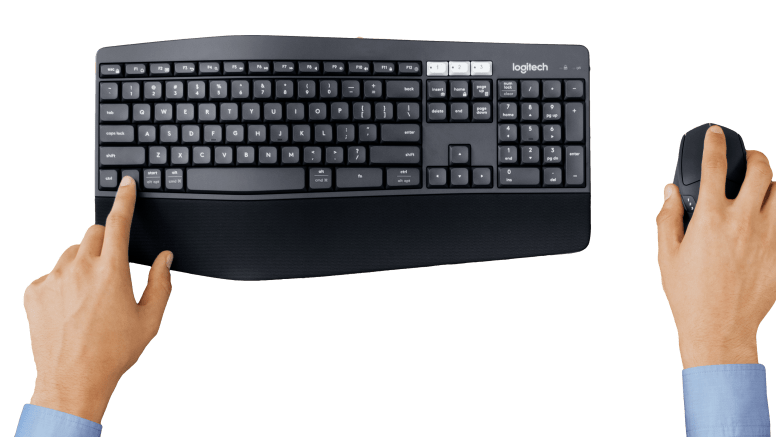
Built for Comfort
The oversized, cushioned palm rest and curved keyframe gives you support for all-day typing. Adjustable tilt legs offer the perfect typing angle. And the contoured design and soft rubber surface of the mouse fits comfortably in your palm.
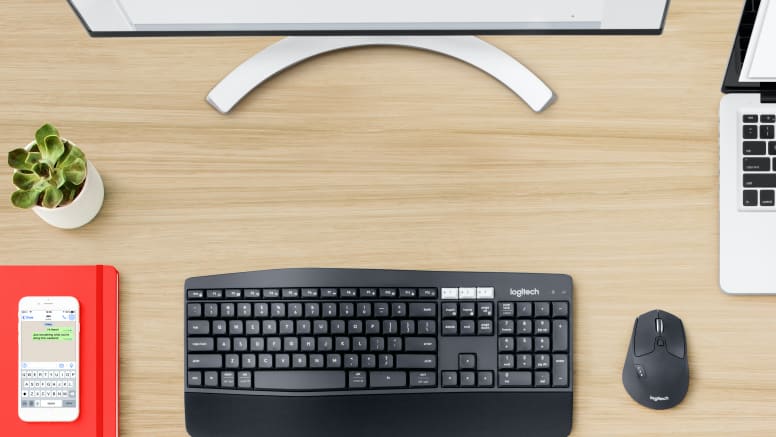
Multi-device Mastery
Start typing on your computer, then switch to your tablet, phone or computer with the touch of a button. Your mouse pairs with up to 3 devices for seamless multi-tasking.
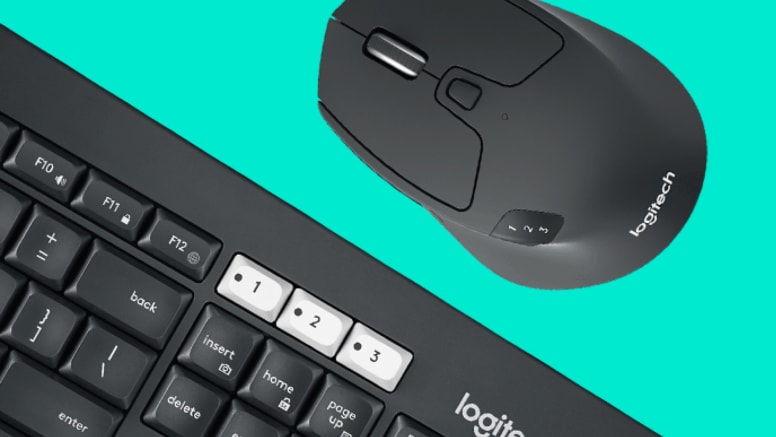
Easy-switch
Type and switch seamlessly between your computer, tablet, and smartphone. Pair your mouse with up to 3 devices. Mk850 performance combo has been optimized for use with your operating systems including windows, mac, and chrome.
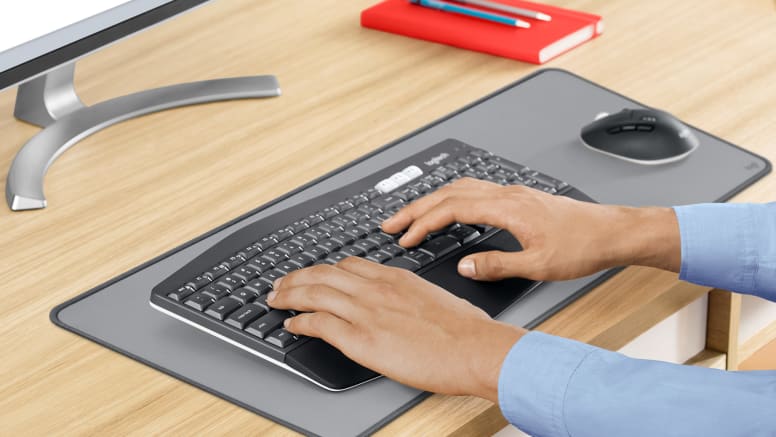
Reliable and Hassle-free
Your keyboard won’t require new batteries for 36 months and your mouse stays powered for 24 months. Connect wirelessly to your devices with logitech unifying USB receiver or pair via bluetooth low energy technology.
Built for Comfort
The oversized, cushioned palm rest and curved keyframe gives you support for all-day typing. Adjustable tilt legs offer the perfect typing angle. And the contoured design and soft rubber surface of the mouse fits comfortably in your palm.
Tilt Legs
Choose from three tilt positions based on your typing preference. Sturdy legs adjust from flat (zero) to 4 or 8-degrees, and hold firmly in place while typing.
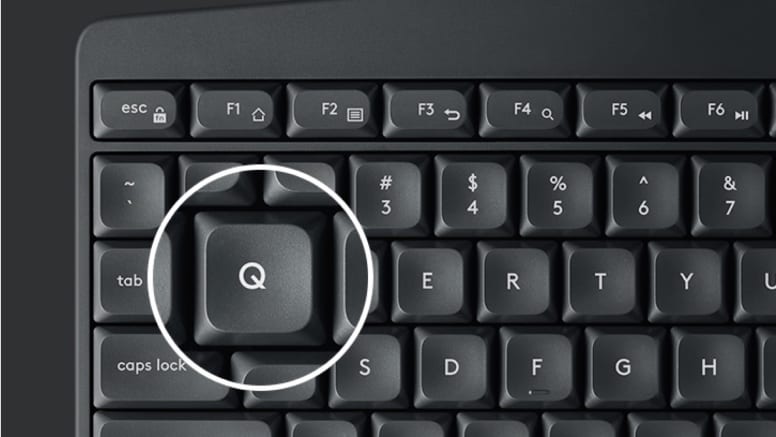
Comfortable Concave Keys
A standard 19mm spacing between the keys provides a familiar desk typing experience. Together with a large strike area it prevents unintentional keystrokes. MK850 Performance features well-scooped keycaps to help guide the fingers to the center of the key for a clean stroke.
What's in the Box:
- Wireless keyboard
- Wireless mouse
- Unifying receiver
- 2 AAA in keyboard, 1 AA battery in mouse (pre-installed)
- User documentation
Keyboard Features:
- Connection Type: Bluetooth smart and 2.4GHz wireless connection
- Wireless range: 10 meters
- Wireless encryption
- Battery Details: 2 x AAA
Mouse Features:
- Battery details: 1 x AA
- Sensor technology: Logitech advanced optical tracking
- Sensor resolution: 1000 DPI
- Scroll wheel: Hyper-fast
- Number of buttons: 8
Product Features:
- Logitech unifying receiver: Windows 10, 11 or later, macOS: 10.15 or later, ChromeOS, Linux kernel 2.6+ USB port
- Bluetooth: iPadOS: 13.4, Android 7
Specs
General
- Brand Logitech
- Product Category Keyboard & Mouse
- Product Type Keyboard & Mouse
- Product Specific Colour Black
- Colour Black
Keyboard Features
- Control Type Wireless, Bluetooth
- Compatibility Windows 10, 11 or later, macOS: 10.15 or later, ChromeOS, Linux kernel 2.6+ USB port, iPadOS: 13.4 or later, Android: 7 or later
- Type of Connectivity Bluetooth, USB, Wireless
Battery & Power
- Power Source Battery
Dimension
- Width (Keyboard) 430 mm
- Depth (Keyboard) 25 mm
- Height (Keyboard) 210 mm
- Weight (Keyboard) 733 g
- Width (Mouse) 74 mm
- Depth (Mouse) 45 mm
- Height (Mouse) 115 mm
- Weight (Mouse) 135 g
Delivery
We offer a comprehensive nationwide (excluding Republic of Ireland) delivery service; we aim to deliver all orders as quickly as possible.
| Item Type | Delivered In | Delivered By |
|---|---|---|
| Small Items | 2 Working days | DPD |
| Large Electrical Appliance | 3-5 Working days | Independent transport company |
| Furniture & Bedding | 3-5 Working days | Independent transport company |
Please note: if you have ordered furniture and bedding products that involve a lead time, are customised or made to measure, we will contact you to discuss delivery. Delivery of large items outside mainland UK is subject to availability and may be restricted in some areas.
Free Click & Collect In Store
Can't wait for delivery or don't want to pay additional delivery charges? It's incredibly simple to collect your online order in store and get your hands on your product quickly and easily. Simply select the Click & Collect option and head to your nearest Harvey Norman store to collect your order.
- During checkout, select “Click & Collect” and select your preferred store.
- After your order is placed, you will receive an order acknowledgement email with your order number.
- Once the store has confirmed your order and reserved the stock, you will receive an email to inform you that your order is "Ready for collection". If you want to use "Contactless Click & Collect" select this option on this email. Please Note: Some large items are held in an off-site warehouse. We will notify you of the collection location in your Ready for Pickup email.
- Bring your order number to the store you selected for Click & Collect, along with photo ID and the credit card you used to make the order.
- Speak to one of our staff and your order should be processed in minutes.
- If availing of Contactless Click & Collect, please click the link in your email "ready to pick up" to let the store know you are on your way. When you have parked in the designated parking bay, open your email, and choose the "I'm here" option and a member of staff will bring your purchase out to your car.
Easy returns
Store Purchases: For all items purchased from a physical store, please return to your local Harvey Norman Store. Please see Terms & Conditions here.
Online Purchases: For all items purchased via our Online Store (website), please fill out our Contact Form where our team can guide you through the process.
Description
Description
Built for Comfort
The oversized, cushioned palm rest and curved keyframe gives you support for all-day typing. Adjustable tilt legs offer the perfect typing angle. And the contoured design and soft rubber surface of the mouse fits comfortably in your palm.
Multi-device Mastery
Start typing on your computer, then switch to your tablet, phone or computer with the touch of a button. Your mouse pairs with up to 3 devices for seamless multi-tasking.
Easy-switch
Type and switch seamlessly between your computer, tablet, and smartphone. Pair your mouse with up to 3 devices. Mk850 performance combo has been optimized for use with your operating systems including windows, mac, and chrome.
Reliable and Hassle-free
Your keyboard won’t require new batteries for 36 months and your mouse stays powered for 24 months. Connect wirelessly to your devices with logitech unifying USB receiver or pair via bluetooth low energy technology.
Built for Comfort
The oversized, cushioned palm rest and curved keyframe gives you support for all-day typing. Adjustable tilt legs offer the perfect typing angle. And the contoured design and soft rubber surface of the mouse fits comfortably in your palm.
Tilt Legs
Choose from three tilt positions based on your typing preference. Sturdy legs adjust from flat (zero) to 4 or 8-degrees, and hold firmly in place while typing.
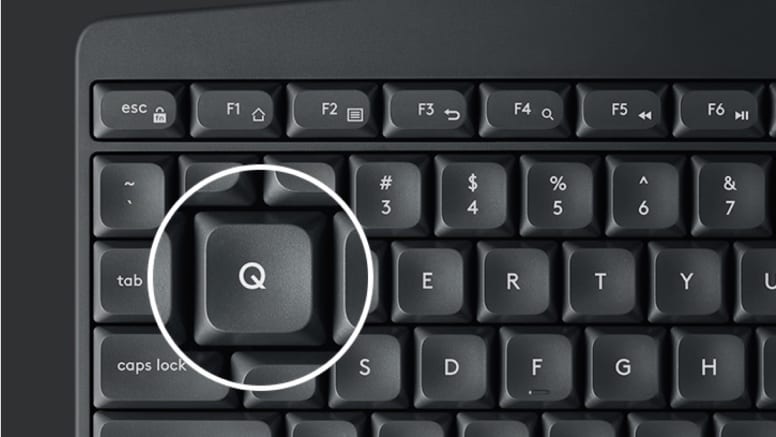
Comfortable Concave Keys
A standard 19mm spacing between the keys provides a familiar desk typing experience. Together with a large strike area it prevents unintentional keystrokes. MK850 Performance features well-scooped keycaps to help guide the fingers to the center of the key for a clean stroke.
What's in the Box:
- Wireless keyboard
- Wireless mouse
- Unifying receiver
- 2 AAA in keyboard, 1 AA battery in mouse (pre-installed)
- User documentation
Keyboard Features:
- Connection Type: Bluetooth smart and 2.4GHz wireless connection
- Wireless range: 10 meters
- Wireless encryption
- Battery Details: 2 x AAA
Mouse Features:
- Battery details: 1 x AA
- Sensor technology: Logitech advanced optical tracking
- Sensor resolution: 1000 DPI
- Scroll wheel: Hyper-fast
- Number of buttons: 8
Product Features:
- Logitech unifying receiver: Windows 10, 11 or later, macOS: 10.15 or later, ChromeOS, Linux kernel 2.6+ USB port
- Bluetooth: iPadOS: 13.4, Android 7
Specifications
Specs
General
- Brand Logitech
- Product Category Keyboard & Mouse
- Product Type Keyboard & Mouse
- Product Specific Colour Black
- Colour Black
Keyboard Features
- Control Type Wireless, Bluetooth
- Compatibility Windows 10, 11 or later, macOS: 10.15 or later, ChromeOS, Linux kernel 2.6+ USB port, iPadOS: 13.4 or later, Android: 7 or later
- Type of Connectivity Bluetooth, USB, Wireless
Battery & Power
- Power Source Battery
Dimension
- Width (Keyboard) 430 mm
- Depth (Keyboard) 25 mm
- Height (Keyboard) 210 mm
- Weight (Keyboard) 733 g
- Width (Mouse) 74 mm
- Depth (Mouse) 45 mm
- Height (Mouse) 115 mm
- Weight (Mouse) 135 g
Delivery & Returns
Delivery
We offer a comprehensive nationwide (excluding Republic of Ireland) delivery service; we aim to deliver all orders as quickly as possible.
| Item Type | Delivered In | Delivered By |
|---|---|---|
| Small Items | 2 Working days | DPD |
| Large Electrical Appliance | 3-5 Working days | Independent transport company |
| Furniture & Bedding | 3-5 Working days | Independent transport company |
Please note: if you have ordered furniture and bedding products that involve a lead time, are customised or made to measure, we will contact you to discuss delivery. Delivery of large items outside mainland UK is subject to availability and may be restricted in some areas.
Free Click & Collect In Store
Can't wait for delivery or don't want to pay additional delivery charges? It's incredibly simple to collect your online order in store and get your hands on your product quickly and easily. Simply select the Click & Collect option and head to your nearest Harvey Norman store to collect your order.
- During checkout, select “Click & Collect” and select your preferred store.
- After your order is placed, you will receive an order acknowledgement email with your order number.
- Once the store has confirmed your order and reserved the stock, you will receive an email to inform you that your order is "Ready for collection". If you want to use "Contactless Click & Collect" select this option on this email. Please Note: Some large items are held in an off-site warehouse. We will notify you of the collection location in your Ready for Pickup email.
- Bring your order number to the store you selected for Click & Collect, along with photo ID and the credit card you used to make the order.
- Speak to one of our staff and your order should be processed in minutes.
- If availing of Contactless Click & Collect, please click the link in your email "ready to pick up" to let the store know you are on your way. When you have parked in the designated parking bay, open your email, and choose the "I'm here" option and a member of staff will bring your purchase out to your car.
Easy returns
Store Purchases: For all items purchased from a physical store, please return to your local Harvey Norman Store. Please see Terms & Conditions here.
Online Purchases: For all items purchased via our Online Store (website), please fill out our Contact Form where our team can guide you through the process.
Reviews
You may also like
Recently viewed
Compare


 Secure Online Shopping