Save
£
300
£
Item added to cart
Enter town or postcode
By providing your postcode, we can show delivery options and store availability in your area.
We will not share your postcode with external parties. For more information please read our Privacy Policy.


Terms and Conditions
By selecting a Brightcover policy you have agreed to purchase a policy which is underwritten and
provided by AWP P&C S.A. registered in France with ID No 519490080 RCS Paris Registered Office 7
Rue Dora Maar, 93400 Saint-Ouen, France acting through its UK Branch, AWP P&C (UK Branch), part
of the Allianz Group registered in the United Kingdom. Registered Branch No. BR015275. Authorised
by the Prudential Regulation Authority. Subject to regulation by the Financial Conduct Authority and
limited regulation by the Prudential Regulation Authority. Financial Services Register No. 534384.
Details about the extent of its regulation by the Prudential Regulation Authority are available on
request from AWP P&C (UK Branch)
Brightcover policies are made available to you on behalf of AWP P&C S.A. by Harvey Norman Trading (UK) Limited, trading as Harvey Norman, company number 15512318.
Brightcover policies are administered by IC Frith Service Contracts Limited. Company number 15543908. Authorised and regulated by the Financial Conduct Authority with Firm Reference Number: 1014736. Administration services are also provided by Frith Service Contracts Limited, who is an appointed representative of IC Frith Service Contracts Limited, with Financial Conduct Authority Firm Number 1025657.
Harvey Norman does not provide any advice or recommendations about the Brightcover insurance policy, nor will it search for and propose other suitable policies. You may find an alternative, equivalent or more suitable insurance policies elsewhere.
By ticking the box below you confirm you have read the Insurance Product Information Document (IPID) and agree to the Terms and Conditions (T&Cs) of Brightcover or Brightcover Mobile cover which includes details of your rights to cancellation, cooling off period, complaints procedure and privacy notice and that Brightcover or Brightcover Mobile meets your demands and needs.
Please read the Terms and Conditions and IPID that apply here: Brightcover T&Cs | Brightcover IPID | Brightcover Mobile T&Cs | Brightcover Mobile IPID
Delivery to
Delivery
Collect from
Collect in store
Nearest store with stock
Nearest store with stock
Available services
Effortlessly game, create, and collaborate on this next-gen Windows 11 Pro machine. Featuring up to an AMD Ryzen AI 9 HX 370 processor and up to an NVIDIA GeForce RTX 5080 Laptop GPU, this 14-inch machine can easily handle the latest games and cutting-edge creative software alike. AI accelerators built into both the CPU and GPU allow the Zephyrus G14 to remain the lightest ROG laptop Asus have ever produced, without breaking a sweat when it's time to get to work.
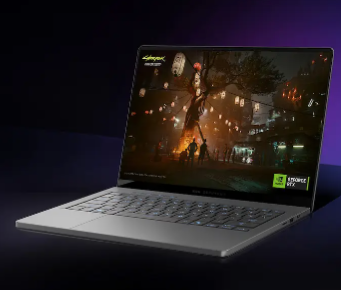
The Zephyrus G14 is built from the ground up for gamers — and, of course, game developers. Equipped with up to an NVIDIA GeForce RTX 5080 Laptop GPU, the G14 can run all the latest games and game development engines. Plus, with game-changing features like DLSS 4 with new Multi Frame Generation, enhanced Super Resolution, and the latest ray tracing enhancements, this machine offers unprecedented realism in modern titles. NVIDIA Advanced Optimus delivers maximum performance and optimal battery life while reducing system latency, and with a max TGP of 110W, the GPU is always allowed to fully flex its silicon. For those looking for a professional work machine, the Zephyrus G14 offers the ability to develop and host large language models locally, while also augmenting the compute performance of existing cloud services thanks to the power of NVIDIA Studio.
Up to NVIDIA GeForce RTX: 5080 Laptop GPUMax TGP: 110 W with Dynamic BoostUp to 1334 AI TOPSNVIDIA DLSS 44th Gen: Ray Tracing CoresNVIDIA Studio
Over 700 games and applications use RTX to deliver realistic graphics, incredibly fast performance, and cutting-edge new AI features like DLSS 4.
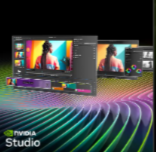
Experience accelerations in top creative apps, NVIDIA Studio Drivers for maximum stability, and exclusive RTX tools for AI-assisted creative workflows.
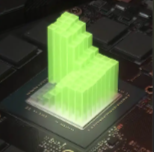
NVIDIA Blackwell Max-Q is designed from the ground up for maximum efficiency, delivering a massive leap in performance and battery life.
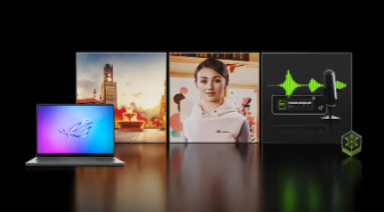
ROG Zephyrus G14 is NVIDIA NIM-ready and engineered to run NVIDIA NIM microservices—optimized AI models for language, speech, vision, content generation, and more. With these tools, enthusiasts and developers can build AI assistants, develop productivity plugins, or craft innovative content creation workflows locally on RTX AI PCs. Shape tomorrow’s AI today with the power of NVIDIA RTX.
GeForce RTX 50 Series Laptop GPUs offer a major advancement in video editing capabilities, with support for the 4:2:2 color format. Unlike the standard 4:2:0 format found in most consumer cameras, 4:2:2 delivers 50% more color accuracy, essential for high-quality color grading and sharper, more vibrant images in video editing. Decoding 4:2:2 video can be challenging due to large file sizes, but GeForce RTX 50 Series Laptop GPUs are equipped with specialized hardware to decode 4K 60fps 4:2:2 video faster. This boost in speed accelerates multi-camera video editing, unlocking smoother and more efficient workflows. With GeForce RTX 50 Series, video editing becomes faster, smoother, and more powerful than ever.
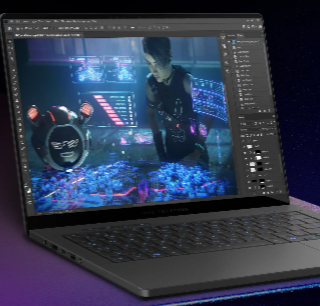
With 12 cores and 24 threads, the AMD Ryzen AI 9 HX 370 processor brings the next-gen efficiency and performance of Zen 5 to the party. This cutting-edge chip is the perfect blend of performance and power efficiency that make it ideal for an ultra-portable laptop like the Zephyrus G14, with built-in AI enhancements to make your work and life run more smoothly than ever. With up to 67% faster render times in Blender, up to 44% faster multitasking performance in Cinebench R24*, and up to double the power efficiency in Stable Diffusion, the AMD Ryzen AI 9 HX 370 processor delivers the perfect mix of power and performance needed for anyone on the go.
Up to AMD Ryzen AI 9 HX 370 processorXDNA 2 50 TOPs AMD Ryzen AI, 12 Cores “Zen 5” Architecture, 24 ThreadsUp to 44% faster: Multitasking Cinebench R24 nT5Up to 38% faster: Graphics 3DMark Time SpyUp to 67% faster Content Creation Blender BMWUp to 2X better: Power Efficiency Using Stable DiffusionUp to 3X more: AI Performance*Testing as of May 2024 by AMD Performance Labs using the following benchmarks: Cinebench 2024 1T, Kracken, Puget Adobe Premiere Pro, Puget Adobe Photoshop, 3DMark Time Spy Graphics, Cinebench 2024 nT, Blender BMW (CPU). Configuration for AMD Ryzen™ AI 9 HX 370 processor: AMD reference board, Radeon™ 890M graphics, 32GB RAM, 1TB SSD, VBS=ON, Windows 11. Configuration for AMD Ryzen™ 9 8945HS processor: ASUS Vivobook S16, Radeon™ 780M graphics, 32GB RAM, 2TB SSD, VBS=ON, Windows 11. Laptop manufacturers may vary configurations yielding different results. STX-19 Based on performance and power estimates correlated to measurements on hardware platforms as of May 2024 comparing projected Stable Diffusion iterations per second per watt for Ryzen AI 300 series to a Ryzen 9 8945HS processor. Configuration for Ryzen AI 300 Series Processor: Reference platform, 32GB RAM, Radeon 890M graphics, Windows 11 Pro. Configuration for the Ryzen 8945HS processor is: Razer Blade 14, 32GB RAM, Radeon 780M graphics, Windows 11 Home. Specific projections are subject to change when final products are released in market. STX-14.
The Zephyrus G14 supports AMD’s all new Ryzen AI*. These dedicated hardware AI accelerators built into the silicon, combined with a suite of software, free up CPU and GPU resources to ensure optimal performance in all-new experiences. From hand gesture detection to eye gaze correction and super resolution upscaling, your video calls will feel more lifelike and seamless than ever.
*AMD Ryzen AI is available on select AMD Ryzen 8000 Series processors.

Automatically pans and zooms the video to focus on you as you move.
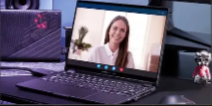
An effect to compensate for eyes looking away from the center of the camera.

New, high quality background blurs enabled by AI.
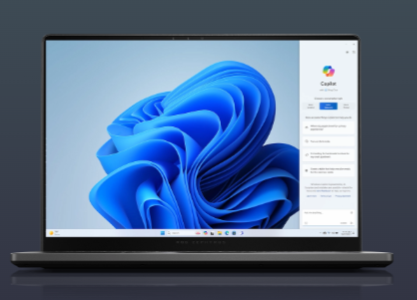
Copilot in Windows 11 complements your capabilities and creativity with intelligent assistance and relevant answers.
*Screen simulated, subject to change. Feature availability and rollout timing may vary.
Get time saving assistance. Summarize emails with Copilot in Windows 11.
Get the answers you need. Get personalized guidance with Copilot in Windows 11.
Control the settings you want. With Copilot in Windows 11.
Games, applications, and large files load at warp speed on an ultra-fast PCIe 4.0 SSD. Up to 2TB of storage leaves loads of room for creative apps and tons of games, with space to spare for your professional portfolio.
Up to 6 GB 2TB PCLE 4.0 SSD storage.
Boasting up to a 64GB RAM capacity normally reserved for high-end workstations, the Zephyrus G14 can multitask with ease.
Up to 64GB: LPDDR5X-8000 MHz memory.
*Memory speeds may vary by CPU configuration.
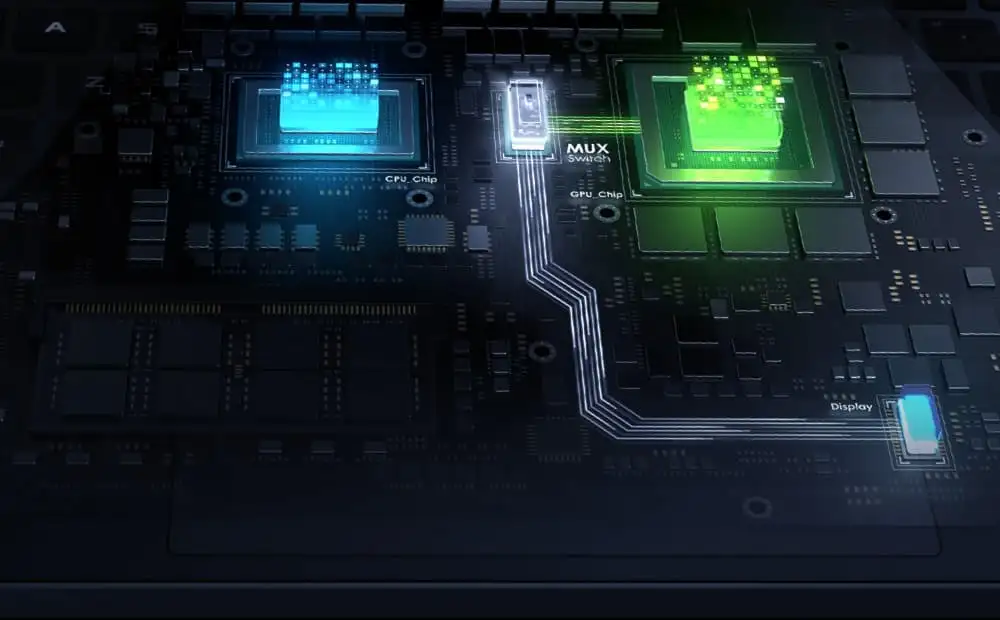
With NVIDIA Advanced Optimus, the laptop can automatically route frames from the discrete GPU directly to the display using a MUX Switch, bypassing the integrated graphics. This pathing improves performance by 5-10% compared to machines without a MUX Switch, making sure you get the absolute best gaming experience - all without needing touch a single button.
Finally, laptop gamers can enjoy the ultra-fast response times and incredible contrast ratios that are only possible with OLED technology. This ROG Nebula panel boasts a 3K resolution, giving it incredible pixel density on a 14-inch screen, with a 120Hz refresh rate and G-SYNC to make all of your games look silky smooth. With 100% coverage of the DCI-P3 color space, color accuracy with a ΔE of less than 1, and VESA HDR True Black 500 certification, prepare to be immersed in HDR content so lifelike that the screen melts away.
*Average tested result in MyASUS / Armoury Crate Splendid Display P3 and sRGB color gamut: Delta E < 1, +/- 0.5, and may vary by specification. Please note that the actual performance also may vary under different test procedures, equipment and patterns.
*The peak brightness figures represent measurements of the panel itself. Actual brightness may vary due to factors, including but not limited to, glass or touch panel integration and color calibration.
OLED displays have an ultrafast 0.2ms response time, which ensures smoother fast-paced action scenes, low-latency gameplay, and subtle details like blur-free text scrolling. Asus are also proud to support NVIDIA® G-SYNC, a critical refresh rate adjustment technology for gaming laptops that was unavailable on OLEDequipped machines until the launch of the 2024 Zephyrus G14.
0.2ms Response timeOLED displays have millions of light-emitting diodes (LED), and unlike traditional display technologies, they can turn each pixel on and off individually. Because of this, OLED panels can achieve pixel-perfect black levels, resulting in extreme contrast ratios like 1,000,000:1. This true black allows for images that appear bright and punchy without feeling washed out, ensuring you never miss an enemy hiding in the shadows. HDR has never looked this good.
Nothing breaks in-game immersion like stuttering and tearing. GPUs render frames at variable rates, but displays usually refresh at a constant clip, so they can get out of sync, causing visible hitching and artifacts that pull you out of the action. ROG is proud to introduce the first-ever OLED display in a laptop capable of using NVIDIA® G-SYNC, which allows the refresh rate of the display to synchronize with the GPU’s frame rate to eliminate visual tearing, minimize stuttering, and reduce input lag.
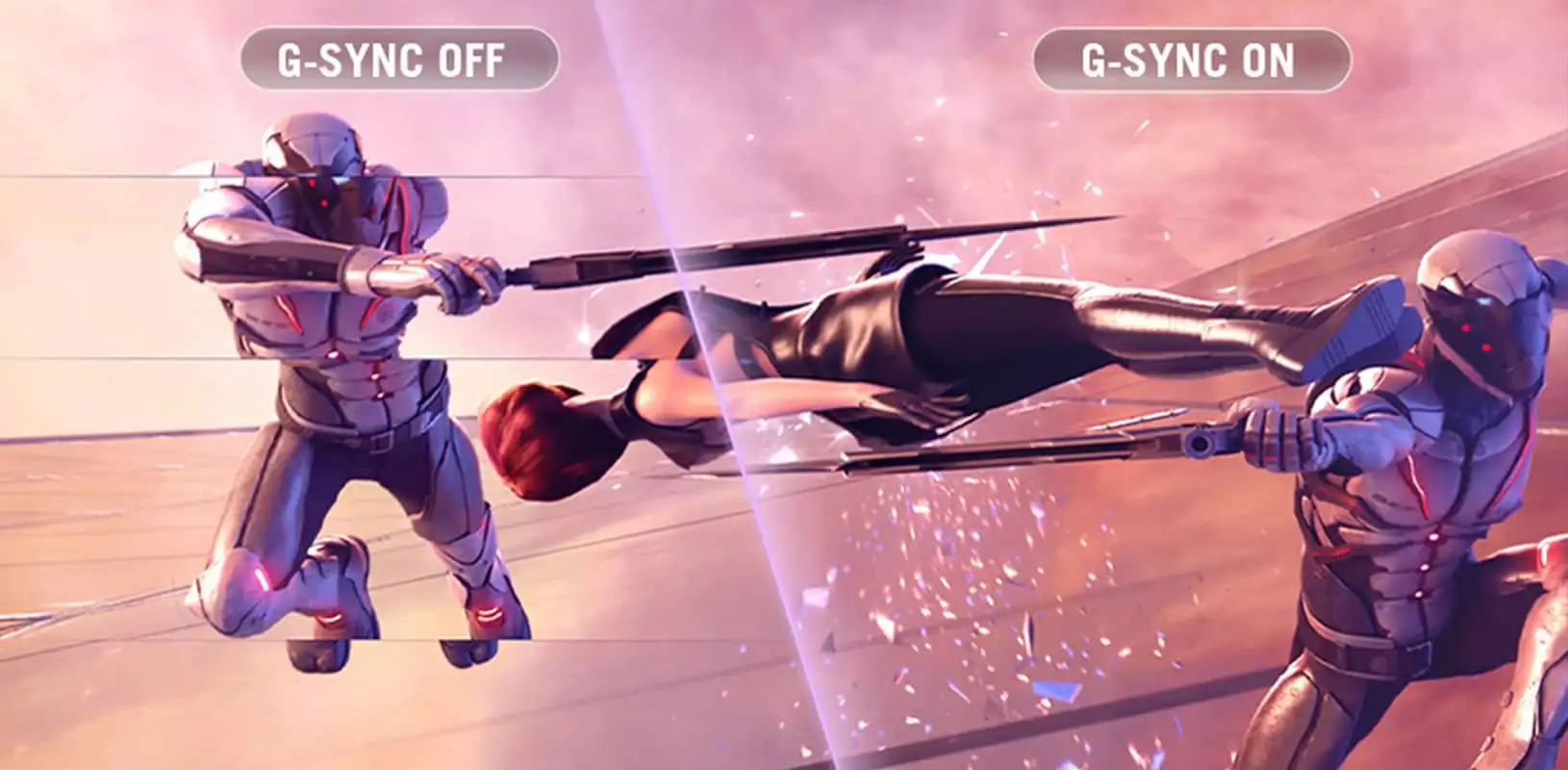
Nothing breaks in-game immersion like stuttering and tearing. GPUs render frames at variable rates, but displays usually refresh at a constant clip, so they can get out of sync, causing visible hitching and artifacts that pull you out of the action. ROG is proud to introduce the first-ever OLED display in a laptop capable of using NVIDIA® G-SYNC, which allows the refresh rate of the display to synchronize with the GPU's frame rate to eliminate visual tearing, minimize stuttering, and reduce input lag.
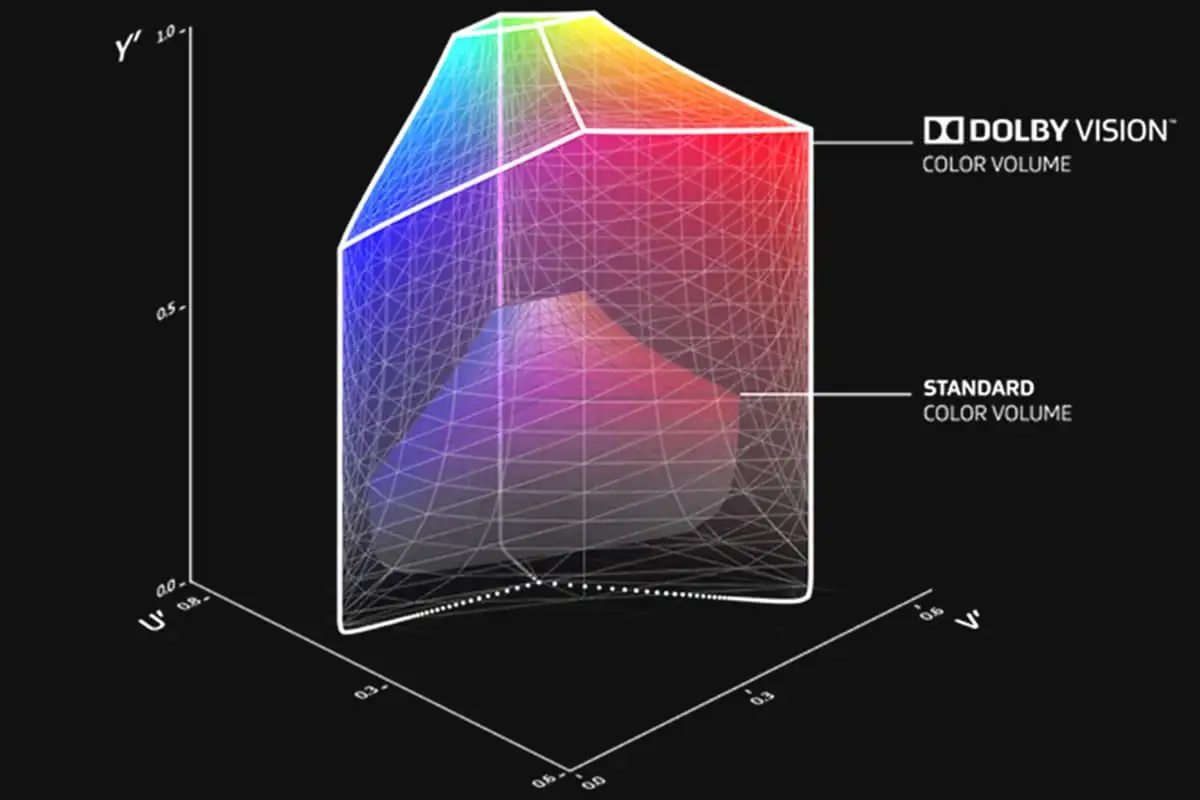
Scene to scene, frame to frame, Dolby Vision makes media look better. The technology improves on standard 4K high dynamic range (HDR) video, dynamically adjusting visuals to make every image in front of you richer, brighter, and livelier. Creators can film and edit their streams, videos, and other content in a format commonly used by industry professionals.
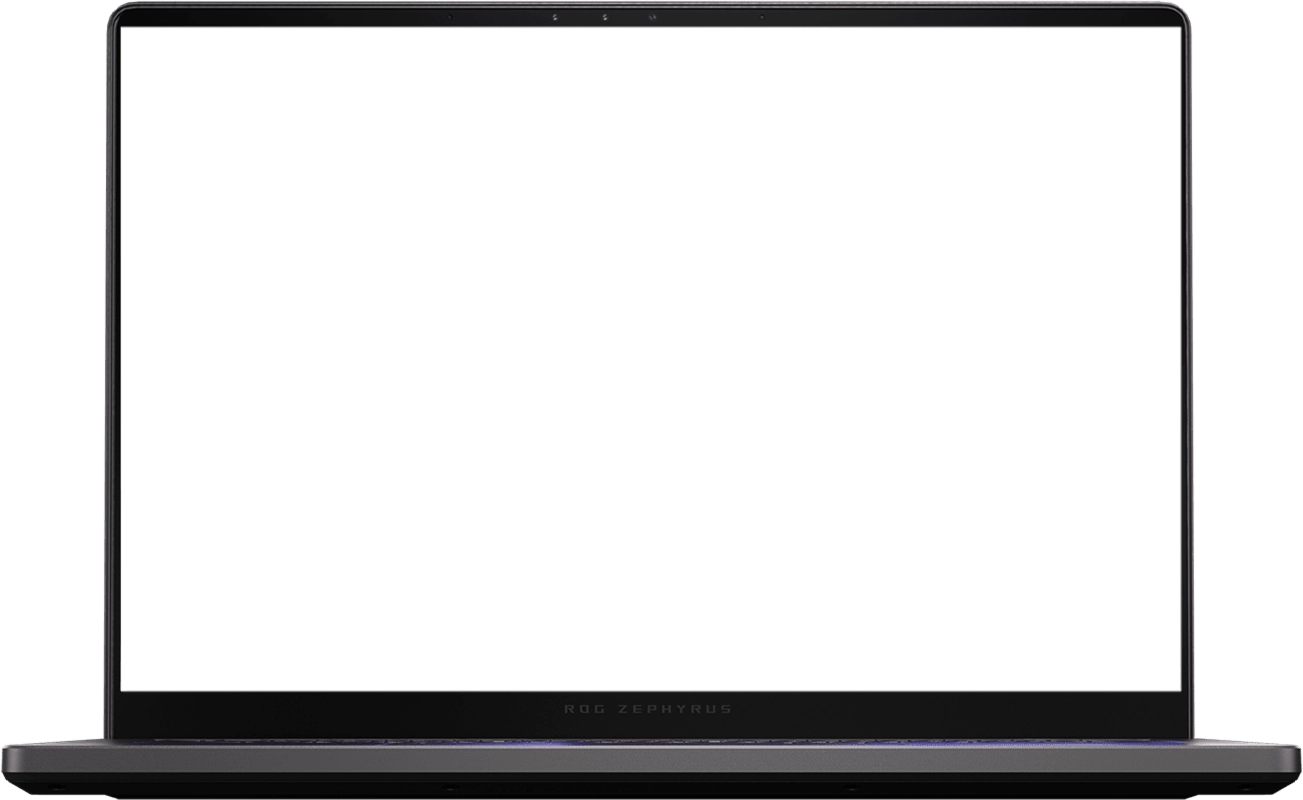
Every display is factory-calibrated to ensure that colors are accurate to the Pantone palette. Artists, designers, and content creators can add high-quality content to their portfolios and enjoy richer gaming visuals all on the same machine.
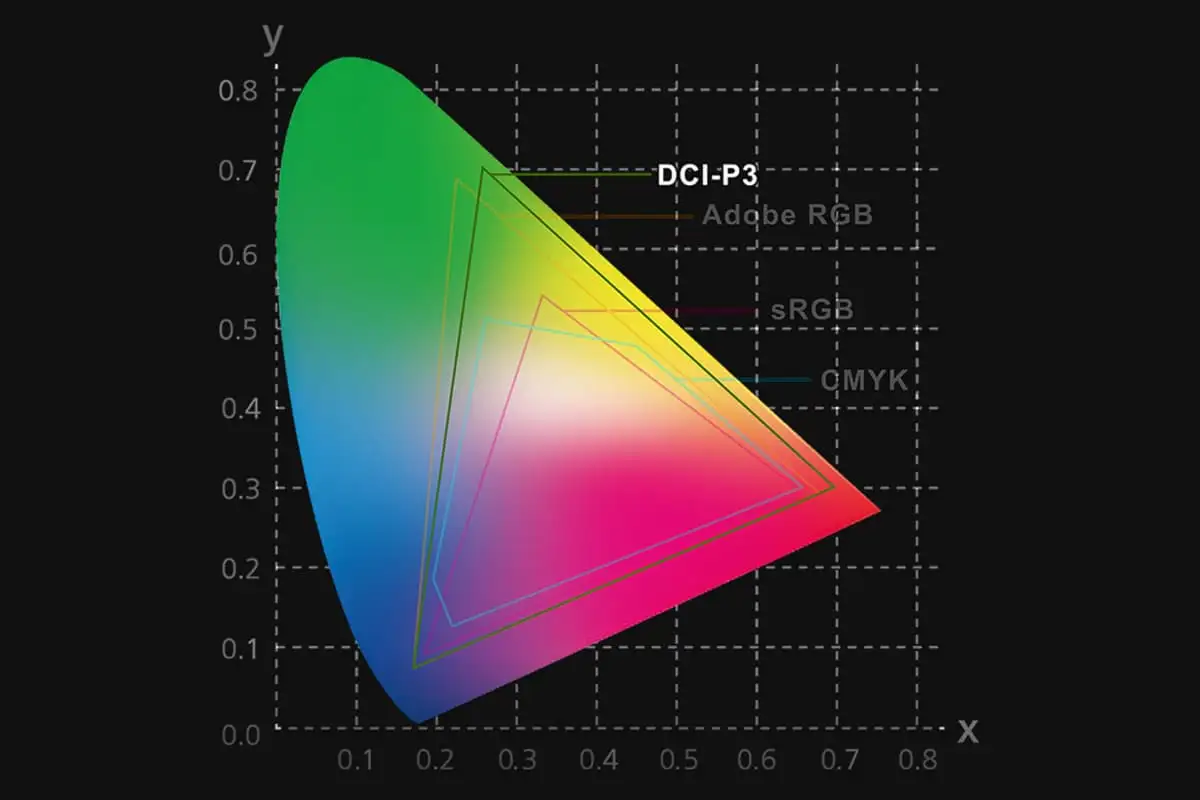
While the sRGB color space is the standard for most digital visuals, it only represents about 75% of the DCI-P3 spectrum used for professional filmmaking. Displays with complete DCI-P3 coverage offer a wide color gamut for more vibrant images, and with a Delta E of less than 1*, the Zephyrus G14's display lets you experience films and other media exactly the way they were meant to be seen.
"Average tested result in MyASUS/Armoury Crate Splendid Display P3 and sRGB color gamut: Delta E<1, +/-0.5, and may vary by specification. Please note that the actual performance also may vary under different test procedures, equipment and patterns.
ROG Intelligent Cooling is a suite of components that work together in harmony to keep Asus high-performance laptops cool and quiet. The G14’s heatpipe system*, Tri-Fan Technology*, 2nd Generation Arc Flow Fans™, liquid metal thermal compound, and a redesigned high-efficiency exhaust vent operate in perfect harmony to offer the perfect balance of thermals and acoustics. Taken together, these systems keep the machine operating at its peak while staying quieter than ever.
*vary by sku
Enjoy truly silent cooling under light workloads with OdB Ambient Cooling technology. In the Silent operating mode, the cooling system switches off all fans during everyday tasks to dissipate heat passively. This lets you concentrate on your work and immerse yourself in movies with less distraction. If CPU or GPU temperatures increase, the fans automatically switch on again.
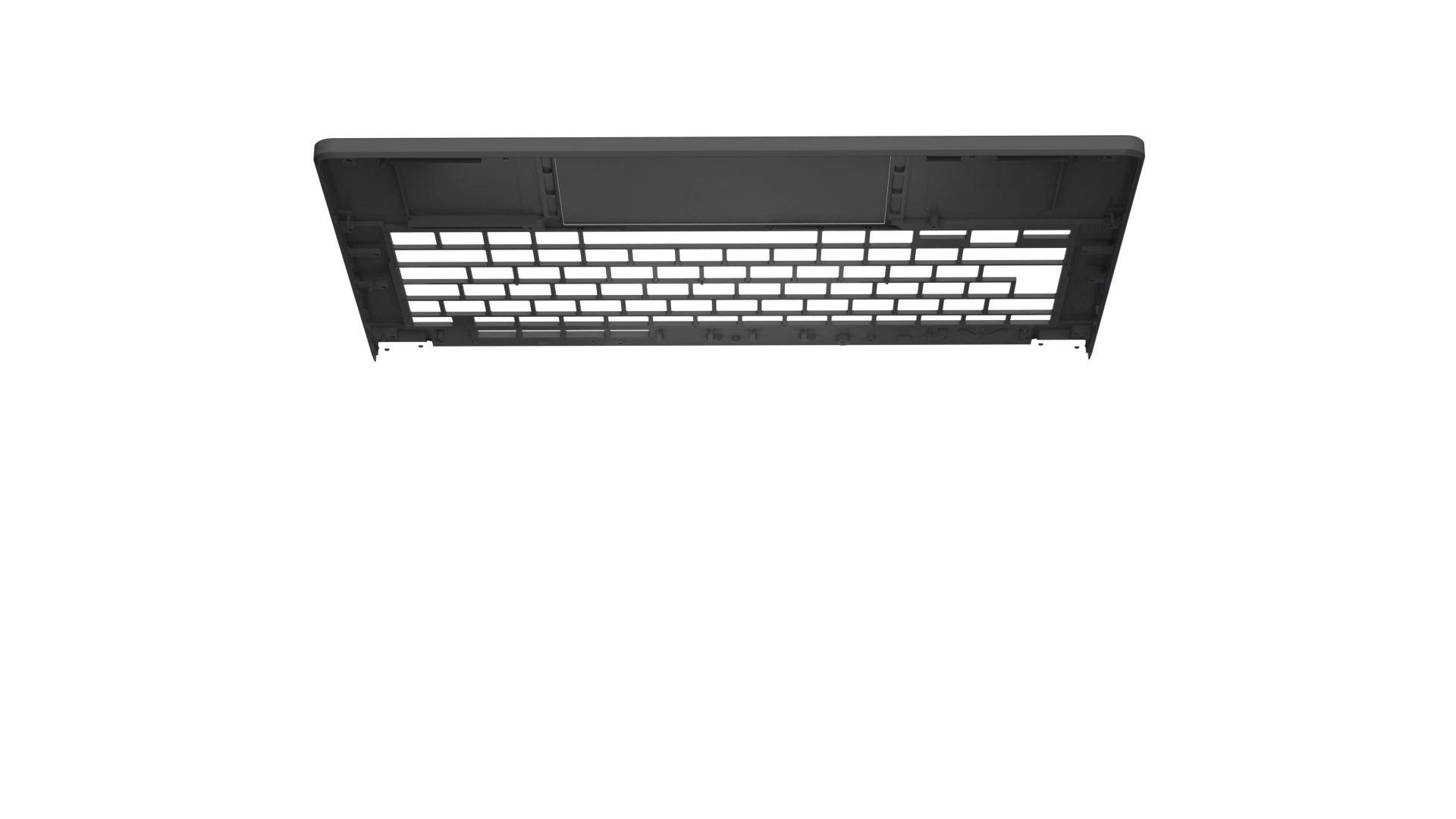
Previous keyboard designs focused on keeping the chassis temperatures cool, keeping your fingers comfortable during long gaming sessions. The newly redesigned keyboard not only keeps your hands comfortable on the trackpad and keyboard deck but increases air intake for the main system components as well, boosting the Zephyrus G14's cooling performance without increasing weight or chassis size
At the heart of every great laptop is a great cooling solution. Despite its ultra-thin chassis, the Zephyrus G14 features a dual exhaust heatsink that helps to efficiently pass heat outside the machine for sustained performance. By placing these heatsinks closer to the chassis, heated air travels more efficiently out of the machine than ever before by reducing recirculation.
Asus have upgraded the Zephyrus G14's cooling system for 2025 by enlarging the heatpipes and adding a fourth pipe for additional heat transfer. With 47% surface contact of the motherboard, including on the VRM circuitry, the Zephyrus G14's heatpipe array cools as much of the mainboard as possible before passing it off to the heatsinks. Limited space doesn't need to limit your cooling potential.
4 Heatpipes44% Thermal Coverage28% Increased ThicknessLiquid metal compound from Thermal Grizzly reduces CPU temperatures by up to 13°C compared to standard thermal paste. Applying it onto CPUs is delicate work, so ROG commissioned custom equipment to automate the process with mechanical precision and designed a patented internal fence to contain the compound.
Up to 13°C coolerUp to 14X Better Thermal ConductivityThe Zephyrus G14 was the first generation of ROG laptop to receive Asus redesigned 2 Gen Arc Flow Fans". Asus have added small bends at the end of each of the 84 primary blades that reduce both power consumption and turbulence. The fans also now feature a dual-impeller design, with a smaller set of 42 fan blades inside that allow more air to be sucked through with each rotation of the fan, similar to a jet turbine. These fans increase airflow by 37.5%*, enabling the high-performance components inside to run their very best.
0.1mm: Blade Tip ThicknessDual-Impeller: Design37.5%: More Airflow*Compared to the CPU and GPU fans on the Tri-Fan design
Dust and fibers can collect inside your laptop, trapping heat and causing degraded performance over time. A filter over the G14's air intakes helps keep dust out, allowing the CPU and GPU to breathe easier for years of smooth and stable operation.
*Internal testing in a simulated dusty environment
The Zephyrus G14 features a dual exhaust heatsink, with one next to the laptop's rubber feet, exhausting air downward, and one at the rear of the machine, exhausting air underneath Asus new display hinge and keeping it away from the screen. This design also keeps warm air away from your mousing hand for extra comfort during extended gaming sessions.
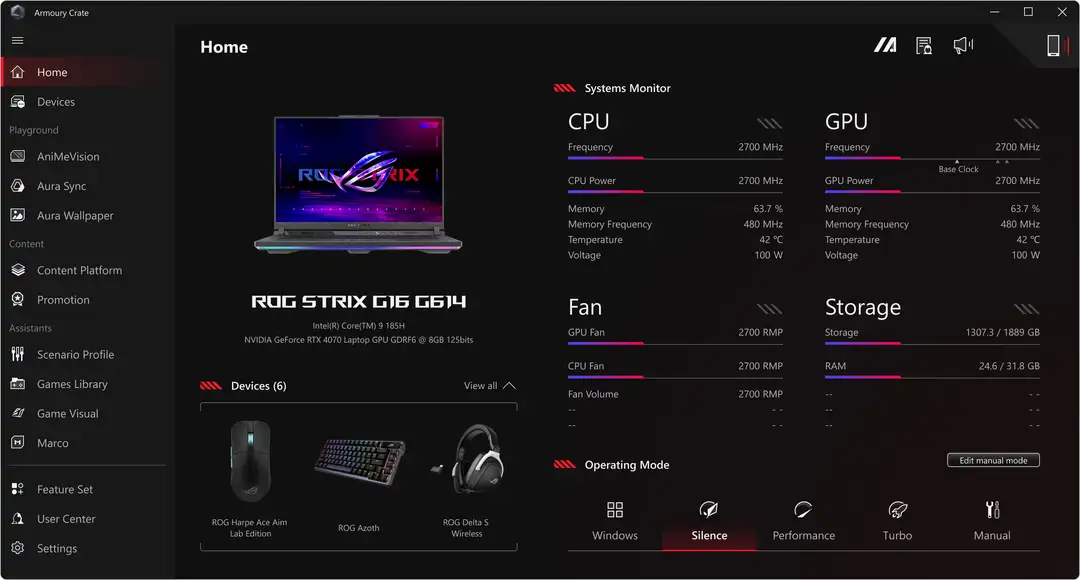
Even on the most powerful gaming machines around, sometimes you just need to check a few emails. For simple tasks like playing music or browsing the web, Silence Mode keeps the fan noise below 35dBA, and can even turn the fan completely off when temperatures allow. This mode also has a lower power draw than the others, giving you the longest battery life possible.
Only 35 dBA Fan NoiseBest Battery LifeWeb BrowsingWatching Videos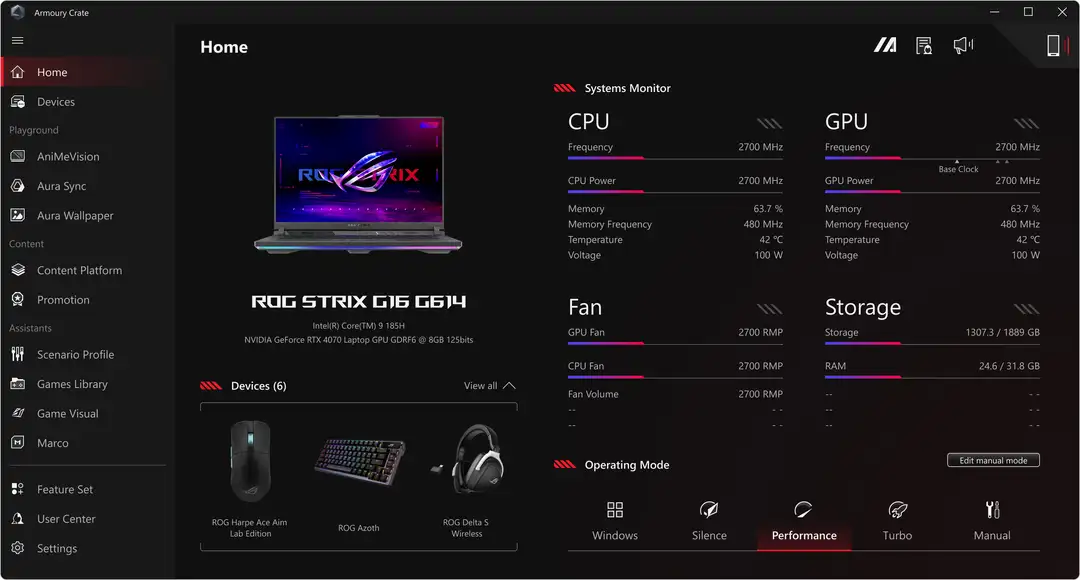
As the default, Performance mode is recommended for most people, most of the time. This mode balances acoustics with a healthy power limit for the CPU and GPU, well suited for gaming, content creation, or any other tasks you throw at it. If you want to just set and forget, Performance has you covered.
Default SettingHealthy CPU and GPU WattageGreat Overall BalanceEfficient Content Creating Task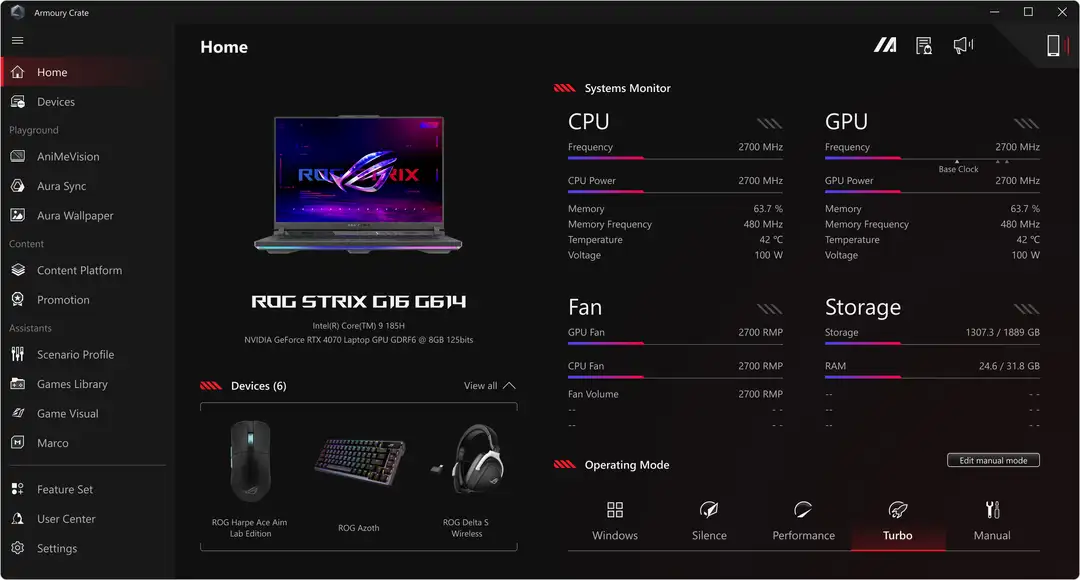
Sometimes, you need every last drop of performance on tap. For those scenarios, Turbo mode is ready. This mode prioritizes power above all else, pushing high wattage to the CPU and GPU for top-tier performance in games, content creation, and generative Al tasks.
Maximum PerformanceMaximum Graphics PowerGreat Gaming PerformanceBest Al Generating Performance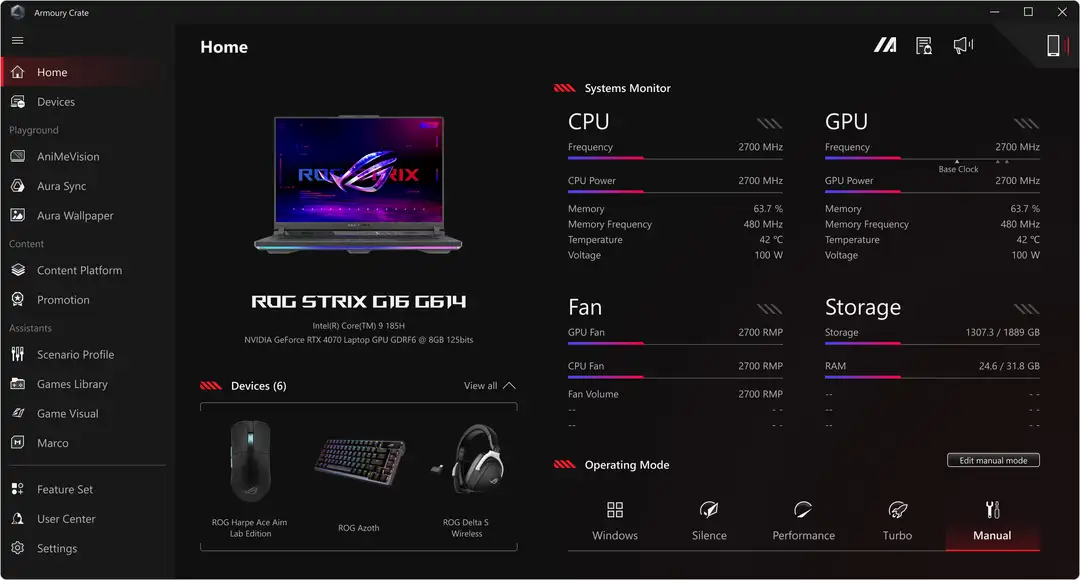
We know that PC gamers like to tinker, so Asus also offer Manual mode for those who want to turn all of the dials themselves for a custom profile. Manual mode allows you to tune power limits, fan curves, and more to fit your specific needs.
*High wattage with low fans may cause thermal throttling.
Customized SettingsAbsolute Limit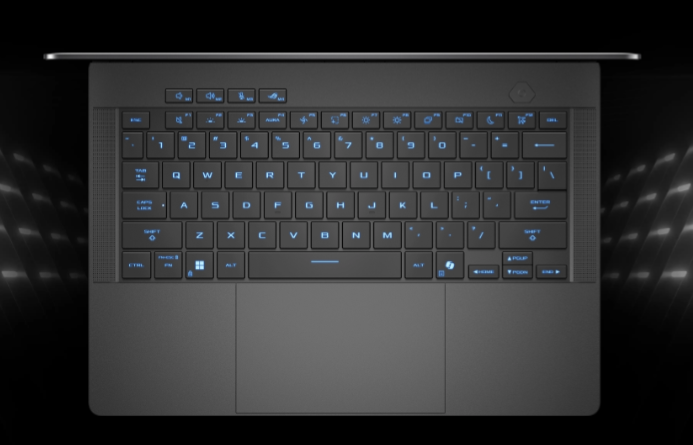
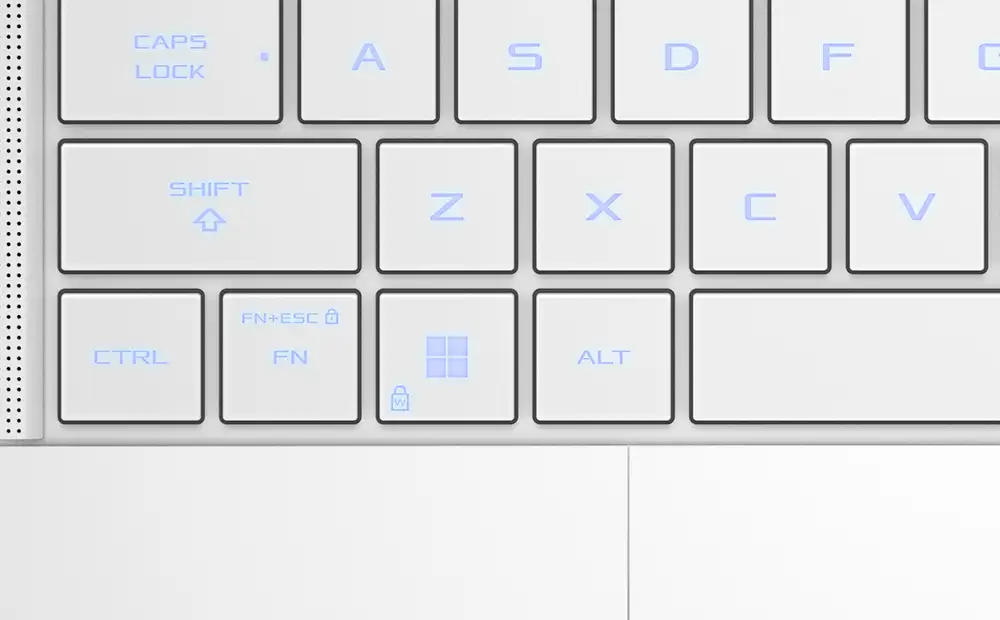
The trackpad and keyboard are critical for controlling your laptop, so Asus spared no expense with the design of the Zephyrus G14. Despite being just a 14-inch device, the G14 boasts an extra large trackpad for effortless scrolling. Asus have also increased the keycap size by 12.24% for smoother typing as well, thanks to extra rigidity from the CNC machining. An extra long 1.7mm travel distance gives the keyboard a premium typing feel, and with a lifetime of 20 million presses, it’s a perfect long-term partner.
12.24% Larger Key Cap1.7mm Travel Distance24% More Durable1.7mm Key Cap Gap240 Hz Report Rate< 30 dB Silent Keyboard Rollover20 million Key-Press LifetimePremium Glass Power Key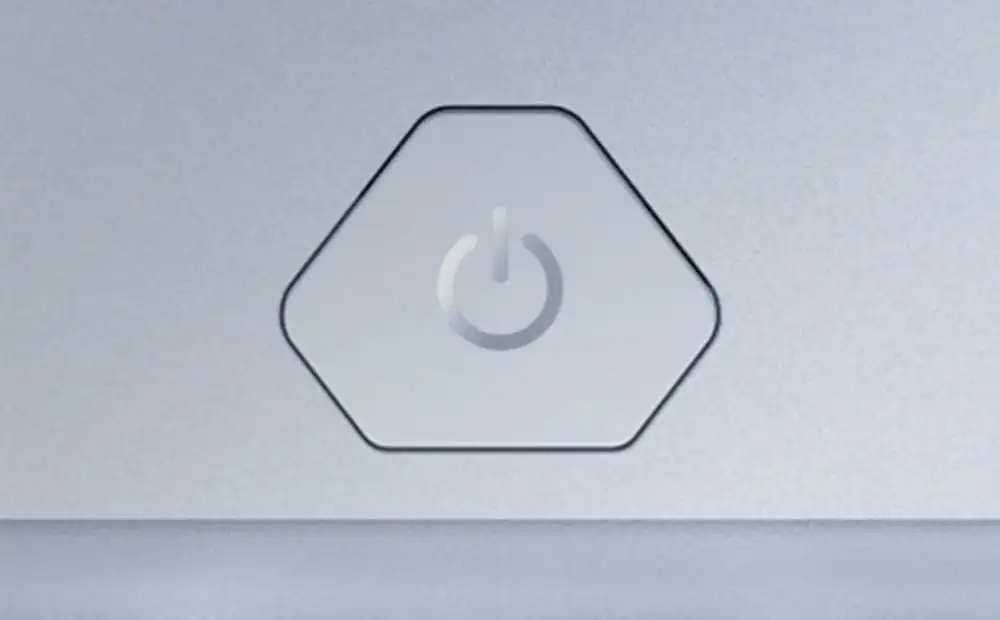
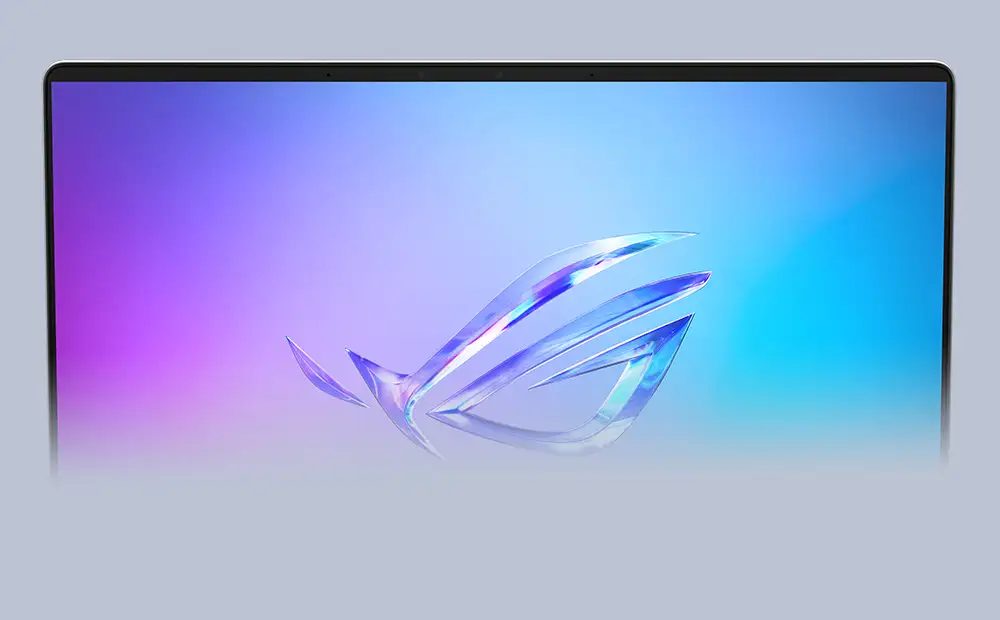
An infrared camera ensures seamless unlocking with Windows Hello support, even in low light conditions.
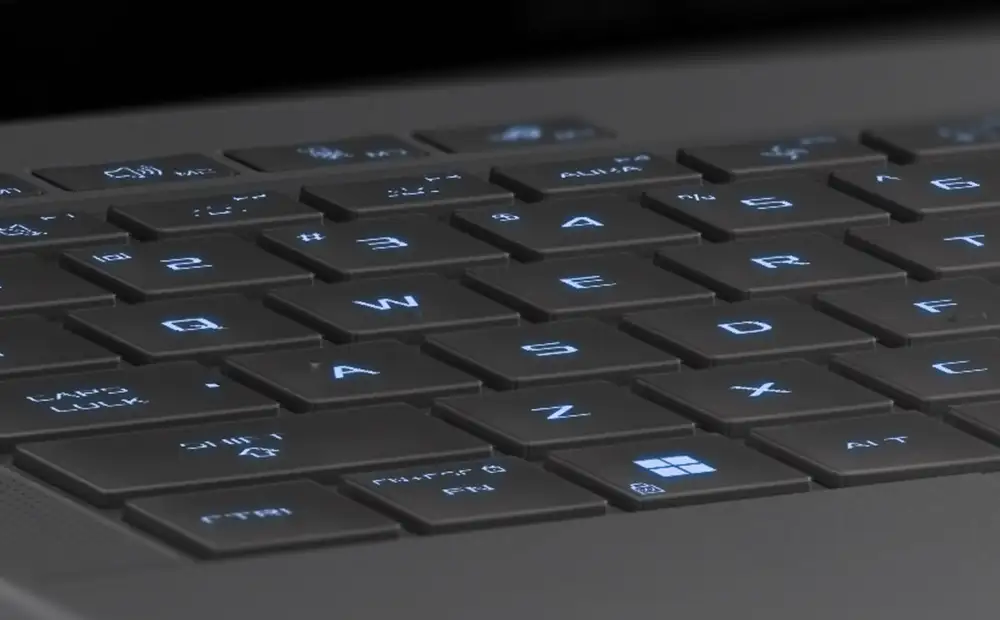
Aura Sync support allows you to easily pair and color coordinate all of your ROG RGB equipped peripherals.
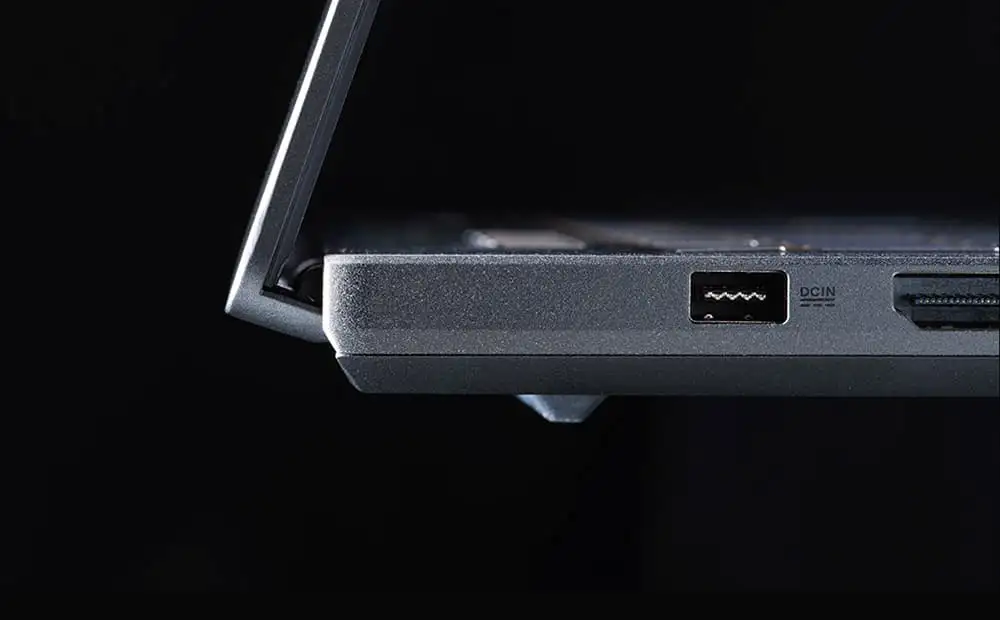
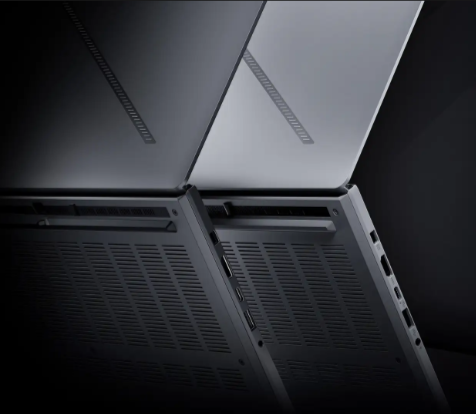
The new Zephyrus G14 catches your eye the moment you see it. Precision CNC-machined from aluminum alloy, this high strength material accepts complex shapes and also looks absolutely gorgeous after being anodized in either Eclipse Gray or the breathtaking Platinum White colorway. The sleek chassis and matte finish of the Zephyrus G14 simply beg to be touched.
CNC Machined: Precision Craftsmanship100% Aluminum AlloyStealth Hinge DesignThe Zephyrus G14 is ready to light up your world with the Slash Lighting array. A bold streak of LEDs across the lid of the machine, Slash Lighting is a visual representation of the elegance and individuality that make Zephyrus so unique. It comes with 15 pre-loaded animations, fully customizable in Armoury Crate so you can make the G14 uniquely your own.
15 Preprogrammed AnimationsSonic Match ModeNotification Mode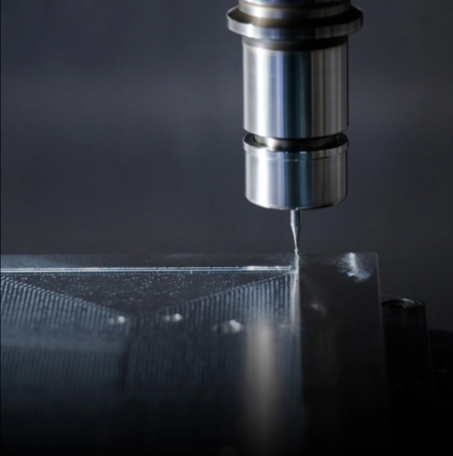
Built from aluminum alloy, the chassis of the Zephyrus G14 is painstakingly CNC-machined to minimize excess volume while maintaining rigidity. Using precision tools just 0.7mm in diameter, channels for the keyboard, touchpad and speakers are milled to ultra-tight tolerances for a premium and robust chassis with components that stretch edge to edge. After an eight-step process, the sandblasted, polished and anodized G14 chassis stands ready to support its flagship hardware.
100% Aluminum Alloy12 Manufacturing Processes
Carving out channels for the keyboard, touchpad, and speakers with ultra-tight tolerances allow them to lay edge-to-edge. Maximum space, maximum efficiency.
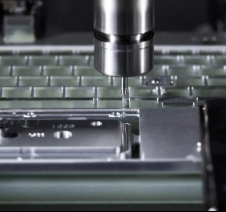
Each keyhole, and the nearby keyboard vents, are milled individually. This gives the metal a more premium finish and maintains structural strength to minimize keyboard flex when the chassis is fully assembled.
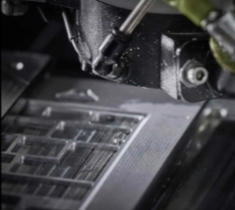
The holes for the speakers are drilled at a super high 100,000 RPM, allowing for ultra-tight tolerances and a design that spans from one edge of the machine to the other.
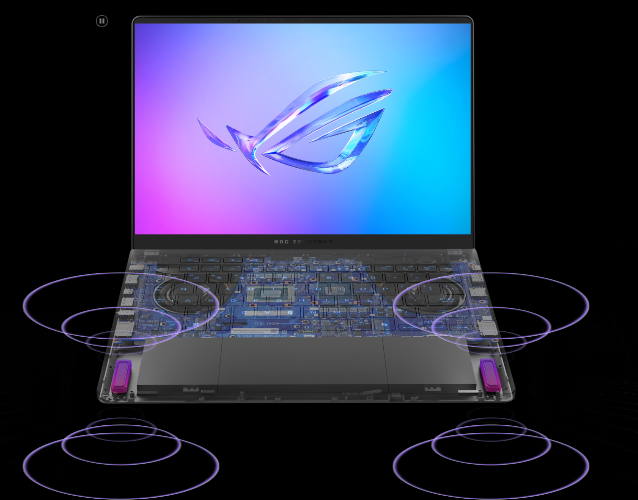
With a staggering 252% volume increase from the previous speakers and an ultra-low bass frequency of 100Hz, the G14 produces clear and vibrant sound that you wouldn’t expect from an ultra-slim 14-inch machine. Whether you’re vibing to your favorite podcast or saving the world in the latest games, the Zephyrus G14 is ready to pump up the volume.
6 SpeakersDual side: Woofers252% Volume Increase125% Woofer Unit Increase100Hz Bass Low Frequency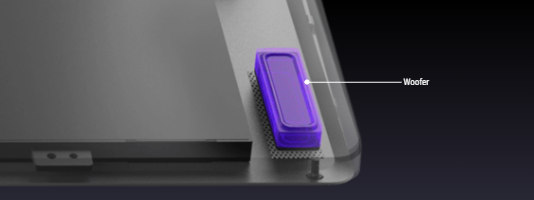
Sometimes, bigger does mean better. The Zephyrus G14 has 125% larger woofers compared to the previous generation. This huge increase allows for both louder volumes and clearer and richer sounds at lower volumes. These woofers are also able to hit much lower frequencies, for deeper bass tones than you'd expect from a thin-and-light-laptop.
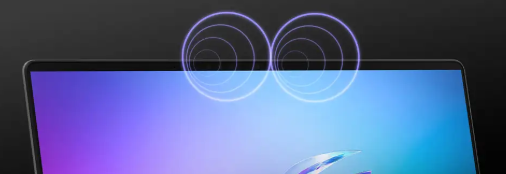
Three modes for the integrated microphone array give you greater control over your input. Cardioid mode captures sound from right in front of the laptop, while minimizing input from the back, making it ideal for streaming and gaming. Stereo mode uses right and left channels to record a wider soundscape for live music or other immersive experiences.
Richer audio draws you more deeply into gameplay and media. Virtual 5.1.2-channel surround sound powered by Dolby Atmos enhances spatial immersion with more nuanced, layered sound effects that you can optimize with specially tuned preset modes for movies and games.

Asus advanced Two-Way Al Noise cancellation technology runs on the CPU, which frees up the GPU to hit higher framerates. It works with any input device and with downstream connections, letting you remove noise from both your own mic input and from incoming feeds. Noise-canceling settings can even be customized per program, filtering specific apps like voice chat without affecting game audio you want to remain untouched.
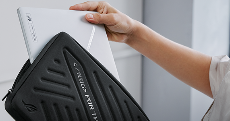
The Zephyrus G14 has always been defined by its portability, and the 2025 model is no exception. This incredible gaming machine is a true thin-and-light, weighing in at just 1.5kg, with some models measuring as low as 1.59cm thick. Paired with a 73Wh battery that supports fast charging from 0-50% in just 30 minutes and support for Wi-Fi 7 wireless networking, the Zephyrus G14 is the ultimate gaming and productivity machine for those on the move.
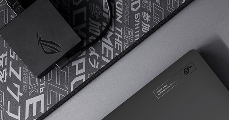
That mobility continues with fast charging support that can juice up the G14 from 0-50% in just 30 minutes.
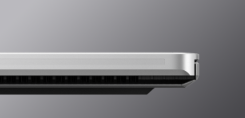
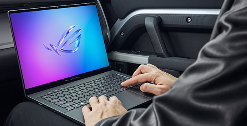

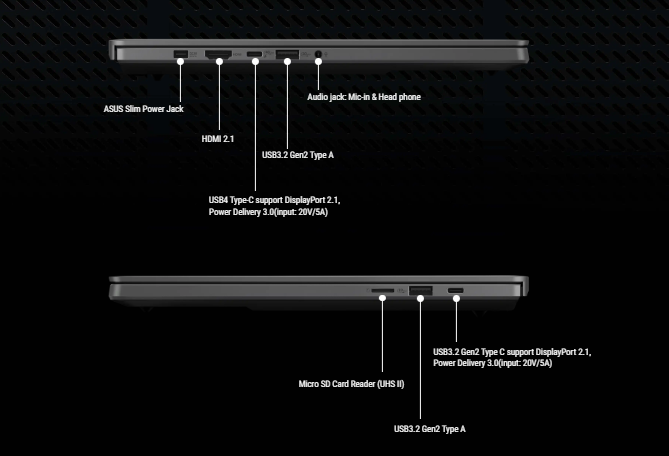
Despite its svelte and supremely portable chassis, the G14 offers all of the connectivity to enable your workflow or the battlestation of your dreams. Dual USB-C ports, both of which support display output, and one that supports both Power Delivery 3.0 and DisplayPort 2.1 make the very most of this versatile connector. With one port on each side of the Zephyrus G14, you can conveniently charge your machine, no matter where you've traveled. For your other peripherals, dual USB 3.2 Gen2 Type-A ports expand connectivity even further. For quick file transfers or extra storage, a dedicated UHS-II MicroSD card reader stands ready.
The Zephyrus G14 offers support for Asus new Virtual Assistant, an Al-powered tool that keeps you more efficient than ever. An intelligent chat function can help you navigate unfamiliar programs, the Librarian function can quickly summarize both the content and context of large documents, and the voice transcription feature can quickly and accurately transcribe meeting minutes or voice memos to realize the key insights of a conversation. Available exclusively on laptops powered by AMD Ryzen Al 300 Series processors, all of these Al-powered functions operate locally, ensuring data privacy and security.
The "Virtual Assistant" functions are currently only available on ASUS and ROG laptops with AMD Ryzen™ Al 300 Series processors. Other models can only access the base "Virtual Pet" functions. Learn more about Virtual Pet here: [Gaming NB] ROG Virtual Pet Introduction.
The Virtual Assistant gives you an assist when you might be unfamiliar with an application by seamlessly guiding you to the appropriate settings you're trying to change. With the support of basic language model conversations and Q&A functions while integrating features and support from ROG and ASUS applications like MyASUS and Armoury Crate, the Virtual Assistant helps you easily adjust system settings.
The Librarian feature revolutionizes how you handle your documents. By leveraging Al tech like the Llama3 language model, it allows for seamless import of any files you want - which it can then summarize or answer questions about the data within. This innovative approach enhances the accessibility of that data, making it easier to understand complex documents. The combination of local Al models ensures high accuracy and data privacy.
Using the Whisper model, the Virtual Assistant records voice conversations and converts them into accurate transcripts. It also provides summarization capabilities, allowing you to extract key insights with minimal effort. This feature streamlines documenting and analyzing meetings, reduces manual work, and enhances productivity by offering clear, actionable summaries.
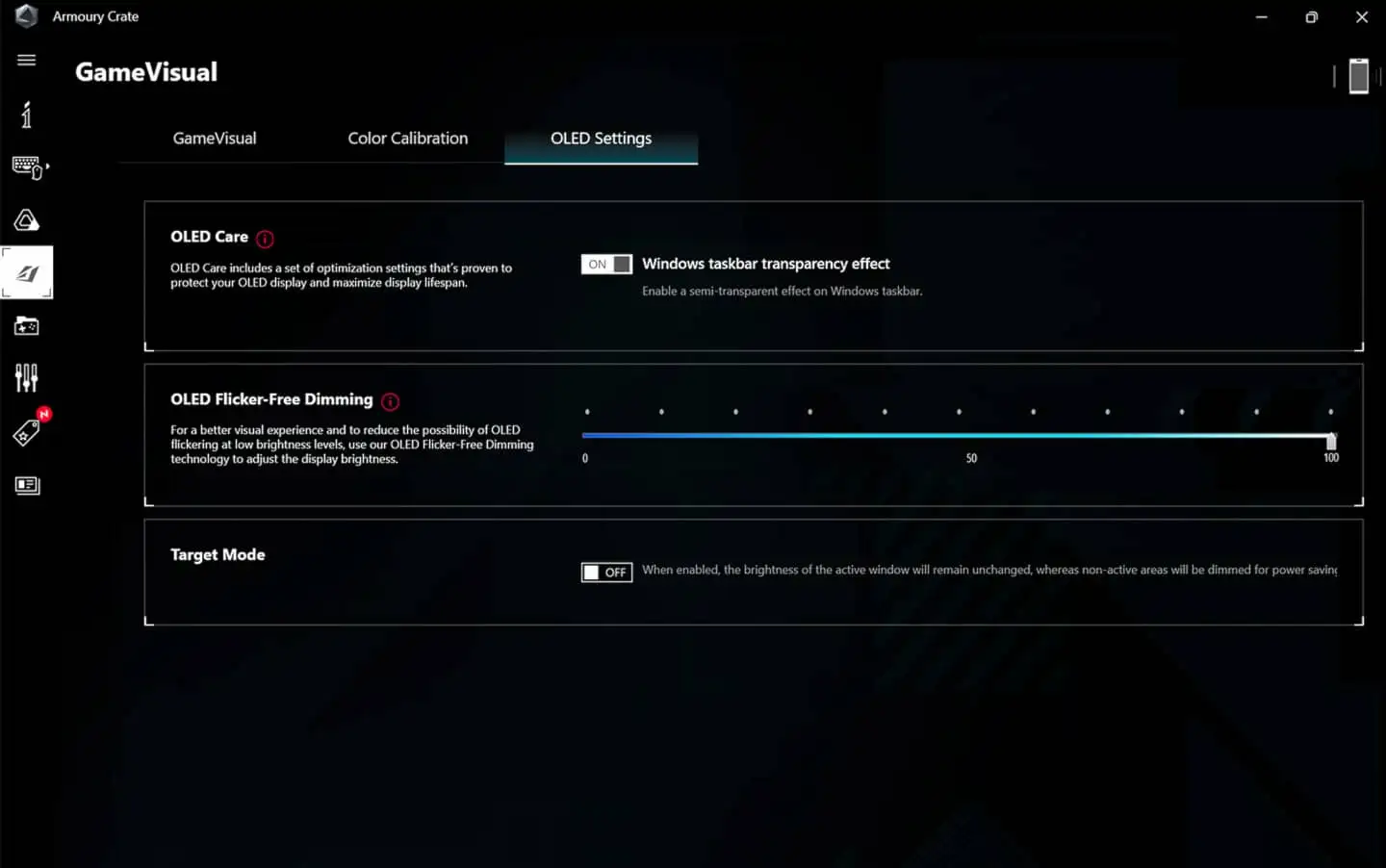
ROG OLED laptops come with an ROG-exclusive OLED Care mechanism that's proven to protect your display. Image persistence, or burn-in, on an OLED display can occur if a static high-contrast image is displayed for a prolonged period of time. To avoid this, OLED Care include Pixel Shift technology, which moves displayed pixels slightly to avoid consistently showing static images on your desktop and reduces the chance of burn-in.
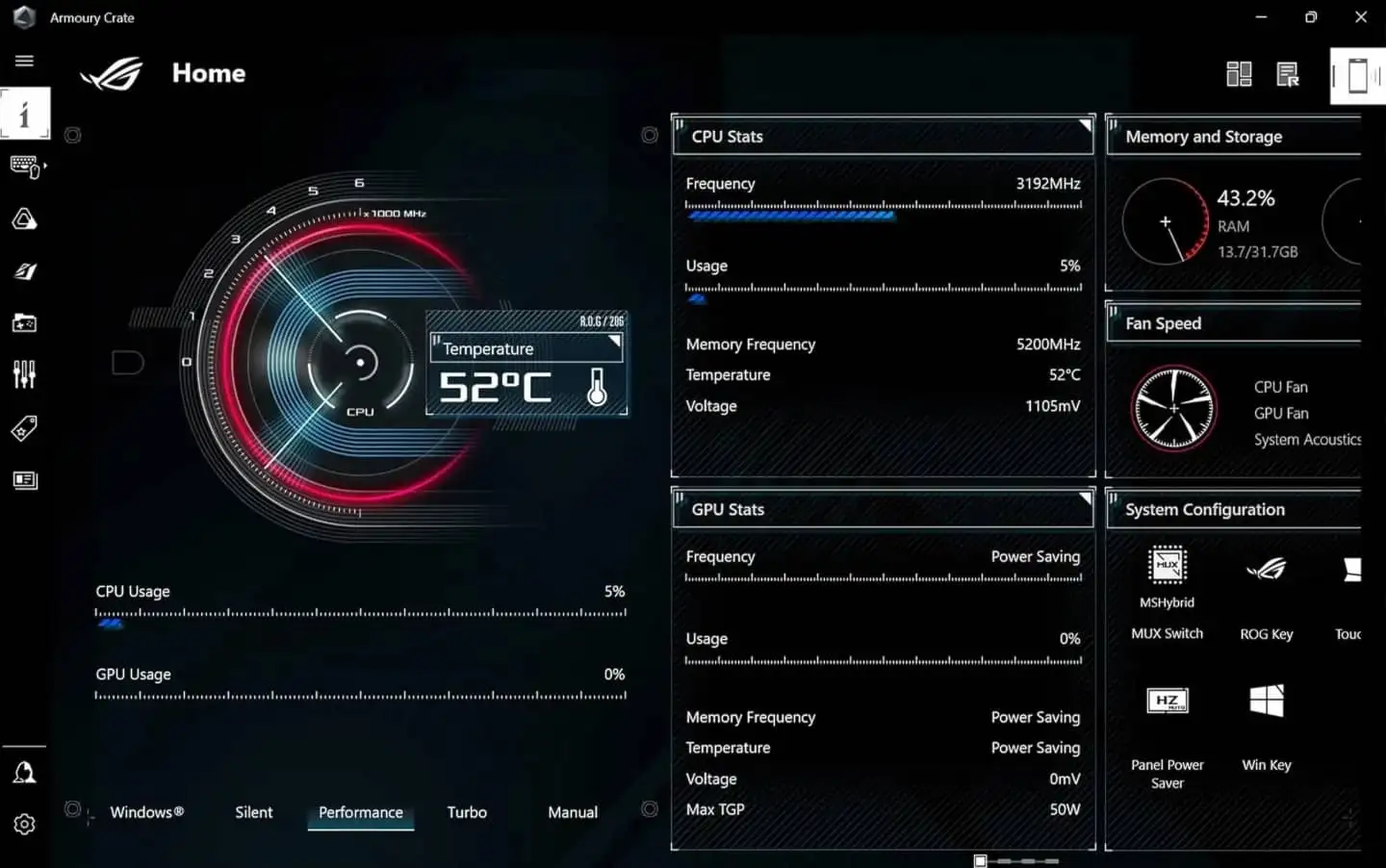
When you want to tweak settings, monitor temperatures, or tinker with your laptop, Armoury Crate is your command center. Real-time monitoring allows you to see what your GPU, CPU and memory are doing. RGB can be adjusted on a game-by-game basis with Aura Sync. Fan and power profiles allow you to change the acoustics, power delivery, and thermal characteristics of the laptop on the fly. And exclusive game deals keep your library topped off at all times.

Play hundreds of PC games on your new ROG device with 3 months of PC Game Pass — including EA play. With new games added all the time, there’s always something new to play.*
*PC Game Pass: Subscription continues automatically at regular monthly price unless cancelled. Subject to xbox.com/subscriptionterms. Terms and exclusions apply. Game catalog varies over time, by region, and by device. All rights reserved. xbox.com/pcgamepass, ea.com/ea-play/terms.
To see our Christmas Delivery schedule, click here!
We offer a comprehensive nationwide (excluding Republic of Ireland) delivery service; we aim to deliver all orders as quickly as possible.
| Item Type | Delivered In | Delivered By |
|---|---|---|
| Small Items | 2 Working days | DPD |
| Large Electrical Appliance | 3-5 Working days | Independent transport company |
| Furniture & Bedding | 3-5 Working days | Independent transport company |
Please note: if you have ordered furniture and bedding products that involve a lead time, are customised or made to measure, we will contact you to discuss delivery.
Can't wait for delivery or don't want to pay additional delivery charges? It's incredibly simple to collect your online order in store and get your hands on your product quickly and easily. Simply select the Click & Collect option and head to your nearest Harvey Norman store to collect your order.
Store Purchases: For all items purchased from a physical store, please return to your local Harvey Norman Store. Please see Terms & Conditions here.
Online Purchases: For all items purchased via our Online Store (website), please fill out our Contact Form where our team can guide you through the process.
Effortlessly game, create, and collaborate on this next-gen Windows 11 Pro machine. Featuring up to an AMD Ryzen AI 9 HX 370 processor and up to an NVIDIA GeForce RTX 5080 Laptop GPU, this 14-inch machine can easily handle the latest games and cutting-edge creative software alike. AI accelerators built into both the CPU and GPU allow the Zephyrus G14 to remain the lightest ROG laptop Asus have ever produced, without breaking a sweat when it's time to get to work.
The Zephyrus G14 is built from the ground up for gamers — and, of course, game developers. Equipped with up to an NVIDIA GeForce RTX 5080 Laptop GPU, the G14 can run all the latest games and game development engines. Plus, with game-changing features like DLSS 4 with new Multi Frame Generation, enhanced Super Resolution, and the latest ray tracing enhancements, this machine offers unprecedented realism in modern titles. NVIDIA Advanced Optimus delivers maximum performance and optimal battery life while reducing system latency, and with a max TGP of 110W, the GPU is always allowed to fully flex its silicon. For those looking for a professional work machine, the Zephyrus G14 offers the ability to develop and host large language models locally, while also augmenting the compute performance of existing cloud services thanks to the power of NVIDIA Studio.
Up to NVIDIA GeForce RTX: 5080 Laptop GPUMax TGP: 110 W with Dynamic BoostUp to 1334 AI TOPSNVIDIA DLSS 44th Gen: Ray Tracing CoresNVIDIA Studio
Over 700 games and applications use RTX to deliver realistic graphics, incredibly fast performance, and cutting-edge new AI features like DLSS 4.
Experience accelerations in top creative apps, NVIDIA Studio Drivers for maximum stability, and exclusive RTX tools for AI-assisted creative workflows.
NVIDIA Blackwell Max-Q is designed from the ground up for maximum efficiency, delivering a massive leap in performance and battery life.
ROG Zephyrus G14 is NVIDIA NIM-ready and engineered to run NVIDIA NIM microservices—optimized AI models for language, speech, vision, content generation, and more. With these tools, enthusiasts and developers can build AI assistants, develop productivity plugins, or craft innovative content creation workflows locally on RTX AI PCs. Shape tomorrow’s AI today with the power of NVIDIA RTX.
GeForce RTX 50 Series Laptop GPUs offer a major advancement in video editing capabilities, with support for the 4:2:2 color format. Unlike the standard 4:2:0 format found in most consumer cameras, 4:2:2 delivers 50% more color accuracy, essential for high-quality color grading and sharper, more vibrant images in video editing. Decoding 4:2:2 video can be challenging due to large file sizes, but GeForce RTX 50 Series Laptop GPUs are equipped with specialized hardware to decode 4K 60fps 4:2:2 video faster. This boost in speed accelerates multi-camera video editing, unlocking smoother and more efficient workflows. With GeForce RTX 50 Series, video editing becomes faster, smoother, and more powerful than ever.
With 12 cores and 24 threads, the AMD Ryzen AI 9 HX 370 processor brings the next-gen efficiency and performance of Zen 5 to the party. This cutting-edge chip is the perfect blend of performance and power efficiency that make it ideal for an ultra-portable laptop like the Zephyrus G14, with built-in AI enhancements to make your work and life run more smoothly than ever. With up to 67% faster render times in Blender, up to 44% faster multitasking performance in Cinebench R24*, and up to double the power efficiency in Stable Diffusion, the AMD Ryzen AI 9 HX 370 processor delivers the perfect mix of power and performance needed for anyone on the go.
Up to AMD Ryzen AI 9 HX 370 processorXDNA 2 50 TOPs AMD Ryzen AI, 12 Cores “Zen 5” Architecture, 24 ThreadsUp to 44% faster: Multitasking Cinebench R24 nT5Up to 38% faster: Graphics 3DMark Time SpyUp to 67% faster Content Creation Blender BMWUp to 2X better: Power Efficiency Using Stable DiffusionUp to 3X more: AI Performance*Testing as of May 2024 by AMD Performance Labs using the following benchmarks: Cinebench 2024 1T, Kracken, Puget Adobe Premiere Pro, Puget Adobe Photoshop, 3DMark Time Spy Graphics, Cinebench 2024 nT, Blender BMW (CPU). Configuration for AMD Ryzen™ AI 9 HX 370 processor: AMD reference board, Radeon™ 890M graphics, 32GB RAM, 1TB SSD, VBS=ON, Windows 11. Configuration for AMD Ryzen™ 9 8945HS processor: ASUS Vivobook S16, Radeon™ 780M graphics, 32GB RAM, 2TB SSD, VBS=ON, Windows 11. Laptop manufacturers may vary configurations yielding different results. STX-19 Based on performance and power estimates correlated to measurements on hardware platforms as of May 2024 comparing projected Stable Diffusion iterations per second per watt for Ryzen AI 300 series to a Ryzen 9 8945HS processor. Configuration for Ryzen AI 300 Series Processor: Reference platform, 32GB RAM, Radeon 890M graphics, Windows 11 Pro. Configuration for the Ryzen 8945HS processor is: Razer Blade 14, 32GB RAM, Radeon 780M graphics, Windows 11 Home. Specific projections are subject to change when final products are released in market. STX-14.
The Zephyrus G14 supports AMD’s all new Ryzen AI*. These dedicated hardware AI accelerators built into the silicon, combined with a suite of software, free up CPU and GPU resources to ensure optimal performance in all-new experiences. From hand gesture detection to eye gaze correction and super resolution upscaling, your video calls will feel more lifelike and seamless than ever.
*AMD Ryzen AI is available on select AMD Ryzen 8000 Series processors.
Automatically pans and zooms the video to focus on you as you move.
An effect to compensate for eyes looking away from the center of the camera.
New, high quality background blurs enabled by AI.
Copilot in Windows 11 complements your capabilities and creativity with intelligent assistance and relevant answers.
*Screen simulated, subject to change. Feature availability and rollout timing may vary.
Get time saving assistance. Summarize emails with Copilot in Windows 11.
Get the answers you need. Get personalized guidance with Copilot in Windows 11.
Control the settings you want. With Copilot in Windows 11.
Games, applications, and large files load at warp speed on an ultra-fast PCIe 4.0 SSD. Up to 2TB of storage leaves loads of room for creative apps and tons of games, with space to spare for your professional portfolio.
Up to 6 GB 2TB PCLE 4.0 SSD storage.
Boasting up to a 64GB RAM capacity normally reserved for high-end workstations, the Zephyrus G14 can multitask with ease.
Up to 64GB: LPDDR5X-8000 MHz memory.
*Memory speeds may vary by CPU configuration.
With NVIDIA Advanced Optimus, the laptop can automatically route frames from the discrete GPU directly to the display using a MUX Switch, bypassing the integrated graphics. This pathing improves performance by 5-10% compared to machines without a MUX Switch, making sure you get the absolute best gaming experience - all without needing touch a single button.
Finally, laptop gamers can enjoy the ultra-fast response times and incredible contrast ratios that are only possible with OLED technology. This ROG Nebula panel boasts a 3K resolution, giving it incredible pixel density on a 14-inch screen, with a 120Hz refresh rate and G-SYNC to make all of your games look silky smooth. With 100% coverage of the DCI-P3 color space, color accuracy with a ΔE of less than 1, and VESA HDR True Black 500 certification, prepare to be immersed in HDR content so lifelike that the screen melts away.
*Average tested result in MyASUS / Armoury Crate Splendid Display P3 and sRGB color gamut: Delta E < 1, +/- 0.5, and may vary by specification. Please note that the actual performance also may vary under different test procedures, equipment and patterns.
*The peak brightness figures represent measurements of the panel itself. Actual brightness may vary due to factors, including but not limited to, glass or touch panel integration and color calibration.
OLED displays have an ultrafast 0.2ms response time, which ensures smoother fast-paced action scenes, low-latency gameplay, and subtle details like blur-free text scrolling. Asus are also proud to support NVIDIA® G-SYNC, a critical refresh rate adjustment technology for gaming laptops that was unavailable on OLEDequipped machines until the launch of the 2024 Zephyrus G14.
0.2ms Response timeOLED displays have millions of light-emitting diodes (LED), and unlike traditional display technologies, they can turn each pixel on and off individually. Because of this, OLED panels can achieve pixel-perfect black levels, resulting in extreme contrast ratios like 1,000,000:1. This true black allows for images that appear bright and punchy without feeling washed out, ensuring you never miss an enemy hiding in the shadows. HDR has never looked this good.
Nothing breaks in-game immersion like stuttering and tearing. GPUs render frames at variable rates, but displays usually refresh at a constant clip, so they can get out of sync, causing visible hitching and artifacts that pull you out of the action. ROG is proud to introduce the first-ever OLED display in a laptop capable of using NVIDIA® G-SYNC, which allows the refresh rate of the display to synchronize with the GPU’s frame rate to eliminate visual tearing, minimize stuttering, and reduce input lag.
Nothing breaks in-game immersion like stuttering and tearing. GPUs render frames at variable rates, but displays usually refresh at a constant clip, so they can get out of sync, causing visible hitching and artifacts that pull you out of the action. ROG is proud to introduce the first-ever OLED display in a laptop capable of using NVIDIA® G-SYNC, which allows the refresh rate of the display to synchronize with the GPU's frame rate to eliminate visual tearing, minimize stuttering, and reduce input lag.
Scene to scene, frame to frame, Dolby Vision makes media look better. The technology improves on standard 4K high dynamic range (HDR) video, dynamically adjusting visuals to make every image in front of you richer, brighter, and livelier. Creators can film and edit their streams, videos, and other content in a format commonly used by industry professionals.
Every display is factory-calibrated to ensure that colors are accurate to the Pantone palette. Artists, designers, and content creators can add high-quality content to their portfolios and enjoy richer gaming visuals all on the same machine.
While the sRGB color space is the standard for most digital visuals, it only represents about 75% of the DCI-P3 spectrum used for professional filmmaking. Displays with complete DCI-P3 coverage offer a wide color gamut for more vibrant images, and with a Delta E of less than 1*, the Zephyrus G14's display lets you experience films and other media exactly the way they were meant to be seen.
"Average tested result in MyASUS/Armoury Crate Splendid Display P3 and sRGB color gamut: Delta E<1, +/-0.5, and may vary by specification. Please note that the actual performance also may vary under different test procedures, equipment and patterns.
ROG Intelligent Cooling is a suite of components that work together in harmony to keep Asus high-performance laptops cool and quiet. The G14’s heatpipe system*, Tri-Fan Technology*, 2nd Generation Arc Flow Fans™, liquid metal thermal compound, and a redesigned high-efficiency exhaust vent operate in perfect harmony to offer the perfect balance of thermals and acoustics. Taken together, these systems keep the machine operating at its peak while staying quieter than ever.
*vary by sku
Enjoy truly silent cooling under light workloads with OdB Ambient Cooling technology. In the Silent operating mode, the cooling system switches off all fans during everyday tasks to dissipate heat passively. This lets you concentrate on your work and immerse yourself in movies with less distraction. If CPU or GPU temperatures increase, the fans automatically switch on again.
Previous keyboard designs focused on keeping the chassis temperatures cool, keeping your fingers comfortable during long gaming sessions. The newly redesigned keyboard not only keeps your hands comfortable on the trackpad and keyboard deck but increases air intake for the main system components as well, boosting the Zephyrus G14's cooling performance without increasing weight or chassis size
At the heart of every great laptop is a great cooling solution. Despite its ultra-thin chassis, the Zephyrus G14 features a dual exhaust heatsink that helps to efficiently pass heat outside the machine for sustained performance. By placing these heatsinks closer to the chassis, heated air travels more efficiently out of the machine than ever before by reducing recirculation.
Asus have upgraded the Zephyrus G14's cooling system for 2025 by enlarging the heatpipes and adding a fourth pipe for additional heat transfer. With 47% surface contact of the motherboard, including on the VRM circuitry, the Zephyrus G14's heatpipe array cools as much of the mainboard as possible before passing it off to the heatsinks. Limited space doesn't need to limit your cooling potential.
4 Heatpipes44% Thermal Coverage28% Increased ThicknessLiquid metal compound from Thermal Grizzly reduces CPU temperatures by up to 13°C compared to standard thermal paste. Applying it onto CPUs is delicate work, so ROG commissioned custom equipment to automate the process with mechanical precision and designed a patented internal fence to contain the compound.
Up to 13°C coolerUp to 14X Better Thermal ConductivityThe Zephyrus G14 was the first generation of ROG laptop to receive Asus redesigned 2 Gen Arc Flow Fans". Asus have added small bends at the end of each of the 84 primary blades that reduce both power consumption and turbulence. The fans also now feature a dual-impeller design, with a smaller set of 42 fan blades inside that allow more air to be sucked through with each rotation of the fan, similar to a jet turbine. These fans increase airflow by 37.5%*, enabling the high-performance components inside to run their very best.
0.1mm: Blade Tip ThicknessDual-Impeller: Design37.5%: More Airflow*Compared to the CPU and GPU fans on the Tri-Fan design
Dust and fibers can collect inside your laptop, trapping heat and causing degraded performance over time. A filter over the G14's air intakes helps keep dust out, allowing the CPU and GPU to breathe easier for years of smooth and stable operation.
*Internal testing in a simulated dusty environment
The Zephyrus G14 features a dual exhaust heatsink, with one next to the laptop's rubber feet, exhausting air downward, and one at the rear of the machine, exhausting air underneath Asus new display hinge and keeping it away from the screen. This design also keeps warm air away from your mousing hand for extra comfort during extended gaming sessions.
Even on the most powerful gaming machines around, sometimes you just need to check a few emails. For simple tasks like playing music or browsing the web, Silence Mode keeps the fan noise below 35dBA, and can even turn the fan completely off when temperatures allow. This mode also has a lower power draw than the others, giving you the longest battery life possible.
Only 35 dBA Fan NoiseBest Battery LifeWeb BrowsingWatching Videos
As the default, Performance mode is recommended for most people, most of the time. This mode balances acoustics with a healthy power limit for the CPU and GPU, well suited for gaming, content creation, or any other tasks you throw at it. If you want to just set and forget, Performance has you covered.
Default SettingHealthy CPU and GPU WattageGreat Overall BalanceEfficient Content Creating Task
Sometimes, you need every last drop of performance on tap. For those scenarios, Turbo mode is ready. This mode prioritizes power above all else, pushing high wattage to the CPU and GPU for top-tier performance in games, content creation, and generative Al tasks.
Maximum PerformanceMaximum Graphics PowerGreat Gaming PerformanceBest Al Generating Performance
We know that PC gamers like to tinker, so Asus also offer Manual mode for those who want to turn all of the dials themselves for a custom profile. Manual mode allows you to tune power limits, fan curves, and more to fit your specific needs.
*High wattage with low fans may cause thermal throttling.
Customized SettingsAbsolute Limit
The trackpad and keyboard are critical for controlling your laptop, so Asus spared no expense with the design of the Zephyrus G14. Despite being just a 14-inch device, the G14 boasts an extra large trackpad for effortless scrolling. Asus have also increased the keycap size by 12.24% for smoother typing as well, thanks to extra rigidity from the CNC machining. An extra long 1.7mm travel distance gives the keyboard a premium typing feel, and with a lifetime of 20 million presses, it’s a perfect long-term partner.
12.24% Larger Key Cap1.7mm Travel Distance24% More Durable1.7mm Key Cap Gap240 Hz Report Rate< 30 dB Silent Keyboard Rollover20 million Key-Press LifetimePremium Glass Power Key
An infrared camera ensures seamless unlocking with Windows Hello support, even in low light conditions.
Aura Sync support allows you to easily pair and color coordinate all of your ROG RGB equipped peripherals.
The new Zephyrus G14 catches your eye the moment you see it. Precision CNC-machined from aluminum alloy, this high strength material accepts complex shapes and also looks absolutely gorgeous after being anodized in either Eclipse Gray or the breathtaking Platinum White colorway. The sleek chassis and matte finish of the Zephyrus G14 simply beg to be touched.
CNC Machined: Precision Craftsmanship100% Aluminum AlloyStealth Hinge DesignThe Zephyrus G14 is ready to light up your world with the Slash Lighting array. A bold streak of LEDs across the lid of the machine, Slash Lighting is a visual representation of the elegance and individuality that make Zephyrus so unique. It comes with 15 pre-loaded animations, fully customizable in Armoury Crate so you can make the G14 uniquely your own.
15 Preprogrammed AnimationsSonic Match ModeNotification Mode
Built from aluminum alloy, the chassis of the Zephyrus G14 is painstakingly CNC-machined to minimize excess volume while maintaining rigidity. Using precision tools just 0.7mm in diameter, channels for the keyboard, touchpad and speakers are milled to ultra-tight tolerances for a premium and robust chassis with components that stretch edge to edge. After an eight-step process, the sandblasted, polished and anodized G14 chassis stands ready to support its flagship hardware.
100% Aluminum Alloy12 Manufacturing Processes
Carving out channels for the keyboard, touchpad, and speakers with ultra-tight tolerances allow them to lay edge-to-edge. Maximum space, maximum efficiency.
Each keyhole, and the nearby keyboard vents, are milled individually. This gives the metal a more premium finish and maintains structural strength to minimize keyboard flex when the chassis is fully assembled.
The holes for the speakers are drilled at a super high 100,000 RPM, allowing for ultra-tight tolerances and a design that spans from one edge of the machine to the other.
With a staggering 252% volume increase from the previous speakers and an ultra-low bass frequency of 100Hz, the G14 produces clear and vibrant sound that you wouldn’t expect from an ultra-slim 14-inch machine. Whether you’re vibing to your favorite podcast or saving the world in the latest games, the Zephyrus G14 is ready to pump up the volume.
6 SpeakersDual side: Woofers252% Volume Increase125% Woofer Unit Increase100Hz Bass Low Frequency
Sometimes, bigger does mean better. The Zephyrus G14 has 125% larger woofers compared to the previous generation. This huge increase allows for both louder volumes and clearer and richer sounds at lower volumes. These woofers are also able to hit much lower frequencies, for deeper bass tones than you'd expect from a thin-and-light-laptop.
Three modes for the integrated microphone array give you greater control over your input. Cardioid mode captures sound from right in front of the laptop, while minimizing input from the back, making it ideal for streaming and gaming. Stereo mode uses right and left channels to record a wider soundscape for live music or other immersive experiences.
Richer audio draws you more deeply into gameplay and media. Virtual 5.1.2-channel surround sound powered by Dolby Atmos enhances spatial immersion with more nuanced, layered sound effects that you can optimize with specially tuned preset modes for movies and games.
Asus advanced Two-Way Al Noise cancellation technology runs on the CPU, which frees up the GPU to hit higher framerates. It works with any input device and with downstream connections, letting you remove noise from both your own mic input and from incoming feeds. Noise-canceling settings can even be customized per program, filtering specific apps like voice chat without affecting game audio you want to remain untouched.
The Zephyrus G14 has always been defined by its portability, and the 2025 model is no exception. This incredible gaming machine is a true thin-and-light, weighing in at just 1.5kg, with some models measuring as low as 1.59cm thick. Paired with a 73Wh battery that supports fast charging from 0-50% in just 30 minutes and support for Wi-Fi 7 wireless networking, the Zephyrus G14 is the ultimate gaming and productivity machine for those on the move.
That mobility continues with fast charging support that can juice up the G14 from 0-50% in just 30 minutes.
Despite its svelte and supremely portable chassis, the G14 offers all of the connectivity to enable your workflow or the battlestation of your dreams. Dual USB-C ports, both of which support display output, and one that supports both Power Delivery 3.0 and DisplayPort 2.1 make the very most of this versatile connector. With one port on each side of the Zephyrus G14, you can conveniently charge your machine, no matter where you've traveled. For your other peripherals, dual USB 3.2 Gen2 Type-A ports expand connectivity even further. For quick file transfers or extra storage, a dedicated UHS-II MicroSD card reader stands ready.
The Zephyrus G14 offers support for Asus new Virtual Assistant, an Al-powered tool that keeps you more efficient than ever. An intelligent chat function can help you navigate unfamiliar programs, the Librarian function can quickly summarize both the content and context of large documents, and the voice transcription feature can quickly and accurately transcribe meeting minutes or voice memos to realize the key insights of a conversation. Available exclusively on laptops powered by AMD Ryzen Al 300 Series processors, all of these Al-powered functions operate locally, ensuring data privacy and security.
The "Virtual Assistant" functions are currently only available on ASUS and ROG laptops with AMD Ryzen™ Al 300 Series processors. Other models can only access the base "Virtual Pet" functions. Learn more about Virtual Pet here: [Gaming NB] ROG Virtual Pet Introduction.
The Virtual Assistant gives you an assist when you might be unfamiliar with an application by seamlessly guiding you to the appropriate settings you're trying to change. With the support of basic language model conversations and Q&A functions while integrating features and support from ROG and ASUS applications like MyASUS and Armoury Crate, the Virtual Assistant helps you easily adjust system settings.
The Librarian feature revolutionizes how you handle your documents. By leveraging Al tech like the Llama3 language model, it allows for seamless import of any files you want - which it can then summarize or answer questions about the data within. This innovative approach enhances the accessibility of that data, making it easier to understand complex documents. The combination of local Al models ensures high accuracy and data privacy.
Using the Whisper model, the Virtual Assistant records voice conversations and converts them into accurate transcripts. It also provides summarization capabilities, allowing you to extract key insights with minimal effort. This feature streamlines documenting and analyzing meetings, reduces manual work, and enhances productivity by offering clear, actionable summaries.
ROG OLED laptops come with an ROG-exclusive OLED Care mechanism that's proven to protect your display. Image persistence, or burn-in, on an OLED display can occur if a static high-contrast image is displayed for a prolonged period of time. To avoid this, OLED Care include Pixel Shift technology, which moves displayed pixels slightly to avoid consistently showing static images on your desktop and reduces the chance of burn-in.
When you want to tweak settings, monitor temperatures, or tinker with your laptop, Armoury Crate is your command center. Real-time monitoring allows you to see what your GPU, CPU and memory are doing. RGB can be adjusted on a game-by-game basis with Aura Sync. Fan and power profiles allow you to change the acoustics, power delivery, and thermal characteristics of the laptop on the fly. And exclusive game deals keep your library topped off at all times.
Play hundreds of PC games on your new ROG device with 3 months of PC Game Pass — including EA play. With new games added all the time, there’s always something new to play.*
*PC Game Pass: Subscription continues automatically at regular monthly price unless cancelled. Subject to xbox.com/subscriptionterms. Terms and exclusions apply. Game catalog varies over time, by region, and by device. All rights reserved. xbox.com/pcgamepass, ea.com/ea-play/terms.
To see our Christmas Delivery schedule, click here!
We offer a comprehensive nationwide (excluding Republic of Ireland) delivery service; we aim to deliver all orders as quickly as possible.
| Item Type | Delivered In | Delivered By |
|---|---|---|
| Small Items | 2 Working days | DPD |
| Large Electrical Appliance | 3-5 Working days | Independent transport company |
| Furniture & Bedding | 3-5 Working days | Independent transport company |
Please note: if you have ordered furniture and bedding products that involve a lead time, are customised or made to measure, we will contact you to discuss delivery.
Can't wait for delivery or don't want to pay additional delivery charges? It's incredibly simple to collect your online order in store and get your hands on your product quickly and easily. Simply select the Click & Collect option and head to your nearest Harvey Norman store to collect your order.
Store Purchases: For all items purchased from a physical store, please return to your local Harvey Norman Store. Please see Terms & Conditions here.
Online Purchases: For all items purchased via our Online Store (website), please fill out our Contact Form where our team can guide you through the process.
Compare
© Harvey Norman Trading (United Kingdom) Limited, Unit 62a The Parade Gracechurch Shopping Centre, The Parade, Sutton Coldfield, Birmingham, United Kingdom, B72 1PD. Company No: 15512318. Registered in the United Kingdom. Private company limited by shares. All rights reserved.


 Secure Online Shopping