



interest free payments of
Late fees apply.
Delivery to
Delivery
Collect from
Click & Collect
Collect in store
Nearest store with stock
Nearest store with stock

Available services
Description
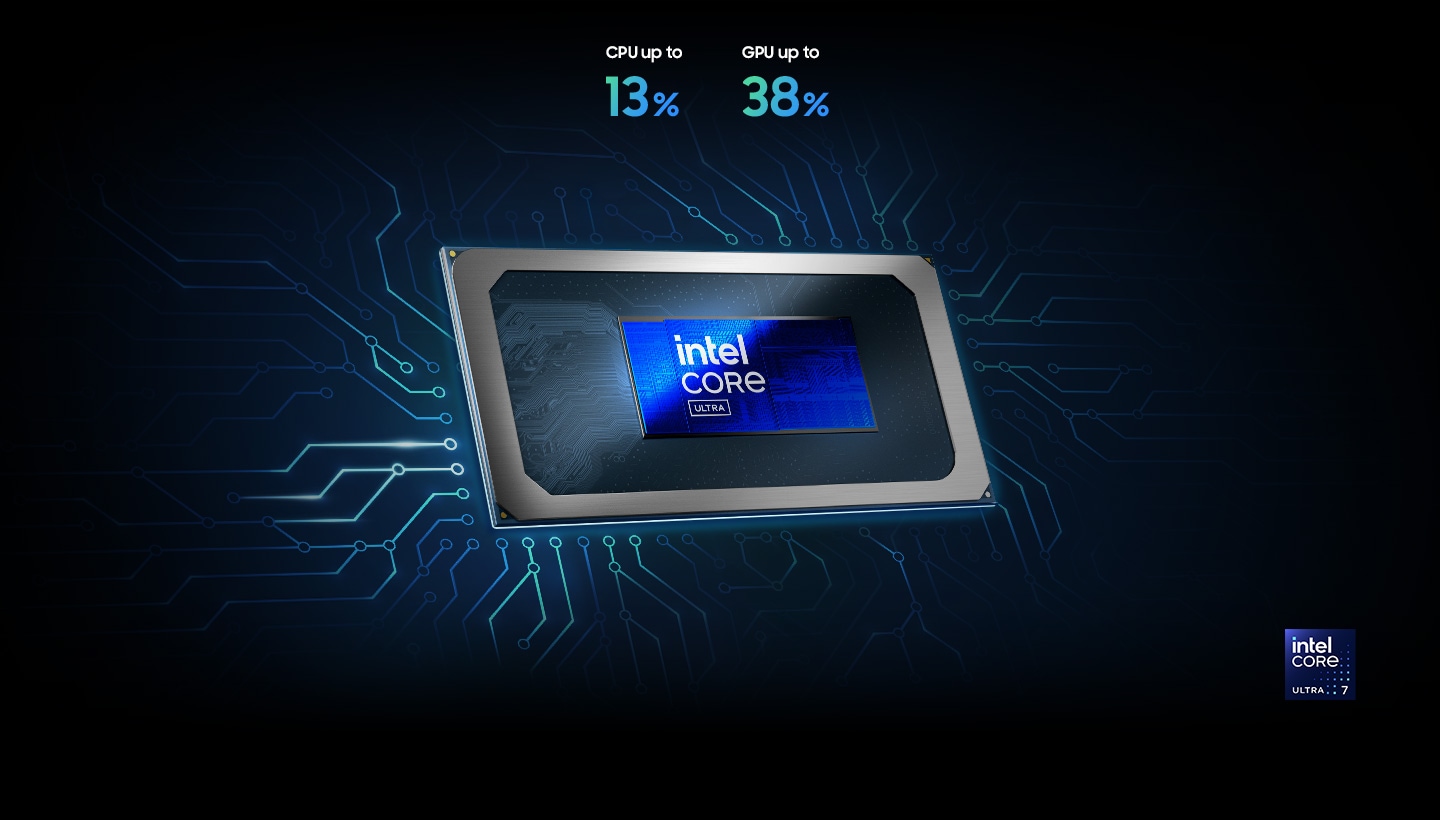
Unlock Supercharged PC Performance
Experience a boost in PC performance with Intel Core Ultra (Series 2), next-gen Intel Graphics, and NPU. Use AI to help you power up your workflow with smooth coding and fluent content creation, then immerse yourself in realistic, action-packed gaming when you want to unwind.[1]
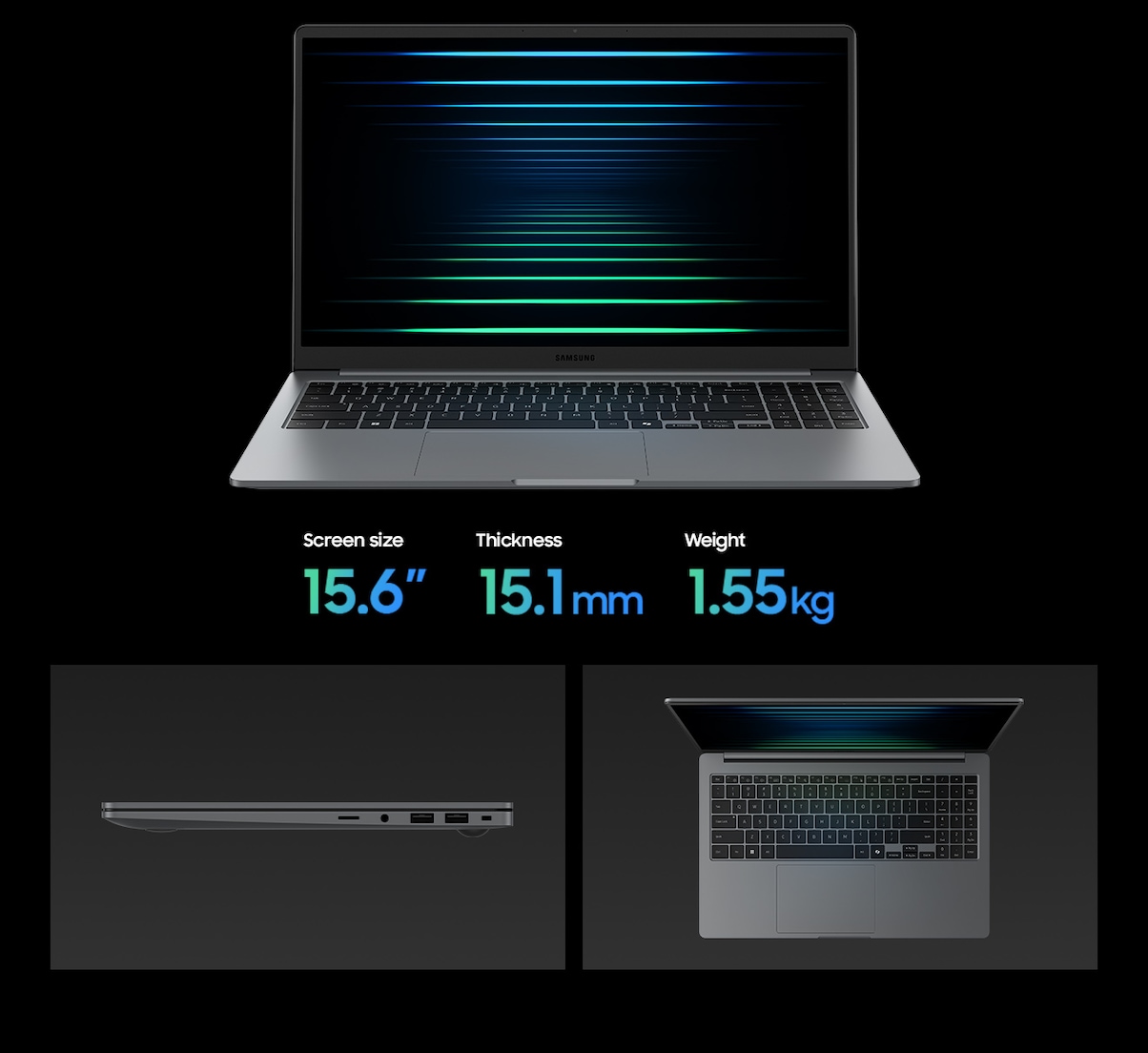
Big On Screen, Light On Weight
With its large 15.6" screen, Galaxy Book5 gives you plenty of space to focus, watch, and do what you love. Designed to blend into your day from morning classes to evening catch-ups, its slim, compact build makes it easy to take with you — on the bed, at your desk, or curled up on the couch.
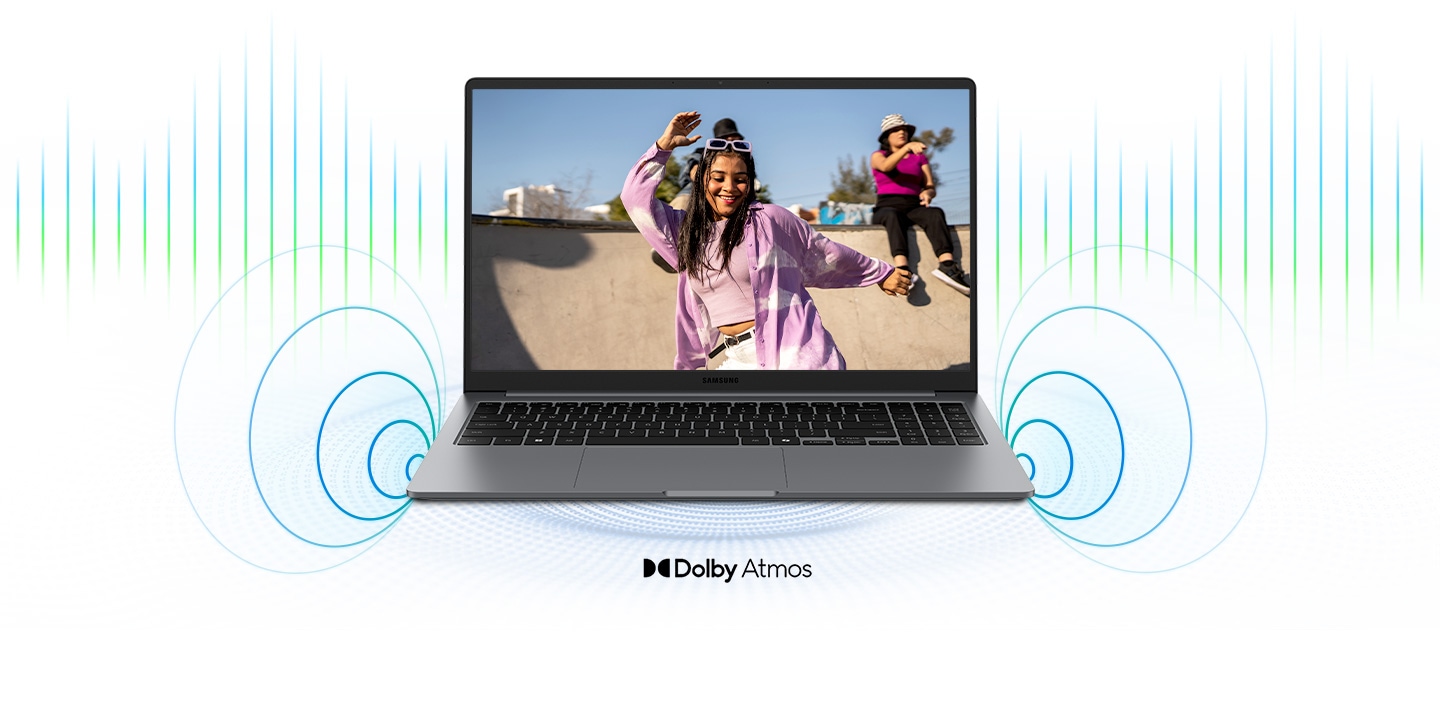
Surround Yourself with Dolby Atmos Audio
Tuned with Dolby Atmos, the speakers on Galaxy Book5 fill your space with rich, immersive sound. Whether you're catching up with studies, video chatting or tuning into your favorite music, enjoy dynamic audio that keeps you engaged from start to finish.
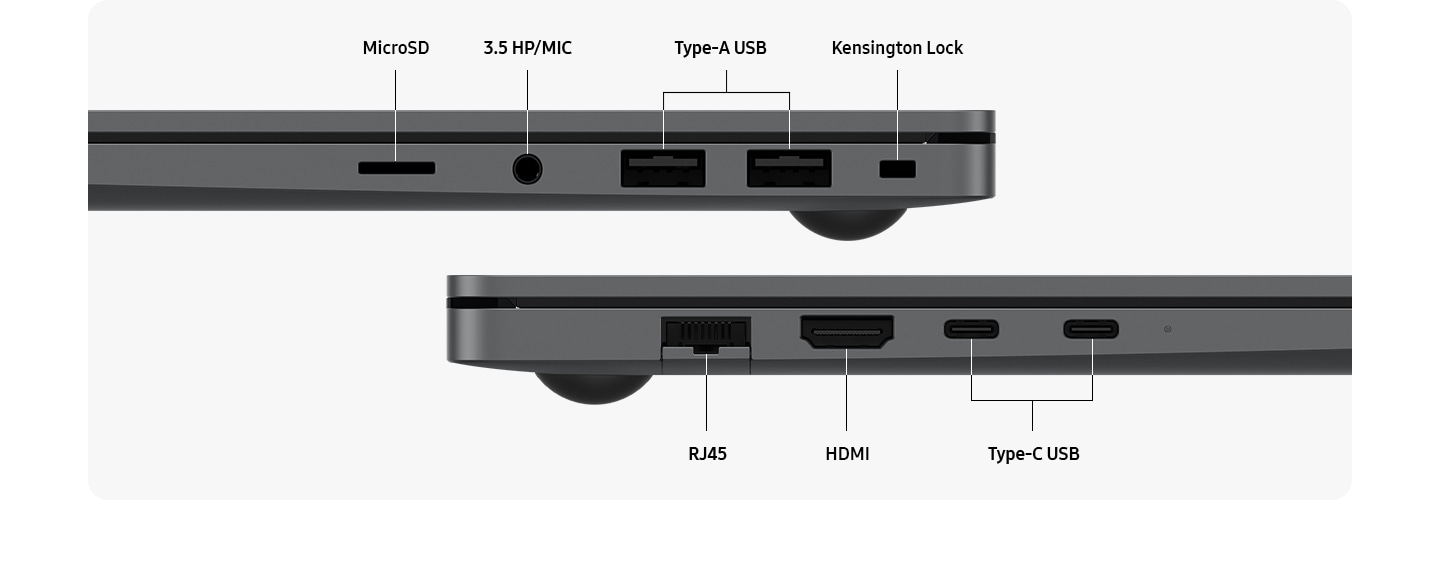
Plug and Play
Galaxy Book5 is equipped with a wide range of ports. Hook up essential devices to your workstation with ease using the built-in HDMI, two USB-A and two USB-C ports, microSD slot and even an RJ45 port for high-speed LAN connections.[2]
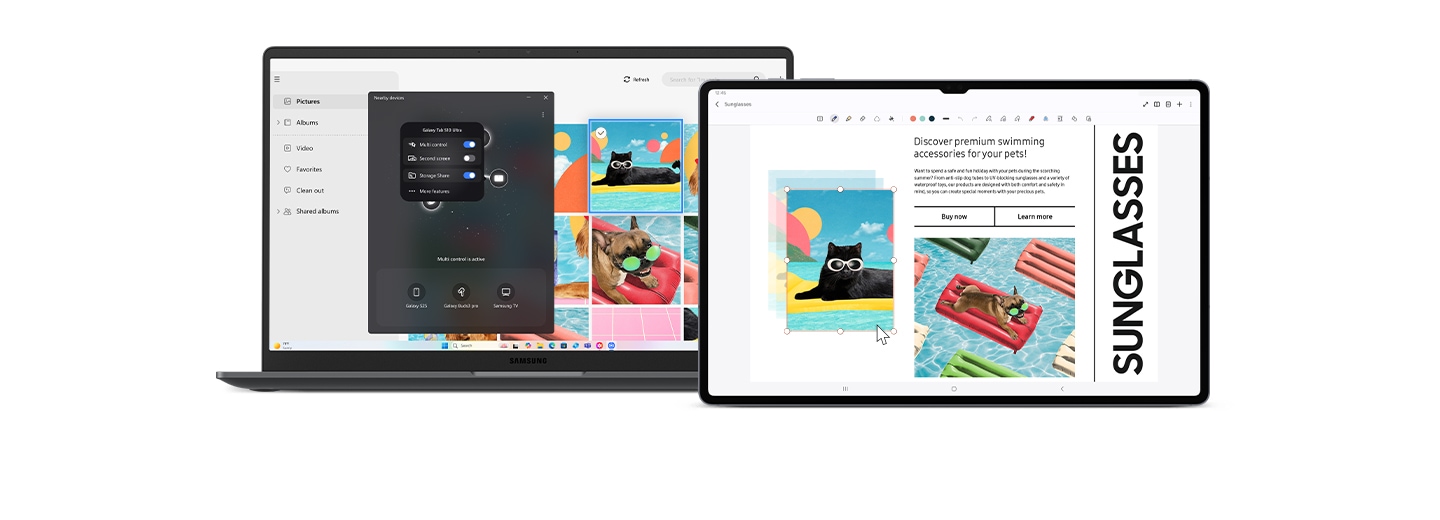
The Connected Power of Galaxy: Seamlessly Pair and Control Galaxy Devices
Nearby devices lets you connect and operate your Galaxy devices in an instant. Open the menu on Galaxy Book5 to link devices with a simple drag-and-drop, then launch intuitive features such as Multi Control and Storage Share between your phone, PC and Tab all from one connectivity hub.[3]
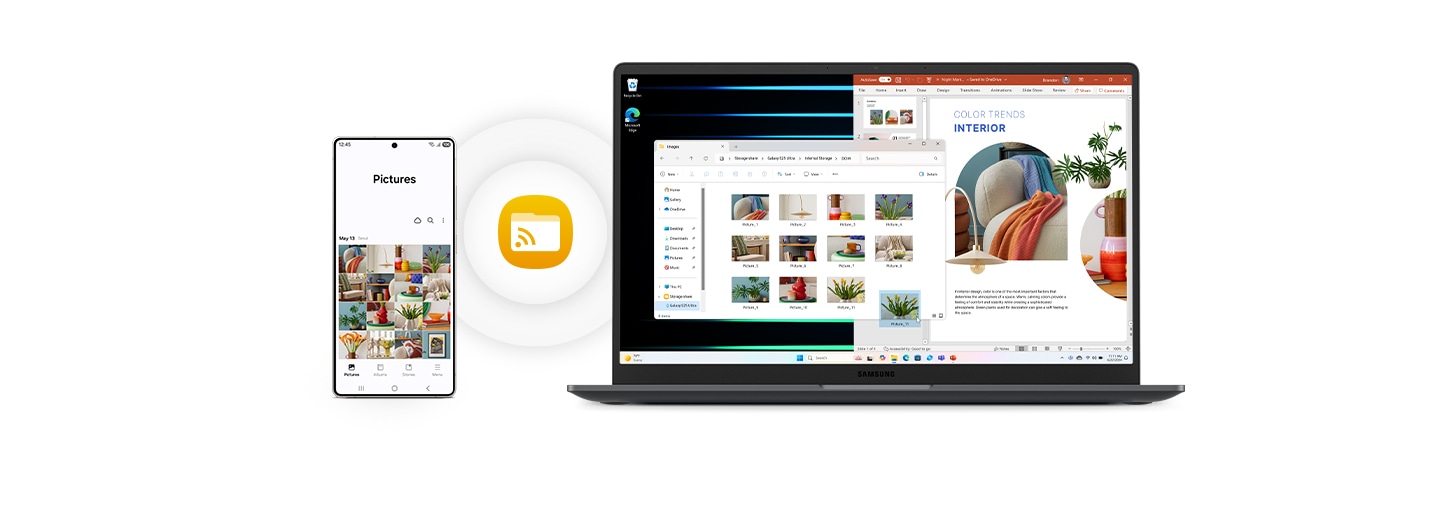
Storage Share: Explore Files Across Devices
With Storage Share, enjoy the freedom of using the storage on your phone and PC as one. Browse photos and play videos stored on your phone, edit mobile content and import it in your projects directly on your PC — no file downloading required.[4]
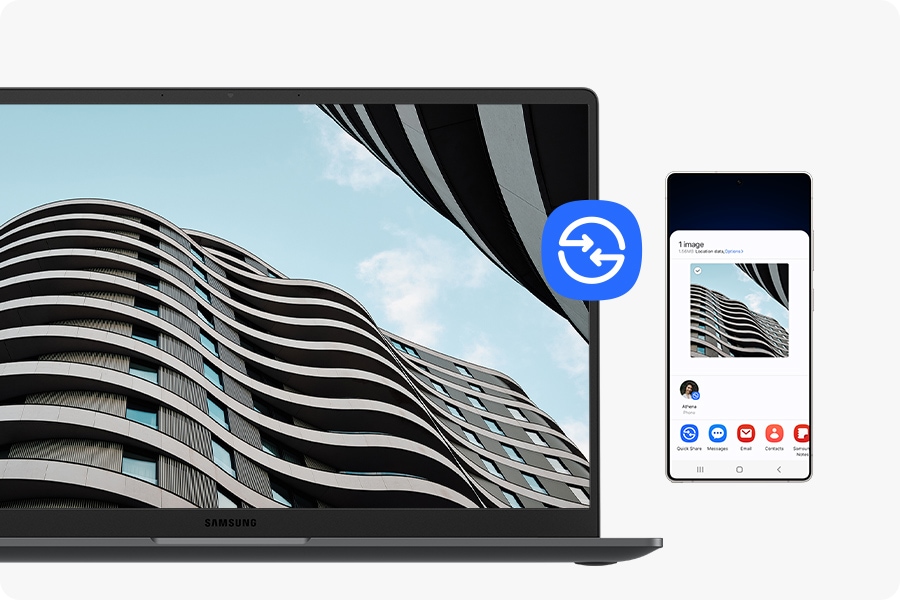
Quick Share. Swift, Safe Transfers
Sharing pics, docs and massive files between Samsung Galaxy devices is a breeze with Quick Share. Connect devices via direct wireless pairing for instant transfers, even if it's something sensitive - the private sharing feature encrypts your data with blockchain technology for safekeeping. [1]
Notes:
1.The enhanced performance figures of the CPU and GPU are based on a comparison between Galaxy Book5 with Intel Core Ultra 7 (Series 2) 255U processor and Galaxy Book4 with Intel Core 7 (Series 1) 150U processor.Improved CPU multi-core performance tested on Cinebench R24. GPU performance tested on 3DMark TimeSpy.
2.Actual speed of USB may vary depending on user environment.
3.To use the Nearby devices feature, phone, tablet, or PC must be signed into Samsung account, Wi-Fi and Bluetooth must be enabled, and the following conditions must be met. - Galaxy phones and tablets: One UI 7 or higher - Galaxy Books: The Nearby devices app needs to be installed from the Microsoft Store. Samsung Settings 6.0 or higher. Samsung Continuity Service 1.13 or higher Discoverable devices: - Galaxy phones and tablets: One UI 7 or higher required for full functionality. If your phone or tablet has One UI 4.1.1 or higher and Continuity Service 1.2.27 or higher, only limited features are available. - Galaxy Books: Samsung Settings 6.0 or higher. Samsung Continuity Service 1.13 or higher - Samsung TVs (released in 2016 or later), Smart monitors, and projectors: Must be turned on and must have been connected to the phone/tablet at least once using Smart View or DeX. - Galaxy Buds, Watches (Galaxy Watch4 and above), fitness bands, and Rings: Must be paired with the phone using Bluetooth. Galaxy Buds must be removed from the case or the case must be opened.
4.Each device must be signed in to same Samsung account and must have both Wi-Fi and Bluetooth turned on. Requires updated Galaxy phones and tablets with One UI 7 or higher and kernal version 5.15 or higher and Galaxy Book2 or later(Intel) and Galaxy Book4 or later(Arm) and Samsung Smart TV models including U8000 and above released after 2025.
Product Features:
- Touchpad: Clickpad
- NPU: Intel AI boost
- Security: Security slot, TPM
- Keyboard: Pro keyboard with numeric key
- Ethernet: Gigabit ethernet [10/100/1000]
Specs
General
- Brand Samsung
- Product Category Windows Laptops
- Product Type Laptop
- Product Specific Colour Grey
- Colour Grey
Connectivity
- Wi-Fi Wi-Fi 6
- Wireless Connectivity Bluetooth 5.2
- Wireless Ready Yes
- USB Ports 2
- USB-C Ports 2
- Ports & Connections 1 x HDMI, 2 x USB Type-C, 2 x USB3.2, MicroSD, 1 x Headphone
Renaissance Grade
- Performance 3
- Thickness 2
- Weight 2
Laptop
- Laptop Type Book5
Processor
- Processor Range Intel Core Ultra 5
- Processor Model Core Ultra 5 225U
- Processor Speed 4.8 GHz
- Cache Memory Size 12 MB
Sound
- Audio Software Dolby Atmos
- Speaker Type Stereo Speakers
Display
- Display Feature Anti-Glare
- Screen Type IPS
- Screen Size (Display) 15.6"
- Screen Resolution 1920 x 1080 px
Memory
- RAM 8 GB
- RAM Type LPDDR5X
- RAM Slots 2
Storage
- Storage Type NVMe SSD
- Total Storage Capacity 256 GB
- SSD Capacity 256 GB
Platform
- Operating System Windows 11
- Operating System Version Windows 11 Home
Graphics
- Graphics Card Brand Intel
- Graphics Card Model Intel Graphics
- Graphics Memory Type Shared
Battery & Power
- Power Consumption 45 W
- Power Source Battery
Camera
- Front Facing Camera 2.0 MP
Dimensions
- Width 356.6 mm
- Depth 228 mm
- Height 15.1 mm
- Weight 1.55 kg
Delivery
We offer a comprehensive nationwide (excluding Republic of Ireland) delivery service; we aim to deliver all orders as quickly as possible.
| Item Type | Delivered In | Delivered By |
|---|---|---|
| Small Items | 2 Working days | DPD |
| Large Electrical Appliance | 3-5 Working days | Independent transport company |
| Furniture & Bedding | 3-5 Working days | Independent transport company |
Please note: if you have ordered furniture and bedding products that involve a lead time, are customised or made to measure, we will contact you to discuss delivery.
Free Click & Collect In Store
Can't wait for delivery or don't want to pay additional delivery charges? It's incredibly simple to collect your online order in store and get your hands on your product quickly and easily. Simply select the Click & Collect option and head to your nearest Harvey Norman store to collect your order.
- During checkout, select “Click & Collect” and select your preferred store.
- After your order is placed, you will receive an order acknowledgement email with your order number.
- Once the store has confirmed your order and reserved the stock, you will receive an email to inform you that your order is "Ready for collection". If you want to use "Contactless Click & Collect" select this option on this email. Please Note: Some large items are held in an off-site warehouse. We will notify you of the collection location in your Ready for Pickup email.
- Bring your order number to the store you selected for Click & Collect, along with photo ID and the credit card you used to make the order.
- Speak to one of our staff and your order should be processed in minutes.
- If availing of Contactless Click & Collect, please click the link in your email "ready to pick up" to let the store know you are on your way. When you have parked in the designated parking bay, open your email, and choose the "I'm here" option and a member of staff will bring your purchase out to your car.
Easy returns
Store Purchases: For all items purchased from a physical store, please return to your local Harvey Norman Store. Please see Terms & Conditions here.
Online Purchases: For all items purchased via our Online Store (website), please fill out our Contact Form where our team can guide you through the process.
Description
Description
Unlock Supercharged PC Performance
Experience a boost in PC performance with Intel Core Ultra (Series 2), next-gen Intel Graphics, and NPU. Use AI to help you power up your workflow with smooth coding and fluent content creation, then immerse yourself in realistic, action-packed gaming when you want to unwind.[1]
Big On Screen, Light On Weight
With its large 15.6" screen, Galaxy Book5 gives you plenty of space to focus, watch, and do what you love. Designed to blend into your day from morning classes to evening catch-ups, its slim, compact build makes it easy to take with you — on the bed, at your desk, or curled up on the couch.
Surround Yourself with Dolby Atmos Audio
Tuned with Dolby Atmos, the speakers on Galaxy Book5 fill your space with rich, immersive sound. Whether you're catching up with studies, video chatting or tuning into your favorite music, enjoy dynamic audio that keeps you engaged from start to finish.
Plug and Play
Galaxy Book5 is equipped with a wide range of ports. Hook up essential devices to your workstation with ease using the built-in HDMI, two USB-A and two USB-C ports, microSD slot and even an RJ45 port for high-speed LAN connections.[2]
The Connected Power of Galaxy: Seamlessly Pair and Control Galaxy Devices
Nearby devices lets you connect and operate your Galaxy devices in an instant. Open the menu on Galaxy Book5 to link devices with a simple drag-and-drop, then launch intuitive features such as Multi Control and Storage Share between your phone, PC and Tab all from one connectivity hub.[3]
Storage Share: Explore Files Across Devices
With Storage Share, enjoy the freedom of using the storage on your phone and PC as one. Browse photos and play videos stored on your phone, edit mobile content and import it in your projects directly on your PC — no file downloading required.[4]
Quick Share. Swift, Safe Transfers
Sharing pics, docs and massive files between Samsung Galaxy devices is a breeze with Quick Share. Connect devices via direct wireless pairing for instant transfers, even if it's something sensitive - the private sharing feature encrypts your data with blockchain technology for safekeeping. [1]
Notes:
1.The enhanced performance figures of the CPU and GPU are based on a comparison between Galaxy Book5 with Intel Core Ultra 7 (Series 2) 255U processor and Galaxy Book4 with Intel Core 7 (Series 1) 150U processor.Improved CPU multi-core performance tested on Cinebench R24. GPU performance tested on 3DMark TimeSpy.
2.Actual speed of USB may vary depending on user environment.
3.To use the Nearby devices feature, phone, tablet, or PC must be signed into Samsung account, Wi-Fi and Bluetooth must be enabled, and the following conditions must be met. - Galaxy phones and tablets: One UI 7 or higher - Galaxy Books: The Nearby devices app needs to be installed from the Microsoft Store. Samsung Settings 6.0 or higher. Samsung Continuity Service 1.13 or higher Discoverable devices: - Galaxy phones and tablets: One UI 7 or higher required for full functionality. If your phone or tablet has One UI 4.1.1 or higher and Continuity Service 1.2.27 or higher, only limited features are available. - Galaxy Books: Samsung Settings 6.0 or higher. Samsung Continuity Service 1.13 or higher - Samsung TVs (released in 2016 or later), Smart monitors, and projectors: Must be turned on and must have been connected to the phone/tablet at least once using Smart View or DeX. - Galaxy Buds, Watches (Galaxy Watch4 and above), fitness bands, and Rings: Must be paired with the phone using Bluetooth. Galaxy Buds must be removed from the case or the case must be opened.
4.Each device must be signed in to same Samsung account and must have both Wi-Fi and Bluetooth turned on. Requires updated Galaxy phones and tablets with One UI 7 or higher and kernal version 5.15 or higher and Galaxy Book2 or later(Intel) and Galaxy Book4 or later(Arm) and Samsung Smart TV models including U8000 and above released after 2025.
Product Features:
- Touchpad: Clickpad
- NPU: Intel AI boost
- Security: Security slot, TPM
- Keyboard: Pro keyboard with numeric key
- Ethernet: Gigabit ethernet [10/100/1000]
Specifications
Specs
General
- Brand Samsung
- Product Category Windows Laptops
- Product Type Laptop
- Product Specific Colour Grey
- Colour Grey
Connectivity
- Wi-Fi Wi-Fi 6
- Wireless Connectivity Bluetooth 5.2
- Wireless Ready Yes
- USB Ports 2
- USB-C Ports 2
- Ports & Connections 1 x HDMI, 2 x USB Type-C, 2 x USB3.2, MicroSD, 1 x Headphone
Renaissance Grade
- Performance 3
- Thickness 2
- Weight 2
Laptop
- Laptop Type Book5
Processor
- Processor Range Intel Core Ultra 5
- Processor Model Core Ultra 5 225U
- Processor Speed 4.8 GHz
- Cache Memory Size 12 MB
Sound
- Audio Software Dolby Atmos
- Speaker Type Stereo Speakers
Display
- Display Feature Anti-Glare
- Screen Type IPS
- Screen Size (Display) 15.6"
- Screen Resolution 1920 x 1080 px
Memory
- RAM 8 GB
- RAM Type LPDDR5X
- RAM Slots 2
Storage
- Storage Type NVMe SSD
- Total Storage Capacity 256 GB
- SSD Capacity 256 GB
Platform
- Operating System Windows 11
- Operating System Version Windows 11 Home
Graphics
- Graphics Card Brand Intel
- Graphics Card Model Intel Graphics
- Graphics Memory Type Shared
Battery & Power
- Power Consumption 45 W
- Power Source Battery
Camera
- Front Facing Camera 2.0 MP
Dimensions
- Width 356.6 mm
- Depth 228 mm
- Height 15.1 mm
- Weight 1.55 kg
Delivery & Returns
Delivery
We offer a comprehensive nationwide (excluding Republic of Ireland) delivery service; we aim to deliver all orders as quickly as possible.
| Item Type | Delivered In | Delivered By |
|---|---|---|
| Small Items | 2 Working days | DPD |
| Large Electrical Appliance | 3-5 Working days | Independent transport company |
| Furniture & Bedding | 3-5 Working days | Independent transport company |
Please note: if you have ordered furniture and bedding products that involve a lead time, are customised or made to measure, we will contact you to discuss delivery.
Free Click & Collect In Store
Can't wait for delivery or don't want to pay additional delivery charges? It's incredibly simple to collect your online order in store and get your hands on your product quickly and easily. Simply select the Click & Collect option and head to your nearest Harvey Norman store to collect your order.
- During checkout, select “Click & Collect” and select your preferred store.
- After your order is placed, you will receive an order acknowledgement email with your order number.
- Once the store has confirmed your order and reserved the stock, you will receive an email to inform you that your order is "Ready for collection". If you want to use "Contactless Click & Collect" select this option on this email. Please Note: Some large items are held in an off-site warehouse. We will notify you of the collection location in your Ready for Pickup email.
- Bring your order number to the store you selected for Click & Collect, along with photo ID and the credit card you used to make the order.
- Speak to one of our staff and your order should be processed in minutes.
- If availing of Contactless Click & Collect, please click the link in your email "ready to pick up" to let the store know you are on your way. When you have parked in the designated parking bay, open your email, and choose the "I'm here" option and a member of staff will bring your purchase out to your car.
Easy returns
Store Purchases: For all items purchased from a physical store, please return to your local Harvey Norman Store. Please see Terms & Conditions here.
Online Purchases: For all items purchased via our Online Store (website), please fill out our Contact Form where our team can guide you through the process.
Reviews
You may also like
Recently viewed
Compare


 Secure Online Shopping