



interest free payments of
Late fees apply.
Terms and Conditions
By selecting a Brightcover policy you have agreed to purchase a policy which is underwritten and
provided by AWP P&C S.A. registered in France with ID No 519490080 RCS Paris Registered Office 7
Rue Dora Maar, 93400 Saint-Ouen, France acting through its UK Branch, AWP P&C (UK Branch), part
of the Allianz Group registered in the United Kingdom. Registered Branch No. BR015275. Authorised
by the Prudential Regulation Authority. Subject to regulation by the Financial Conduct Authority and
limited regulation by the Prudential Regulation Authority. Financial Services Register No. 534384.
Details about the extent of its regulation by the Prudential Regulation Authority are available on
request from AWP P&C (UK Branch)
Brightcover policies are made available to you on behalf of AWP P&C S.A. by Harvey Norman Trading (UK) Limited, trading as Harvey Norman, company number 15512318.
Brightcover policies are administered by IC Frith Service Contracts Limited. Company number 15543908. Authorised and regulated by the Financial Conduct Authority with Firm Reference Number: 1014736. Administration services are also provided by Frith Service Contracts Limited, who is an appointed representative of IC Frith Service Contracts Limited, with Financial Conduct Authority Firm Number 1025657.
Harvey Norman does not provide any advice or recommendations about the Brightcover insurance policy, nor will it search for and propose other suitable policies. You may find an alternative, equivalent or more suitable insurance policies elsewhere.
By ticking the box below you confirm you have read the Insurance Product Information Document (IPID) and agree to the Terms and Conditions (T&Cs) of Brightcover or Brightcover Mobile cover which includes details of your rights to cancellation, cooling off period, complaints procedure and privacy notice and that Brightcover or Brightcover Mobile meets your demands and needs.
Please read the Terms and Conditions and IPID that apply here: Brightcover T&Cs | Brightcover IPID | Brightcover Mobile T&Cs | Brightcover Mobile IPID
Delivery to
Delivery
Collect from
Click & Collect
Collect in store
Nearest store with stock
Nearest store with stock

Available services
Description

Advantages of QD-OLED Technology
The PG32UCDMR's QD-OLED panel boasts a 99% DCI-P3 wide color gamut, delivering accurate color reproduction for professional tasks. Its infinite contrast ratio ensures deep blacks and vibrant colors, creating immersive visuals for both gaming and creative endeavors. The incredibly low latency further enhances its appeal, providing smooth and responsive performance for demanding applications.
- 1,500,000 :1 contrast ratio
- 0.03 ms response time
- 99% DCI-P3 gamut
- Delta E < 2
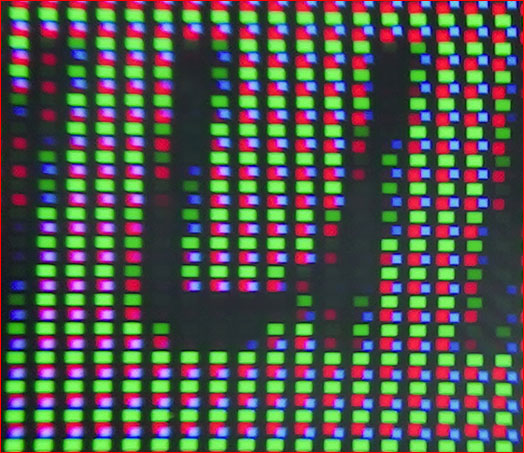
Next-Gen QD-OLED Technology: Detailed Visuals and Clearly Defined Text
Latest-generation QD-OLED panels take advantage of a unique sub-pixel layout that provides clearer, more detailed visuals and crisper text to upgrade viewing experiences.
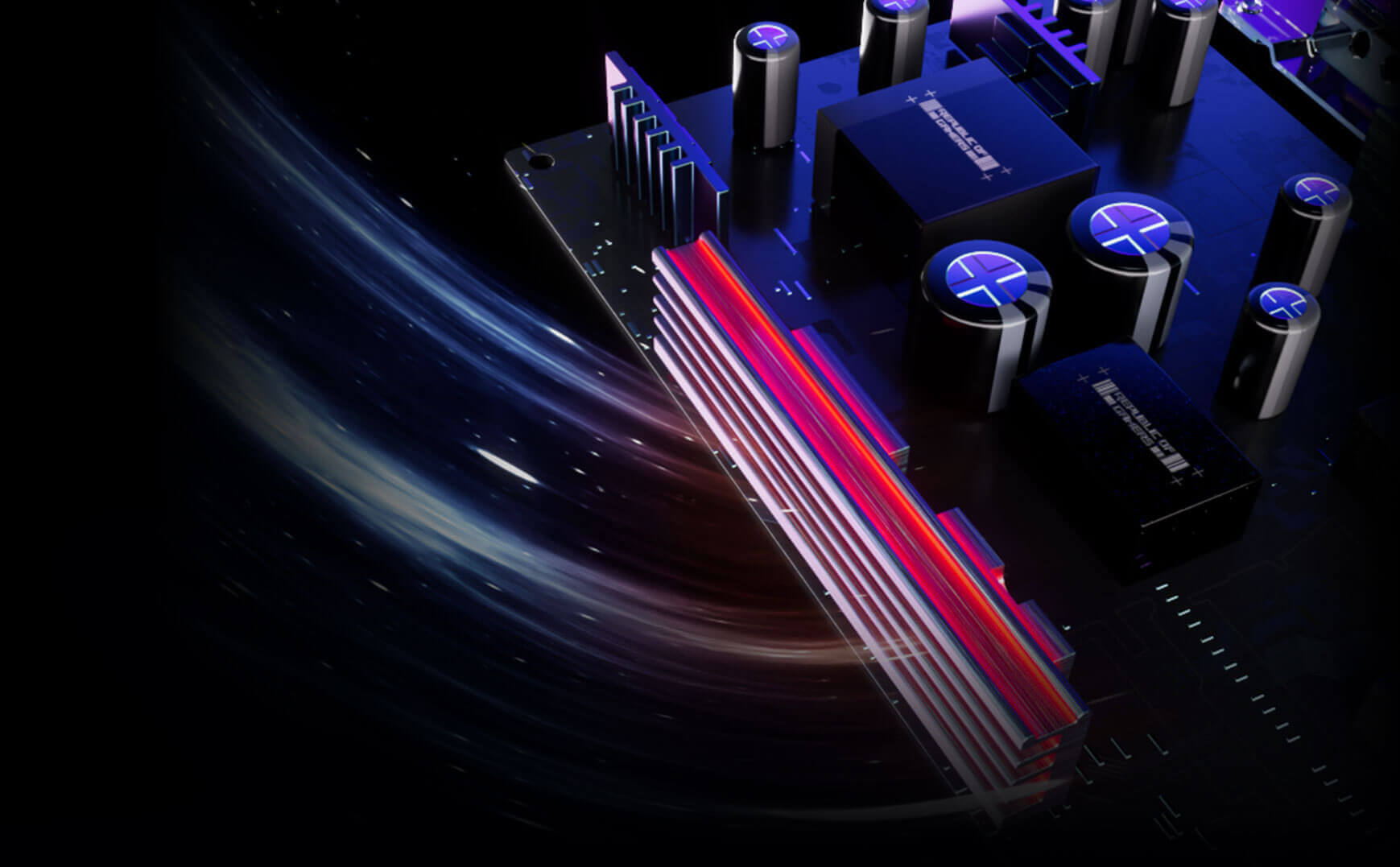
Built to Last: Worry-free OLED Monitor
ROG OLED monitors are engineered to deliver stunning visuals for years to come. An innovative custom heatsink and a unique internal airflow improve cooling and reduce the risk of burn-in.
Check out the video:
Game in Ultravivid HDR
The PG32UCDMR supports various HDR formats including HDR10 and Dolby Vision to deliver unmatched brightness, colors, and contrast. Both can be quickly turned on or off via the OSD menu.
- Dolby Vision
Rich Connectivity: Unlock the future with DisplayPort 2.1a
The PG32UCDMR features the future-ready DisplayPort 2.1a UHBR20 with full 80Gbps bandwidth, supporting 4K at 240Hz or 8K at 60Hz visuals without compression while offering improved data-transmission efficiency. Additionally, the PG32UCDMR includes USB-C with 90-watt Power Delivery, HDMI 2.1 ports and a USB hub to accommodate a wide array of multimedia devices.
- HDMI 2.1 48Gbps Full Bandwidth
- DOSPLAYPORT 2.1a 80Gbps Full Bandwidth
- USB-C 90WPD
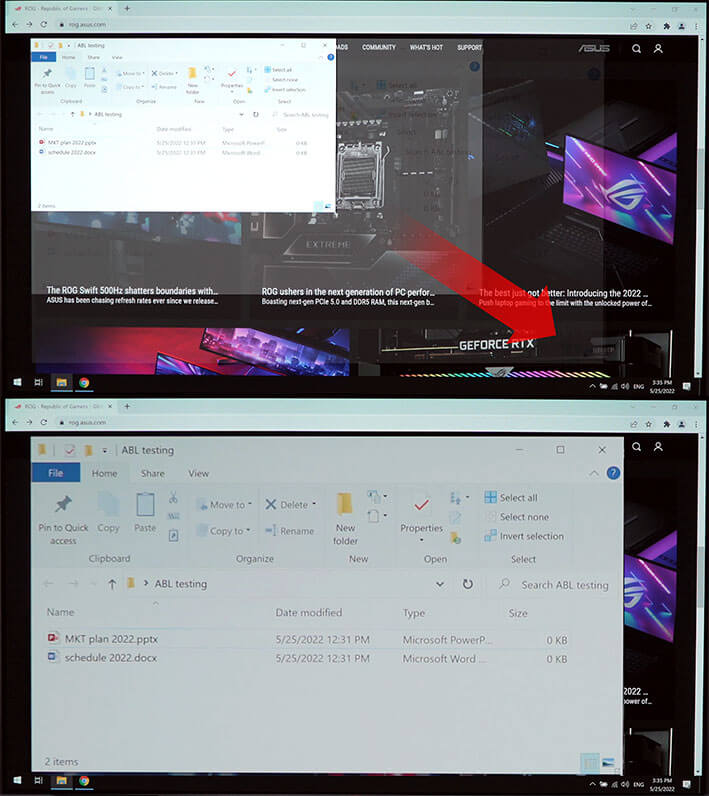
Uniform Brightness
When activated, the ROG-exclusive Uniform Brightness setting within the OSD menu decreases peak brightness to keep levels consistent for better viewing, even when changing the size of bright white windows. It makes marathon gaming sessions more comfortable by reducing potential stress on the eyes due to extreme brightness shifts.
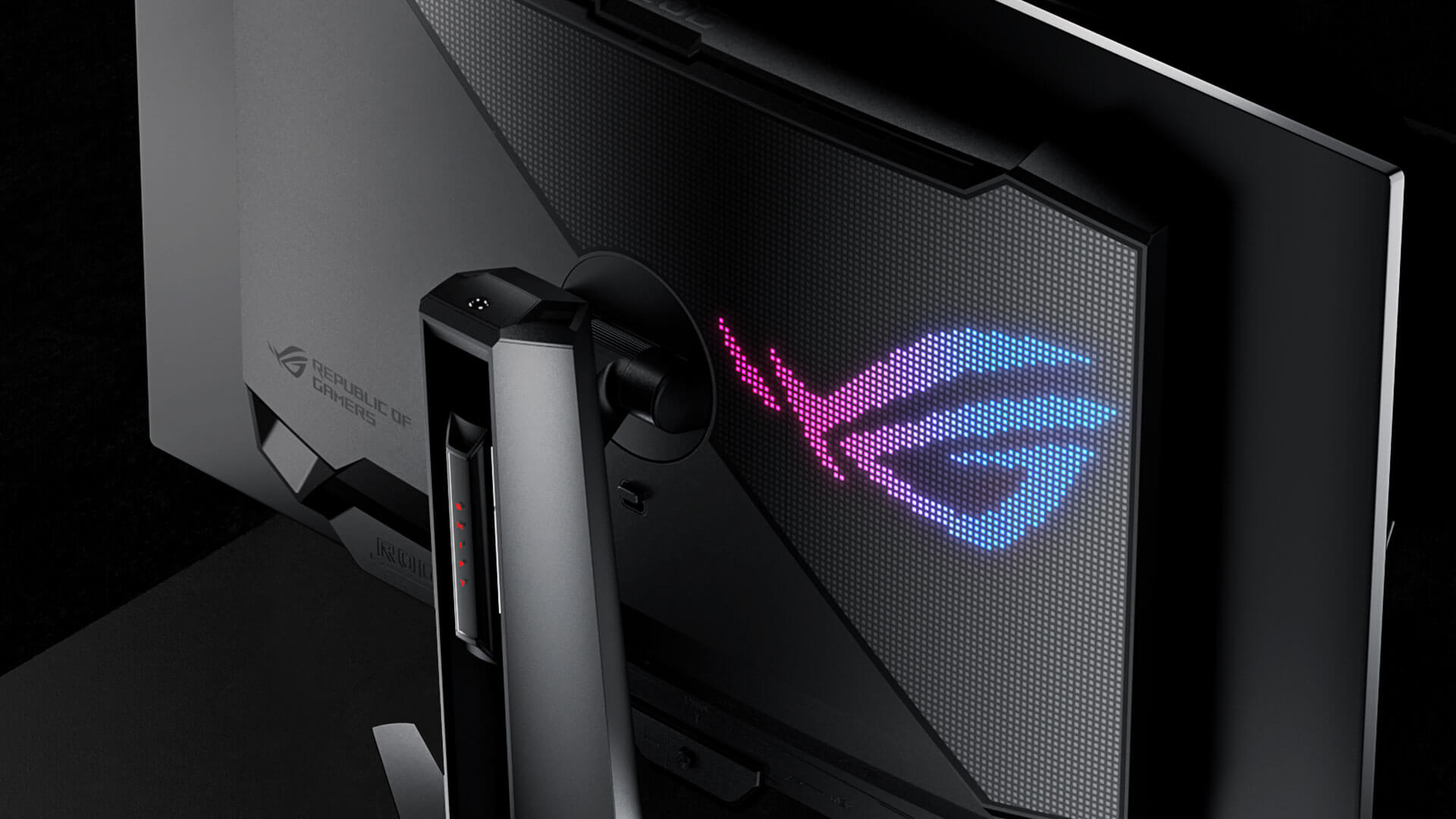
Futuristic, Cyberpunk-inspired Aesthetic
Boasting design features that exude a premium, modern look, PG32UCDMR also includes a tripod socket.
What's in the Box:
- 1 x DisplayPort cable
- 1 x DisplayPort 2.1 (DP80) cable
- 1 x HDMI Ultra High Speed Cable
- 1 x Power cord
- 1 x ROG pouch
- 1 x ROG sticker
- 1 x USB 3.2 cable
- 1 x USB-C cable
- 1 x VESA mount kit
Product Features:
- 32-inch 4K (3840 x 2160) QD-OLED gaming monitor with 240 Hz refresh rate and 0.03 ms (GTG) response time for immersive gaming
- New ASUS OLED Care Pro functions with Neo Proximity Sensor that precisely detects when the user is away, switching to a black screen to reduce the risk of burn-in
- VESA DisplayHDR 400 True Black compliance, 99% DCI-P3 gamut, true 10-bit color, and Delta E < 2 color difference for astonishing HDR performance, making it perfect for photo and video editing
- Optional uniform brightness setting ensures consistent luminance levels
- DisplayWidget Center allows users to access OLED Care functions, as well as adjust monitor settings with a mouse
- Extensive connectivity options include DisplayPort 2.1 , HDMI 2.1, and USB-C with 90 W Power Delivery
Specs
General
- Brand ASUS
- Product Category Gaming Monitors
- Product Type Gaming Monitor
Display
- Display Feature Flicker-Free, Dolby Vision
- Display Resolution 4K Ultra HD
- Screen Type QD-OLED
- Display Screen Size 32"
- Screen Resolution 3840 x 2160 px
- Aspect Ratio 16:09
- Refresh Rate 240 Hz
Monitor Features
- Additional Features Extreme Low Motion Blur, Anti-Reflection Display Surface
- Brightness 1000 cd/m2
- Native Contrast Ratio 1500000:1
- Horizontal Viewing Angle 178°
- Monitor Resolution 3840 x 2160
- Response Time 0.03 ms
- Vertical Viewing Angle 178°
- VESA Mounting 100 x 100 mm
Power
- Frequency 50 - 60 Hz
- On-mode Power Consumption 42 W
- Power Source Mains
- Power Supply 100-240 V
Dimensions
- Width 718 mm
- Depth 276 mm
- Height 531 mm
- Weight 8.7 kg
Delivery
We offer a comprehensive nationwide (excluding Republic of Ireland) delivery service; we aim to deliver all orders as quickly as possible.
| Item Type | Delivered In | Delivered By |
|---|---|---|
| Small Items | 2 Working days | DPD |
| Large Electrical Appliance | 3-5 Working days | Independent transport company |
| Furniture & Bedding | 3-5 Working days | Independent transport company |
Please note: if you have ordered furniture and bedding products that involve a lead time, are customised or made to measure, we will contact you to discuss delivery.
Free Click & Collect In Store
Can't wait for delivery or don't want to pay additional delivery charges? It's incredibly simple to collect your online order in store and get your hands on your product quickly and easily. Simply select the Click & Collect option and head to your nearest Harvey Norman store to collect your order.
- During checkout, select “Click & Collect” and select your preferred store.
- After your order is placed, you will receive an order acknowledgement email with your order number.
- Once the store has confirmed your order and reserved the stock, you will receive an email to inform you that your order is "Ready for collection". If you want to use "Contactless Click & Collect" select this option on this email. Please Note: Some large items are held in an off-site warehouse. We will notify you of the collection location in your Ready for Pickup email.
- Bring your order number to the store you selected for Click & Collect, along with photo ID and the credit card you used to make the order.
- Speak to one of our staff and your order should be processed in minutes.
- If availing of Contactless Click & Collect, please click the link in your email "ready to pick up" to let the store know you are on your way. When you have parked in the designated parking bay, open your email, and choose the "I'm here" option and a member of staff will bring your purchase out to your car.
Easy returns
Store Purchases: For all items purchased from a physical store, please return to your local Harvey Norman Store. Please see Terms & Conditions here.
Online Purchases: For all items purchased via our Online Store (website), please fill out our Contact Form where our team can guide you through the process.
Description
Description
Advantages of QD-OLED Technology
The PG32UCDMR's QD-OLED panel boasts a 99% DCI-P3 wide color gamut, delivering accurate color reproduction for professional tasks. Its infinite contrast ratio ensures deep blacks and vibrant colors, creating immersive visuals for both gaming and creative endeavors. The incredibly low latency further enhances its appeal, providing smooth and responsive performance for demanding applications.
- 1,500,000 :1 contrast ratio
- 0.03 ms response time
- 99% DCI-P3 gamut
- Delta E < 2
Next-Gen QD-OLED Technology: Detailed Visuals and Clearly Defined Text
Latest-generation QD-OLED panels take advantage of a unique sub-pixel layout that provides clearer, more detailed visuals and crisper text to upgrade viewing experiences.
Built to Last: Worry-free OLED Monitor
ROG OLED monitors are engineered to deliver stunning visuals for years to come. An innovative custom heatsink and a unique internal airflow improve cooling and reduce the risk of burn-in.
Check out the video:
Game in Ultravivid HDR
The PG32UCDMR supports various HDR formats including HDR10 and Dolby Vision to deliver unmatched brightness, colors, and contrast. Both can be quickly turned on or off via the OSD menu.
- Dolby Vision
Rich Connectivity: Unlock the future with DisplayPort 2.1a
The PG32UCDMR features the future-ready DisplayPort 2.1a UHBR20 with full 80Gbps bandwidth, supporting 4K at 240Hz or 8K at 60Hz visuals without compression while offering improved data-transmission efficiency. Additionally, the PG32UCDMR includes USB-C with 90-watt Power Delivery, HDMI 2.1 ports and a USB hub to accommodate a wide array of multimedia devices.
- HDMI 2.1 48Gbps Full Bandwidth
- DOSPLAYPORT 2.1a 80Gbps Full Bandwidth
- USB-C 90WPD
Uniform Brightness
When activated, the ROG-exclusive Uniform Brightness setting within the OSD menu decreases peak brightness to keep levels consistent for better viewing, even when changing the size of bright white windows. It makes marathon gaming sessions more comfortable by reducing potential stress on the eyes due to extreme brightness shifts.
Futuristic, Cyberpunk-inspired Aesthetic
Boasting design features that exude a premium, modern look, PG32UCDMR also includes a tripod socket.
What's in the Box:
- 1 x DisplayPort cable
- 1 x DisplayPort 2.1 (DP80) cable
- 1 x HDMI Ultra High Speed Cable
- 1 x Power cord
- 1 x ROG pouch
- 1 x ROG sticker
- 1 x USB 3.2 cable
- 1 x USB-C cable
- 1 x VESA mount kit
Product Features:
- 32-inch 4K (3840 x 2160) QD-OLED gaming monitor with 240 Hz refresh rate and 0.03 ms (GTG) response time for immersive gaming
- New ASUS OLED Care Pro functions with Neo Proximity Sensor that precisely detects when the user is away, switching to a black screen to reduce the risk of burn-in
- VESA DisplayHDR 400 True Black compliance, 99% DCI-P3 gamut, true 10-bit color, and Delta E < 2 color difference for astonishing HDR performance, making it perfect for photo and video editing
- Optional uniform brightness setting ensures consistent luminance levels
- DisplayWidget Center allows users to access OLED Care functions, as well as adjust monitor settings with a mouse
- Extensive connectivity options include DisplayPort 2.1 , HDMI 2.1, and USB-C with 90 W Power Delivery
Specifications
Specs
General
- Brand ASUS
- Product Category Gaming Monitors
- Product Type Gaming Monitor
Display
- Display Feature Flicker-Free, Dolby Vision
- Display Resolution 4K Ultra HD
- Screen Type QD-OLED
- Display Screen Size 32"
- Screen Resolution 3840 x 2160 px
- Aspect Ratio 16:09
- Refresh Rate 240 Hz
Monitor Features
- Additional Features Extreme Low Motion Blur, Anti-Reflection Display Surface
- Brightness 1000 cd/m2
- Native Contrast Ratio 1500000:1
- Horizontal Viewing Angle 178°
- Monitor Resolution 3840 x 2160
- Response Time 0.03 ms
- Vertical Viewing Angle 178°
- VESA Mounting 100 x 100 mm
Power
- Frequency 50 - 60 Hz
- On-mode Power Consumption 42 W
- Power Source Mains
- Power Supply 100-240 V
Dimensions
- Width 718 mm
- Depth 276 mm
- Height 531 mm
- Weight 8.7 kg
Delivery & Returns
Delivery
We offer a comprehensive nationwide (excluding Republic of Ireland) delivery service; we aim to deliver all orders as quickly as possible.
| Item Type | Delivered In | Delivered By |
|---|---|---|
| Small Items | 2 Working days | DPD |
| Large Electrical Appliance | 3-5 Working days | Independent transport company |
| Furniture & Bedding | 3-5 Working days | Independent transport company |
Please note: if you have ordered furniture and bedding products that involve a lead time, are customised or made to measure, we will contact you to discuss delivery.
Free Click & Collect In Store
Can't wait for delivery or don't want to pay additional delivery charges? It's incredibly simple to collect your online order in store and get your hands on your product quickly and easily. Simply select the Click & Collect option and head to your nearest Harvey Norman store to collect your order.
- During checkout, select “Click & Collect” and select your preferred store.
- After your order is placed, you will receive an order acknowledgement email with your order number.
- Once the store has confirmed your order and reserved the stock, you will receive an email to inform you that your order is "Ready for collection". If you want to use "Contactless Click & Collect" select this option on this email. Please Note: Some large items are held in an off-site warehouse. We will notify you of the collection location in your Ready for Pickup email.
- Bring your order number to the store you selected for Click & Collect, along with photo ID and the credit card you used to make the order.
- Speak to one of our staff and your order should be processed in minutes.
- If availing of Contactless Click & Collect, please click the link in your email "ready to pick up" to let the store know you are on your way. When you have parked in the designated parking bay, open your email, and choose the "I'm here" option and a member of staff will bring your purchase out to your car.
Easy returns
Store Purchases: For all items purchased from a physical store, please return to your local Harvey Norman Store. Please see Terms & Conditions here.
Online Purchases: For all items purchased via our Online Store (website), please fill out our Contact Form where our team can guide you through the process.
Reviews
You may also like
Recently viewed
Compare


 Secure Online Shopping