



interest free payments of
Late fees apply.
Terms and Conditions
By selecting a Brightcover policy you have agreed to purchase a policy which is underwritten and
provided by AWP P&C S.A. registered in France with ID No 519490080 RCS Paris Registered Office 7
Rue Dora Maar, 93400 Saint-Ouen, France acting through its UK Branch, AWP P&C (UK Branch), part
of the Allianz Group registered in the United Kingdom. Registered Branch No. BR015275. Authorised
by the Prudential Regulation Authority. Subject to regulation by the Financial Conduct Authority and
limited regulation by the Prudential Regulation Authority. Financial Services Register No. 534384.
Details about the extent of its regulation by the Prudential Regulation Authority are available on
request from AWP P&C (UK Branch)
Brightcover policies are made available to you on behalf of AWP P&C S.A. by Harvey Norman Trading (UK) Limited, trading as Harvey Norman, company number 15512318.
Brightcover policies are administered by IC Frith Service Contracts Limited. Company number 15543908. Authorised and regulated by the Financial Conduct Authority with Firm Reference Number: 1014736. Administration services are also provided by Frith Service Contracts Limited, who is an appointed representative of IC Frith Service Contracts Limited, with Financial Conduct Authority Firm Number 1025657.
Harvey Norman does not provide any advice or recommendations about the Brightcover insurance policy, nor will it search for and propose other suitable policies. You may find an alternative, equivalent or more suitable insurance policies elsewhere.
By ticking the box below you confirm you have read the Insurance Product Information Document (IPID) and agree to the Terms and Conditions (T&Cs) of Brightcover or Brightcover Mobile cover which includes details of your rights to cancellation, cooling off period, complaints procedure and privacy notice and that Brightcover or Brightcover Mobile meets your demands and needs.
Please read the Terms and Conditions and IPID that apply here: Brightcover T&Cs | Brightcover IPID | Brightcover Mobile T&Cs | Brightcover Mobile IPID
Delivery to
Delivery
Collect from
Click & Collect
Collect in store
Nearest store with stock
Nearest store with stock

Available services
Description
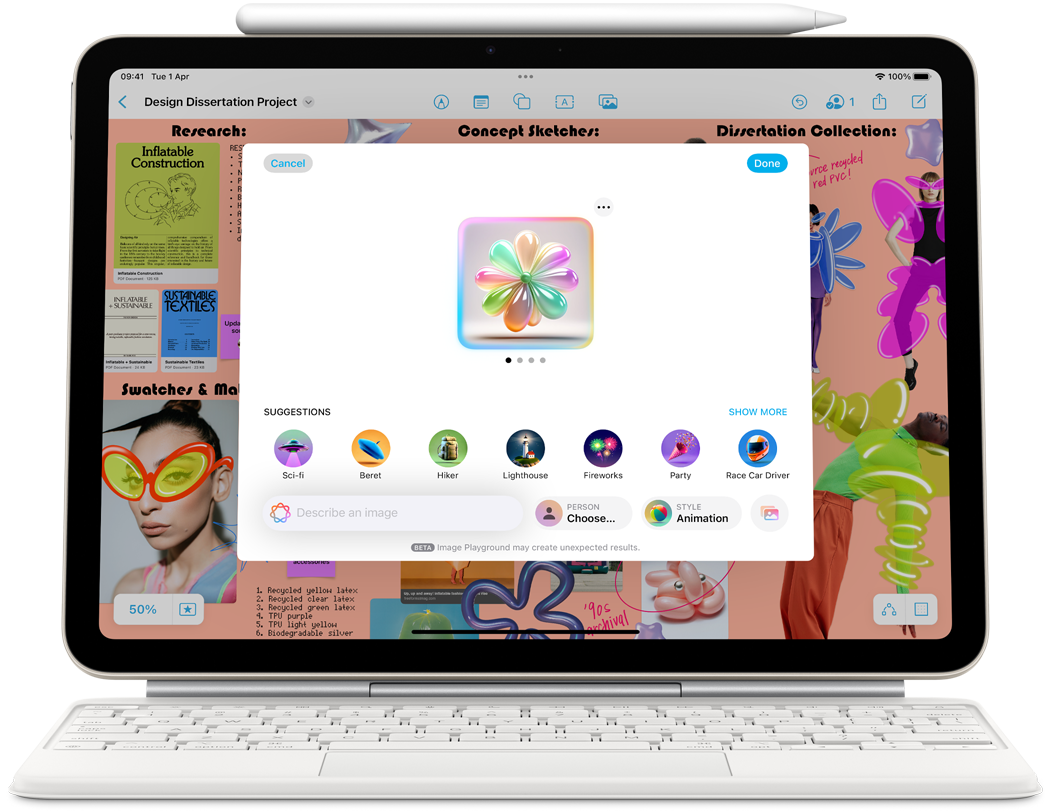
The new iPad Air. Featuring the powerful Apple M3 chip. Up for anything. Built for Apple Intelligence.[1]
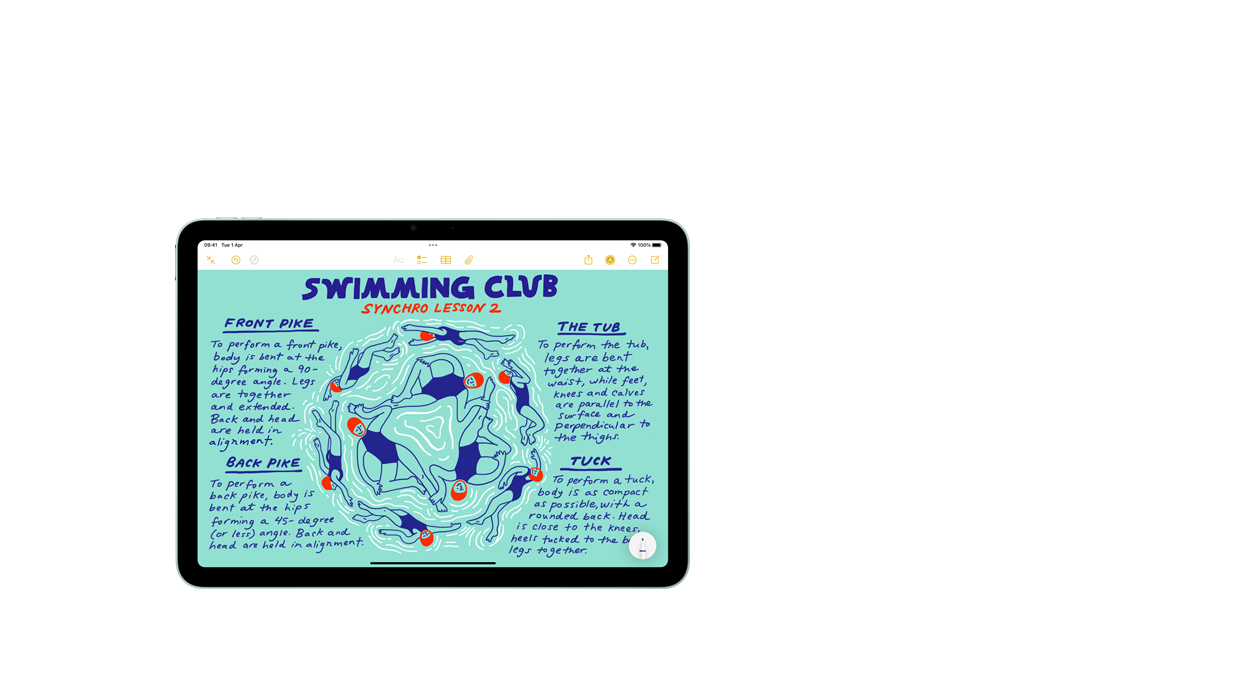
Available in 13‑inch model with beautiful colour. Both with a stunning Liquid Retina display.[2]

M3 powers Apple Intelligence, incredible performance, and advanced graphics with hardware-accelerated ray tracing.
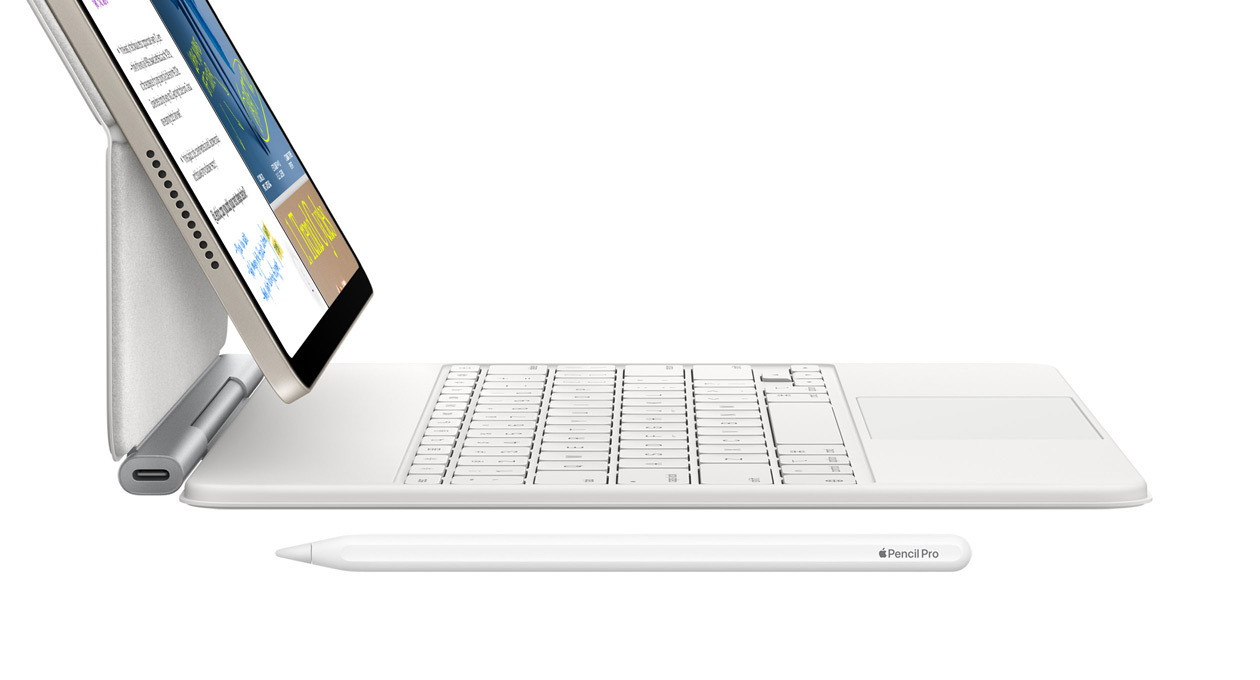
Apple Pencil Pro for next-level creativity. Magic Keyboard now with a 14-key function row and a larger trackpad.[3]
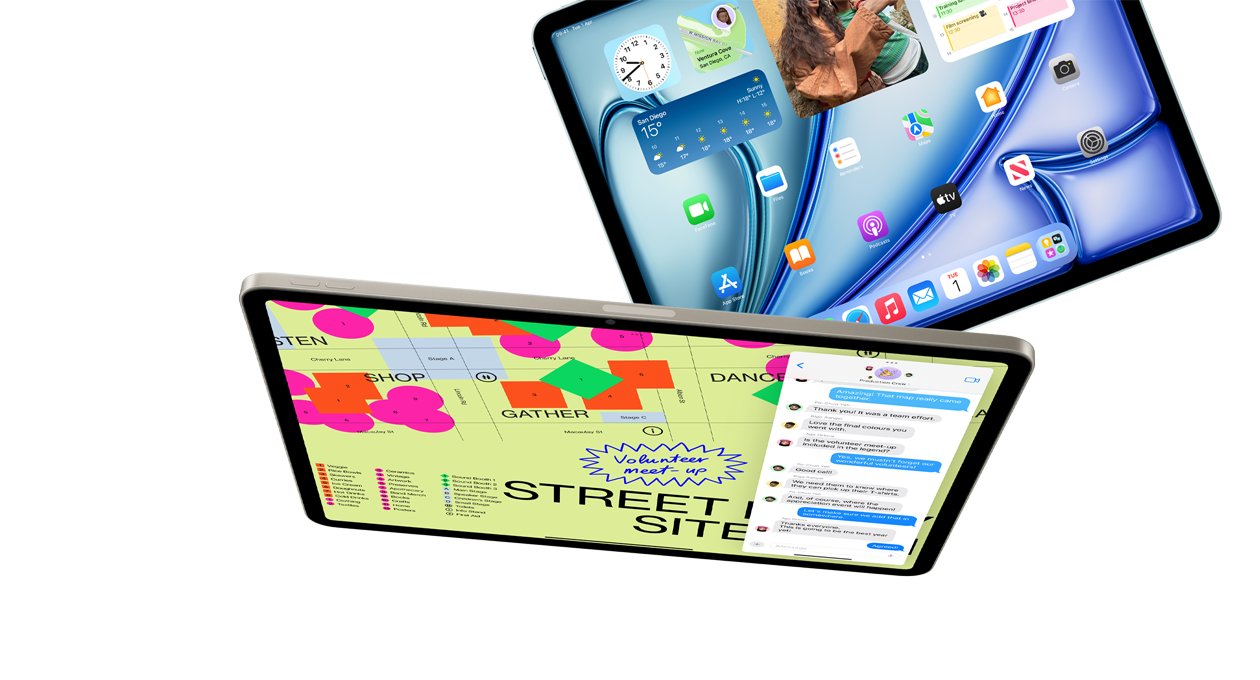
iPadOS and amazing apps let you get things done in magical, intuitive ways.
Check out the video:
Two Sizes. Infinite Possibilities
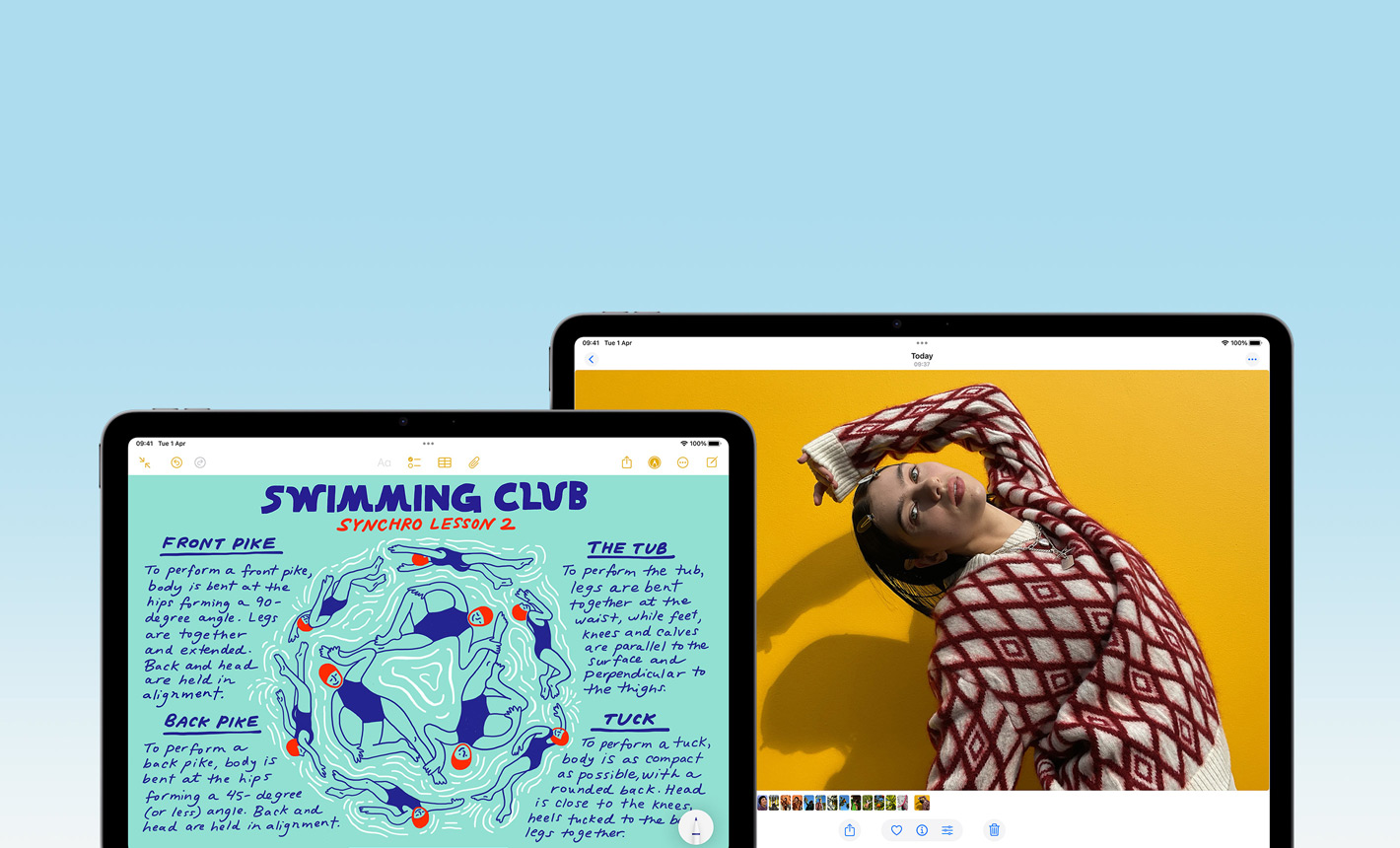
You can choose 13-inch iPad Air, each with a gorgeous, high-resolution Liquid Retina display that brings everything you love to do to life. Both displays deliver a brilliant, responsive and colour-accurate viewing experience.
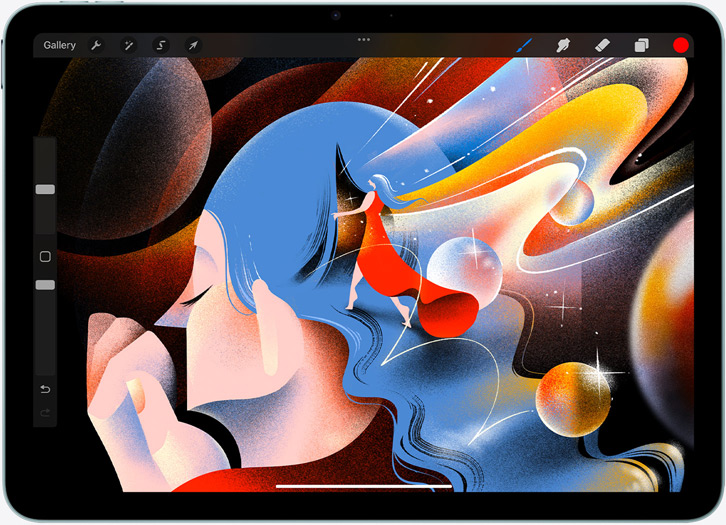
13” Model
- Display resolution: 2732 x 2048
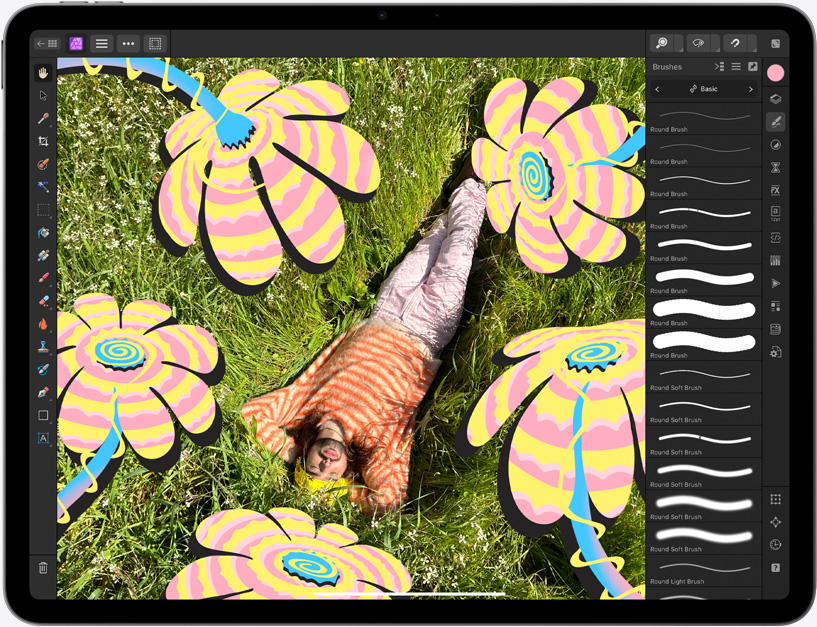
Stunningly Advanced Display
An anti-reflective screen coating and True Tone keep text sharp in all kinds of lighting conditions. With high brightness and P3 wide colour, images look stunning. Technically speaking, spectacular.
- 600 nits: Brightness on 13-inch model
- P3: Wide colour
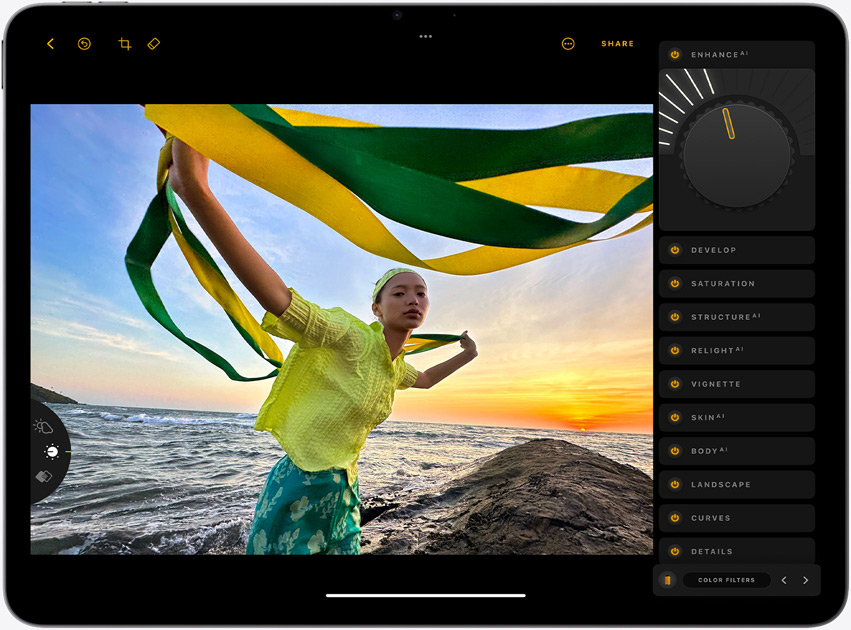
- True tone: For comfortable viewing
- Full lamination: For reduced reflectivity
- Anti-reflective coating: For the lowest reflectivity in the industry

M3. Light it Up
Check out the video:

The lightning‑fast M3 chip powers Apple Intelligence and brings breakout performance to iPad Air. With a powerful CPU, GPU and Neural Engine, it’s nearly 2x faster than iPad Air with M1 chip.[4] The GPU architecture brings advanced graphics whether you’re working, streaming, creating or gaming. All with amazing efficiency for all‑day battery life.[5]
Apple Intelligence. Personal, Private, Powerful
iPad Air is built for Apple Intelligence, the personal intelligence system that helps you write, express yourself and get things done effortlessly. With groundbreaking privacy protections, it gives you peace of mind that no one else can access your data — not even Apple.
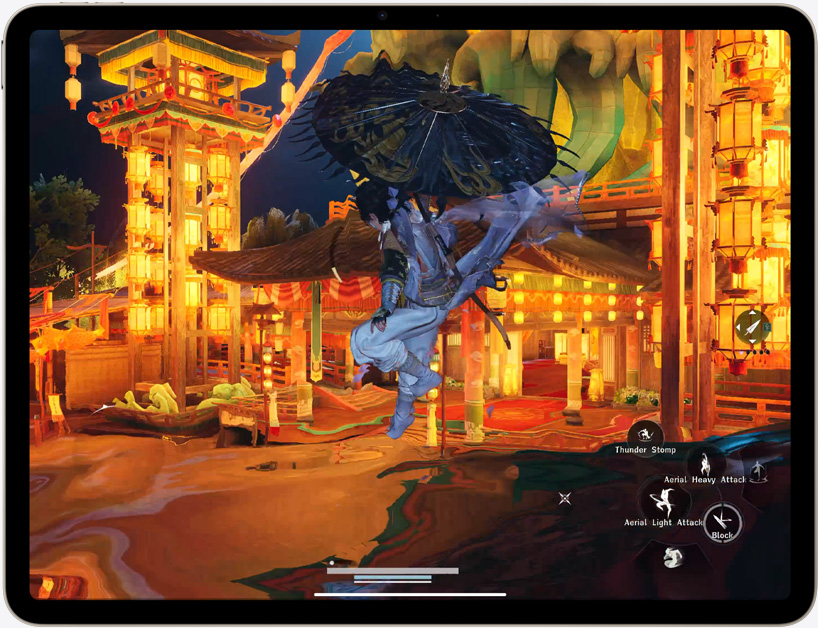
A Chip That’s Ahead of the Game
The Apple-designed M3 chip features an 8‑core CPU with 4 performance cores and 4 efficiency cores to power all types of workflows and creative tasks. Its 9‑core GPU delivers up to 40 per cent faster graphics performance than iPad Air with M1 chip and introduces Dynamic Caching, hardware‑accelerated ray tracing and hardware‑accelerated mesh shading for vibrant and realistic photos, videos and graphics.
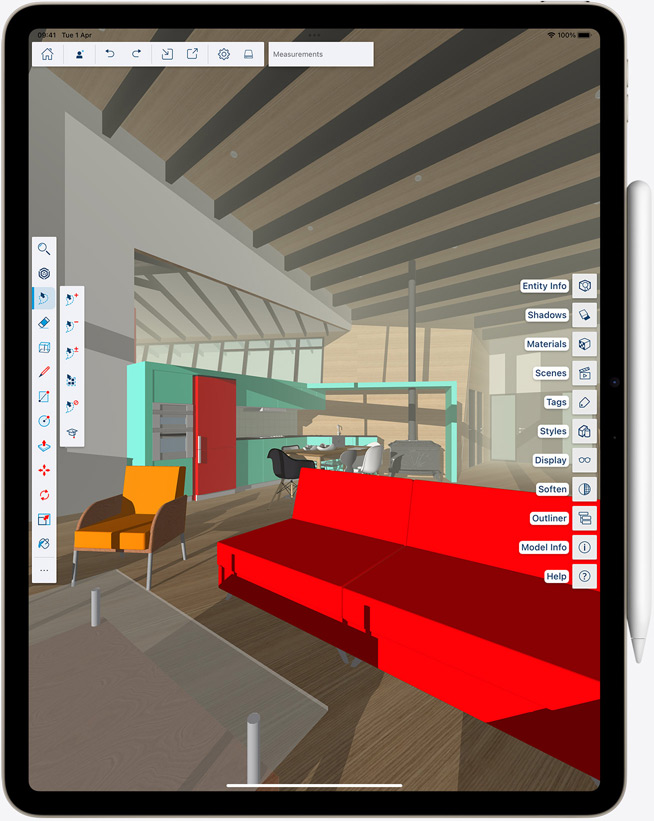
- 8-core: CPU
- 9-core: GPU
- 16-core: Neural Engine
- Hardware-accelerated: Ray tracing
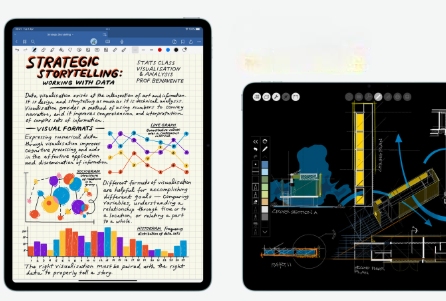
Advanced Neural Engine for Advanced AI Apps
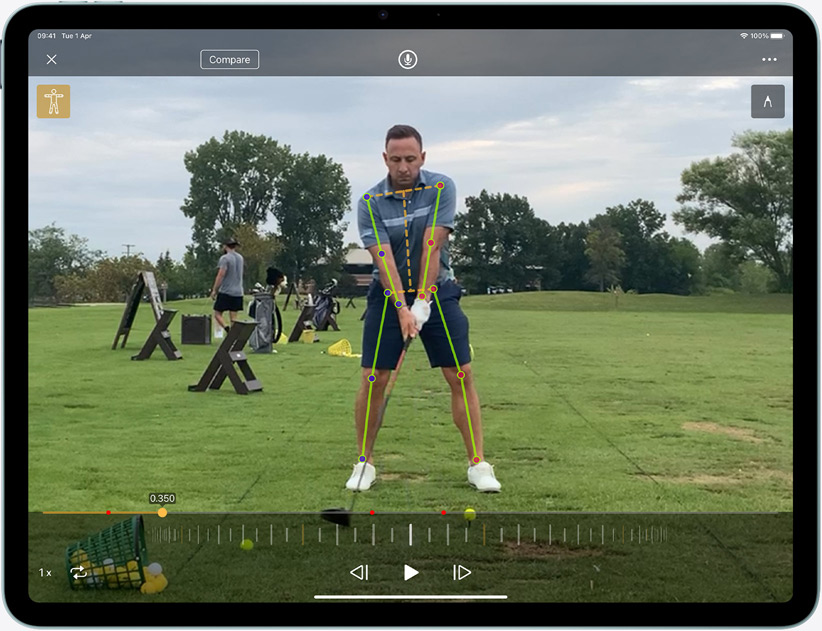
Up to 60% Faster: Neural Engine Performance Than M1
The 16‑core Neural Engine makes iPad Air a powerful device for AI, delivering up to 60 per cent faster performance than iPad Air with M1 chip. M3 powers Apple Intelligence features like Writing Tools and Image Wand in the Notes app. And it enables AI‑driven note‑taking in Goodnotes 6, next‑level video editing in Final Cut Pro for iPad and pro‑quality shot tracking in Onform: Video Analysis App.
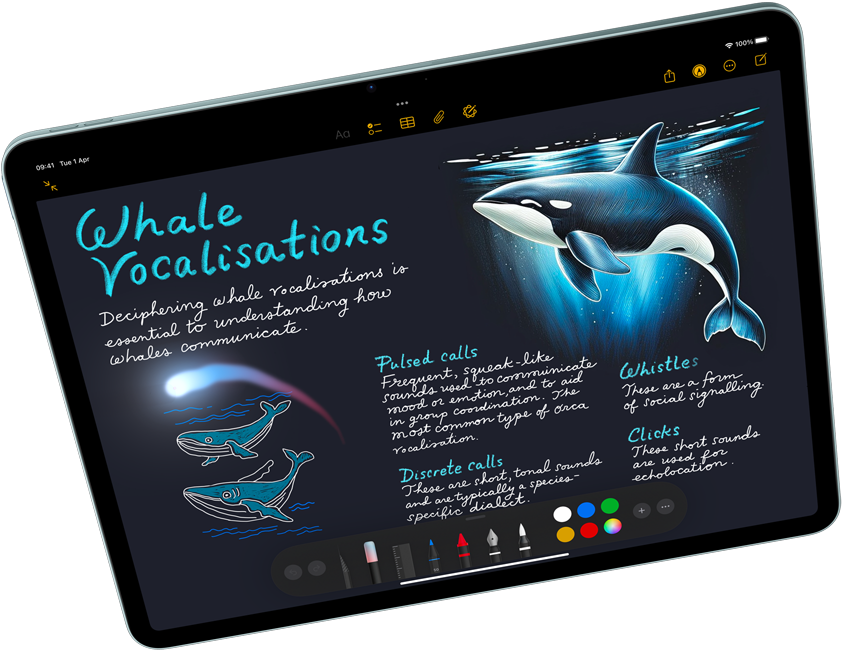
Apple Intelligence enables delightful ways to express yourself visually. Turn a rough sketch into a related image with Image Wand. And create new images based on descriptions, suggested concepts and even a person from your Photos library with Image Playground.
Writing Tools help you find just the right words and transform the way you communicate. Proofread your text, rewrite different versions to get the right tone and summarise selected text with a tap.
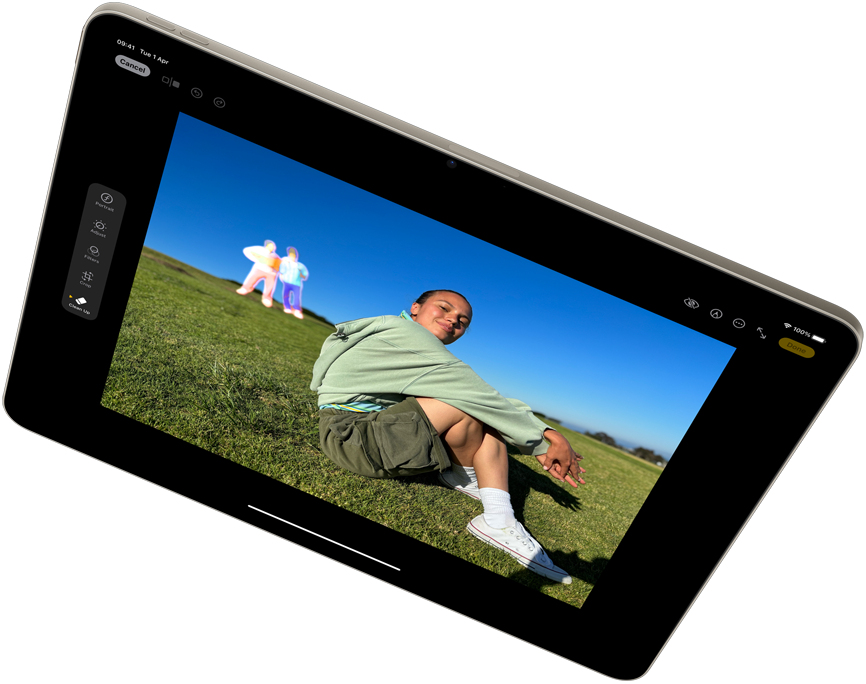
With the Clean Up tool in the Photos app, you can easily remove unwanted distractions in your photos. Apple Intelligence identifies background objects so you can delete them with a tap for the perfect shot — while staying true to the original image.
Check out the video:
Apple Intelligence protects your privacy at every step. It’s integrated into the core of iPad through on-device processing, so it’s aware of your personal information without collecting your personal information. And with groundbreaking Private Cloud Compute, Apple Intelligence can draw on larger, Apple-designed server‑based models, running on Apple silicon, to handle more complex requests while protecting your privacy.
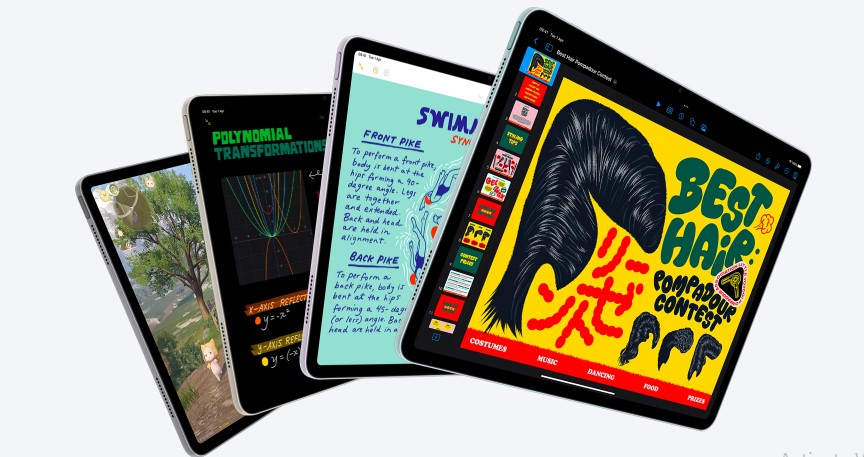
iPadOS and Apps. Get Up to something Wonderful
iPadOS is designed to let you do all the things you love easily and powerfully from first touch to finishing touches. Use multiple apps at the same time, write in any text field, and navigate quickly and efficiently using just your finger, Apple Pencil or the Magic Keyboard trackpad.
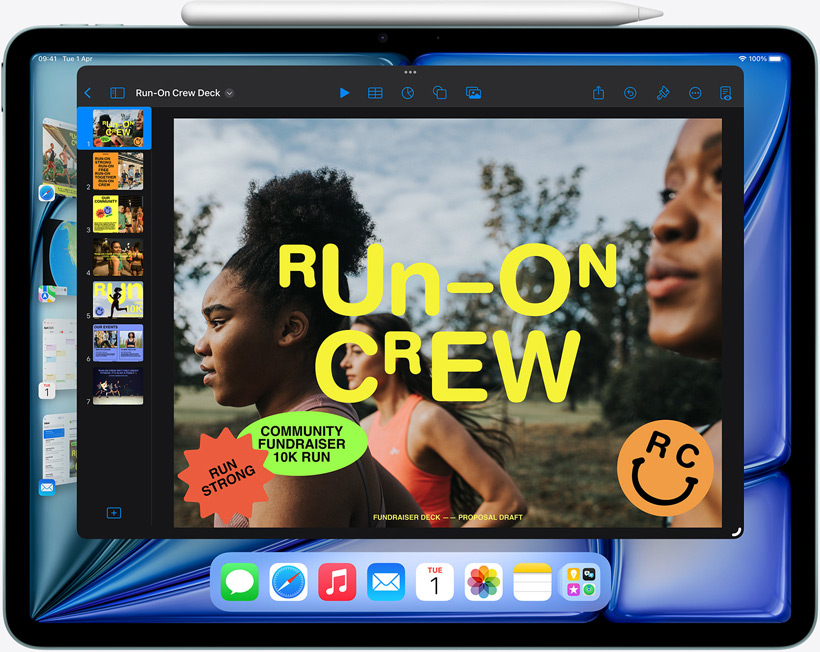
Do it All: All at Once
Stage Manager lets you multitask effortlessly by allowing you to overlap and resize windows to look the way you want, so you can easily navigate between them. You can also group apps for specific tasks or projects and arrange them in your ideal layout.
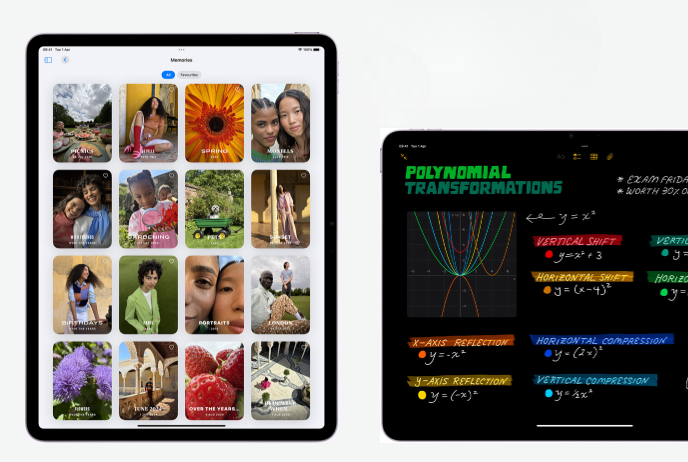
Built‑in Apps for All the Essentials
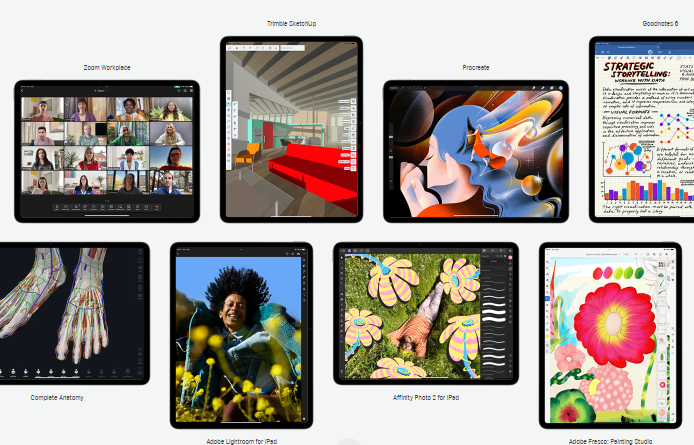
Amazing Apps for Any Ask
Apps can transform iPad Air into almost anything you need it to be. And with over a million apps on the App Store designed just for iPad, you’ll find the right app for whatever you want to do.

Apple Pencil Pro. Engineered for Limitless Creativity
Apple Pencil sets the standard for how drawing, painting, handwriting and note-taking should feel — intuitive, precise and magical. All with pixel‑perfect precision, low latency, tilt sensitivity and support for palm rejection. And Apple Pencil Pro adds even more capabilities to bring your ideas to life like never before.[3]
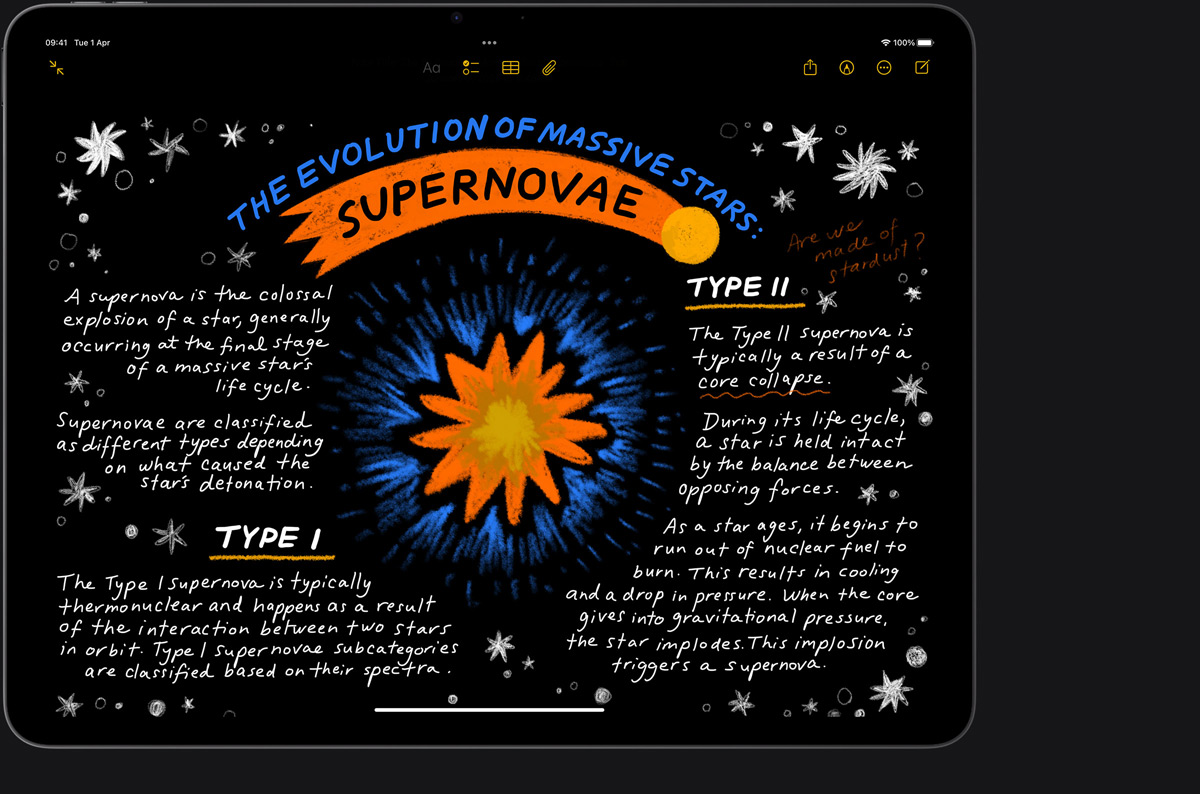
Intuitive and Precise Creative Control
Squeeze. Apple Pencil Pro can sense when you squeeze it and brings up a palette, so you can quickly switch tools, line weights and colours.
Check out the video:
Barrel Roll
A gyroscope allows you to rotate Apple Pencil Pro for precise control of shaped pen and brush tools.
Check out the video:
Haptic Feedback
A custom haptic engine delivers precise feedback you can feel. When you squeeze or double‑tap, you’ll feel a light pulse confirming the action.
Check out the video:
Apple Pencil Hover
Preview exactly where your Apple Pencil will touch down on your display, and see a virtual shadow of your tool. So you can write, sketch and illustrate with even greater precision.
Check out the video:
Double Tap
Quickly switch between tools, like a pen and eraser, with a double tap on Apple Pencil Pro.
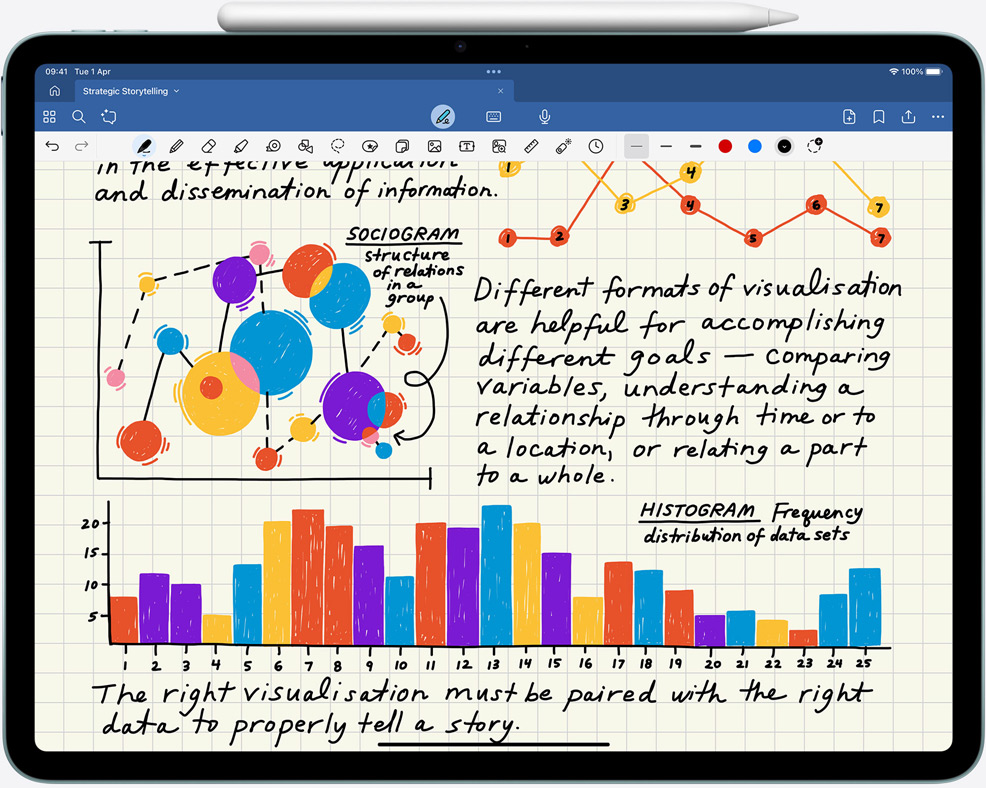
Ready When Inspiration Strikes
Apple Pencil Pro pairs, charges and stores magnetically on the side of iPad Air. And if you lose or misplace it, you can easily locate your Apple Pencil Pro in the Find My app.
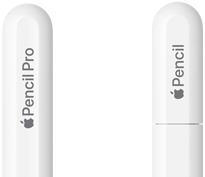
iPad Air works with Apple Pencil Pro and Apple Pencil (USB-C). Two great options for all kinds of creativity.
Check out the video:
Magic Keyboard. The Keys to Your Best Work
Magic Keyboard is the perfect companion for iPad Air. It delivers an amazing typing experience and a trackpad for precision tasks in a sleek, portable design. The keyboard includes a 14‑key function row, a USB-C connector for pass‑through charging, and front and back protection for your iPad Air. The floating cantilever design smoothly adjusts to multiple viewing angles, and a large glass trackpad expands how you can work with iPadOS.[3]
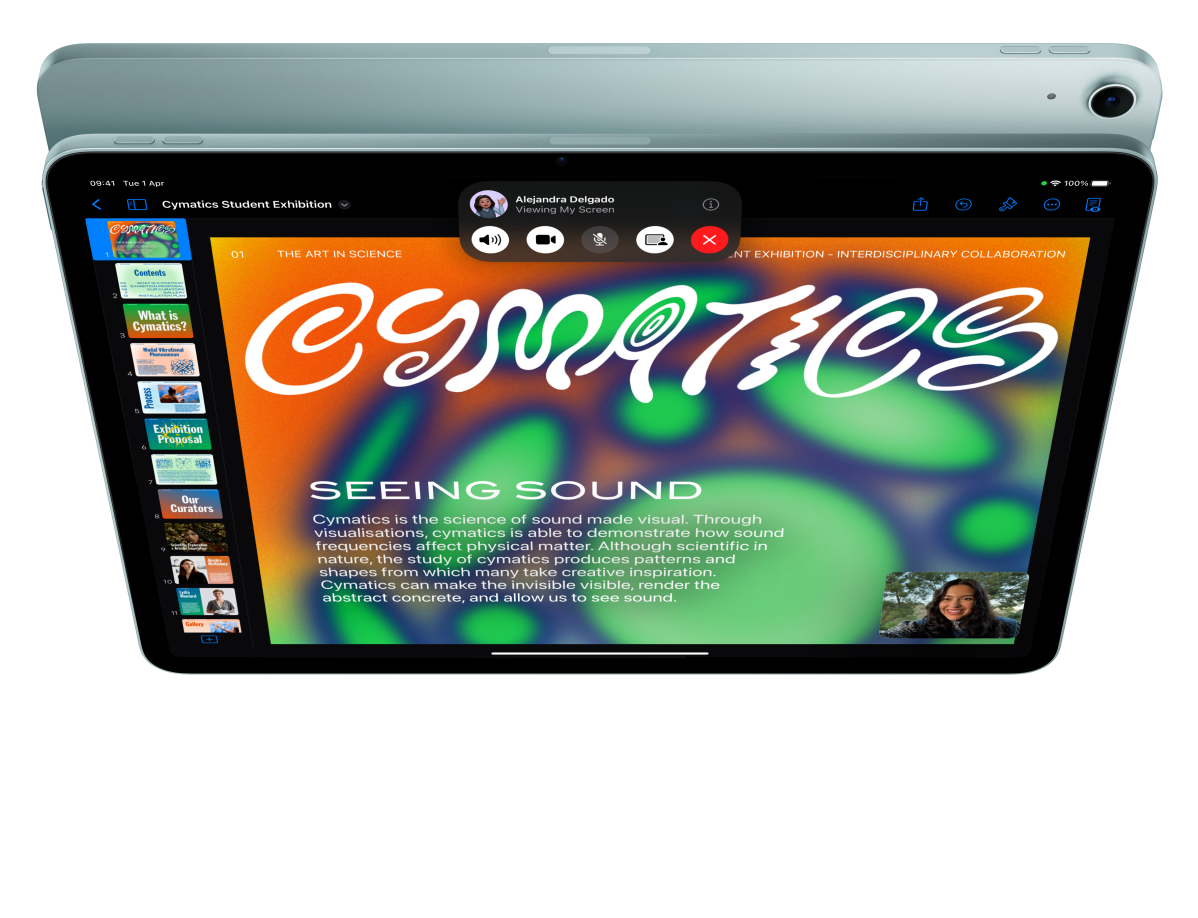
Cameras. Capture Your Imagination. And Everything Else
Advanced front and back cameras make it easy to shoot and edit incredible content in a snap. Copy text in photos or videos and translate languages using Live Text. And Centre Stage makes all your video calls more dynamic.
- 12MP Center Stage camera for even better video calls
- 12MP Wide back camera with Smart HDR images and 4K video

12mp Center Stage Camera: Stay Front and Centre
Located on the long side of iPad Air, the 12MP Center Stage camera creates a perfect video calling experience — especially when iPad Air is attached to Magic Keyboard. And with Centre Stage, machine learning enables the camera to automatically adjust to keep you centred in the shot.
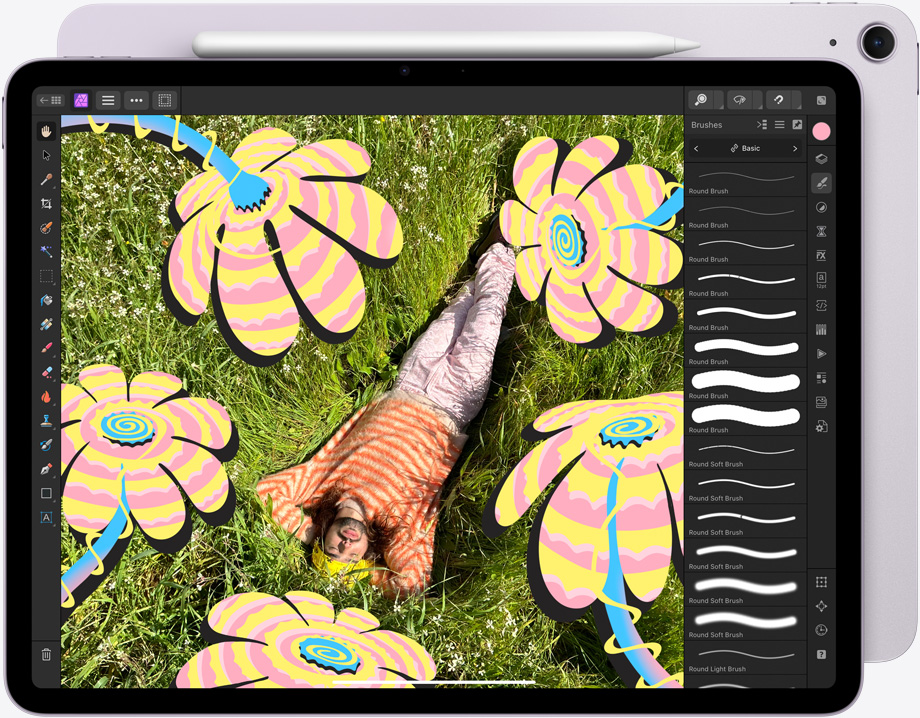
Advanced Back Camera: Shoot for the Stars
The 12MP Wide back camera captures vivid photos and amazing 4K videos. And the large, high-resolution Liquid Retina display lets you retouch images and edit your film, then easily share them — all on iPad Air. You can also use the back camera to scan documents and then fill them in with Apple Pencil. Machine learning enables features like Visual Look Up so you can identify objects in your photos and videos and learn more about them.
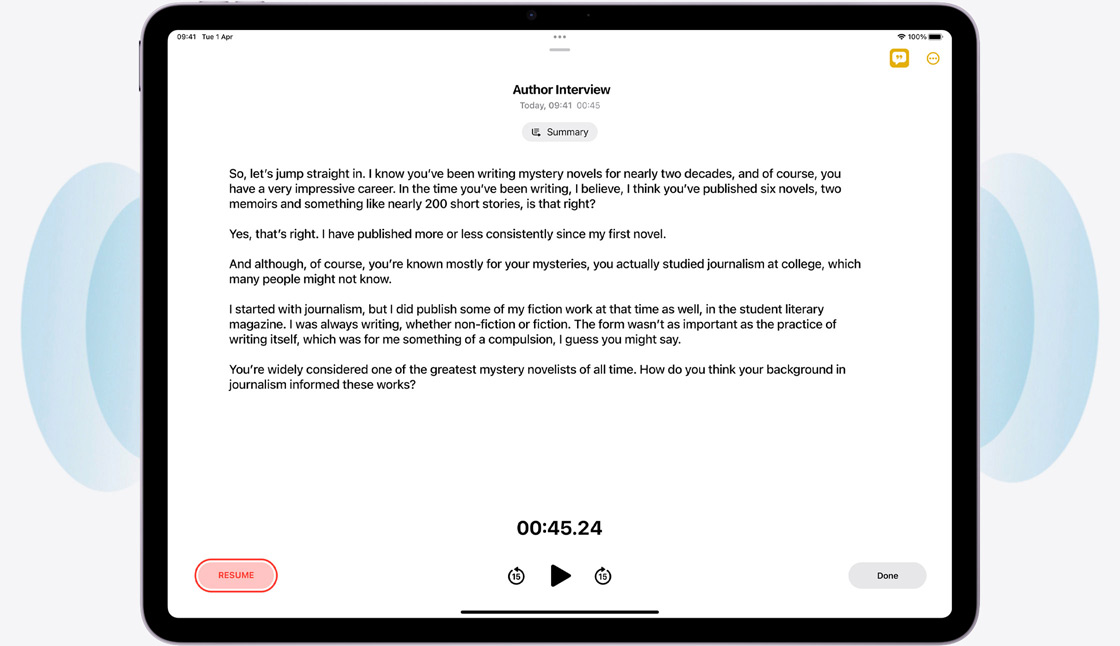
Built-in Mics and Speakers: Sounds Perfect
Record and play back rich audio with dual mics and landscape stereo speakers. Use the Notes app to record audio sessions like lectures or work meetings and generate live audio transcriptions that you can search through, add comments to, or copy and paste to other documents.
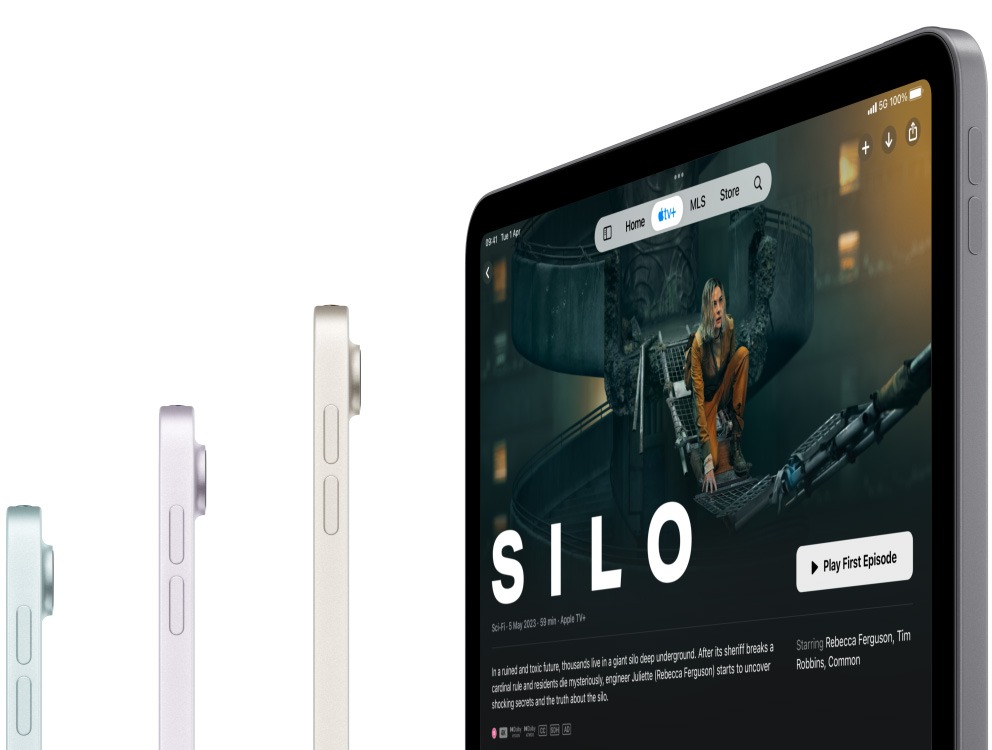
Connectivity. Wait-less Wireless
Stay connected with blazing-fast Wi‑Fi. And with 5G mobile data capabilities on Wi‑Fi + Cellular models, you have the option to add a flexible data plan whenever you need it to browse the web, play games, stream movies and more.[6]
Notes:
1. Apple Intelligence is available in beta. Some features may not be available in all regions or languages. For feature and language availability and system requirements.
2. The displays have rounded corners. When measured diagonally as a rectangle, the 13‑inch iPad Pro is 13 inches, the 11‑inch iPad Pro is 11.1 inches, the 13‑inch iPad Air is 12.9 inches, the 11‑inch iPad Air and iPad are 10.86 inches, and the iPad mini is 8.3 inches. Actual viewable area is less.
3. Accessories sold separately.
4. Testing conducted by Apple in January and February 2025 using pre-production iPad Air 11‑inch (M3) and iPad Air 13‑inch (M3) units as well as production iPad Air (5th generation) units. Tested with Procreate Dreams v1.0.14 by exporting a 29‑second project. Performance tests are conducted using specific iPad units and reflect the approximate performance of iPad Air.
5.Testing conducted by Apple in January and February 2025 using pre-production iPad Air 11‑inch (M3) and iPad Air 13‑inch (M3) units. Testing consisted of full battery discharge while performing each of the following tasks: video playback and internet browsing using Wi‑Fi or a mobile data network (cellular models subscribed to LTE and 5G networks). Video content was a repeated 2‑hour 23‑minute movie purchased from the iTunes Store. Internet over Wi‑Fi and mobile data network tests were conducted using dedicated web servers, browsing snapshot versions of 20 popular web pages. All settings were default except: Wi‑Fi was associated with a network (except for internet browsing over mobile data network); the Wi‑Fi feature Ask to Join Networks and Auto-Brightness were turned off; Brightness was set to 50%; and WPA2 encryption was enabled. Battery life depends on device settings, usage, network and many other factors. Battery tests are conducted using specific iPad units; actual results may vary.
6.Wi‑Fi 6E available in countries and regions where supported. Data plan required. 5G, Gigabit, LTE and Wi‑Fi calling are available in selected markets and through selected network providers. Speeds are based on theoretical throughput and vary based on site conditions and network. For details on 5G and LTE support, contact your provider.
7. Not all network providers support eSIM. See your provider for more details. For Model A3270 and A3271.
What's in the Box:
- USB‑C charge cable (1 metre)
Product Features:
- Landscape stereo speakers
- Smart HDR 4
- Wide colour capture for photos and live photos
- Photo geotagging
- Auto image stabilisation
- Burst mode
- Image formats captured: HEIF and JPEG
- Five-element lens
- Digital zoom up to 5x
- Dual microphones for calls, video recording and audio recording
- Unlock iPad
Specs
General
- Brand Apple
- Product Category iPad
- Product Type iPad
- Colour Blue
- Product Specific Colour Blue
Connectivity
- USB-C Ports 1
- Wi-Fi Wi-Fi 6E
- Wireless Connectivity 4G, 5G, Bluetooth 5.3
- Wireless Ready Yes
Apple Features
- iPad Generation iPad Air M3 (2025)
- iPad Connectivity Wi-Fi
Processor
- Apple Chip M3, 8-core CPU, 9-core GPU, 16-core Neural Engine
Display
- Display Feature Liquid Retina Display
- Screen Type IPS LED
- Screen Size (Display) 13"
- Pixel Density 264 ppi
- Screen Resolution 2732 x 2048 px
- Touch Screen Yes
- Refresh Rate 60 Hz
Memory
- RAM 8 GB
Storage
- Total Storage Capacity 512 GB
Platform
- Compatibility Apple Pencil Pro, Apple Pencil (USB‑C), Magic Keyboard
- Operating System iPadOS
- Operating System Version iPadOS 18
Battery & Power
- Power Source Battery
- Battery Life Up to 10 Hours
- Battery Type Lithium Polymer
Camera
- Rear Facing Camera 12 MP
- Front Facing Camera 12 MP
- Rear Facing Camera Features Wide, Digital Zoom up to 5x
Dimensions
- Width 280.6 mm
- Depth 6.1 mm
- Height 214.9 mm
- Weight 0.616 kg
Delivery
We offer a comprehensive nationwide (excluding Republic of Ireland) delivery service; we aim to deliver all orders as quickly as possible.
| Item Type | Delivered In | Delivered By |
|---|---|---|
| Small Items | 2 Working days | DPD |
| Large Electrical Appliance | 3-5 Working days | Independent transport company |
| Furniture & Bedding | 3-5 Working days | Independent transport company |
Please note: if you have ordered furniture and bedding products that involve a lead time, are customised or made to measure, we will contact you to discuss delivery.
Free Click & Collect In Store
Can't wait for delivery or don't want to pay additional delivery charges? It's incredibly simple to collect your online order in store and get your hands on your product quickly and easily. Simply select the Click & Collect option and head to your nearest Harvey Norman store to collect your order.
- During checkout, select “Click & Collect” and select your preferred store.
- After your order is placed, you will receive an order acknowledgement email with your order number.
- Once the store has confirmed your order and reserved the stock, you will receive an email to inform you that your order is "Ready for collection". If you want to use "Contactless Click & Collect" select this option on this email. Please Note: Some large items are held in an off-site warehouse. We will notify you of the collection location in your Ready for Pickup email.
- Bring your order number to the store you selected for Click & Collect, along with photo ID and the credit card you used to make the order.
- Speak to one of our staff and your order should be processed in minutes.
- If availing of Contactless Click & Collect, please click the link in your email "ready to pick up" to let the store know you are on your way. When you have parked in the designated parking bay, open your email, and choose the "I'm here" option and a member of staff will bring your purchase out to your car.
Easy returns
Store Purchases: For all items purchased from a physical store, please return to your local Harvey Norman Store. Please see Terms & Conditions here.
Online Purchases: For all items purchased via our Online Store (website), please fill out our Contact Form where our team can guide you through the process.
Description
Description
The new iPad Air. Featuring the powerful Apple M3 chip. Up for anything. Built for Apple Intelligence.[1]
Available in 13‑inch model with beautiful colour. Both with a stunning Liquid Retina display.[2]
M3 powers Apple Intelligence, incredible performance, and advanced graphics with hardware-accelerated ray tracing.
Apple Pencil Pro for next-level creativity. Magic Keyboard now with a 14-key function row and a larger trackpad.[3]
iPadOS and amazing apps let you get things done in magical, intuitive ways.
Check out the video:
Two Sizes. Infinite Possibilities
You can choose 13-inch iPad Air, each with a gorgeous, high-resolution Liquid Retina display that brings everything you love to do to life. Both displays deliver a brilliant, responsive and colour-accurate viewing experience.
13” Model
- Display resolution: 2732 x 2048
Stunningly Advanced Display
An anti-reflective screen coating and True Tone keep text sharp in all kinds of lighting conditions. With high brightness and P3 wide colour, images look stunning. Technically speaking, spectacular.
- 600 nits: Brightness on 13-inch model
- P3: Wide colour
- True tone: For comfortable viewing
- Full lamination: For reduced reflectivity
- Anti-reflective coating: For the lowest reflectivity in the industry
M3. Light it Up
Check out the video:
The lightning‑fast M3 chip powers Apple Intelligence and brings breakout performance to iPad Air. With a powerful CPU, GPU and Neural Engine, it’s nearly 2x faster than iPad Air with M1 chip.[4] The GPU architecture brings advanced graphics whether you’re working, streaming, creating or gaming. All with amazing efficiency for all‑day battery life.[5]
Apple Intelligence. Personal, Private, Powerful
iPad Air is built for Apple Intelligence, the personal intelligence system that helps you write, express yourself and get things done effortlessly. With groundbreaking privacy protections, it gives you peace of mind that no one else can access your data — not even Apple.
A Chip That’s Ahead of the Game
The Apple-designed M3 chip features an 8‑core CPU with 4 performance cores and 4 efficiency cores to power all types of workflows and creative tasks. Its 9‑core GPU delivers up to 40 per cent faster graphics performance than iPad Air with M1 chip and introduces Dynamic Caching, hardware‑accelerated ray tracing and hardware‑accelerated mesh shading for vibrant and realistic photos, videos and graphics.
- 8-core: CPU
- 9-core: GPU
- 16-core: Neural Engine
- Hardware-accelerated: Ray tracing
Advanced Neural Engine for Advanced AI Apps
Up to 60% Faster: Neural Engine Performance Than M1
The 16‑core Neural Engine makes iPad Air a powerful device for AI, delivering up to 60 per cent faster performance than iPad Air with M1 chip. M3 powers Apple Intelligence features like Writing Tools and Image Wand in the Notes app. And it enables AI‑driven note‑taking in Goodnotes 6, next‑level video editing in Final Cut Pro for iPad and pro‑quality shot tracking in Onform: Video Analysis App.
Apple Intelligence enables delightful ways to express yourself visually. Turn a rough sketch into a related image with Image Wand. And create new images based on descriptions, suggested concepts and even a person from your Photos library with Image Playground.
Writing Tools help you find just the right words and transform the way you communicate. Proofread your text, rewrite different versions to get the right tone and summarise selected text with a tap.
With the Clean Up tool in the Photos app, you can easily remove unwanted distractions in your photos. Apple Intelligence identifies background objects so you can delete them with a tap for the perfect shot — while staying true to the original image.
Check out the video:
Apple Intelligence protects your privacy at every step. It’s integrated into the core of iPad through on-device processing, so it’s aware of your personal information without collecting your personal information. And with groundbreaking Private Cloud Compute, Apple Intelligence can draw on larger, Apple-designed server‑based models, running on Apple silicon, to handle more complex requests while protecting your privacy.
iPadOS and Apps. Get Up to something Wonderful
iPadOS is designed to let you do all the things you love easily and powerfully from first touch to finishing touches. Use multiple apps at the same time, write in any text field, and navigate quickly and efficiently using just your finger, Apple Pencil or the Magic Keyboard trackpad.
Do it All: All at Once
Stage Manager lets you multitask effortlessly by allowing you to overlap and resize windows to look the way you want, so you can easily navigate between them. You can also group apps for specific tasks or projects and arrange them in your ideal layout.
Built‑in Apps for All the Essentials
Amazing Apps for Any Ask
Apps can transform iPad Air into almost anything you need it to be. And with over a million apps on the App Store designed just for iPad, you’ll find the right app for whatever you want to do.
Apple Pencil Pro. Engineered for Limitless Creativity
Apple Pencil sets the standard for how drawing, painting, handwriting and note-taking should feel — intuitive, precise and magical. All with pixel‑perfect precision, low latency, tilt sensitivity and support for palm rejection. And Apple Pencil Pro adds even more capabilities to bring your ideas to life like never before.[3]
Intuitive and Precise Creative Control
Squeeze. Apple Pencil Pro can sense when you squeeze it and brings up a palette, so you can quickly switch tools, line weights and colours.
Check out the video:
Barrel Roll
A gyroscope allows you to rotate Apple Pencil Pro for precise control of shaped pen and brush tools.
Check out the video:
Haptic Feedback
A custom haptic engine delivers precise feedback you can feel. When you squeeze or double‑tap, you’ll feel a light pulse confirming the action.
Check out the video:
Apple Pencil Hover
Preview exactly where your Apple Pencil will touch down on your display, and see a virtual shadow of your tool. So you can write, sketch and illustrate with even greater precision.
Check out the video:
Double Tap
Quickly switch between tools, like a pen and eraser, with a double tap on Apple Pencil Pro.
Ready When Inspiration Strikes
Apple Pencil Pro pairs, charges and stores magnetically on the side of iPad Air. And if you lose or misplace it, you can easily locate your Apple Pencil Pro in the Find My app.
iPad Air works with Apple Pencil Pro and Apple Pencil (USB-C). Two great options for all kinds of creativity.
Check out the video:
Magic Keyboard. The Keys to Your Best Work
Magic Keyboard is the perfect companion for iPad Air. It delivers an amazing typing experience and a trackpad for precision tasks in a sleek, portable design. The keyboard includes a 14‑key function row, a USB-C connector for pass‑through charging, and front and back protection for your iPad Air. The floating cantilever design smoothly adjusts to multiple viewing angles, and a large glass trackpad expands how you can work with iPadOS.[3]
Cameras. Capture Your Imagination. And Everything Else
Advanced front and back cameras make it easy to shoot and edit incredible content in a snap. Copy text in photos or videos and translate languages using Live Text. And Centre Stage makes all your video calls more dynamic.
- 12MP Center Stage camera for even better video calls
- 12MP Wide back camera with Smart HDR images and 4K video
12mp Center Stage Camera: Stay Front and Centre
Located on the long side of iPad Air, the 12MP Center Stage camera creates a perfect video calling experience — especially when iPad Air is attached to Magic Keyboard. And with Centre Stage, machine learning enables the camera to automatically adjust to keep you centred in the shot.
Advanced Back Camera: Shoot for the Stars
The 12MP Wide back camera captures vivid photos and amazing 4K videos. And the large, high-resolution Liquid Retina display lets you retouch images and edit your film, then easily share them — all on iPad Air. You can also use the back camera to scan documents and then fill them in with Apple Pencil. Machine learning enables features like Visual Look Up so you can identify objects in your photos and videos and learn more about them.
Built-in Mics and Speakers: Sounds Perfect
Record and play back rich audio with dual mics and landscape stereo speakers. Use the Notes app to record audio sessions like lectures or work meetings and generate live audio transcriptions that you can search through, add comments to, or copy and paste to other documents.
Connectivity. Wait-less Wireless
Stay connected with blazing-fast Wi‑Fi. And with 5G mobile data capabilities on Wi‑Fi + Cellular models, you have the option to add a flexible data plan whenever you need it to browse the web, play games, stream movies and more.[6]
Notes:
1. Apple Intelligence is available in beta. Some features may not be available in all regions or languages. For feature and language availability and system requirements.
2. The displays have rounded corners. When measured diagonally as a rectangle, the 13‑inch iPad Pro is 13 inches, the 11‑inch iPad Pro is 11.1 inches, the 13‑inch iPad Air is 12.9 inches, the 11‑inch iPad Air and iPad are 10.86 inches, and the iPad mini is 8.3 inches. Actual viewable area is less.
3. Accessories sold separately.
4. Testing conducted by Apple in January and February 2025 using pre-production iPad Air 11‑inch (M3) and iPad Air 13‑inch (M3) units as well as production iPad Air (5th generation) units. Tested with Procreate Dreams v1.0.14 by exporting a 29‑second project. Performance tests are conducted using specific iPad units and reflect the approximate performance of iPad Air.
5.Testing conducted by Apple in January and February 2025 using pre-production iPad Air 11‑inch (M3) and iPad Air 13‑inch (M3) units. Testing consisted of full battery discharge while performing each of the following tasks: video playback and internet browsing using Wi‑Fi or a mobile data network (cellular models subscribed to LTE and 5G networks). Video content was a repeated 2‑hour 23‑minute movie purchased from the iTunes Store. Internet over Wi‑Fi and mobile data network tests were conducted using dedicated web servers, browsing snapshot versions of 20 popular web pages. All settings were default except: Wi‑Fi was associated with a network (except for internet browsing over mobile data network); the Wi‑Fi feature Ask to Join Networks and Auto-Brightness were turned off; Brightness was set to 50%; and WPA2 encryption was enabled. Battery life depends on device settings, usage, network and many other factors. Battery tests are conducted using specific iPad units; actual results may vary.
6.Wi‑Fi 6E available in countries and regions where supported. Data plan required. 5G, Gigabit, LTE and Wi‑Fi calling are available in selected markets and through selected network providers. Speeds are based on theoretical throughput and vary based on site conditions and network. For details on 5G and LTE support, contact your provider.
7. Not all network providers support eSIM. See your provider for more details. For Model A3270 and A3271.
What's in the Box:
- USB‑C charge cable (1 metre)
Product Features:
- Landscape stereo speakers
- Smart HDR 4
- Wide colour capture for photos and live photos
- Photo geotagging
- Auto image stabilisation
- Burst mode
- Image formats captured: HEIF and JPEG
- Five-element lens
- Digital zoom up to 5x
- Dual microphones for calls, video recording and audio recording
- Unlock iPad
Specifications
Specs
General
- Brand Apple
- Product Category iPad
- Product Type iPad
- Colour Blue
- Product Specific Colour Blue
Connectivity
- USB-C Ports 1
- Wi-Fi Wi-Fi 6E
- Wireless Connectivity 4G, 5G, Bluetooth 5.3
- Wireless Ready Yes
Apple Features
- iPad Generation iPad Air M3 (2025)
- iPad Connectivity Wi-Fi
Processor
- Apple Chip M3, 8-core CPU, 9-core GPU, 16-core Neural Engine
Display
- Display Feature Liquid Retina Display
- Screen Type IPS LED
- Screen Size (Display) 13"
- Pixel Density 264 ppi
- Screen Resolution 2732 x 2048 px
- Touch Screen Yes
- Refresh Rate 60 Hz
Memory
- RAM 8 GB
Storage
- Total Storage Capacity 512 GB
Platform
- Compatibility Apple Pencil Pro, Apple Pencil (USB‑C), Magic Keyboard
- Operating System iPadOS
- Operating System Version iPadOS 18
Battery & Power
- Power Source Battery
- Battery Life Up to 10 Hours
- Battery Type Lithium Polymer
Camera
- Rear Facing Camera 12 MP
- Front Facing Camera 12 MP
- Rear Facing Camera Features Wide, Digital Zoom up to 5x
Dimensions
- Width 280.6 mm
- Depth 6.1 mm
- Height 214.9 mm
- Weight 0.616 kg
Delivery & Returns
Delivery
We offer a comprehensive nationwide (excluding Republic of Ireland) delivery service; we aim to deliver all orders as quickly as possible.
| Item Type | Delivered In | Delivered By |
|---|---|---|
| Small Items | 2 Working days | DPD |
| Large Electrical Appliance | 3-5 Working days | Independent transport company |
| Furniture & Bedding | 3-5 Working days | Independent transport company |
Please note: if you have ordered furniture and bedding products that involve a lead time, are customised or made to measure, we will contact you to discuss delivery.
Free Click & Collect In Store
Can't wait for delivery or don't want to pay additional delivery charges? It's incredibly simple to collect your online order in store and get your hands on your product quickly and easily. Simply select the Click & Collect option and head to your nearest Harvey Norman store to collect your order.
- During checkout, select “Click & Collect” and select your preferred store.
- After your order is placed, you will receive an order acknowledgement email with your order number.
- Once the store has confirmed your order and reserved the stock, you will receive an email to inform you that your order is "Ready for collection". If you want to use "Contactless Click & Collect" select this option on this email. Please Note: Some large items are held in an off-site warehouse. We will notify you of the collection location in your Ready for Pickup email.
- Bring your order number to the store you selected for Click & Collect, along with photo ID and the credit card you used to make the order.
- Speak to one of our staff and your order should be processed in minutes.
- If availing of Contactless Click & Collect, please click the link in your email "ready to pick up" to let the store know you are on your way. When you have parked in the designated parking bay, open your email, and choose the "I'm here" option and a member of staff will bring your purchase out to your car.
Easy returns
Store Purchases: For all items purchased from a physical store, please return to your local Harvey Norman Store. Please see Terms & Conditions here.
Online Purchases: For all items purchased via our Online Store (website), please fill out our Contact Form where our team can guide you through the process.
Reviews
You may also like
Recently viewed
Compare


 Secure Online Shopping