



interest free payments of
Late fees apply.
Terms and Conditions
By selecting a Brightcover policy you have agreed to purchase a policy which is underwritten and
provided by AWP P&C S.A. registered in France with ID No 519490080 RCS Paris Registered Office 7
Rue Dora Maar, 93400 Saint-Ouen, France acting through its UK Branch, AWP P&C (UK Branch), part
of the Allianz Group registered in the United Kingdom. Registered Branch No. BR015275. Authorised
by the Prudential Regulation Authority. Subject to regulation by the Financial Conduct Authority and
limited regulation by the Prudential Regulation Authority. Financial Services Register No. 534384.
Details about the extent of its regulation by the Prudential Regulation Authority are available on
request from AWP P&C (UK Branch)
Brightcover policies are made available to you on behalf of AWP P&C S.A. by Harvey Norman Trading (UK) Limited, trading as Harvey Norman, company number 15512318.
Brightcover policies are administered by IC Frith Service Contracts Limited. Company number 15543908. Authorised and regulated by the Financial Conduct Authority with Firm Reference Number: 1014736. Administration services are also provided by Frith Service Contracts Limited, who is an appointed representative of IC Frith Service Contracts Limited, with Financial Conduct Authority Firm Number 1025657.
Harvey Norman does not provide any advice or recommendations about the Brightcover insurance policy, nor will it search for and propose other suitable policies. You may find an alternative, equivalent or more suitable insurance policies elsewhere.
By ticking the box below you confirm you have read the Insurance Product Information Document (IPID) and agree to the Terms and Conditions (T&Cs) of Brightcover or Brightcover Mobile cover which includes details of your rights to cancellation, cooling off period, complaints procedure and privacy notice and that Brightcover or Brightcover Mobile meets your demands and needs.
Please read the Terms and Conditions and IPID that apply here: Brightcover T&Cs | Brightcover IPID | Brightcover Mobile T&Cs | Brightcover Mobile IPID
Delivery to
Delivery
Collect from
Click & Collect
Collect in store
Nearest store with stock
Nearest store with stock


Available services
Description
Check out the video:
Talk to Google Gemini About Anything You See
Use screen sharing on your Galaxy Tab S11 to get information in real time with Gemini Live. Just long press the side button to get started and share your screen with Google Gemini to ask for advice. It may even ask you questions, prompting a free-flowing conversation that can help you get the answers you're looking for.
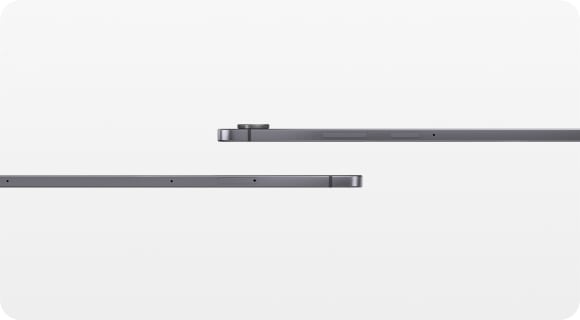
Slim. Thin. Optimised
Galaxy Tab S11 is even slimmer and lighter than Galaxy Tab S9. Its refined profile makes it easy to hold, pack, and carry. So you can work and create wherever inspiration strikes.
Check out the video:
Productivity Powerhouse With Samsung DeX
Samsung DeX lets you extend your Galaxy Tab S11’s display to create a seamless multitasking environment of up to 4 workspaces. Move apps freely and easily between screens to keep your workflow smooth and efficient. Increase your productivity with a multi-screen experience as you drag and drop windows between screens, or enjoy content saved to your Galaxy Tab S11 in a home-theater setting by mirroring it to your monitor.
Check out the video:
Slim and Light. Feels Just Right
Packing powerful AI features in a slim, lightweight design, Galaxy Tab S11 is a productivity powerhouse everywhere you go. Its brilliant display and charge-less, hexagon-shaped pen make Galaxy Tab S11 the ultimate creative companion when you need it. And its lightweight, slim, design make it effortlessly portable when you're on the move.
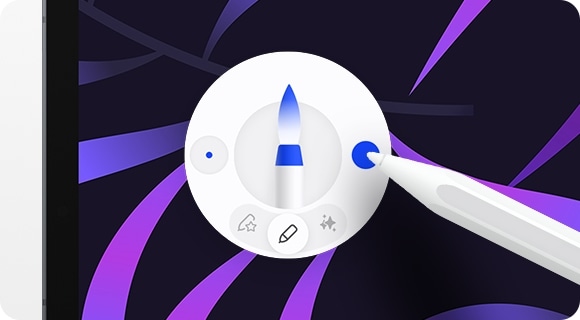
Quick Access to Quick Tools
Instantly access the Quick tools menu right from S Pen. Update settings like thickness, colour, favourites, Note Assist, and more in a flash.[7]
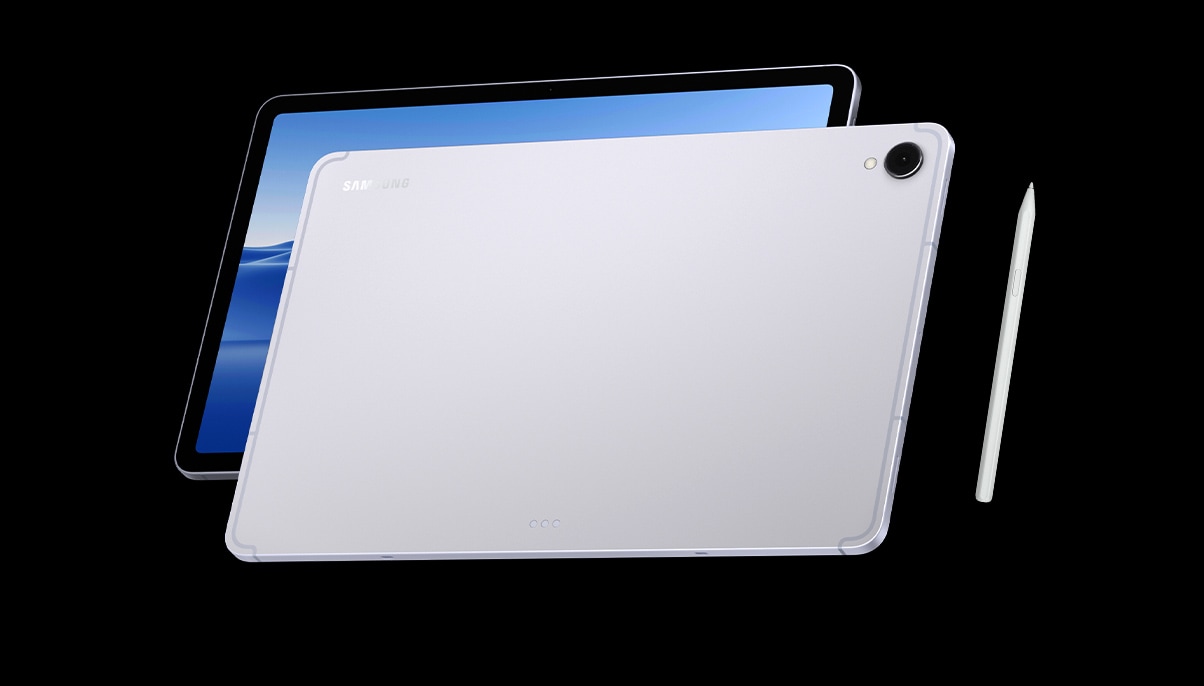
Sleek. Seamless. Refined
Every detail of Galaxy Tab S11 is streamlined to give you powerful performance into a beautifully sleek form. From improved camera design, to the removed wireless charging slot and enhanced slim bezel, every angle is thoughtfully engineered to seamlessly merge superior function with elegant design. Choose from Grey and Silver, two stylish colours that look as premium as they feel.
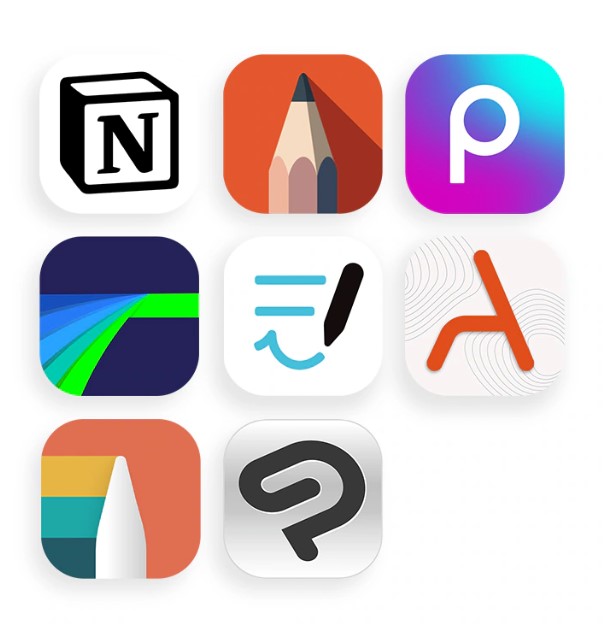
Your Apps. Your Way
Galaxy Tab S11 comes preloaded with apps like Goodnotes, LumaFusion, Clip Studio Paint, and Notion. Making it easy to take notes, edit, draw and stay organised from the start. You’ll also have access to optimised apps like Noteshelf 3, ArcSite, Sketchbook, and Picsart, all designed to run smoothly and enhance your creative experience.
7. Quick tools are available in Samsung Notes and PENUP. UI/UX may vary by app.
What's in the Box:
- S pen
- Data cable (USB-C type)
- Eject pin
Product Features:
- MicroSD (Up to 2TB)
- USB version: USB 3.2 Gen 1
- Location technology: GPS, glonass, beidou, galileo, QZSS
- Sensors: Accelerometer, fingerprint sensor, gyro sensor, geomagnetic sensor, hall sensor, light sensor
- Smartthings support
Specs
General
- Brand Samsung
- Product Category Android Tablets
- Product Type Tablet
- Product Specific Colour Silver
- Colour Grey
Connectivity
- Wi-Fi Yes
- Wireless Connectivity Bluetooth 5.4, Bluetooth, 4G, 5G, Celluar
- Wireless Ready Yes
- USB-C Ports 1
Renaissance Grade
- Battery 18
- Thickness 1
- Weight 2
Processor
- Processor Range Octa-Core
- Processor Speed 3.73 GHz
Display
- Display Resolution WQXGA
- Screen Type Dynamic AMOLED 2X
- Screen Size (Display) 11"
- Screen Resolution 2560 x 1600 px
- Touch Screen Yes
Memory
- RAM 12 GB
Storage
- Total Storage Capacity 256 GB
Platform
- Operating System Android
Battery & Power
- Battery 8400 mAh
- Power Source Battery
- Voltage Up to 18 hours
Camera
- Rear Facing Camera 13 MP
- Front Facing Camera 12 MP
Dimensions
- Width 253.8 mm
- Depth 5.5 mm
- Height 165.3 mm
- Weight 0.471 kg
Delivery
We offer a comprehensive nationwide (excluding Republic of Ireland) delivery service; we aim to deliver all orders as quickly as possible.
| Item Type | Delivered In | Delivered By |
|---|---|---|
| Small Items | 2 Working days | DPD |
| Large Electrical Appliance | 3-5 Working days | Independent transport company |
| Furniture & Bedding | 3-5 Working days | Independent transport company |
Please note: if you have ordered furniture and bedding products that involve a lead time, are customised or made to measure, we will contact you to discuss delivery.
Free Click & Collect In Store
Can't wait for delivery or don't want to pay additional delivery charges? It's incredibly simple to collect your online order in store and get your hands on your product quickly and easily. Simply select the Click & Collect option and head to your nearest Harvey Norman store to collect your order.
- During checkout, select “Click & Collect” and select your preferred store.
- After your order is placed, you will receive an order acknowledgement email with your order number.
- Once the store has confirmed your order and reserved the stock, you will receive an email to inform you that your order is "Ready for collection". If you want to use "Contactless Click & Collect" select this option on this email. Please Note: Some large items are held in an off-site warehouse. We will notify you of the collection location in your Ready for Pickup email.
- Bring your order number to the store you selected for Click & Collect, along with photo ID and the credit card you used to make the order.
- Speak to one of our staff and your order should be processed in minutes.
- If availing of Contactless Click & Collect, please click the link in your email "ready to pick up" to let the store know you are on your way. When you have parked in the designated parking bay, open your email, and choose the "I'm here" option and a member of staff will bring your purchase out to your car.
Easy returns
Store Purchases: For all items purchased from a physical store, please return to your local Harvey Norman Store. Please see Terms & Conditions here.
Online Purchases: For all items purchased via our Online Store (website), please fill out our Contact Form where our team can guide you through the process.
Description
Description
Check out the video:
Talk to Google Gemini About Anything You See
Use screen sharing on your Galaxy Tab S11 to get information in real time with Gemini Live. Just long press the side button to get started and share your screen with Google Gemini to ask for advice. It may even ask you questions, prompting a free-flowing conversation that can help you get the answers you're looking for.
Slim. Thin. Optimised
Galaxy Tab S11 is even slimmer and lighter than Galaxy Tab S9. Its refined profile makes it easy to hold, pack, and carry. So you can work and create wherever inspiration strikes.
Check out the video:
Productivity Powerhouse With Samsung DeX
Samsung DeX lets you extend your Galaxy Tab S11’s display to create a seamless multitasking environment of up to 4 workspaces. Move apps freely and easily between screens to keep your workflow smooth and efficient. Increase your productivity with a multi-screen experience as you drag and drop windows between screens, or enjoy content saved to your Galaxy Tab S11 in a home-theater setting by mirroring it to your monitor.
Check out the video:
Slim and Light. Feels Just Right
Packing powerful AI features in a slim, lightweight design, Galaxy Tab S11 is a productivity powerhouse everywhere you go. Its brilliant display and charge-less, hexagon-shaped pen make Galaxy Tab S11 the ultimate creative companion when you need it. And its lightweight, slim, design make it effortlessly portable when you're on the move.
Quick Access to Quick Tools
Instantly access the Quick tools menu right from S Pen. Update settings like thickness, colour, favourites, Note Assist, and more in a flash.[7]
Sleek. Seamless. Refined
Every detail of Galaxy Tab S11 is streamlined to give you powerful performance into a beautifully sleek form. From improved camera design, to the removed wireless charging slot and enhanced slim bezel, every angle is thoughtfully engineered to seamlessly merge superior function with elegant design. Choose from Grey and Silver, two stylish colours that look as premium as they feel.
Your Apps. Your Way
Galaxy Tab S11 comes preloaded with apps like Goodnotes, LumaFusion, Clip Studio Paint, and Notion. Making it easy to take notes, edit, draw and stay organised from the start. You’ll also have access to optimised apps like Noteshelf 3, ArcSite, Sketchbook, and Picsart, all designed to run smoothly and enhance your creative experience.
7. Quick tools are available in Samsung Notes and PENUP. UI/UX may vary by app.
What's in the Box:
- S pen
- Data cable (USB-C type)
- Eject pin
Product Features:
- MicroSD (Up to 2TB)
- USB version: USB 3.2 Gen 1
- Location technology: GPS, glonass, beidou, galileo, QZSS
- Sensors: Accelerometer, fingerprint sensor, gyro sensor, geomagnetic sensor, hall sensor, light sensor
- Smartthings support
Specifications
Specs
General
- Brand Samsung
- Product Category Android Tablets
- Product Type Tablet
- Product Specific Colour Silver
- Colour Grey
Connectivity
- Wi-Fi Yes
- Wireless Connectivity Bluetooth 5.4, Bluetooth, 4G, 5G, Celluar
- Wireless Ready Yes
- USB-C Ports 1
Renaissance Grade
- Battery 18
- Thickness 1
- Weight 2
Processor
- Processor Range Octa-Core
- Processor Speed 3.73 GHz
Display
- Display Resolution WQXGA
- Screen Type Dynamic AMOLED 2X
- Screen Size (Display) 11"
- Screen Resolution 2560 x 1600 px
- Touch Screen Yes
Memory
- RAM 12 GB
Storage
- Total Storage Capacity 256 GB
Platform
- Operating System Android
Battery & Power
- Battery 8400 mAh
- Power Source Battery
- Voltage Up to 18 hours
Camera
- Rear Facing Camera 13 MP
- Front Facing Camera 12 MP
Dimensions
- Width 253.8 mm
- Depth 5.5 mm
- Height 165.3 mm
- Weight 0.471 kg
Delivery & Returns
Delivery
We offer a comprehensive nationwide (excluding Republic of Ireland) delivery service; we aim to deliver all orders as quickly as possible.
| Item Type | Delivered In | Delivered By |
|---|---|---|
| Small Items | 2 Working days | DPD |
| Large Electrical Appliance | 3-5 Working days | Independent transport company |
| Furniture & Bedding | 3-5 Working days | Independent transport company |
Please note: if you have ordered furniture and bedding products that involve a lead time, are customised or made to measure, we will contact you to discuss delivery.
Free Click & Collect In Store
Can't wait for delivery or don't want to pay additional delivery charges? It's incredibly simple to collect your online order in store and get your hands on your product quickly and easily. Simply select the Click & Collect option and head to your nearest Harvey Norman store to collect your order.
- During checkout, select “Click & Collect” and select your preferred store.
- After your order is placed, you will receive an order acknowledgement email with your order number.
- Once the store has confirmed your order and reserved the stock, you will receive an email to inform you that your order is "Ready for collection". If you want to use "Contactless Click & Collect" select this option on this email. Please Note: Some large items are held in an off-site warehouse. We will notify you of the collection location in your Ready for Pickup email.
- Bring your order number to the store you selected for Click & Collect, along with photo ID and the credit card you used to make the order.
- Speak to one of our staff and your order should be processed in minutes.
- If availing of Contactless Click & Collect, please click the link in your email "ready to pick up" to let the store know you are on your way. When you have parked in the designated parking bay, open your email, and choose the "I'm here" option and a member of staff will bring your purchase out to your car.
Easy returns
Store Purchases: For all items purchased from a physical store, please return to your local Harvey Norman Store. Please see Terms & Conditions here.
Online Purchases: For all items purchased via our Online Store (website), please fill out our Contact Form where our team can guide you through the process.
Reviews
You may also like
Recently viewed
Compare


 Secure Online Shopping